
Get Transaction Report in Graphql
This query returns calculated transaction report rows for a given date range.
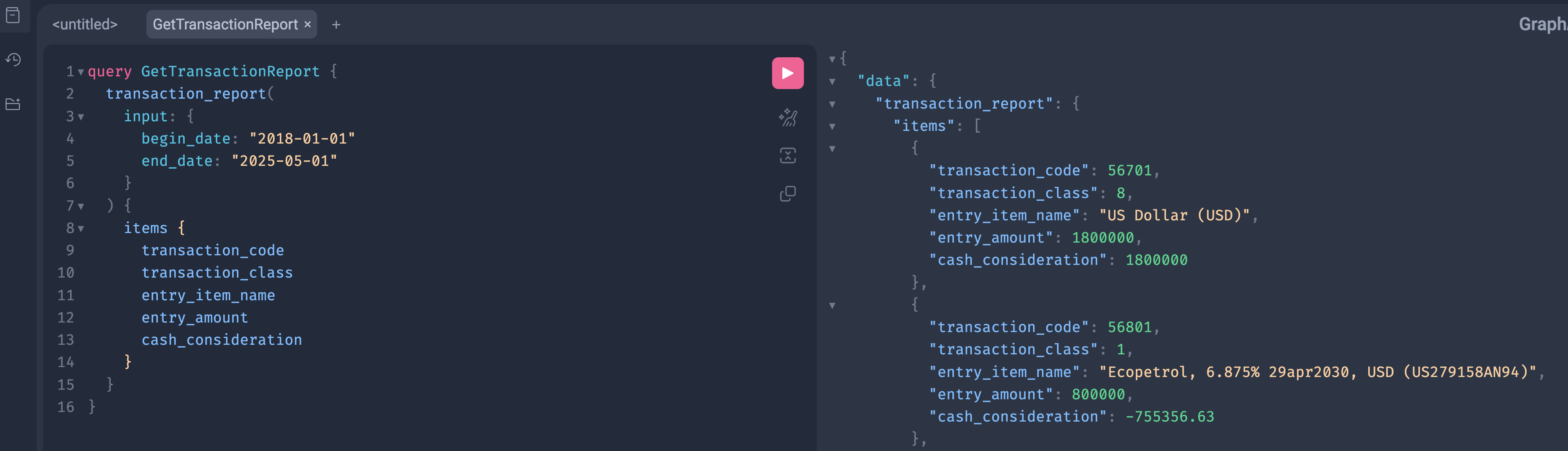
GraphQL Query
query GetTransactionReport {
  transaction_report(
    input: {
      begin_date: "2018-01-01"
      end_date: "2025-05-01"
    }
  ) {
    items {
      transaction_code
      transaction_class
      entry_item_name
      entry_amount
      cash_consideration
    }
  }
}
Input Fields
begin_date
begin_date: "2018-01-01"- Report start date
- Optional in some setups
- ISO format
end_date
end_date: "2025-05-01"- Report end date
- Required
- ISO format
Output Fields
Each item represents one report row.
transaction_code— internal transaction identifiertransaction_class— transaction typeentry_item_name— report entry nameentry_amount— calculated amountcash_consideration— cash movement value
Only requested fields are returned.
Python Example
import requests

url = "https://<domain_name>/<realm_code>/<space_code>/graphql/"

headers = {
    "Authorization": "Bearer <access_token>",
    "Content-Type": "application/json"
}

payload = {
    "query": """
    query GetTransactionReport {
      transaction_report(
        input: {
          begin_date: "2018-01-01"
          end_date: "2025-05-01"
        }
      ) {
        items {
          transaction_code
          transaction_class
          entry_item_name
          entry_amount
          cash_consideration
        }
      }
    }
    """
}

response = requests.post(url, json=payload, headers=headers)
print(response.json())
Notes
- This is a report query, not a list endpoint
- No pagination
- Uses
input, notfilters - Execution time depends on date range
- Add more fields to
itemsif needed