Configuration Installation
Installing Modules
Prerequisites
- A created database with an activated license
Actions
- Go to
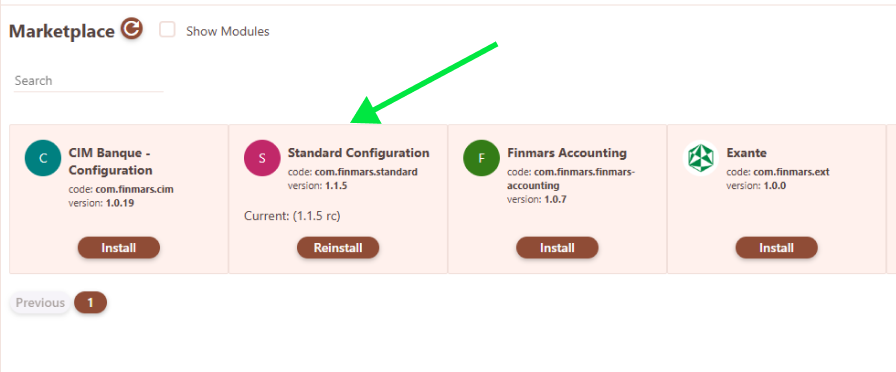
Settings -> Configuration -> Marketplace - Select the
Standard Configurationpackage and install it by clicking the install button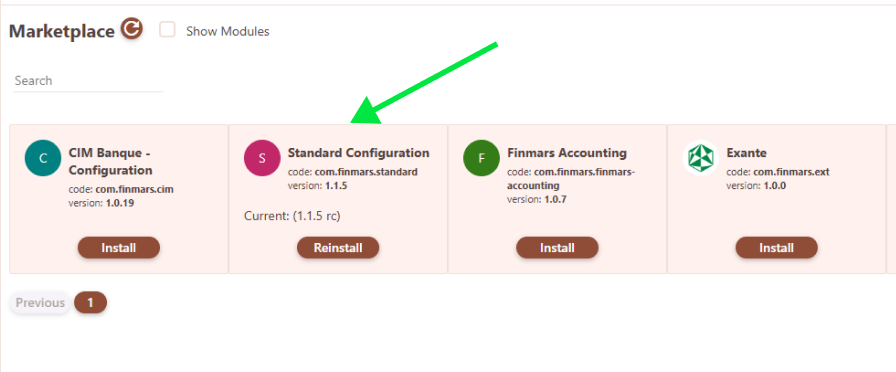
- Wait for the module installation to complete
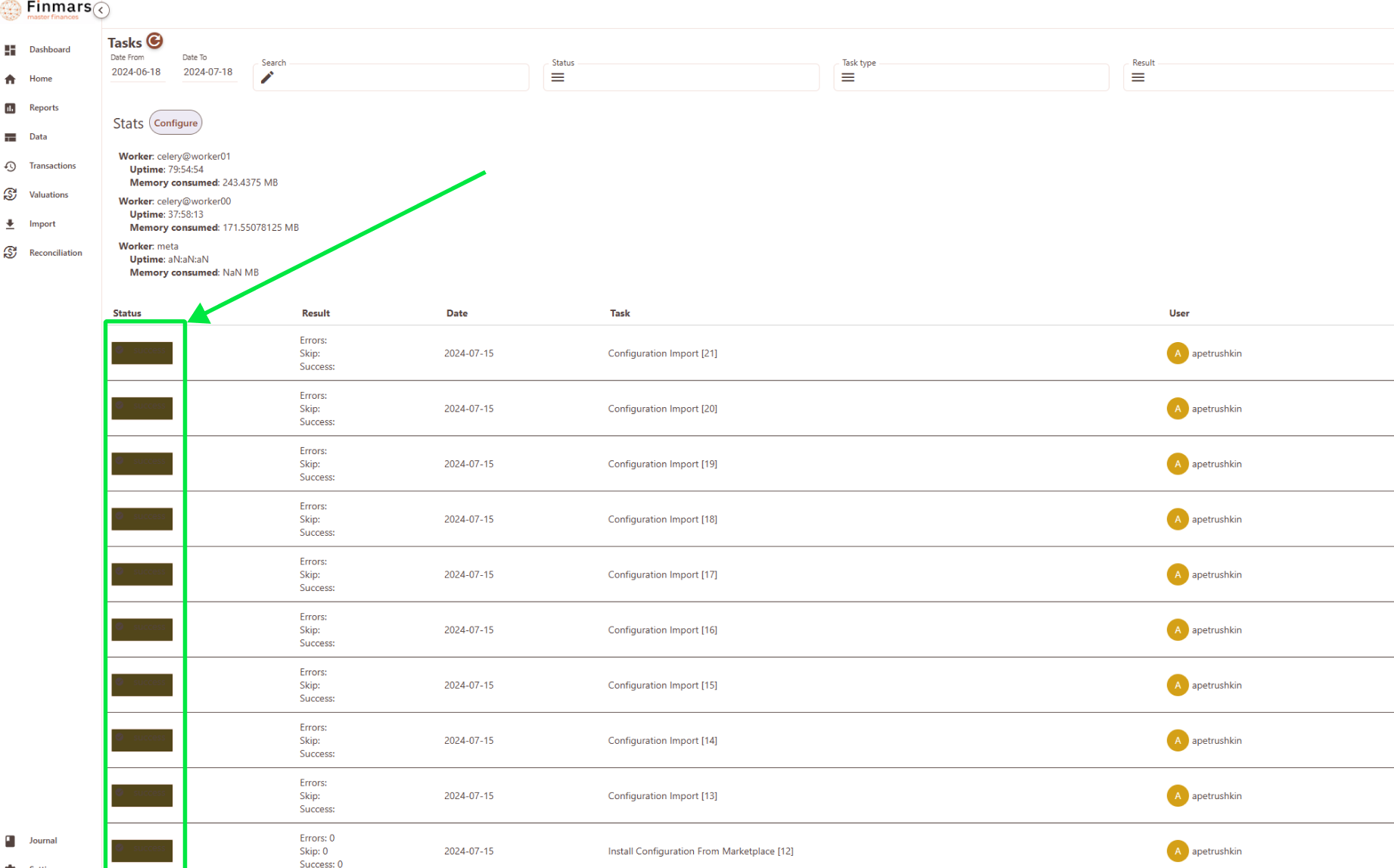
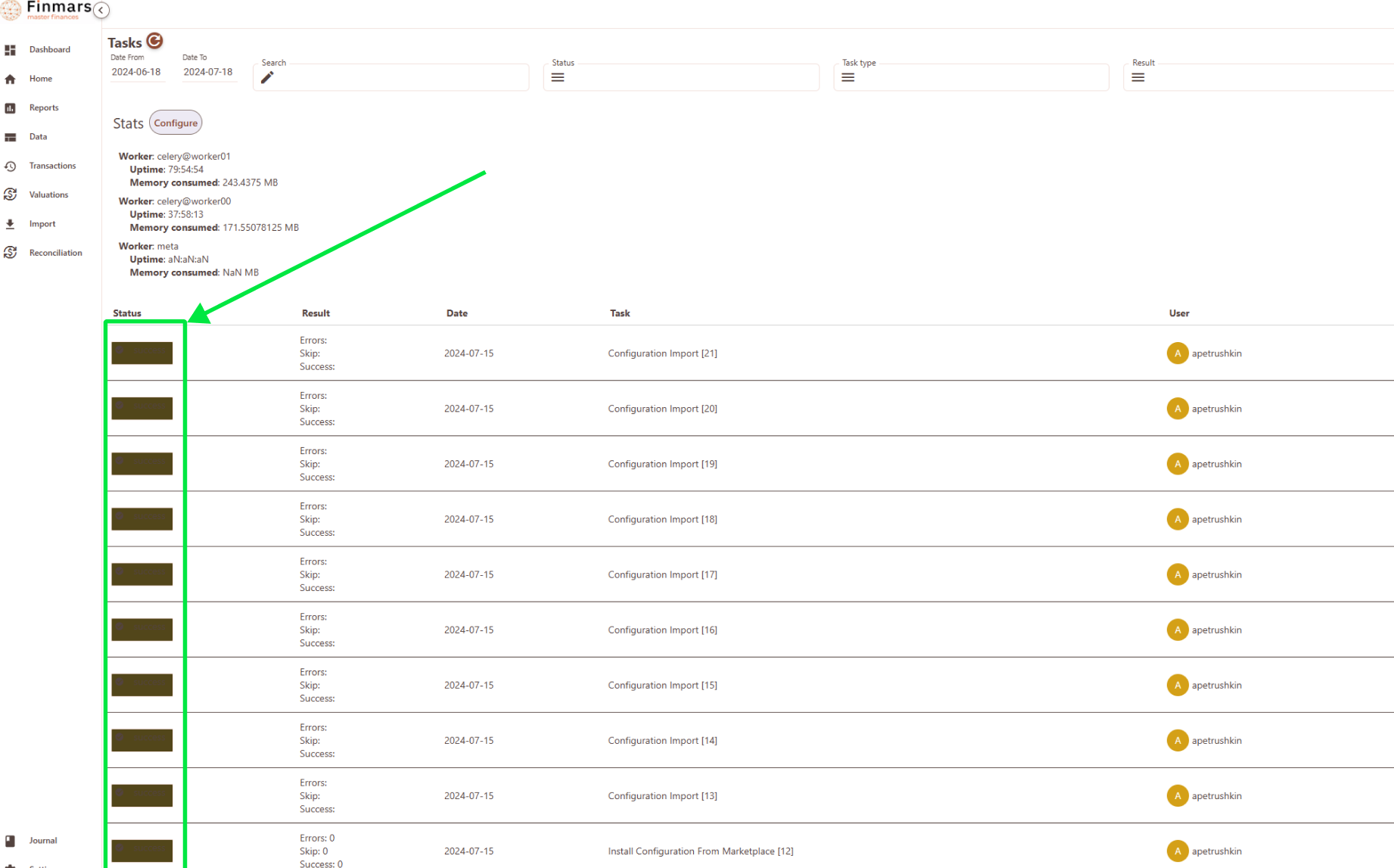
- You can check the success of the module installation in the
Data -> Taskssection. All tasks should be completed. Completion is indicated by a brown rectangle.