# Install PMS Core or PMS Plus add-on
## Prerequisites
We assume you have all prerequisites you may need, including:
1. [Get Access to Finmars](https://docs.finmars.com/books/user-quick-start/page/get-access-to-finmars)
2. [Link with Finmars ID](https://docs.finmars.com/books/user-quick-start/page/link-with-finmars-id "https://docs.finmars.com/books/user-quick-start/page/link-with-finmars-id")
3. You have the internet access
## About PMS Core and PMS Plus add-ons
The ****Portfolio Management Solution (PMS)**** is a core Finmars add-on that enables asset managers, investors, and partners to manage, track, and analyze portfolios in one place.
It provides all essential tools for portfolio monitoring, transaction tracking, and performance reporting — available in a fully functional free version, with optional paid features for advanced analytics and automation.
****For whom?****
- ****Asset Managers**** finding insights for their portfolios
- ****Investors**** having control over their assets
- ****Partners**** developing and providing their solutions
****What's Inside?****
- ****Fully functional**** and ****Developer friendly FREE Version**** with ****Paid Advanced options****
- ****Configurable reports**** Dashboards, Performance, PnL, Balance with ****drill down into Transactions****
- •****Comprehensive Layouts**** for dashboards, reports and data view
- ****Smart Import data via Excel**** in Standard Format
- Helper functions to ****analyze gaps in valuation data**** and more
- Standard ****Transaction**** and ****Instrument Types**** support
- Extensive ****Python Functions**** for developers
For more technical details see: [PMS Core and Plus](https://docs.finmars.com/books/pms-core-and-plus "https://docs.finmars.com/books/pms-core-and-plus")
## Installing PMS Core or PMS Plus add-on
After getting access to Finmars Space in the beginning you won't have any add-ons installed. As of now add-ons are distributed via Marketplace which requires the Internet access.
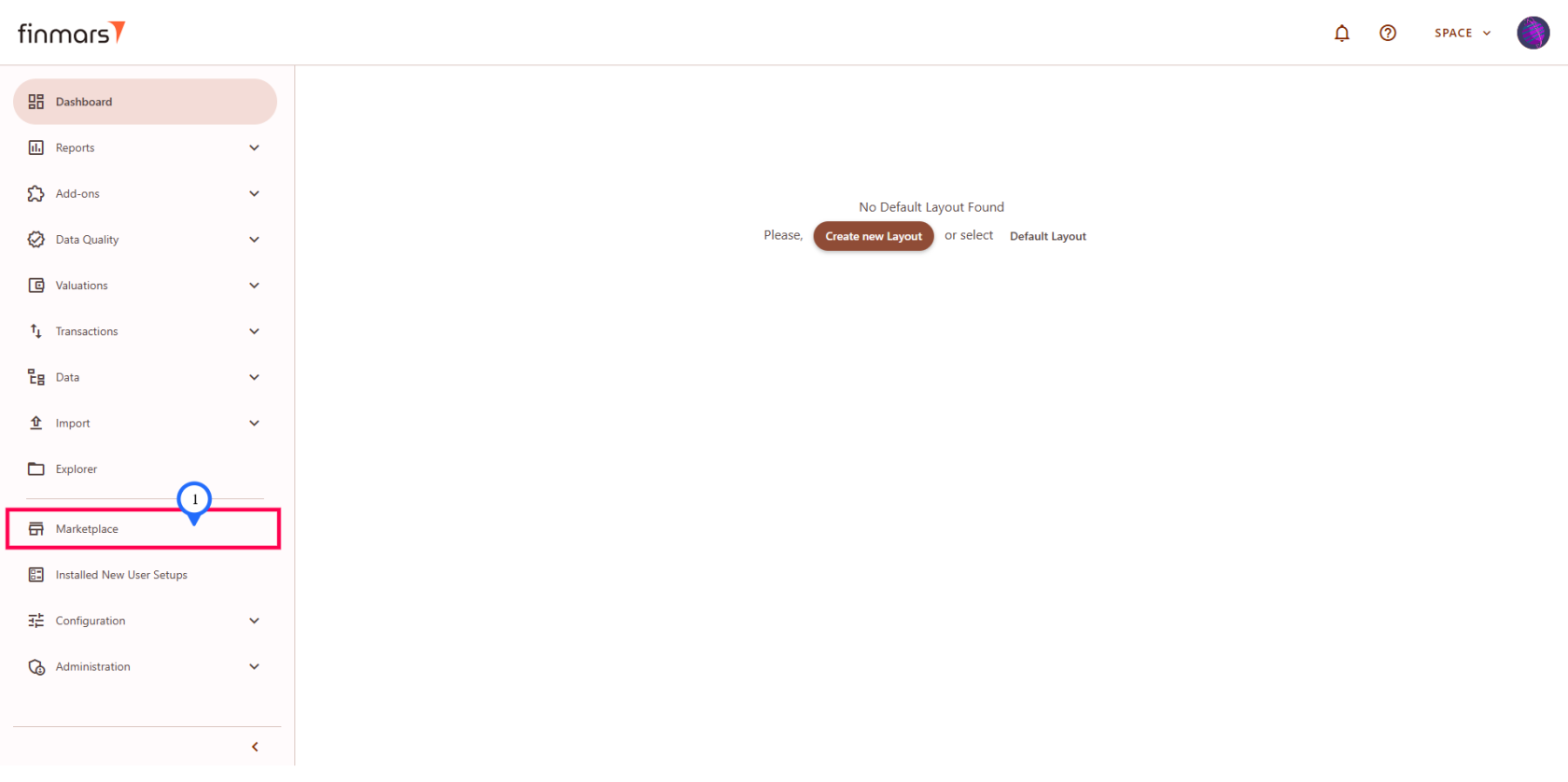
Go to the Marketplace page in the sidebar menu
[](https://docs.finmars.com/uploads/images/gallery/2025-08/uPNimage.png)
Then depending on your choice you can:
1. Install PMS Core add-on
2. Install PMS Plus add-on
## Installing PMS Core add-on
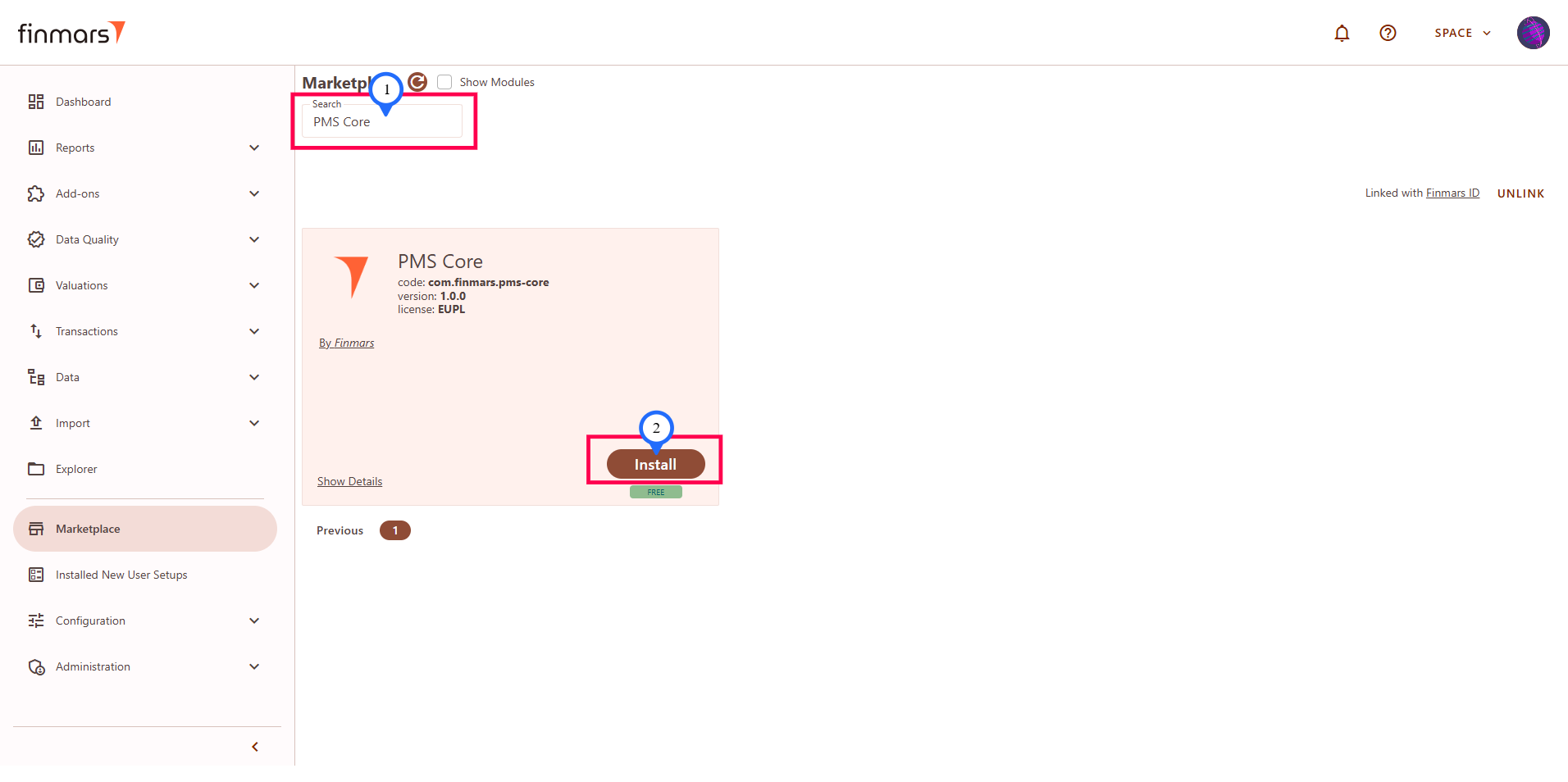
****To install Free PMS Core add-on****: Search "PMS Core" in the search bar and you will see [****PMS Core****](https://docs.finmars.com/books/pms-core-and-plus "PMS Core and Plus") - Fully functional and Developer friendly FREE version which is subset of [****PMS Plus****](https://docs.finmars.com/books/pms-core-and-plus "PMS Core and Plus")
[](https://docs.finmars.com/uploads/images/gallery/2025-08/G7Cimage.png)
By clicking ****Install**** you will get the latest version of the PMS Core add-on. For details on the installation process follow [How to Install/Update add-on from Marketplace](https://docs.finmars.com/books/configurator-quick-start/page/how-to-installupdate-add-on-from-marketplace).
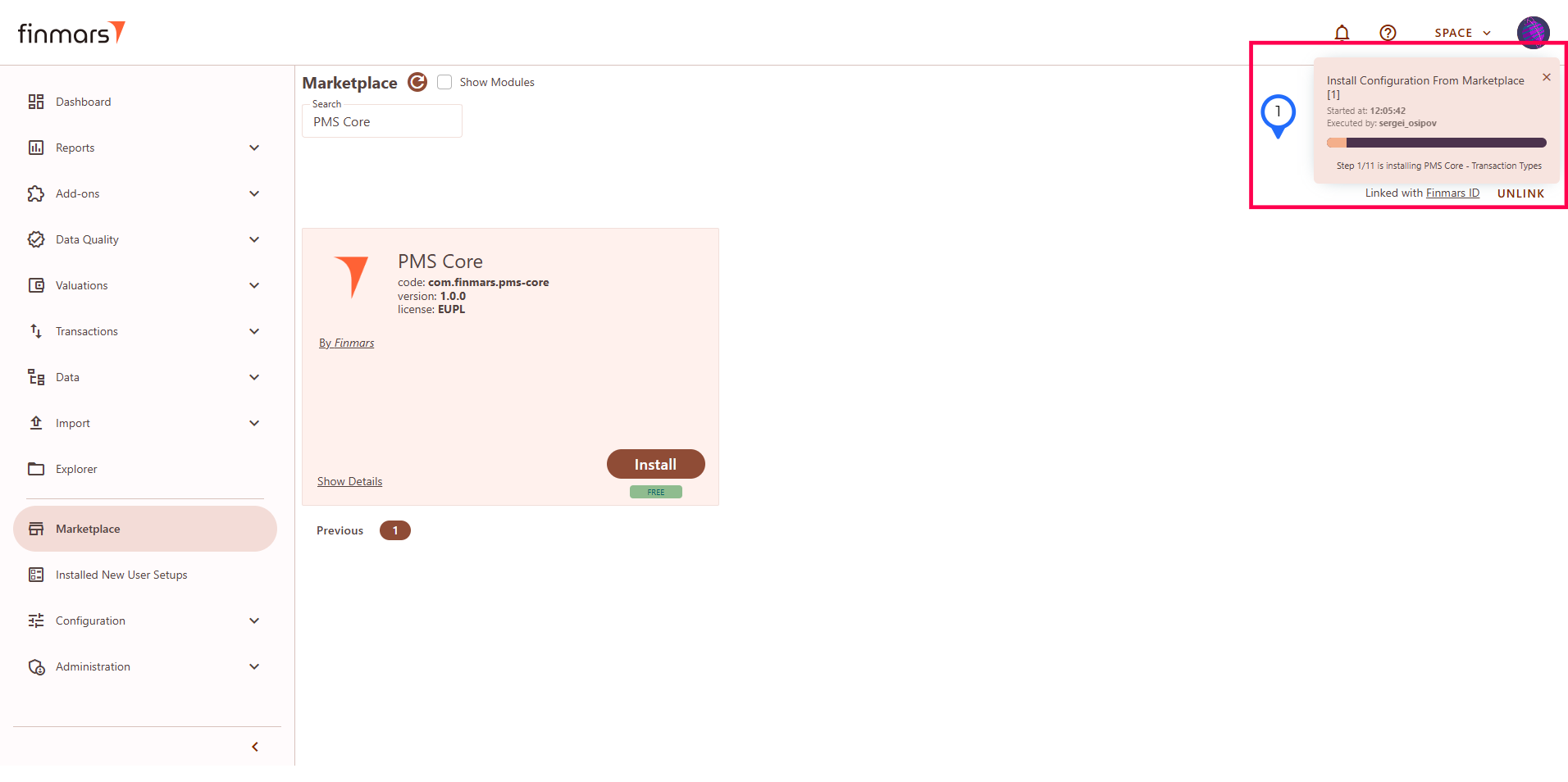
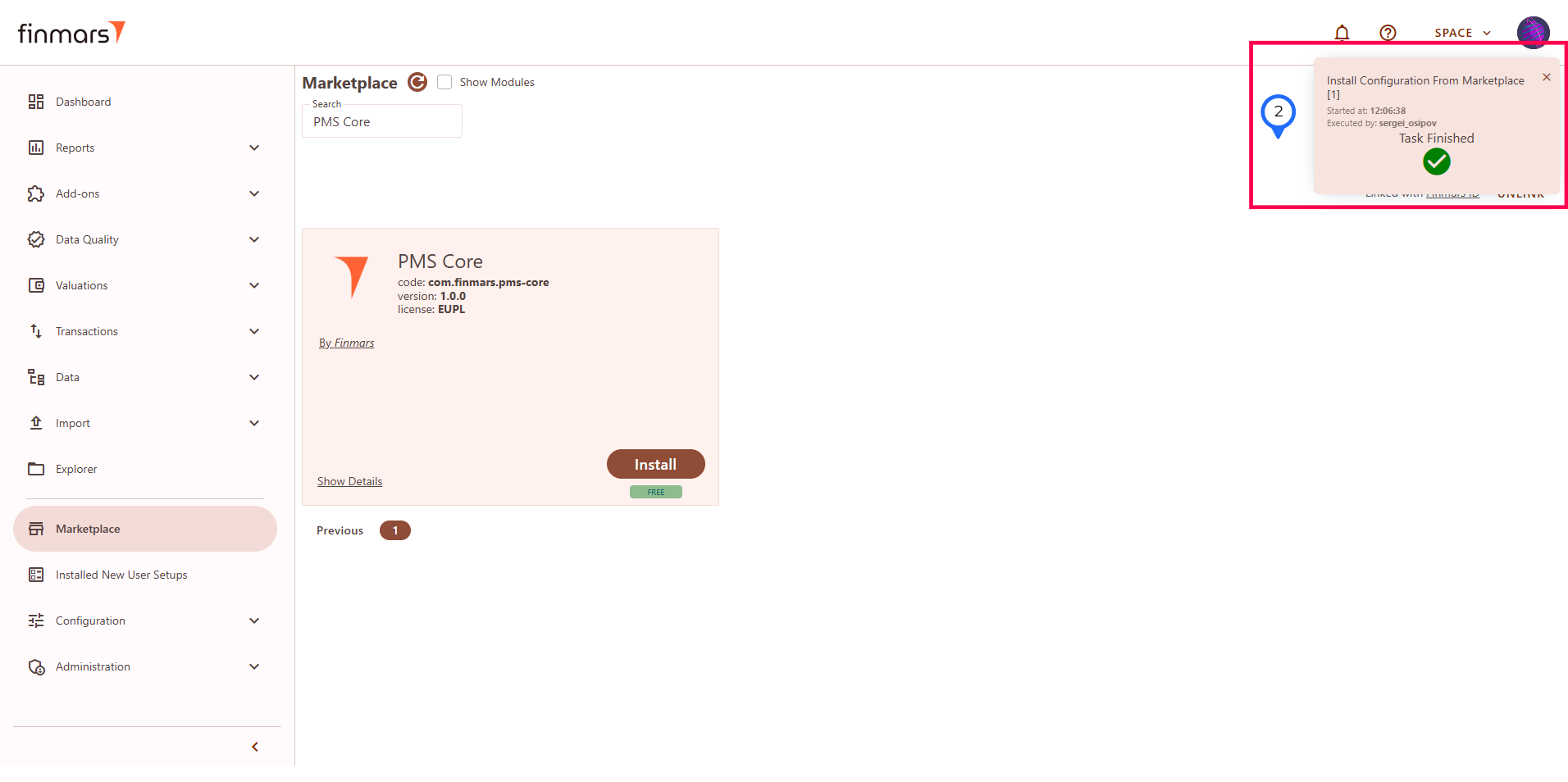
You will get progress window which will show you the progress and finish:
[](https://docs.finmars.com/uploads/images/gallery/2025-08/4ydimage.png)
[](https://docs.finmars.com/uploads/images/gallery/2025-08/HxJimage.png)
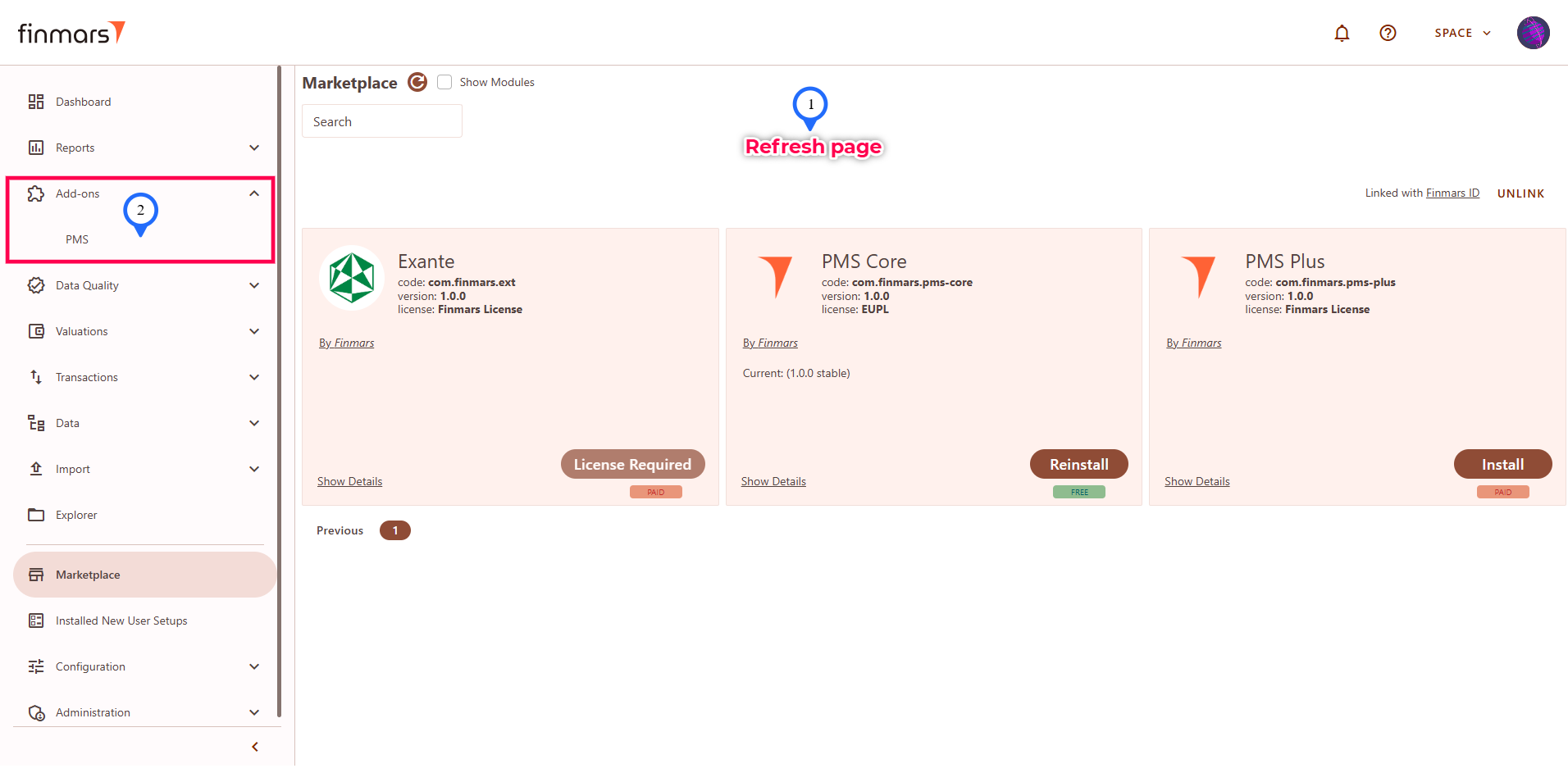
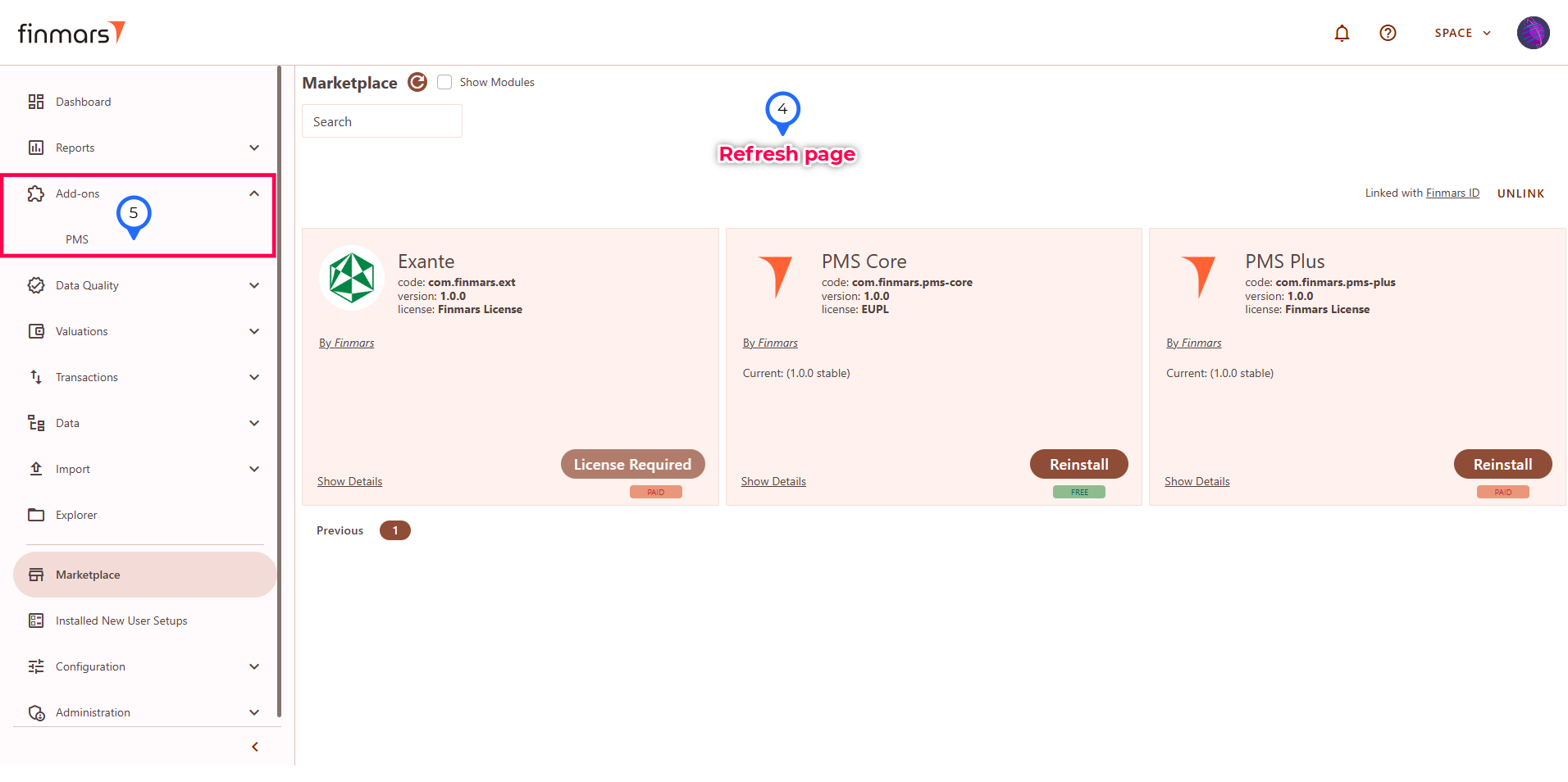
After the installation finished refresh the page and you can go to the sidebar menu ****Add-ons**** and see the "****PMS****" appeared in there.
[](https://docs.finmars.com/uploads/images/gallery/2025-08/3noimage.png)
## Installing PMS Plus add-on
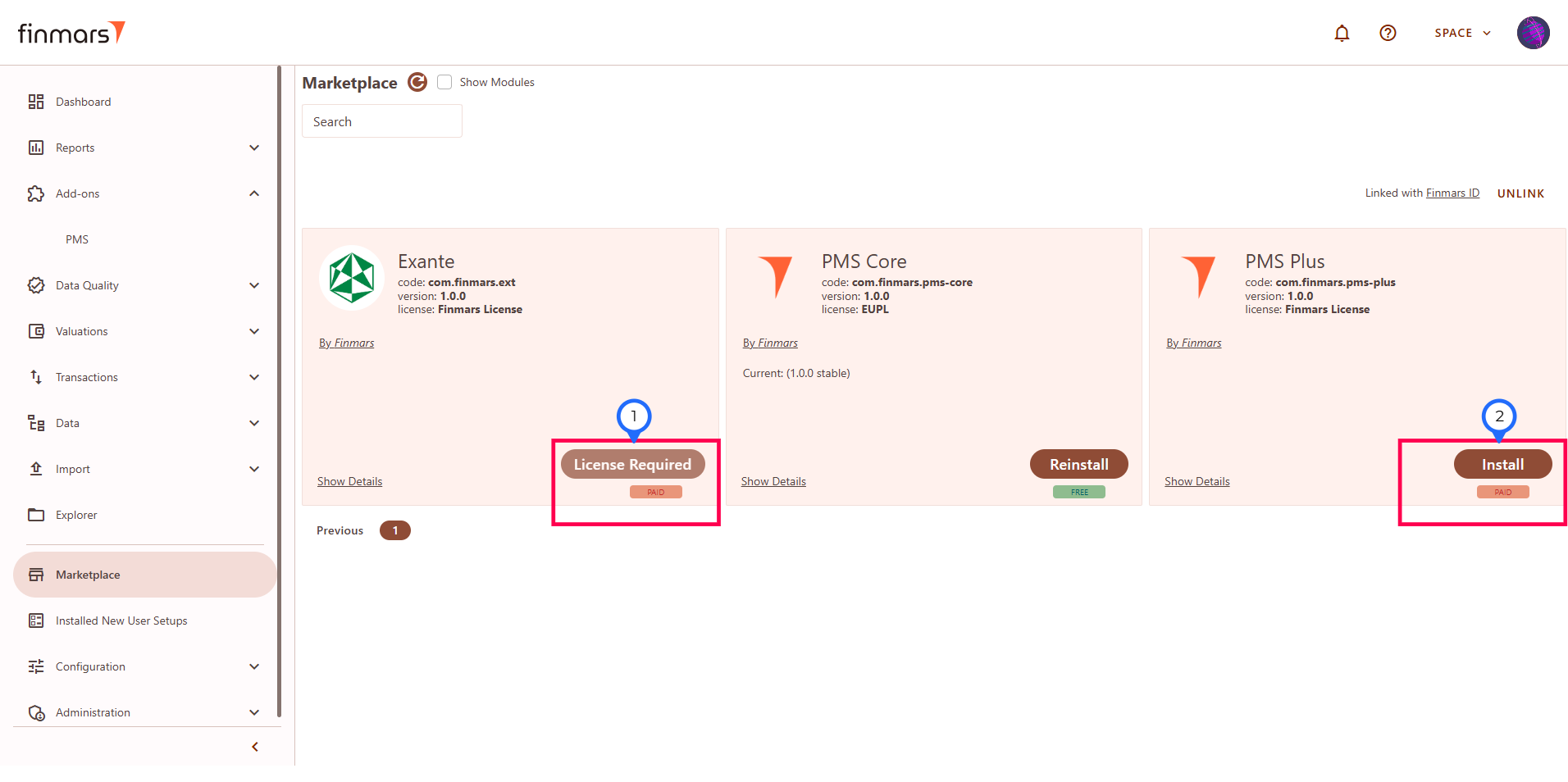
PMS Plus add-on ****requires access by your license**** for installation. Without it for paid add-ons you will see "License Required" button instead of the active "Install" button. To obtain license: [Get License for add-on](https://docs.finmars.com/books/user-quick-start/page/get-license-for-add-on-to-be-updated "https://docs.finmars.com/books/user-quick-start/page/get-license-for-add-on").
[](https://docs.finmars.com/uploads/images/gallery/2025-08/oltimage.png)
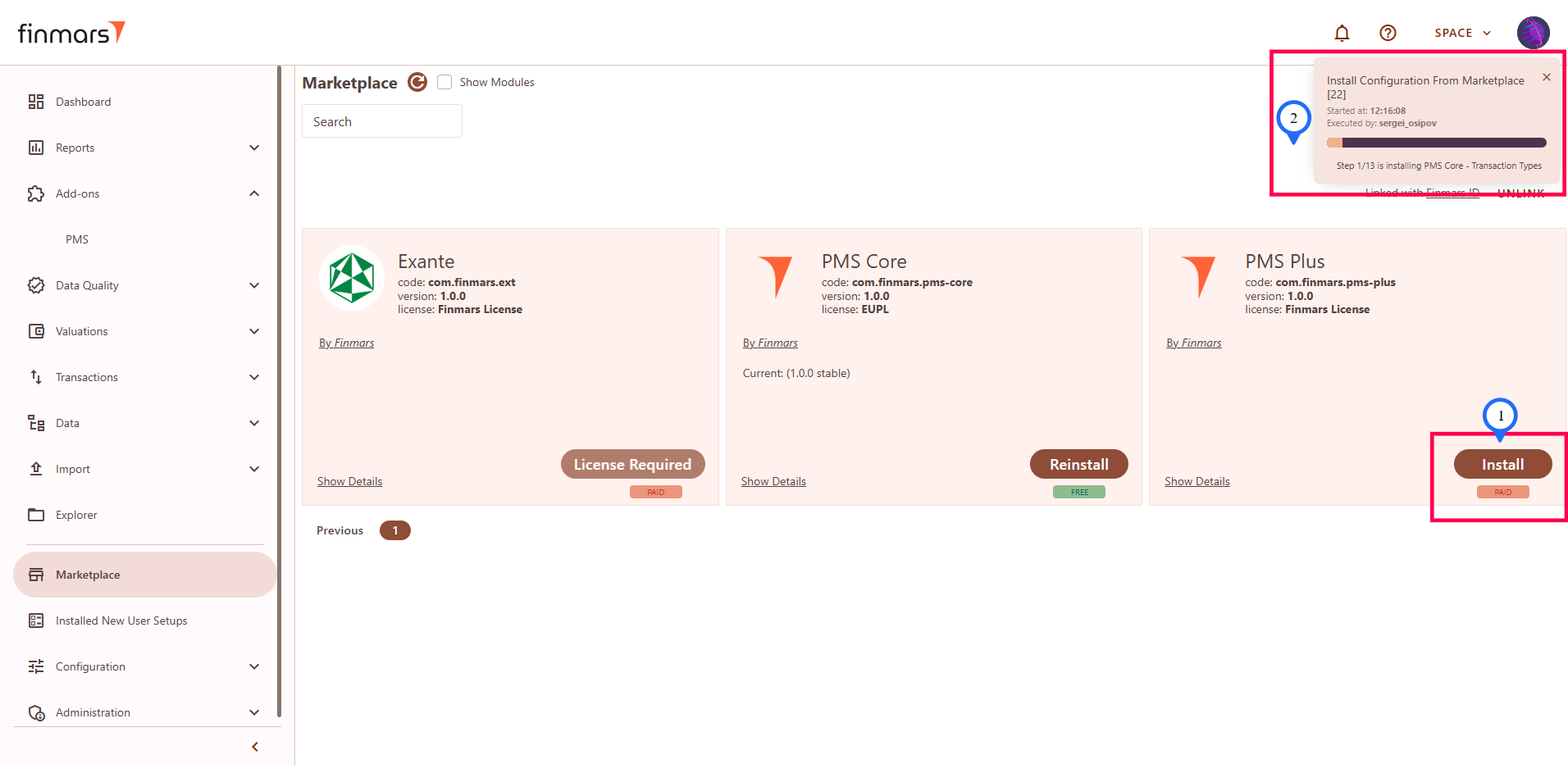
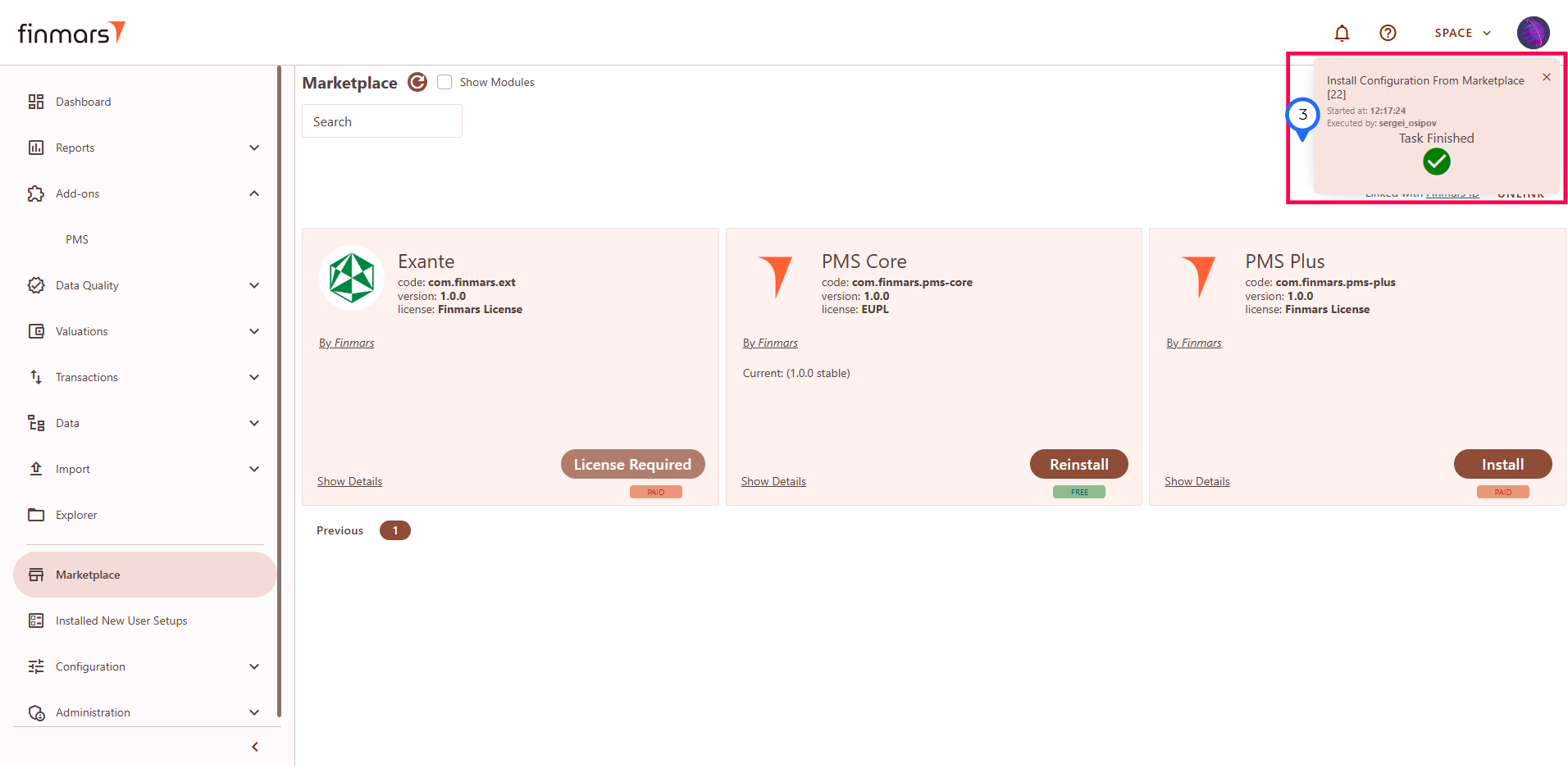
After you obtain the license for PMS Plus you can go to the marketplace page, search for "PMS Plus" and click Install button as usual. The installation process will be the same as for PMS Core. And you can install PMS Plus over existing PMS Core.
[](https://docs.finmars.com/uploads/images/gallery/2025-08/mTkimage.png)
[](https://docs.finmars.com/uploads/images/gallery/2025-08/22Pimage.png)
[](https://docs.finmars.com/uploads/images/gallery/2025-08/IwQimage.png)