# Permissions
IAM & Permissions
Configure member access to certain objects/actions in Finmars Platform
# Bank Department Showcase
We have a following preconditions:
4 members and 4 Portfolios:
\- Finmars Admin Member
\- Head of Private Banking Member
\- Asset Manager Group A
\- Asset Manager Group B
So, in the end Idea is that Head of Private Banking all 4 portfolios
Asset Manager Group A see only portfolios in Resource Group A
Asset Manager Group B see only portfolios in Resource Group B
# Preconditions
- Space with Demo Data
- Admin (is\_admin) - member who configure permissions
- Head Of Private Banking - member who will have access to both resource groups
- Asset Manager A - member who will have access to Resource Group A
- Asset Manager B - member who will have access to Resource Group B
- Installed module com.finmars.standard-iam - module that contains all standard policies
# Create Resource Groups
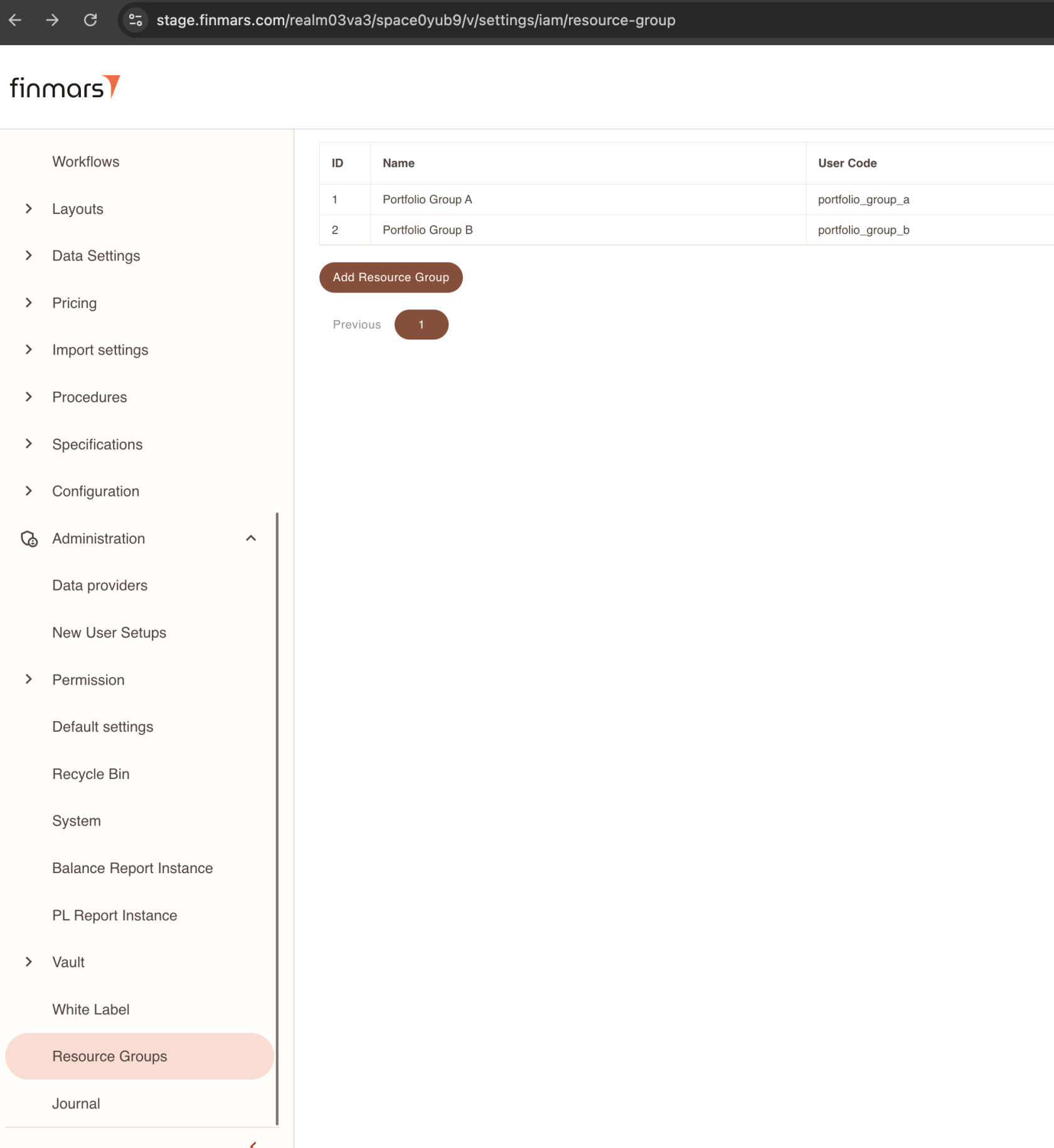
Go to Resource Group Page
[](https://docs.finmars.com/uploads/images/gallery/2024-10/screenshot-2024-10-31-at-12-23-24.png)
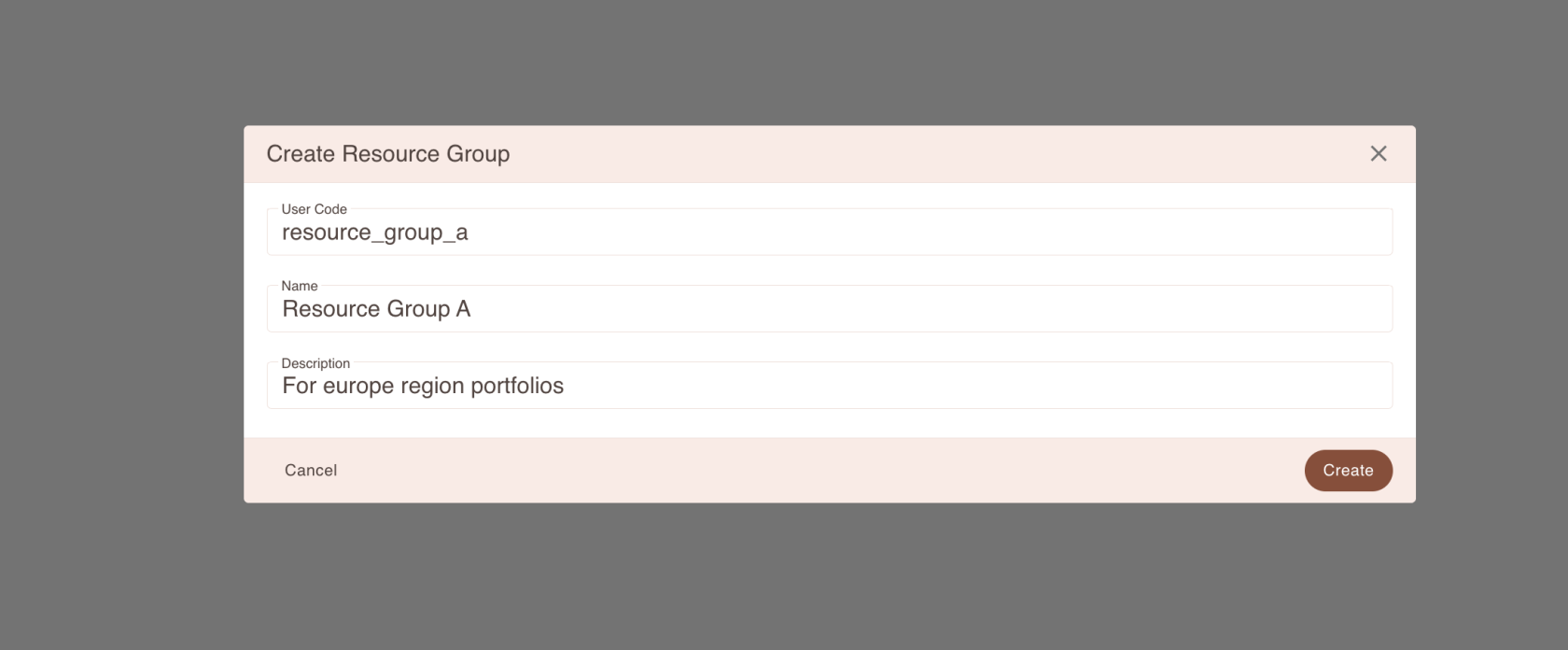
Press add new Resource Group
[](https://docs.finmars.com/uploads/images/gallery/2024-10/screenshot-2024-10-31-at-12-24-12.png)
In same manner add resource\_group\_b, or any other resource groups
At that point, that it, now you able to use it in Input Forms
# Assign Portfolio to Resource Group
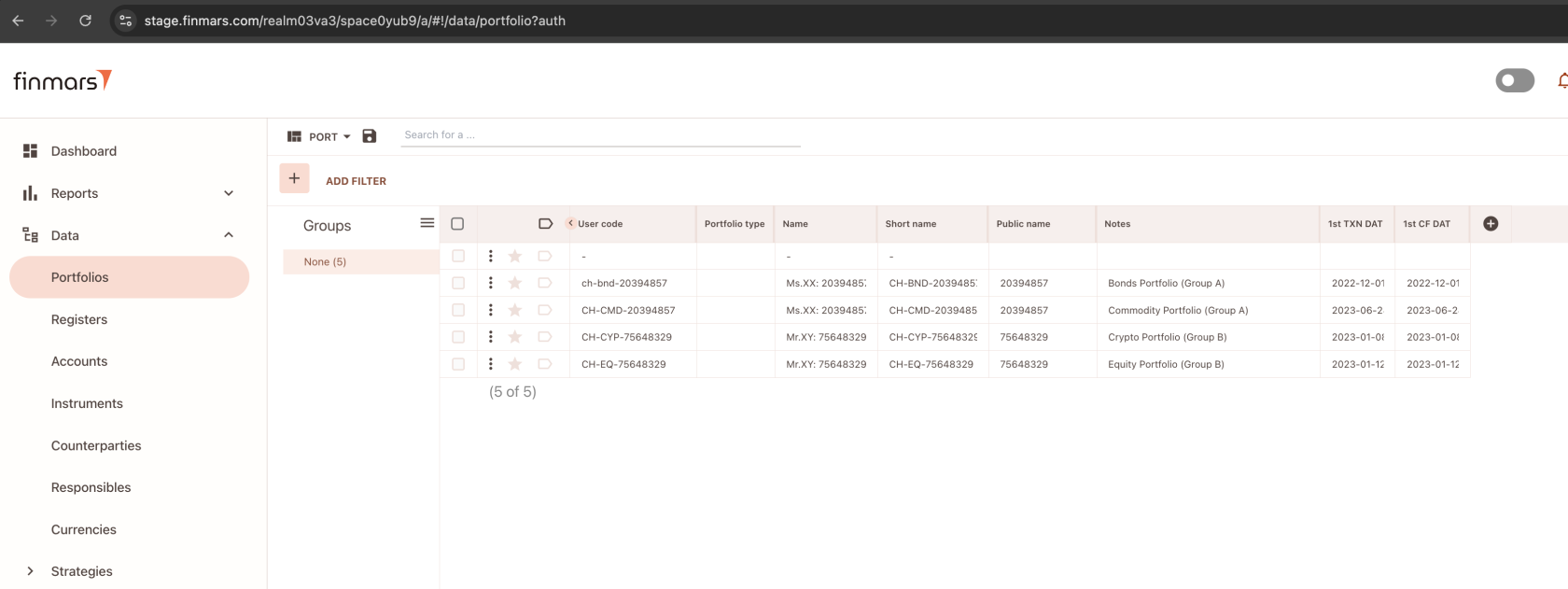
Go to Portfolios
[](https://docs.finmars.com/uploads/images/gallery/2024-10/screenshot-2024-10-31-at-12-25-44.png)
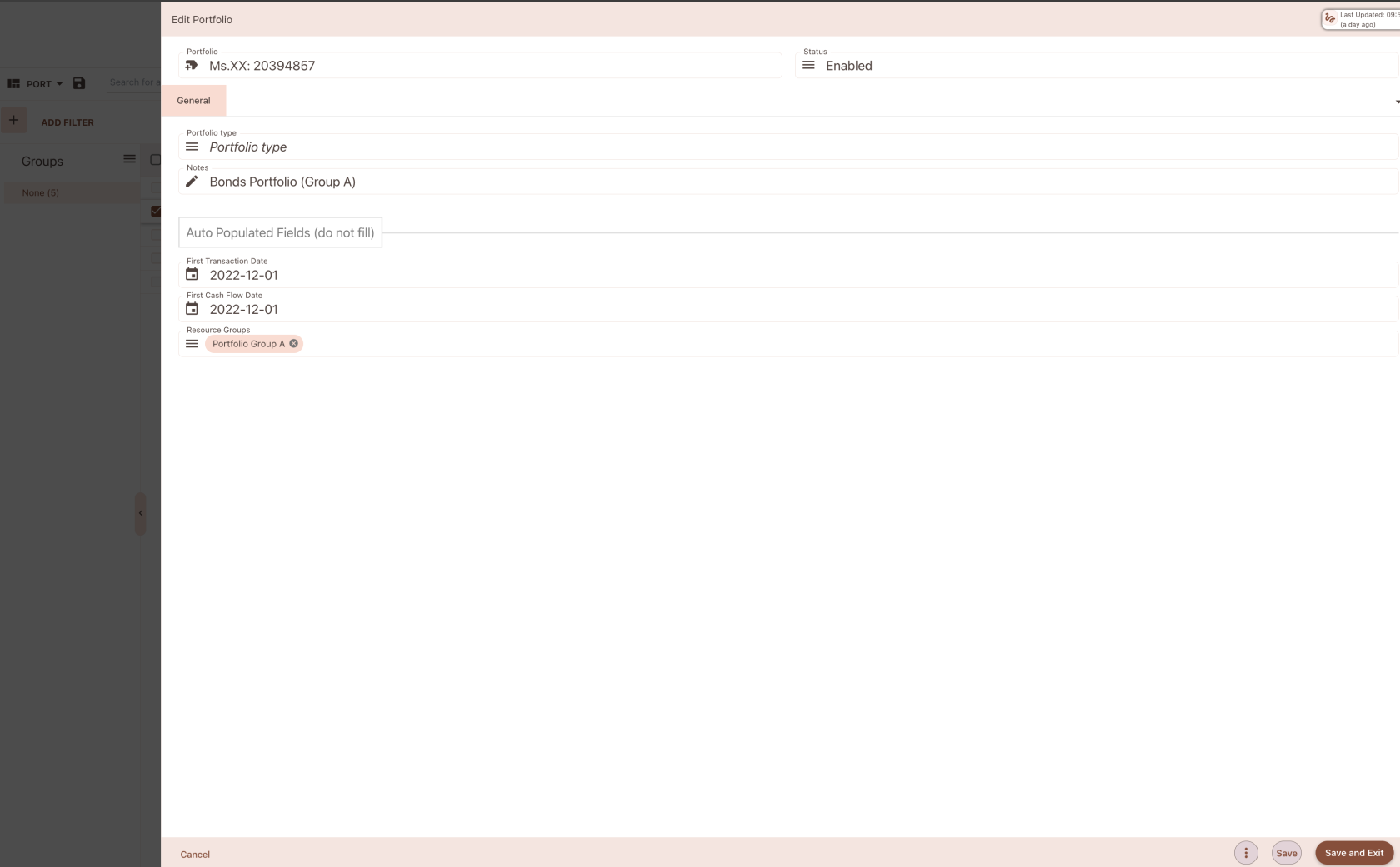
Open any Portfolio
[](https://docs.finmars.com/uploads/images/gallery/2024-10/screenshot-2024-10-31-at-12-26-09.png)
You should be able to see Resource Group Input (multiselect dropdown)
If you do not see it, go to Form Constructor and manually add this input to Form
[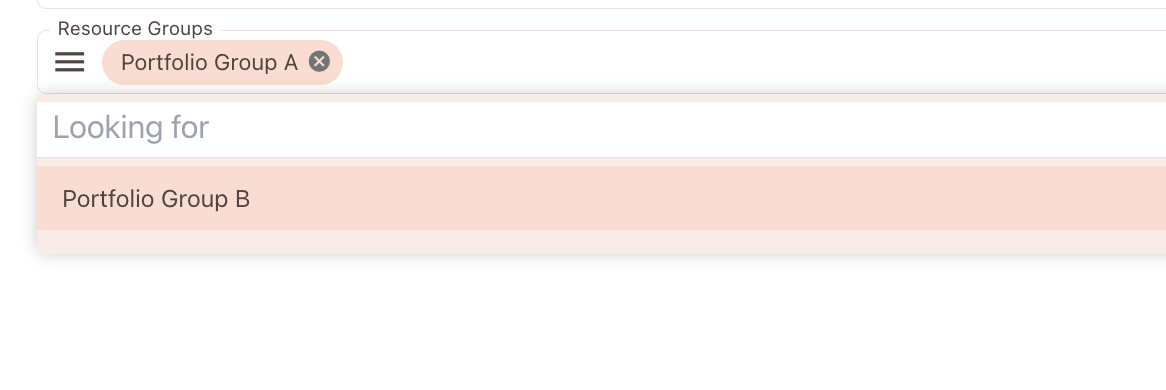](https://docs.finmars.com/uploads/images/gallery/2024-10/screenshot-2024-10-31-at-12-27-00.png)
Select Resource Group - Portfolio Group A
And thats it!
[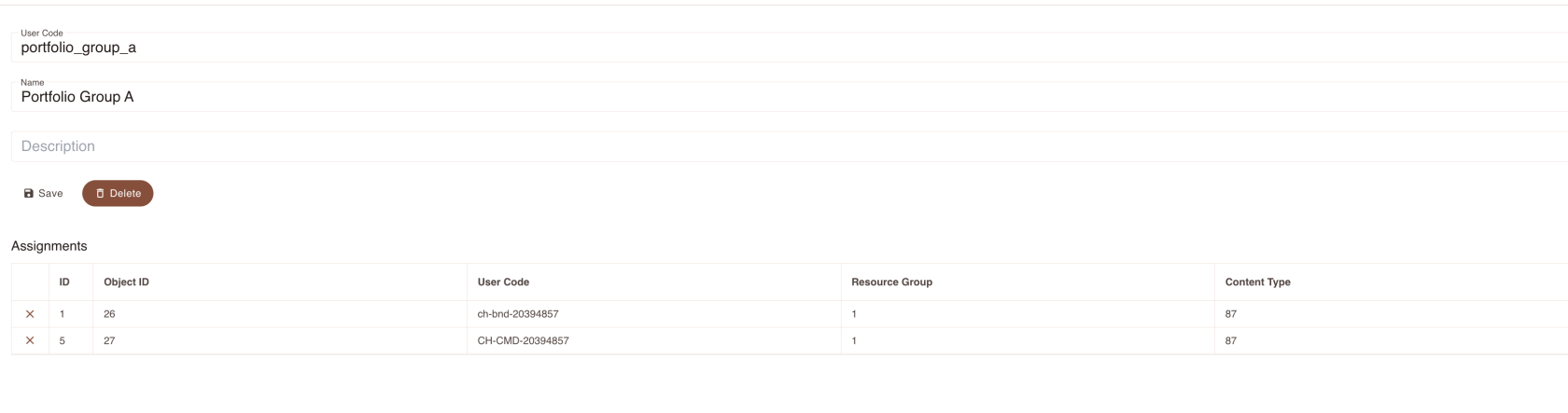](https://docs.finmars.com/uploads/images/gallery/2024-10/screenshot-2024-10-31-at-12-28-46.png)
Not if you will return back to your Resource Group, you will see that that Portfolio is linked to this Resource Group
# Create Resource Group Access Policy
Now is most interesting part
Go to Access Policies Page
[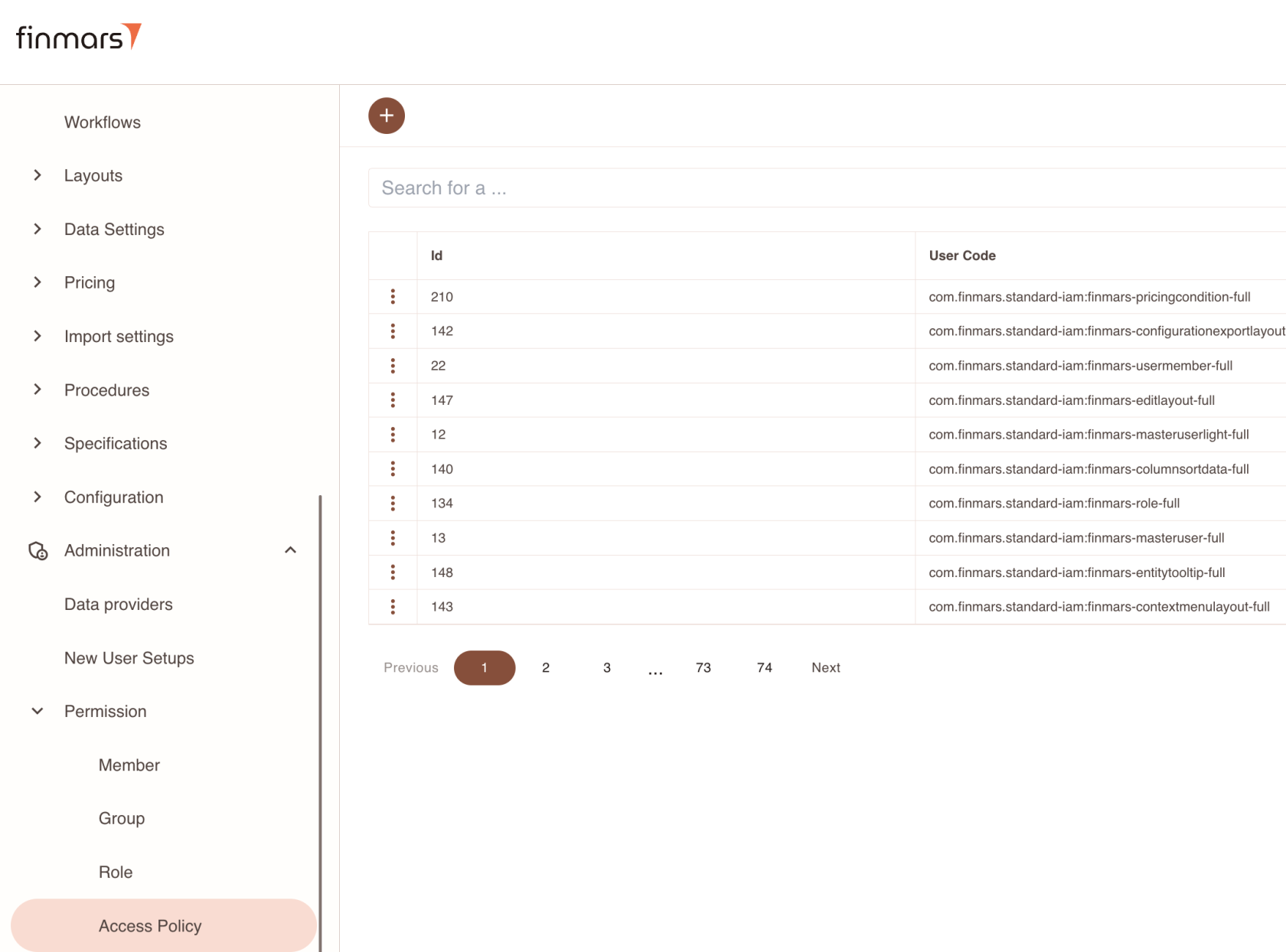](https://docs.finmars.com/uploads/images/gallery/2024-10/screenshot-2024-10-31-at-12-31-17.png)
Now add new Access Policy
[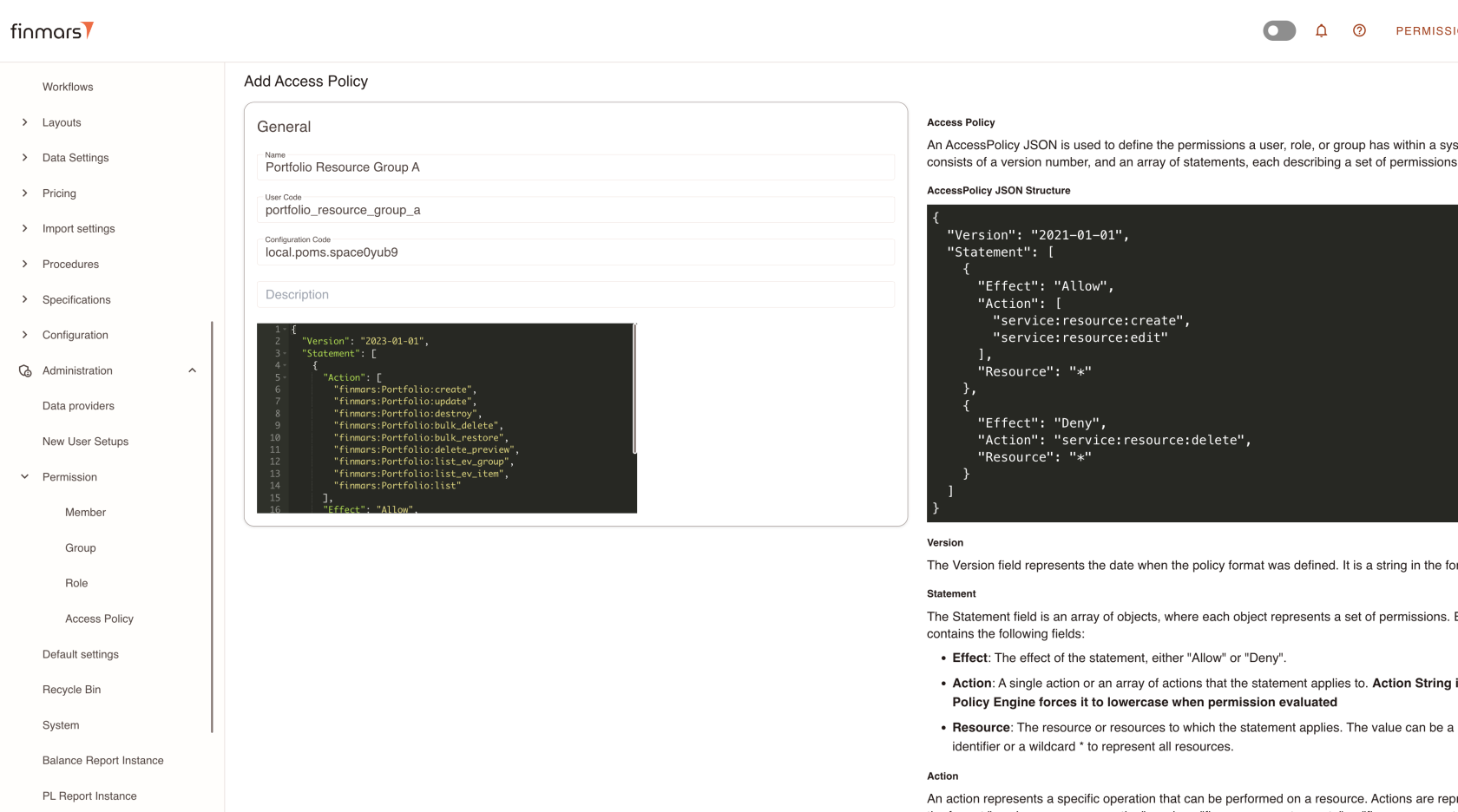](https://docs.finmars.com/uploads/images/gallery/2024-10/screenshot-2024-10-31-at-12-33-04.png)
So, here we must assign access to all actions to Portfolio Entity (if you do it for other entities, replace Portfolio with other Model Name)
Here is full JSON of that policy
```json
{
"Version": "2023-01-01",
"Statement": [
{
"Action": [
"finmars:Portfolio:create",
"finmars:Portfolio:update",
"finmars:Portfolio:destroy",
"finmars:Portfolio:bulk_delete",
"finmars:Portfolio:bulk_restore",
"finmars:Portfolio:delete_preview",
"finmars:Portfolio:list_ev_group",
"finmars:Portfolio:list_ev_item",
"finmars:Portfolio:list"
],
"Effect": "Allow",
"Resource": [
"frn:finmars:iam:resourcegroup:portfolio_group_a"
],
"Principal": "*"
}
]
}
```
So, please NOTE BENE
```json
"Resource": [
"frn:finmars:iam:resourcegroup:portfolio_group_a"
],
```
Here ins **Resource** property
We must add **FRN** of our Resource Group, so - **frn:finmars:iam:resourcegroup:portfolio\_group\_a** Thats it!
Now lets go to Member Page
[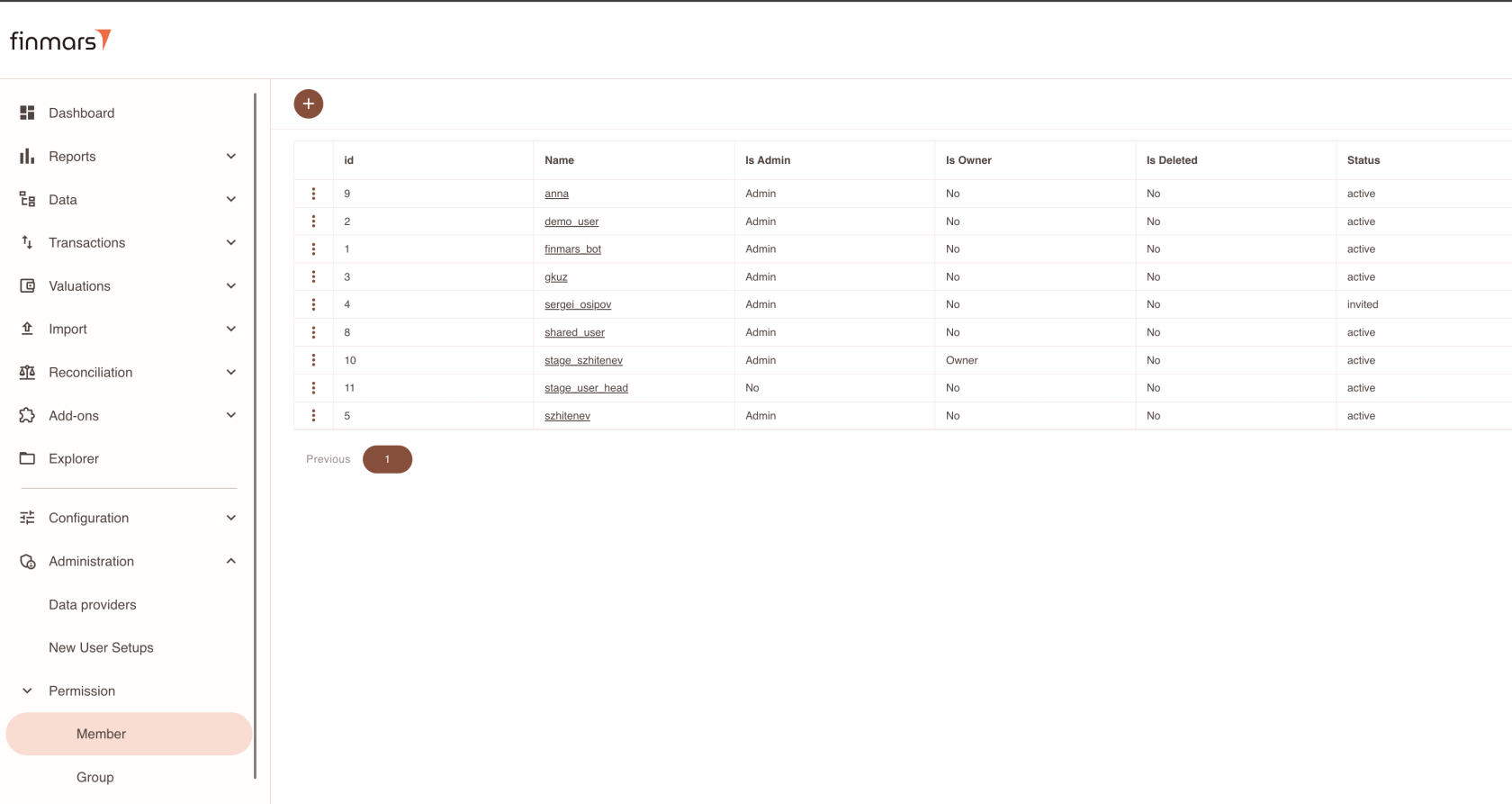](https://docs.finmars.com/uploads/images/gallery/2024-10/screenshot-2024-10-31-at-12-36-58.png)
Go to Member Page
[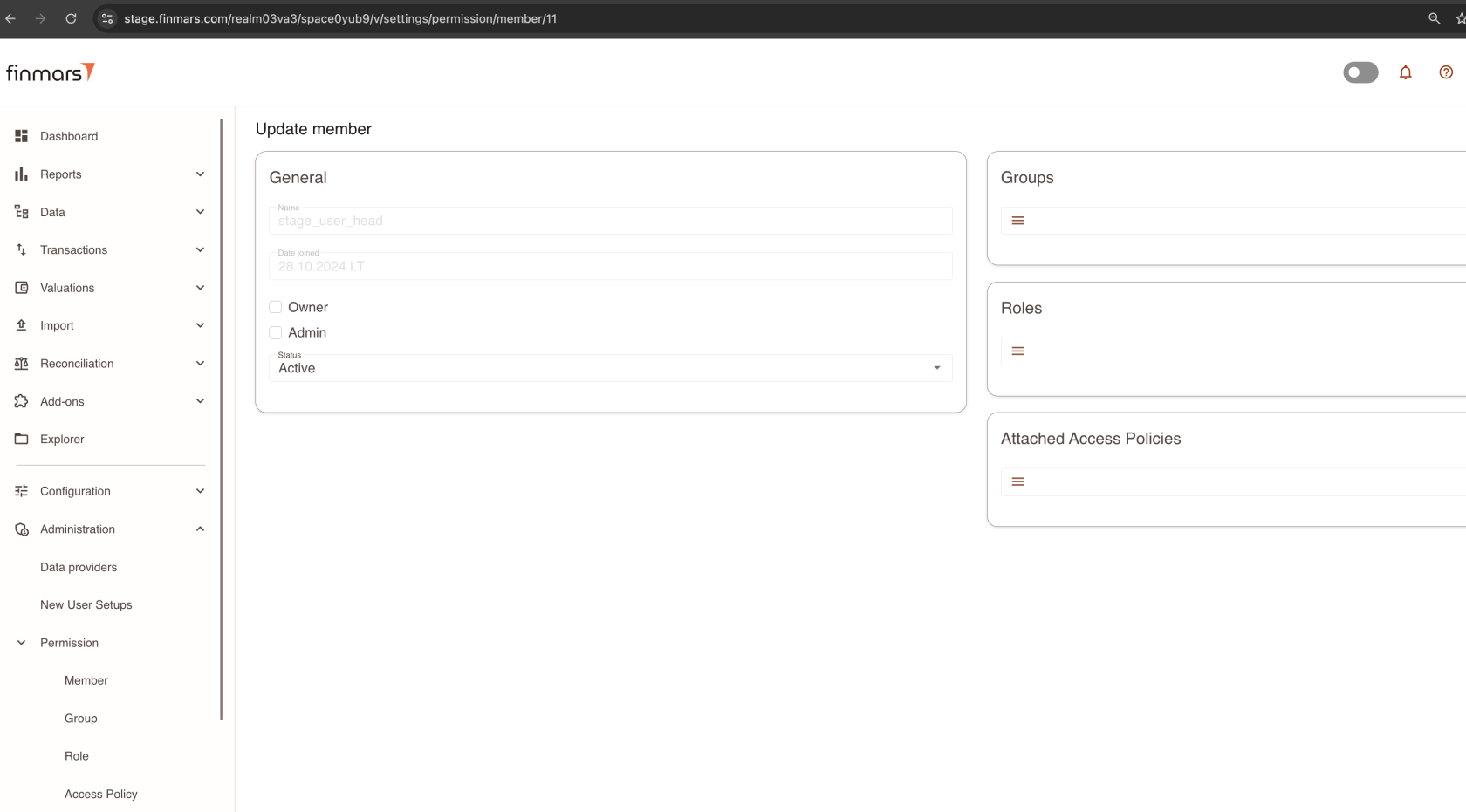](https://docs.finmars.com/uploads/images/gallery/2024-10/screenshot-2024-10-31-at-12-37-25.png)
Go to Attached Access Policies
And attach our new Access Policy
[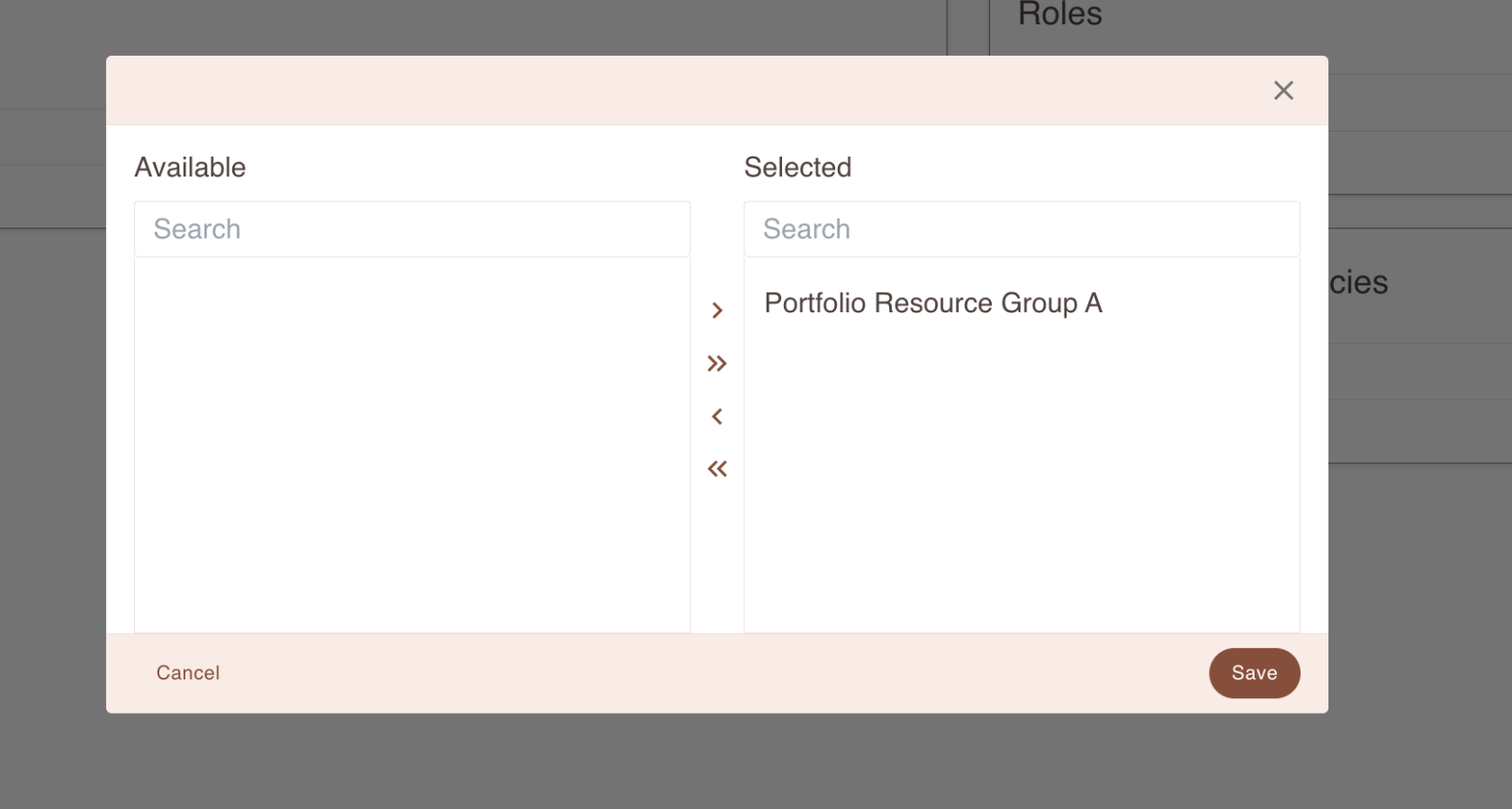](https://docs.finmars.com/uploads/images/gallery/2024-10/screenshot-2024-10-31-at-12-37-58.png)
Save Member and thats it!
Now its all done, IAM will gave access to that portfolio that Member
# Verify Access for that User
Log in under user who has access only to Resource Group A
[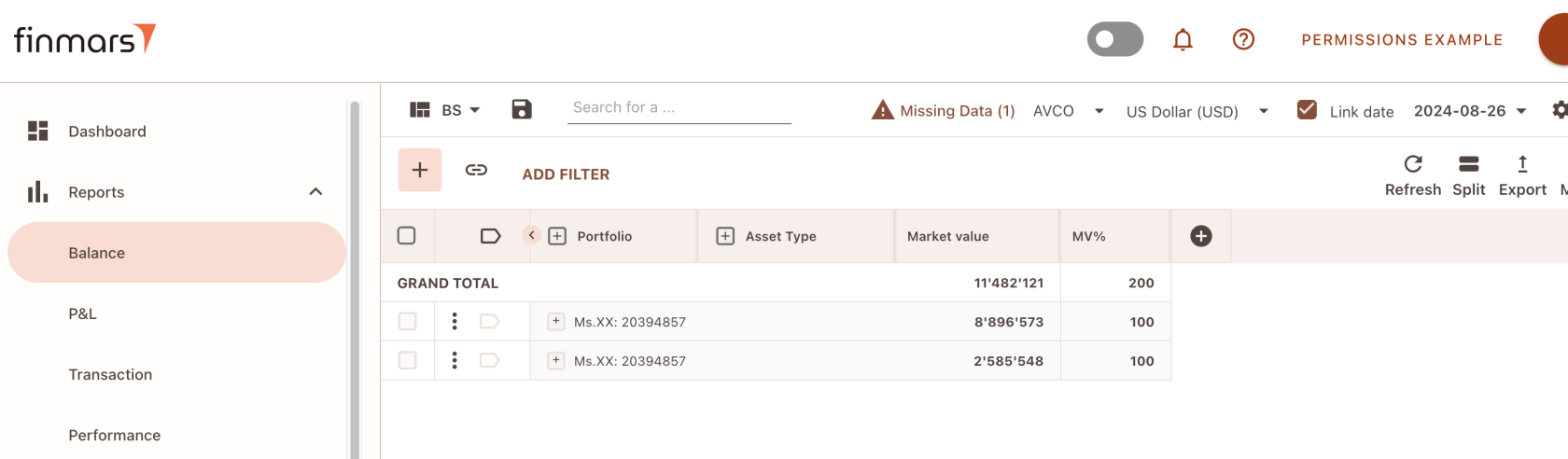](https://docs.finmars.com/uploads/images/gallery/2024-11/screenshot-2024-11-01-at-11-47-27.png)
So, we just able to see that Potfolios that were assigned to Resource Group A
Lets remove Portfolio From Resource Group A
[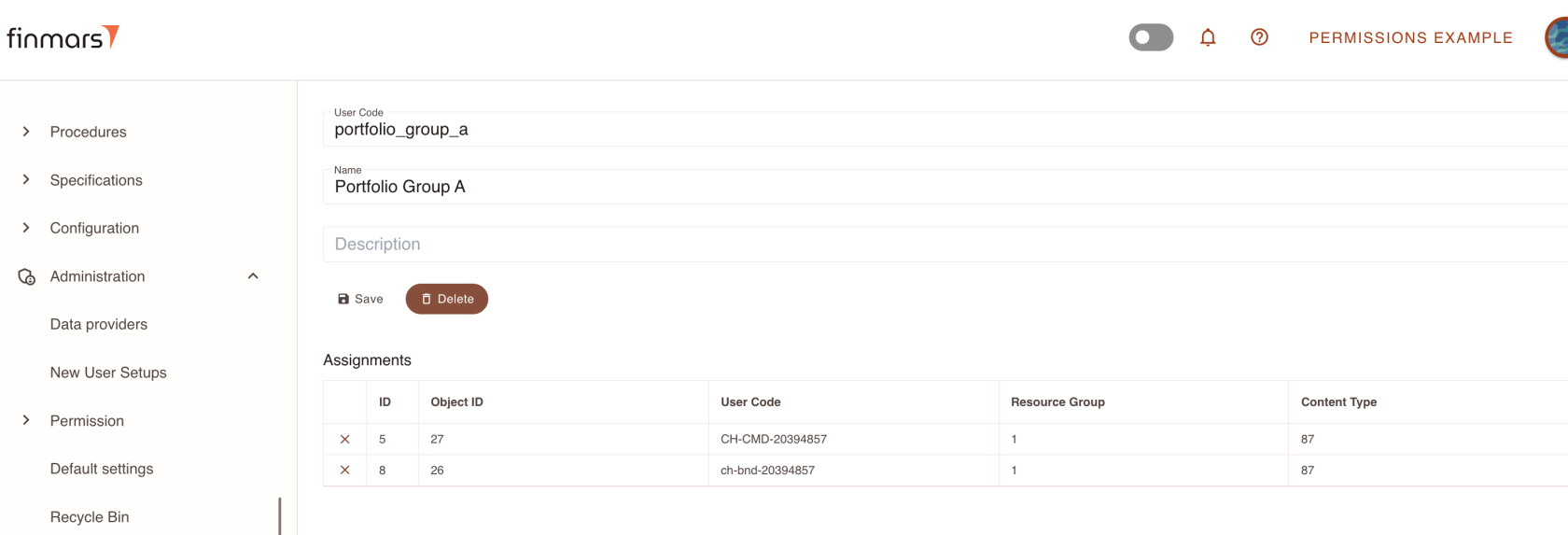](https://docs.finmars.com/uploads/images/gallery/2024-11/screenshot-2024-11-01-at-11-48-26.png)
And then remove ch-bnd-20394857
[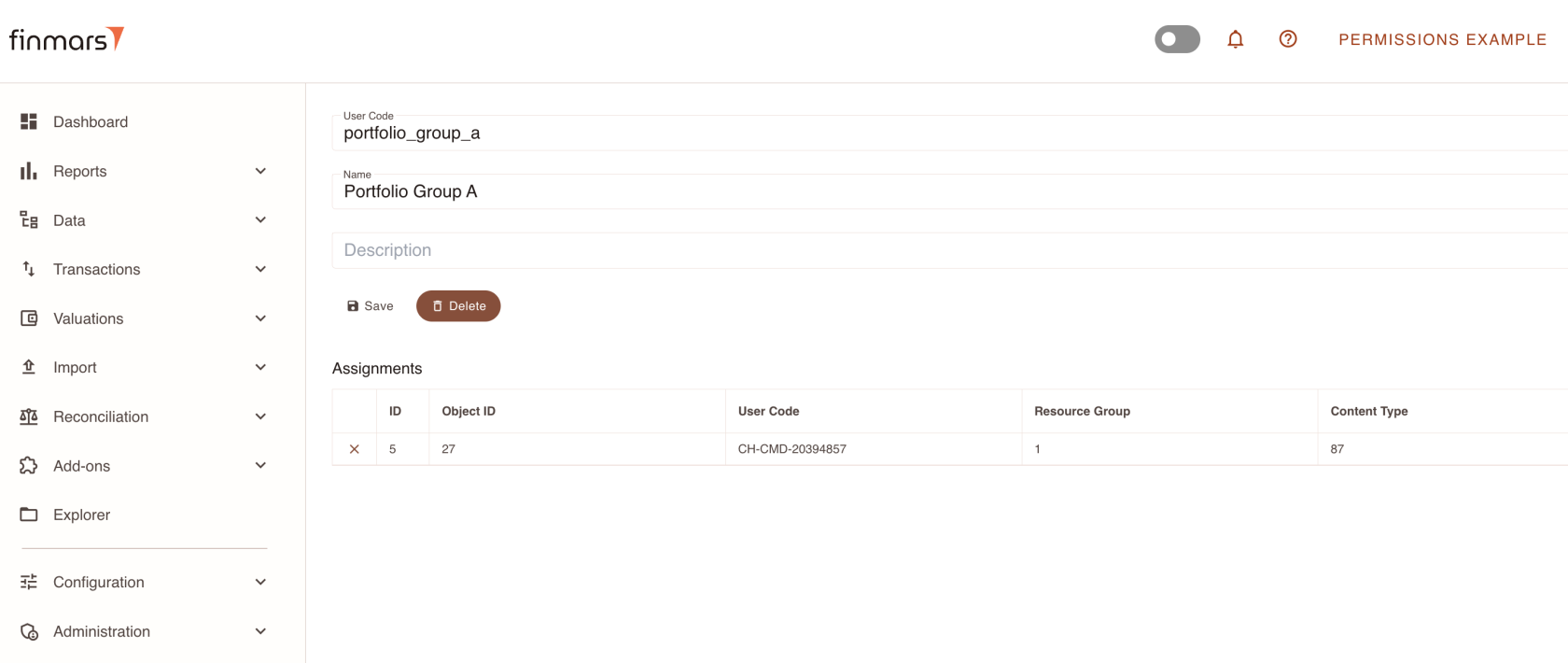](https://docs.finmars.com/uploads/images/gallery/2024-11/screenshot-2024-11-01-at-11-49-40.png)
Save and lets get back to our user and see his report
[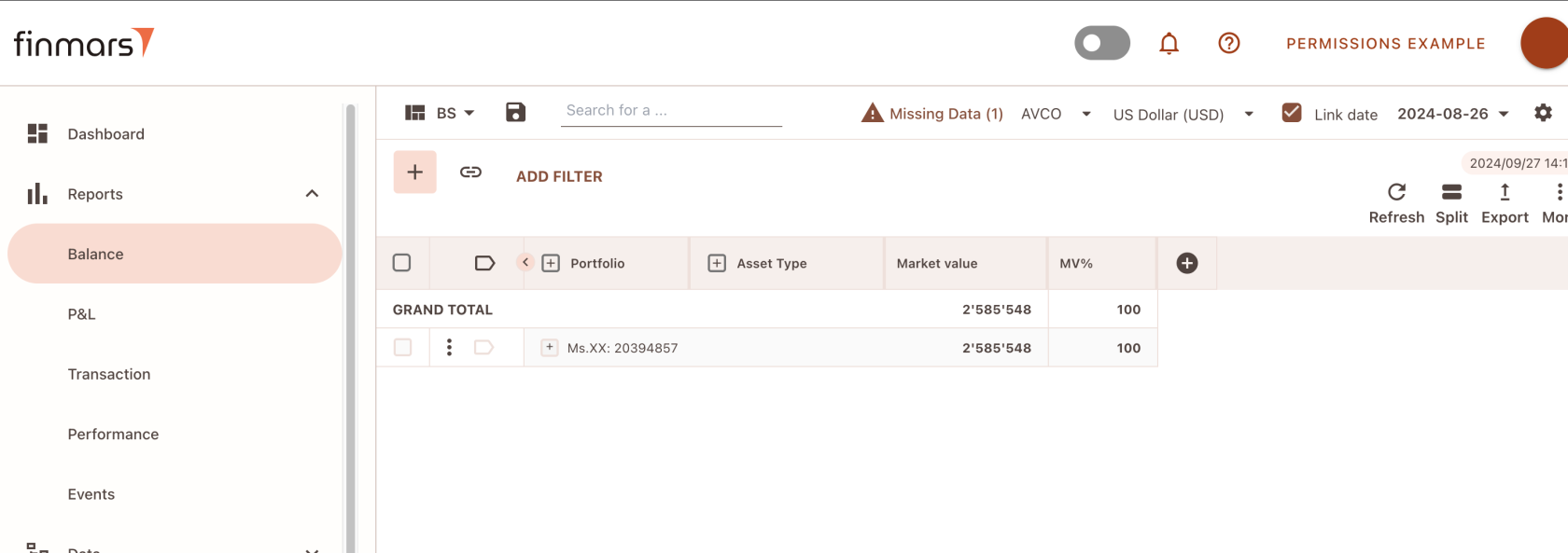](https://docs.finmars.com/uploads/images/gallery/2024-11/screenshot-2024-11-01-at-11-50-03.png)
So, user just able to see that Portfolios that linked to Resource Group A (which linked to his Member)
In same manner you able to configure Permissions for any number of Members and Resource Groups and Models
# Keywords
**IAM** - Identity and Access Management (*IAM*)
**User** - user itself, when you sign up in FInmars, your User will be created
**Space** - Finmars Installation, like a workspace
**Member** - its a User inside a Space, like a membership, so one **User** can be a Member in different **Spaces**
**Admin Member** - member who has checkbox Is Admin (is\_admin=True), it means, he will absolutely **ignores** all IAM Engine Access Policies
**Owner** - each object has *owner* attribute which links to Member, if you are owner of object you will Full Access to it (you able to see, modify it even if IAM is not allow it to you)
**Access Policy** - Document in JSON format that contains rules and conditions about Permission
**Role** - Entity that can be attached to Member, also **Access Policies** can be attached to Role
**Group** - Entity similar to Role, only difference that to Group you could attach other **Roles
user\_code -** a property that has asci lowercase notation (like a variable in programming language), so its human readable ID **public\_name -** a property that contains a Verbose Name (Human Readable Name). So, this property is always visible / accessible even if Access Policies are restrict it.
**FRN - Finmars Resource Name -** basically a human-readable unique identifier for Finmars Platform **e.g. frn:finmars:iam:resourcegroup:portfolio\_group\_a**
```python
'''
converts:
frn:finmars:iam:resourcegroup:portfolio_group_a
to
{
"type": "frn",
"service": "finmars"
"app_label": iam",
"model": "resourcegroup",
"user_code": "portfolio_group_a"
}
'''
```
So in other words its even more advanced version of **user\_code
Access Policy Structure**
```json
{
"Version": "2023-01-01",
"Statement": [
{
"Action": [
"finmars:Portfolio:create",
"finmars:Portfolio:update",
"finmars:Portfolio:destroy",
"finmars:Portfolio:bulk_delete",
"finmars:Portfolio:bulk_restore",
"finmars:Portfolio:delete_preview",
"finmars:Portfolio:list_ev_group",
"finmars:Portfolio:list_ev_item",
"finmars:Portfolio:list"
],
"Effect": "Allow",
"Resource": [
"frn:finmars:iam:resourcegroup:portfolio_group_a"
],
"Principal": "*"
}
]
}
```
So, each policy can have a list of **Statement
Statement -** a document that has list of **Action, Effect, Resource, Principal
Action -** basically its a String FRN like format that identifiy an Action in Finmars Platform (e.g. REST API Endpoint)
**Effect -** its either **Allow** or **Deny**. Deny will forbid access to that action/resource
**Resource** - could be **\* (allows access to all objects)** or list of FRN identifiers
**Principal** - identifier to Actor of that Policy, normally its **\*** any user,role,group. But if you need to be extra sure that this policy will work only for specific member, you could pass a member FRN
**Resource Group** - an entity who serves like a container of objects, so basically you could link any object in Finmars to some Resource Group. Idea is simple, if you have 1000 portfolios, and you need to grant access only to 100 portfolios, you need to declare all 100 portfolios FRN in Resource property in Access Policy. Alternative approach is just to put FRN of one Resource Group and link all 100 portfolios to that Resource Group via Finmars Web Interface
# Abstract
Identity and Access Management (*IAM*)
Here is short explanation of how we manage Users and their Permissions in Finmars Platform.
Precondition: Read a [IAM Keywords explanations](https://docs.finmars.com/books/permissions/page/keywords)
So, when User joins to Space, Member record will be created, all the rules and policies will be applied to Member
By default Member has no Roles, Groups, Access Policies, so that means, by default Member **has no access to anything**
If Member has Admin flag (is\_admin=True) he will access to everything. IAM Engine Access Policies will be ignored
#### How its all works?
Finmars is Platform, it has a REST API interface, that works with HTTP protocol (you could read more about HTTP, REST API and Requests in public sources)
so when User open a Browser and Logs In into Finmars, Finmars Frontend App will start making Requests
So each Request will address some Endpoint e.g. *api/v1/portfolios/portfolio*
So, when Finmars receive incoming request, server will basically get (in simple terms):
member: user\_a,
method: GET,
endpoint: *api/v1/portfolios/portfolio* What happen next?
Finmars Fetch all Roles,Groups,Access Policies assigned to that Member
Then it will take all Access Policies from assigned Roles, Groups and make a one huge list with unique Access Policies
Then Evaluation of Policies will occur
it means we transform
method: GET,
endpoint: *api/v1/portfolios/portfolio*
to
finmars:Portfolio:list (each endpoint has own Viewset, eg PortfolioViewset serves *api/v1/portfolios/portfolio)* each action/method will tranfom to action (e.g. list)
And then we will find if any AccessPolicy allows me finmars:Portfolio:list
If nothing is found, then Permission Denied (403) will be raised (with explanation of why)
####
Resource Evaluation
Next step, if User has permissions to make a certain action, but he requested specific resource, then we will check if he has access to that resource:
```json
"Resource": "*",
```
This will grant access to all objects of that Entity
```json
"Resource": [
"frn:finmars:iam:resourcegroup:portfolio_group_a"
],
```
This will grant access to objects that assigned to that **Resource Group**
```json
"Resource": [
"frn:finmars:portfolios:portfolio:bonds-portfolio"
],
```
This will grant access only to certain Portfolio
so, even if you have access to Entity, you still able to get Permission Denied (403) because you requested an object that you have no access to
#### Ownership
Each objects in finmars has *owner*. It means when member creates an objects, he is now a owner of that object. Ownership grants a member full control over an object, even if IAM Access Policies are not granting it.
#### Public Objects
So, in certain scenarios you normally has no access to objects, but some Transactions (e.g. Transfer) force you to see other objects. E.g. you have access to Portfolio 1 (From) but has no permissions to Portfolio 2 (To), in that case able to see Portfolio 2 but only its Public Name (public\_name)
So, on any object you have always 3 public properties: **id, user\_code, public\_name**
General Recommendation is consult with your Client and ask how he want to see his permissions and public name, in that example instead of Portfolio 2, public name should be "Private Portfolio"
If User has no access to certain action or resource he will be redircted to 403 Page
[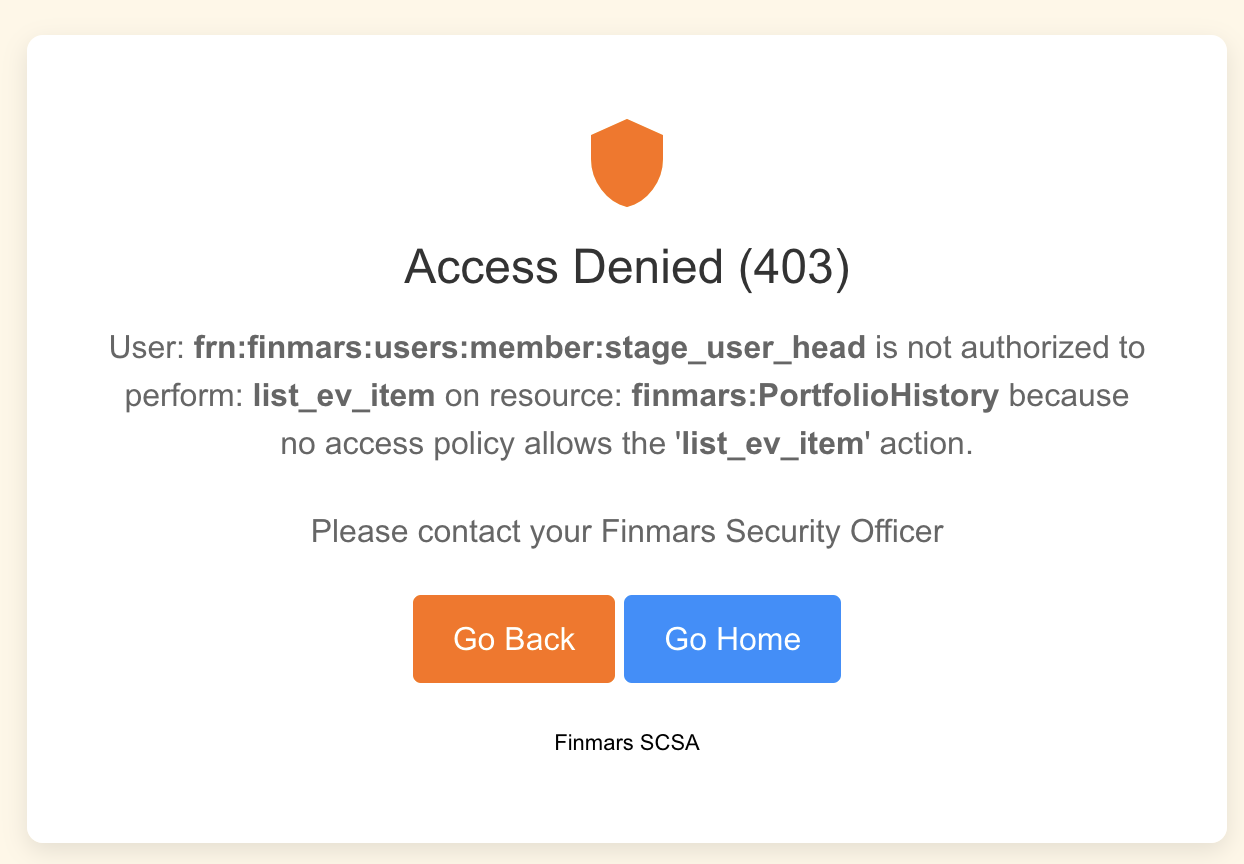](https://docs.finmars.com/uploads/images/gallery/2024-10/screenshot-2024-10-31-at-15-48-25.png)
# How to create an Access Policy?
So, your client sends you this, what to do next?
[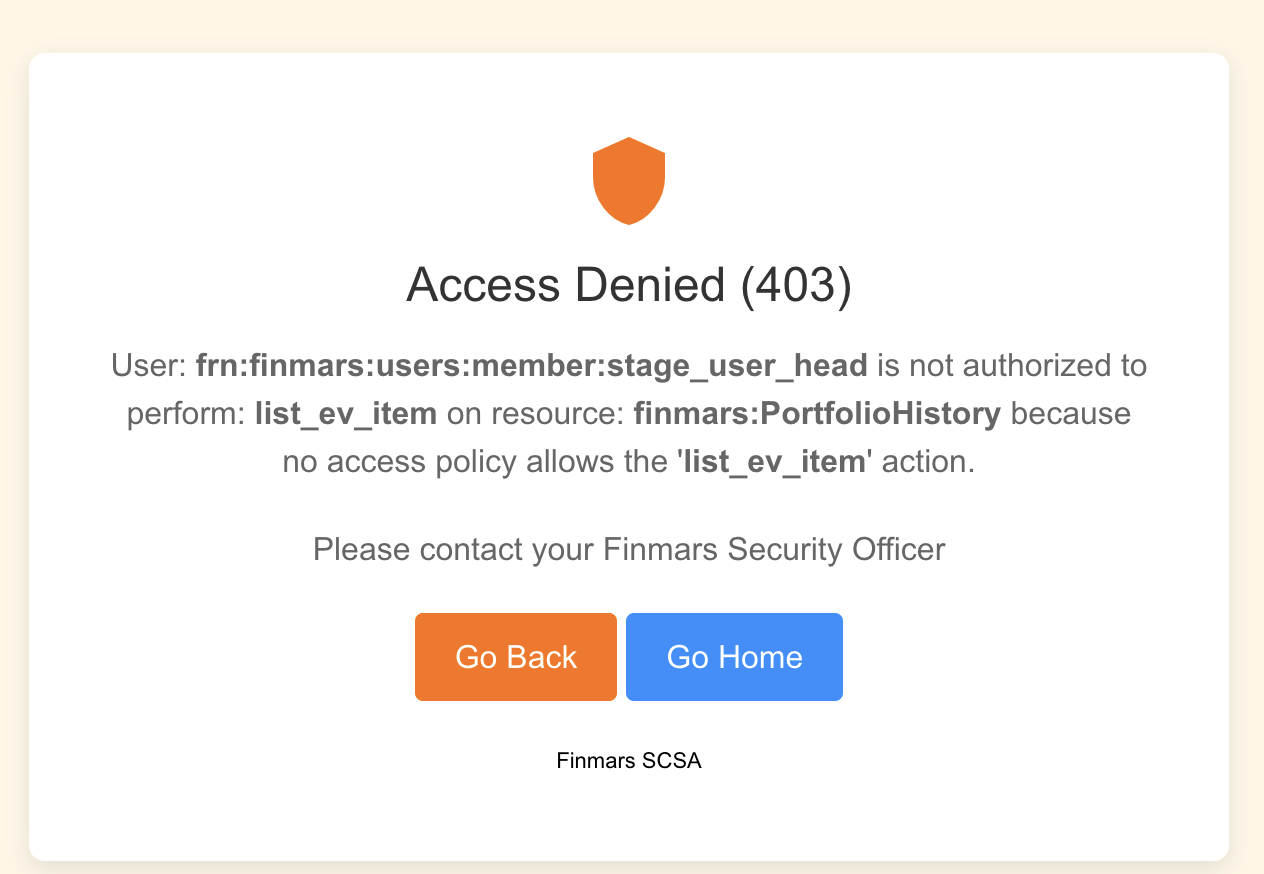](https://docs.finmars.com/uploads/images/gallery/2024-11/screenshot-2024-11-01-at-11-34-22.png)
Here we see that there is no access to PortfolioHistory resource, and we cant find it in existing policies, so, lets create new one
Go to Permissions -> Access Policy
[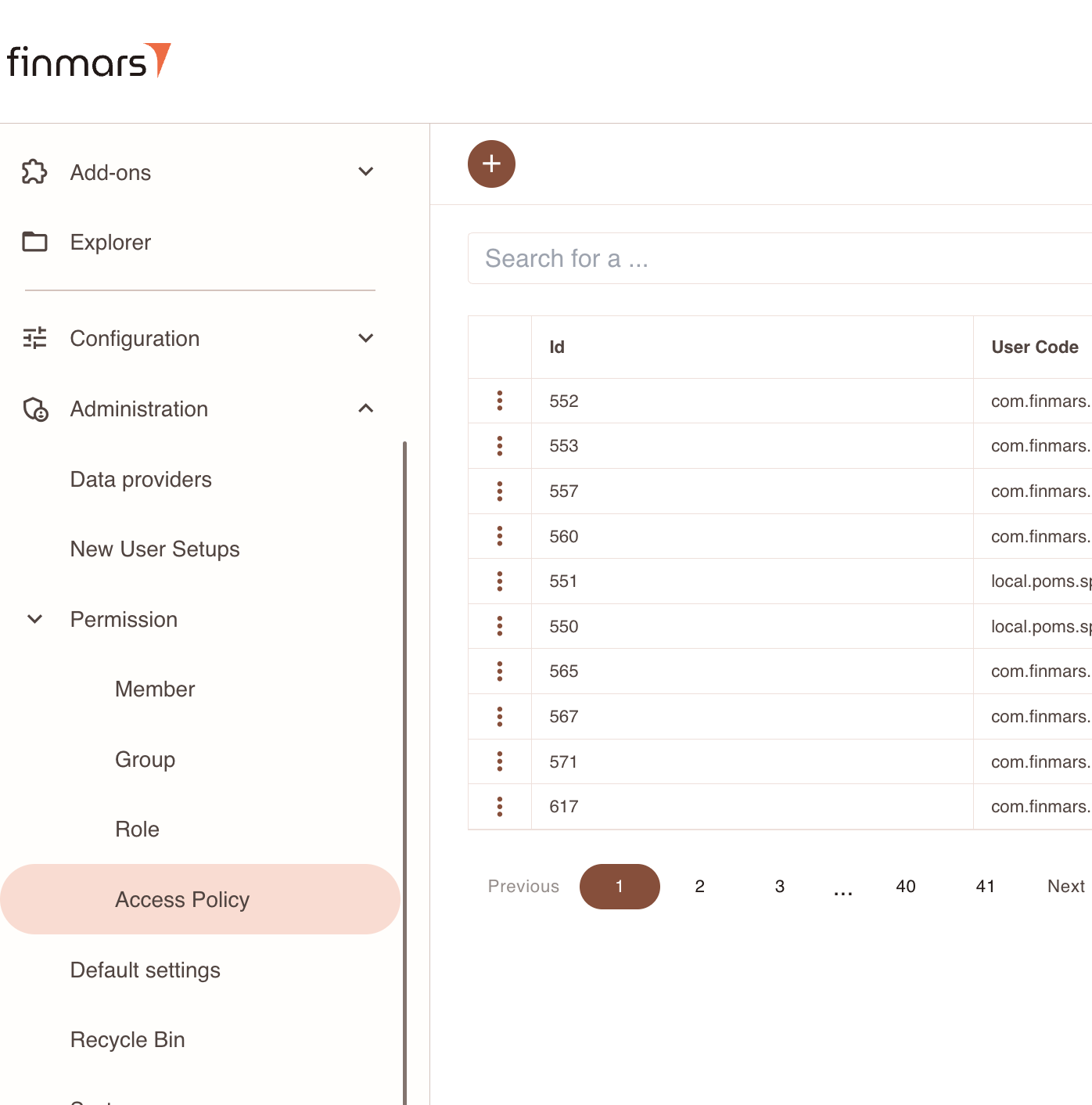](https://docs.finmars.com/uploads/images/gallery/2024-11/screenshot-2024-11-01-at-11-35-46.png)
Press create new one
[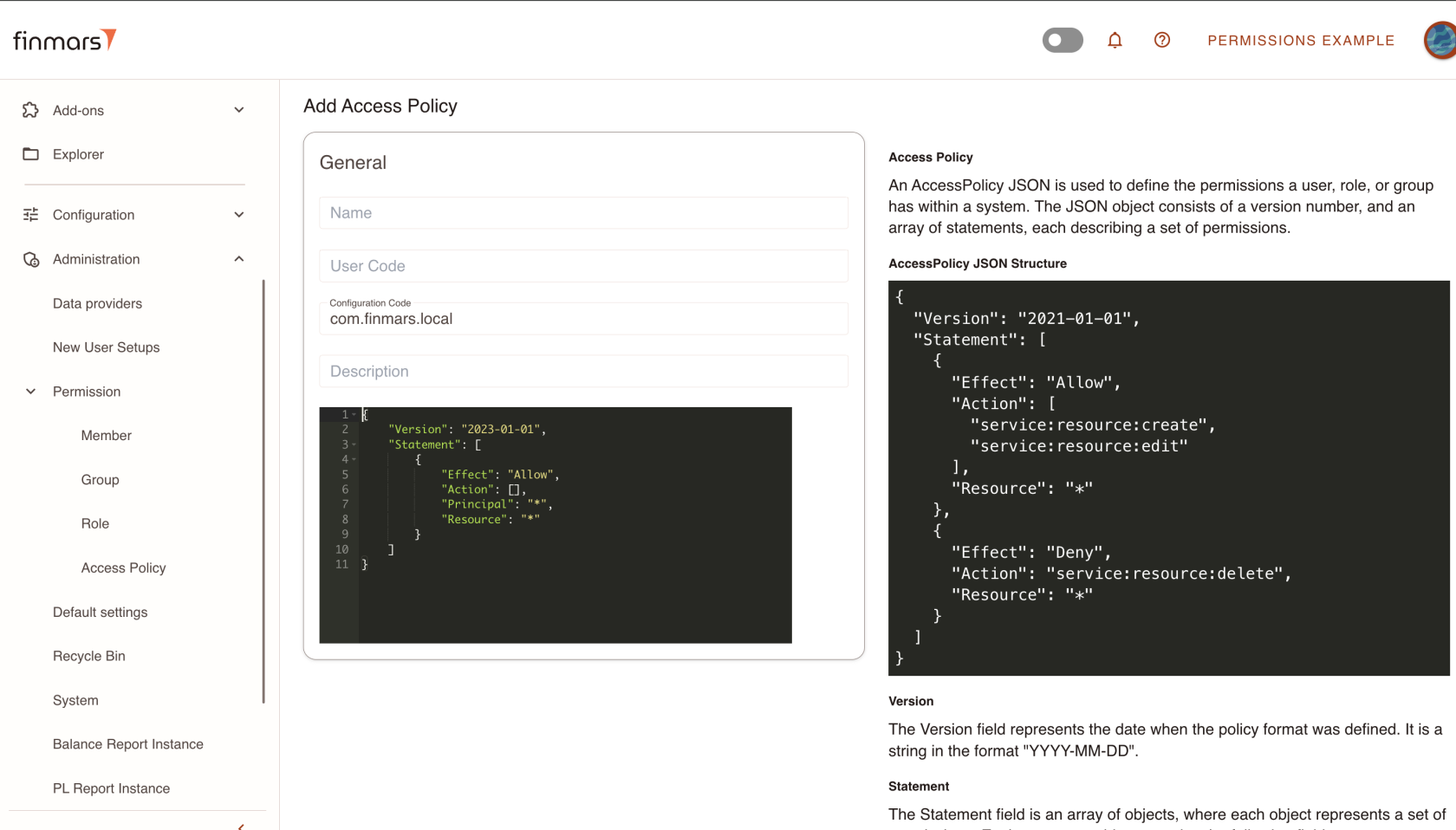](https://docs.finmars.com/uploads/images/gallery/2024-11/screenshot-2024-11-01-at-11-36-14.png)
So, either you create a local Access Policy, then use your local space\_code, *local.poms.\[space\_code\]* Or if you are a Finmars Marketplace Contributor, you could use your module name (e.g com.finmars.standard-iam)
So, lets fill out a form:
[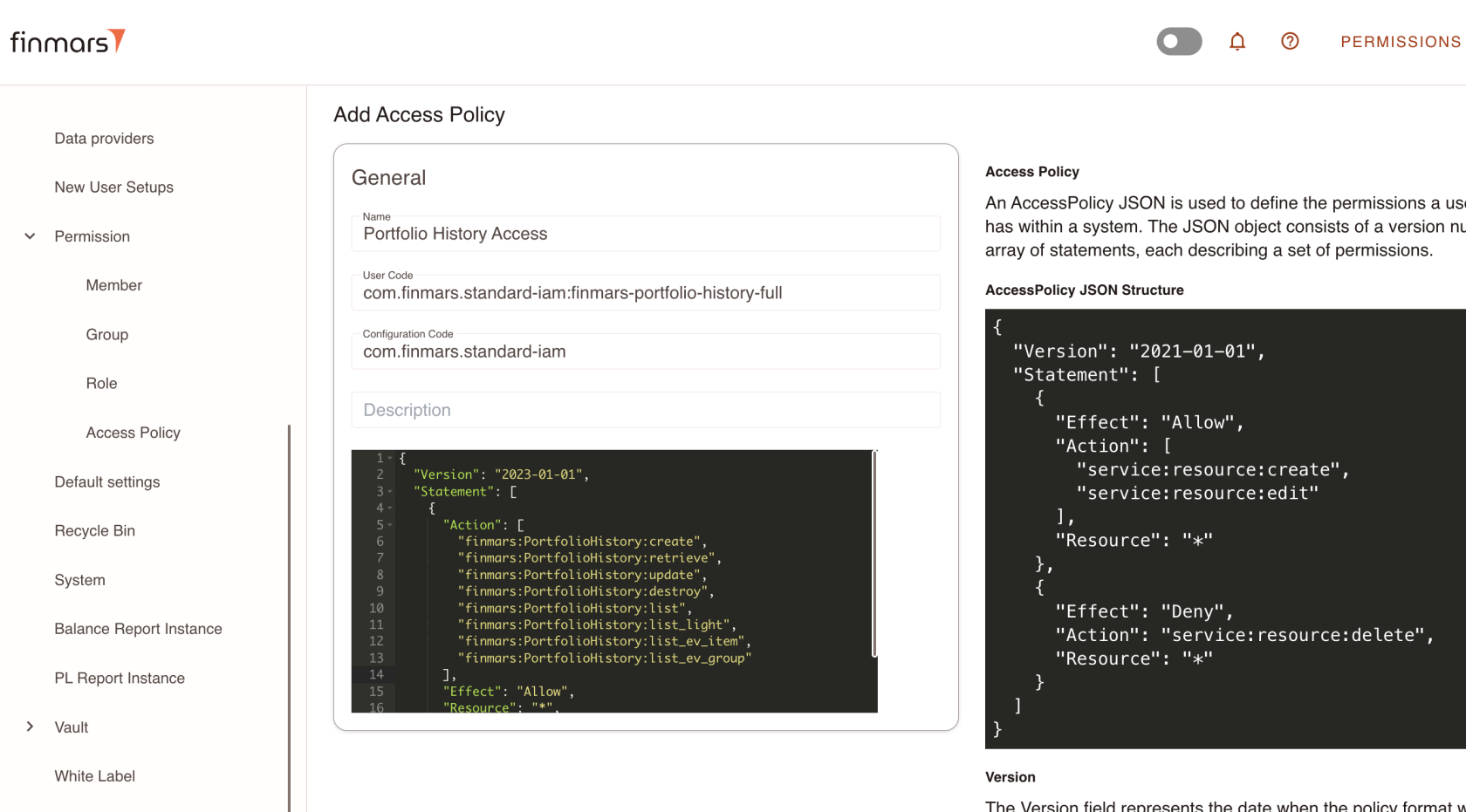](https://docs.finmars.com/uploads/images/gallery/2024-11/screenshot-2024-11-01-at-11-38-49.png)
Now, you this Access Policy is part of that module, you could extend some of your roles
[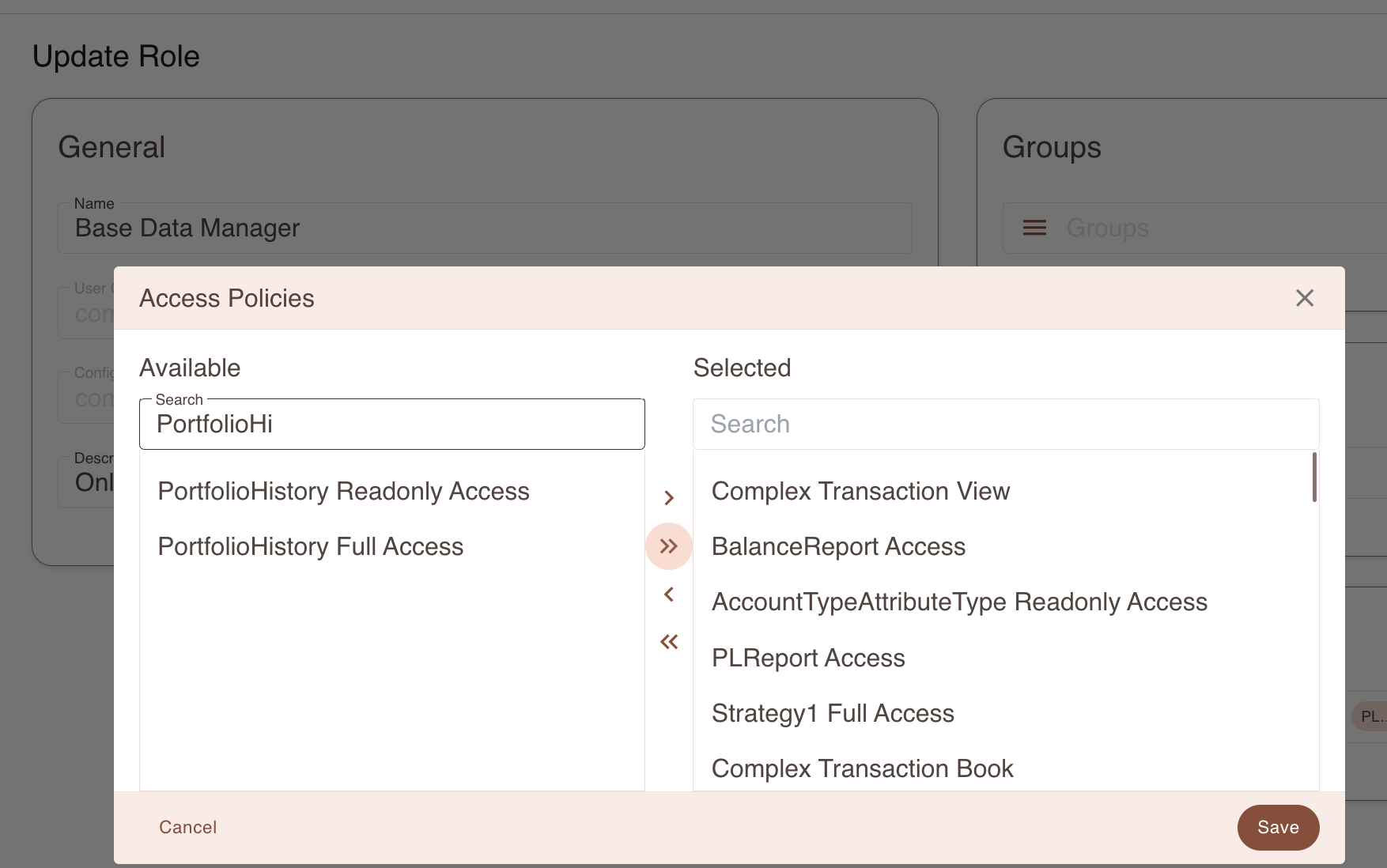](https://docs.finmars.com/uploads/images/gallery/2024-11/screenshot-2024-11-01-at-11-39-59.png)
Thats it, now you could create Access Policies