# Add Export Button to your Dashboard
Here, we found out how to add Export Button that generates PDF and saves it locally on User Device when pressed.
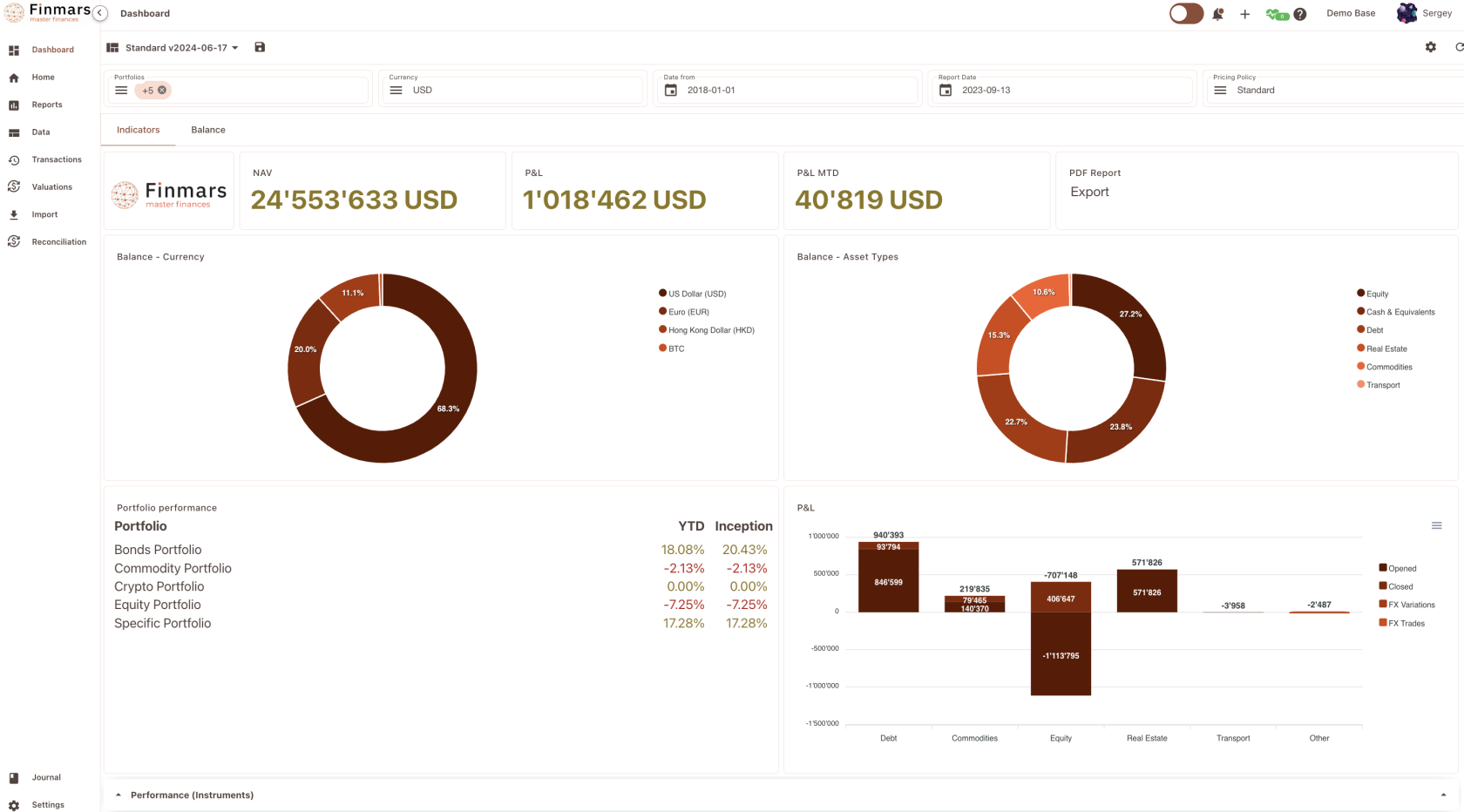
Here is result, on right corner we have block with Export Button
[](https://docs.finmars.com/uploads/images/gallery/2024-08/screenshot-2024-08-16-at-22-35-03.png)
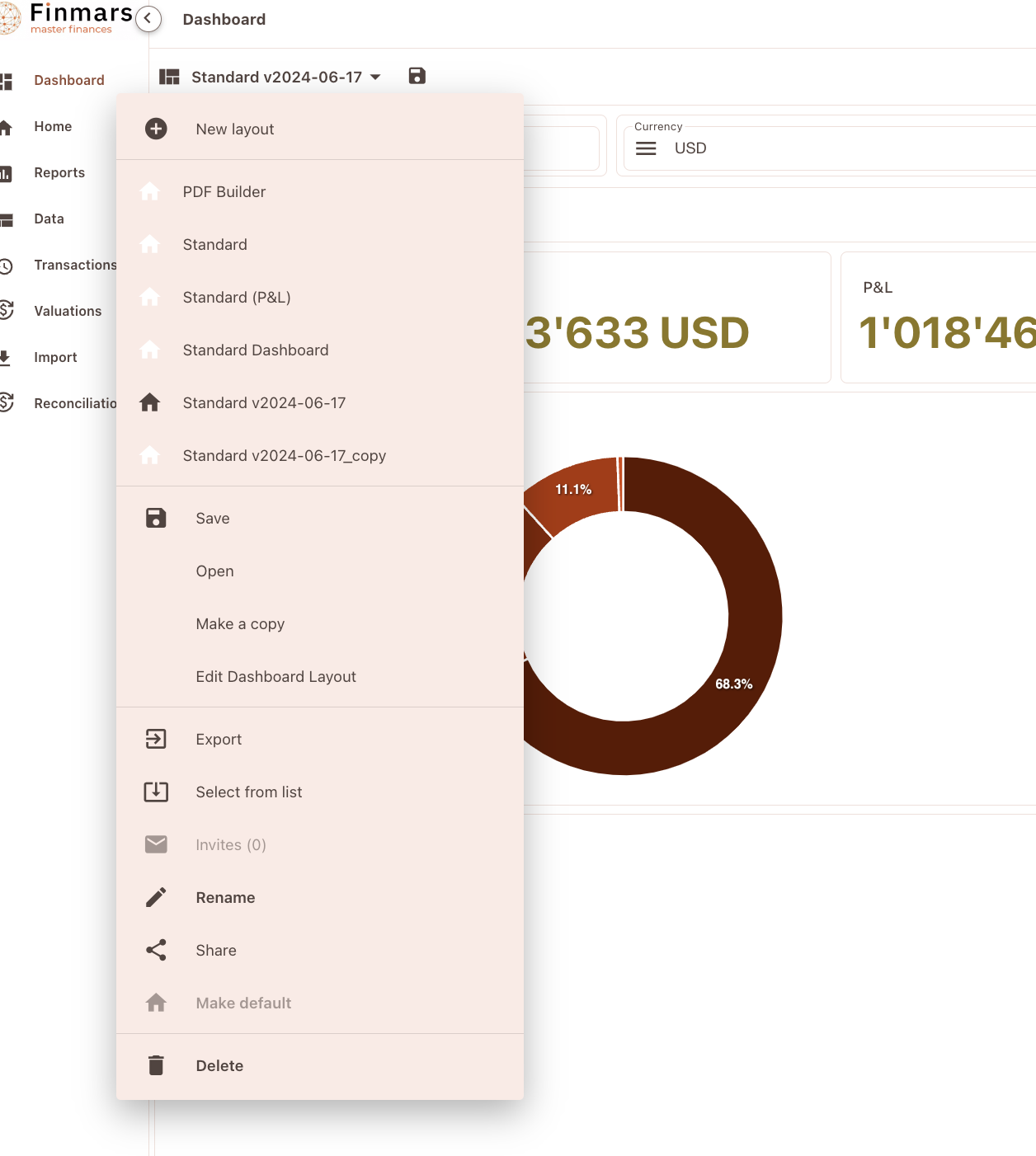
To achieve that, lets edit Dashboard Layout. Proceed to Edit Dashboard Layout
[](https://docs.finmars.com/uploads/images/gallery/2024-08/screenshot-2024-08-16-at-22-35-48.png)
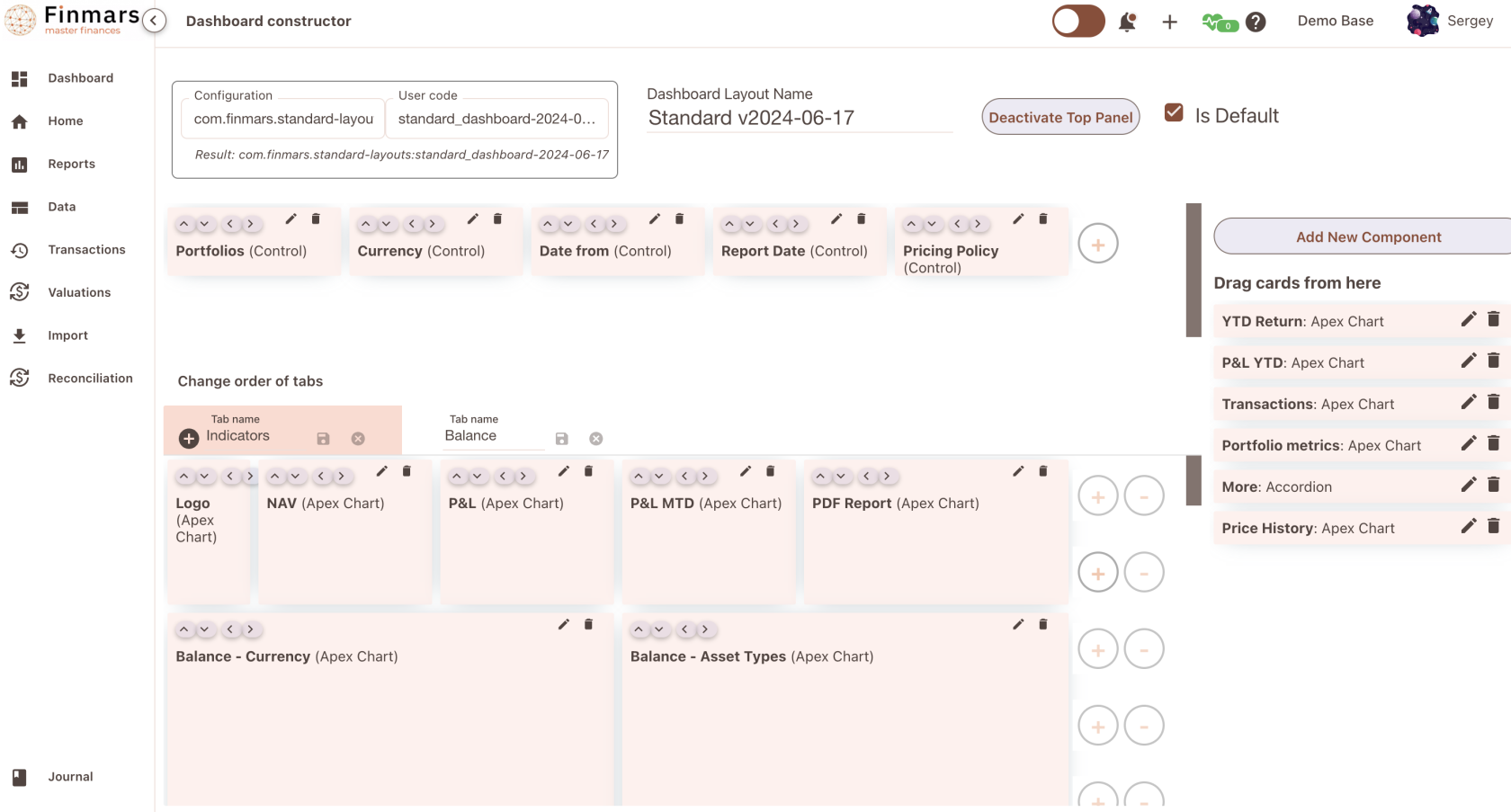
So here a Dashboard Constructor, press Add New Component
[](https://docs.finmars.com/uploads/images/gallery/2024-08/screenshot-2024-08-16-at-22-36-27.png)
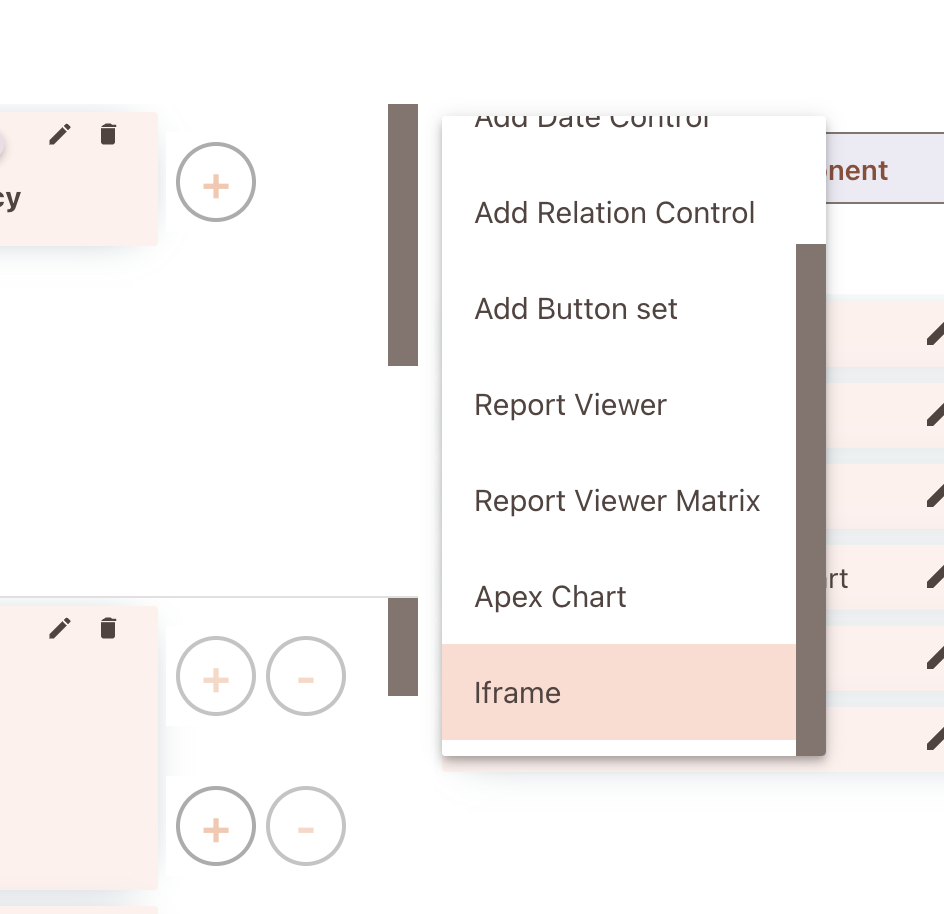
Add Apex Chart (soon will be renamed to Custom Code Component)
[](https://docs.finmars.com/uploads/images/gallery/2024-08/screenshot-2024-08-16-at-22-36-55.png)
To make it all work, we borrow code from PDF Builder
```javascript
var selector = '.dashboard-apex-chart-' + scope.vm.componentData.id
var element = document.querySelector(selector);
element.innerHTML = ''
function getCookieValue(name) {
const cookies = document.cookie.split('; '); // Split cookies into array of "name=value"
for (let i = 0; i < cookies.length; i++) {
const cookie = cookies[i].split('='); // Split each "name=value" into [name, value]
if (cookie[0] === name) {
return decodeURIComponent(cookie[1]); // Return the decoded value if the name matches
}
}
return null; // Return null if the cookie is not found
}
element.addEventListener('click', function() {
let currentUrl = window.location.href;
let base_url = window.location.href.split('/a/')[0]
var portfolios = filters.outputs.portfolios || [];
var report_date = filters.outputs.report_date || utils.getYesterdayDate();
var portoflio = 'Bonds Portfolio'
if (filters.outputs.portfolios.length){
portoflio = filters.outputs.portfolios[0]
}
let url_path = '/api/storage/workflows/com/finmars/pdf-builder/example/report.html?report_date='+filters.outputs.report_date+'&portfolio=' + portoflio
// Replace '_builder.html' with '.html' in the URL
let targetUrl = base_url + url_path
fetch(window.location.origin + '/services/pdf-engine/print/', {
method: "POST",
credentials: 'include',
body: JSON.stringify({
"url": targetUrl,
"access_token": getCookieValue('access_token')
}),
headers: {
Accept: 'application/json',
'Content-type': 'application/json'
}
}).then(response => {
if (response.ok) return response.blob();
throw new Error('Failed to generate PDF.');
})
.then(blob => {
// Create a URL for the blob object
const url = window.URL.createObjectURL(blob);
// Create a link element
const a = document.createElement('a');
a.style.display = 'none';
a.href = url;
// Extract filename for the PDF
let baseName = targetUrl.split('/').pop().replace('.html', '').split('?')[0]; // Strip the path and extension
a.download = baseName + '.pdf'; // You can set the default filename here
// Append the link, trigger the download, and remove the link
document.body.appendChild(a);
a.click();
window.URL.revokeObjectURL(url);
document.body.removeChild(a);
})
.catch(error => {
console.error('Error during PDF export:', error);
alert('Error exporting PDF. Check the console for more details.');
});
})
```
Idea is simple, we just add <button> and add Event Listener To it, in Event Listener we make an REST API call to PDF Printer Service (pupeteer)
Things to Consider
```javascript
let url_path = '/api/storage/workflows/com/finmars/pdf-builder/example/report.html?report_date='+filters.outputs.report_date+'&portfolio=' + portoflio
let targetUrl = base_url + url_path
```
We hardcoded url\_path of our report.html
Place instead of it path to your .html PDF report, also provide extra settings if required like
```javascript
?report_date='+filters.outputs.report_date+'&portfolio=' + portoflio
```
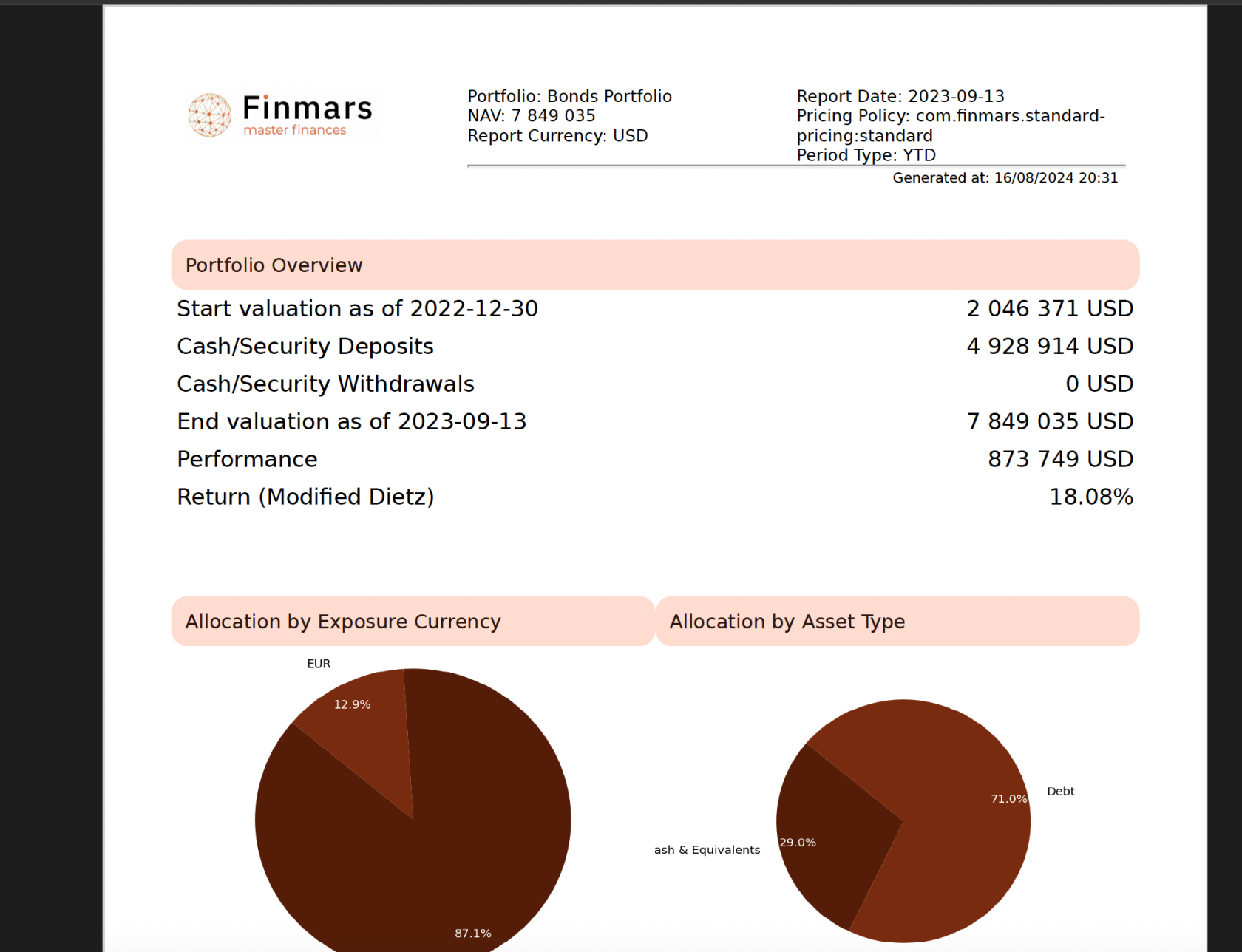
Thats it! Now your clients can just press button on dashboard to get .pdf Report
[](https://docs.finmars.com/uploads/images/gallery/2024-08/screenshot-2024-08-16-at-22-41-36.png)