# Itech Exante Setup Guide
# Space Setup
# Space Create
Create new Space
[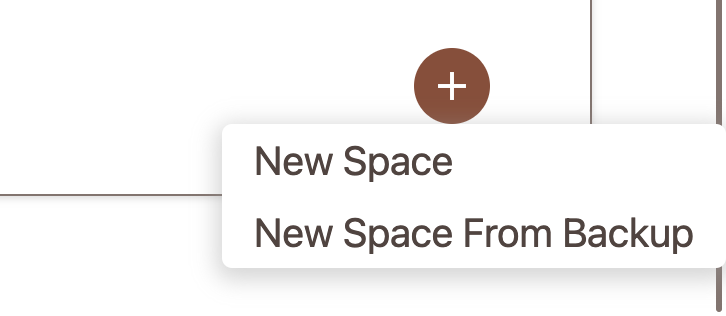](https://docs.finmars.com/uploads/images/gallery/2024-09/screenshot-2024-09-25-at-18-26-04.png)
Continue with Wizard
[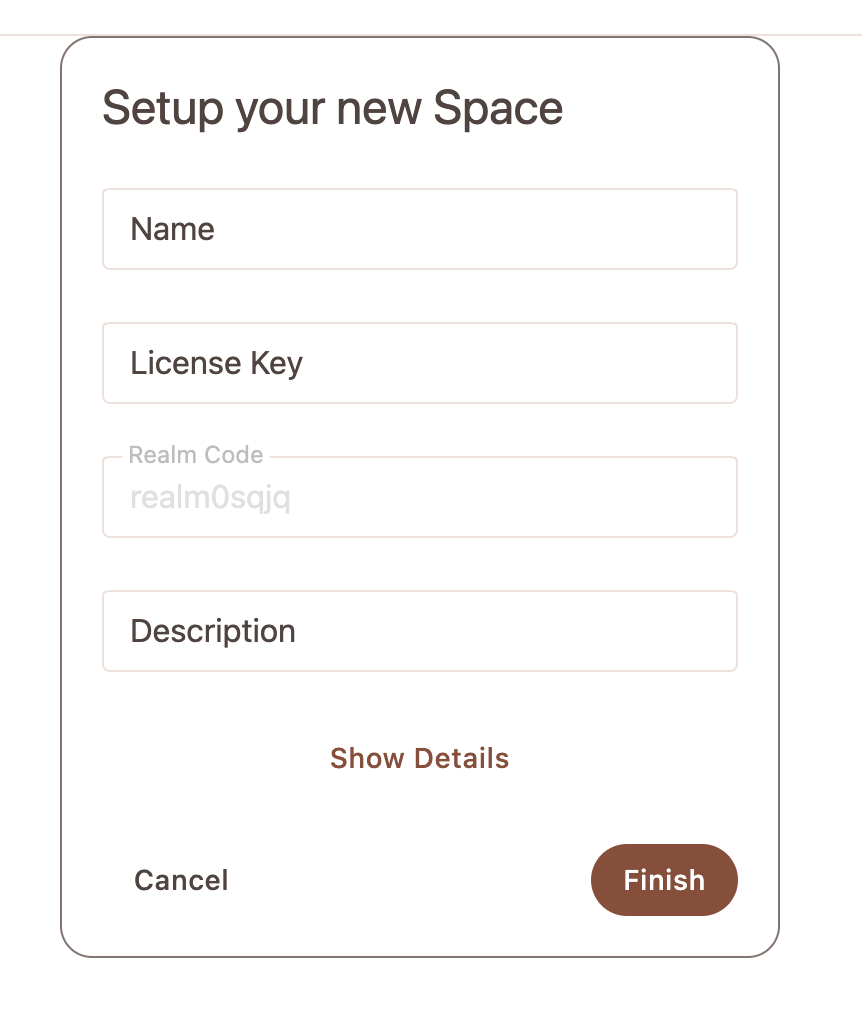](https://docs.finmars.com/uploads/images/gallery/2024-09/screenshot-2024-09-25-at-18-26-34.png)
Wait until your Space is ready to Login
# Standard Modules Installation
Great, your empty Space is ready, move to Marketplace
[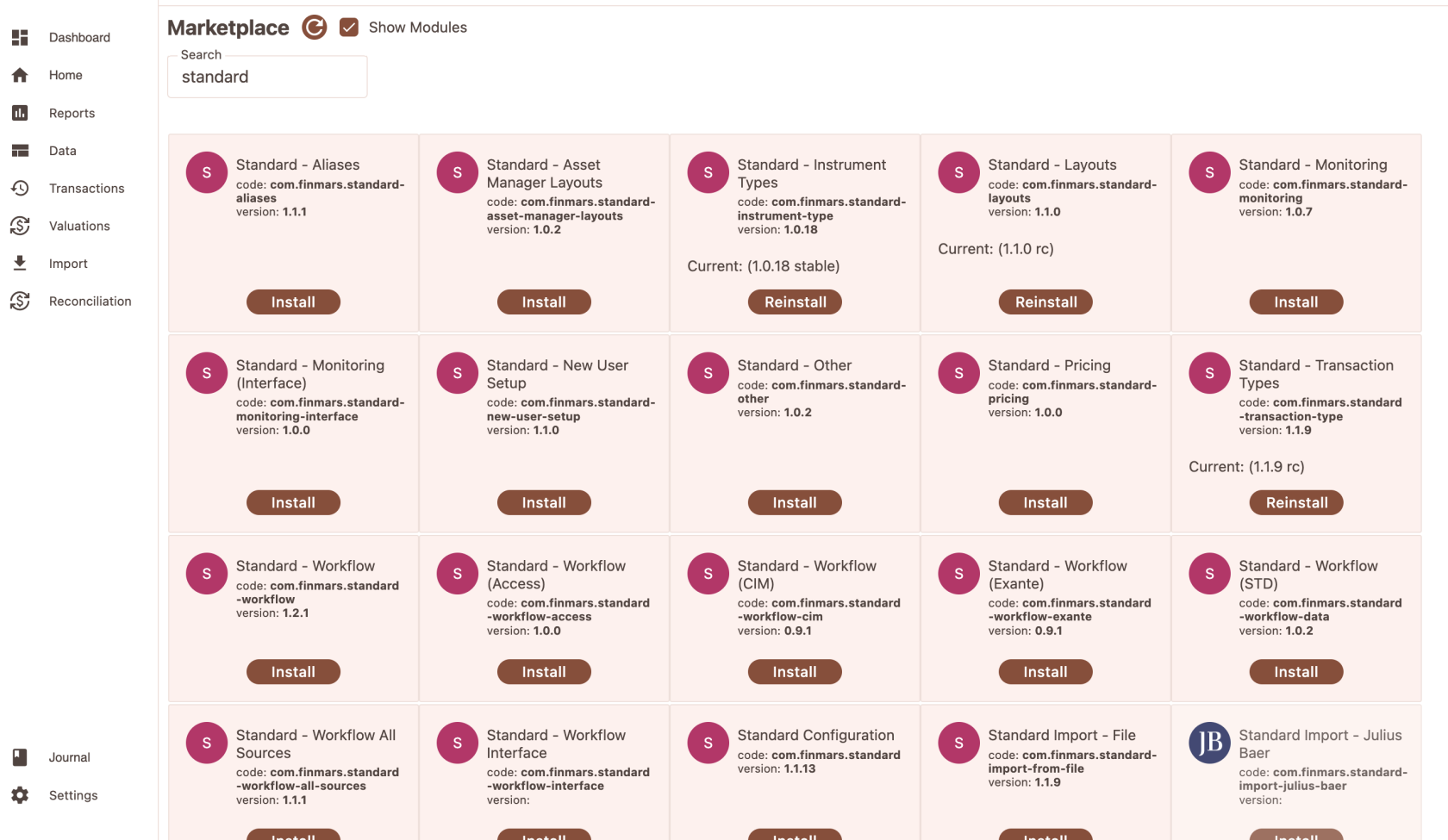](https://docs.finmars.com/uploads/images/gallery/2024-09/screenshot-2024-09-25-at-18-28-10.png)
We need to install following Modules:
Standard - Instrument Types
Standard - Tranaction Types
Standard - Layouts
Standard - Aliases
Standard - Pricing
Standard - Other
Standard - Import From File
Standard - Workflow
Standard - Aliases
That will be enough for now
Also make **Standard - Aliases - is primary** in Manage Configurations Page
# Vault Setup
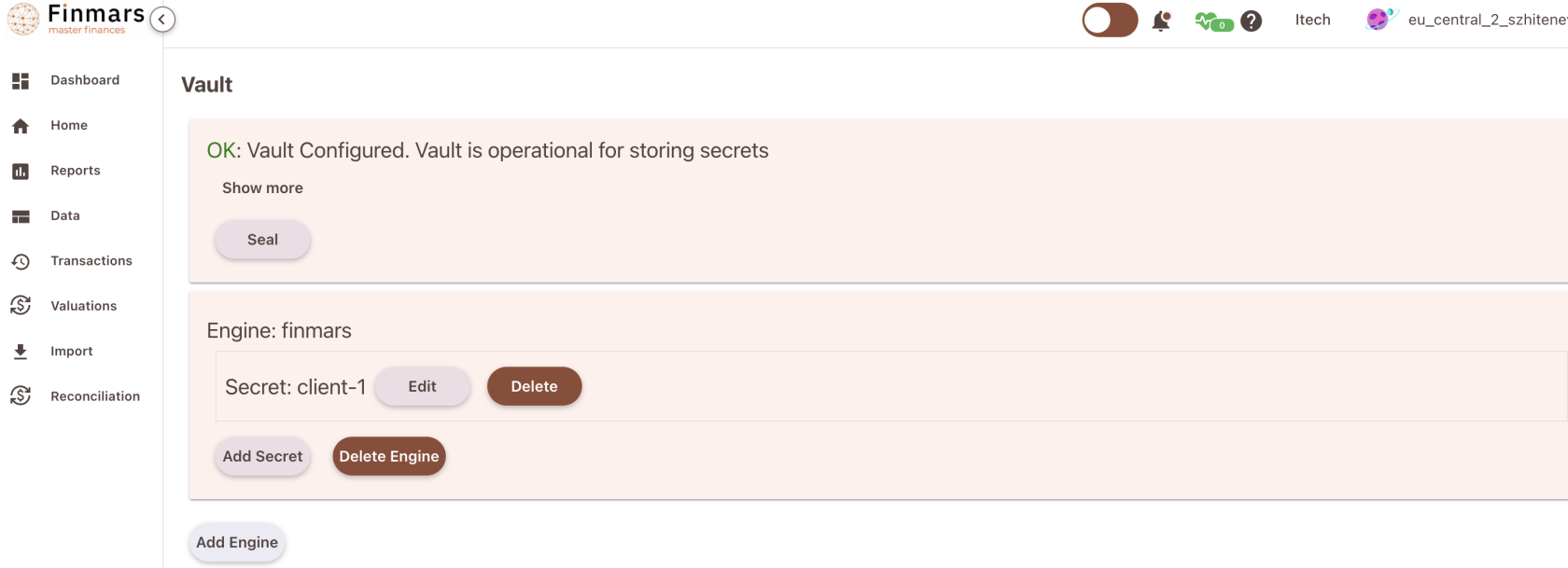
To access Exante REST API we need to configure Vault
[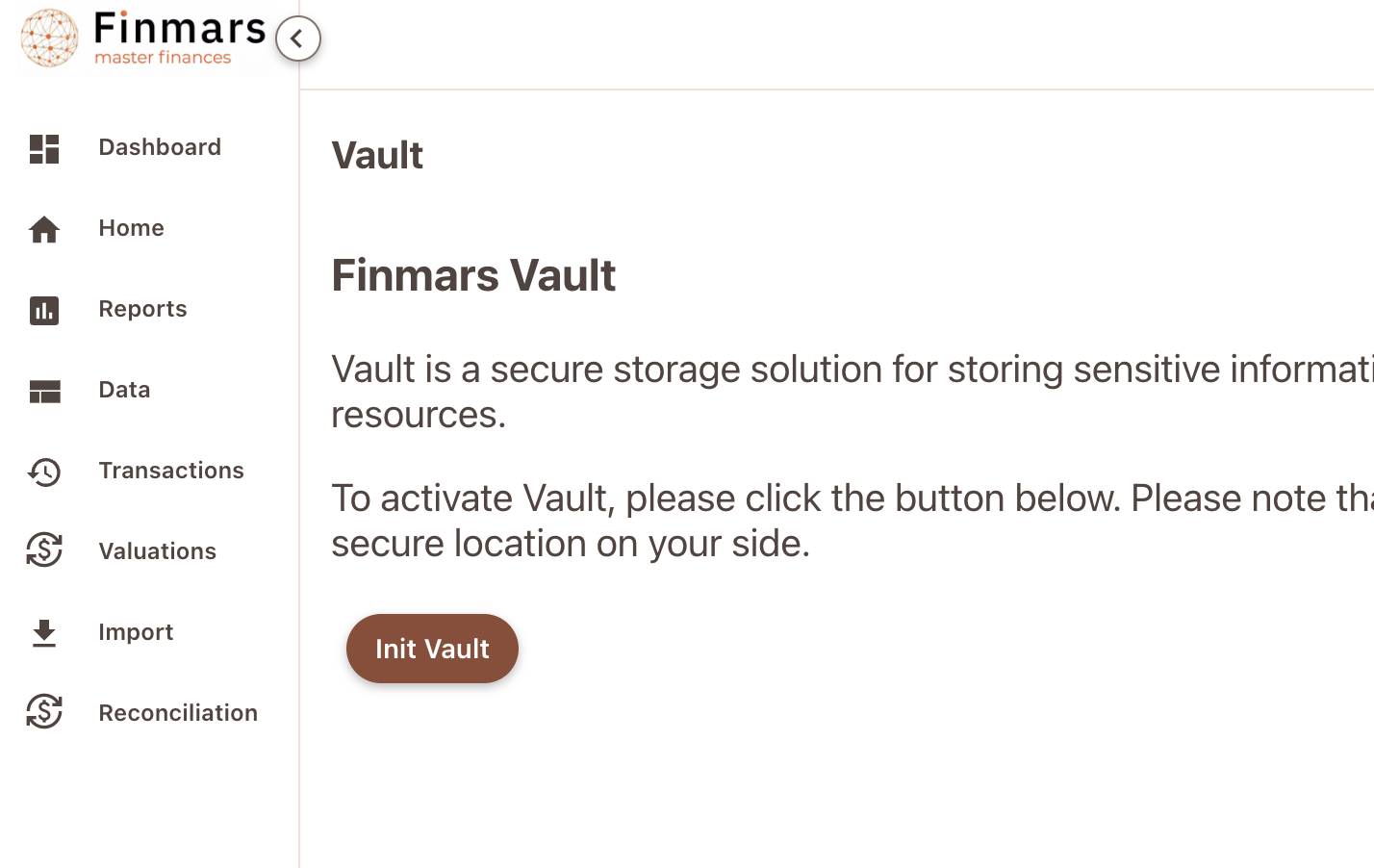](https://docs.finmars.com/uploads/images/gallery/2024-09/screenshot-2024-09-25-at-18-37-28.png)
Proceed with all the steps
[](https://docs.finmars.com/uploads/images/gallery/2024-09/screenshot-2024-09-25-at-18-40-00.png)
In the end your Vault should be operational and you need to add there your credentials of Exante Account to their REST API
# Create Pricing Policy
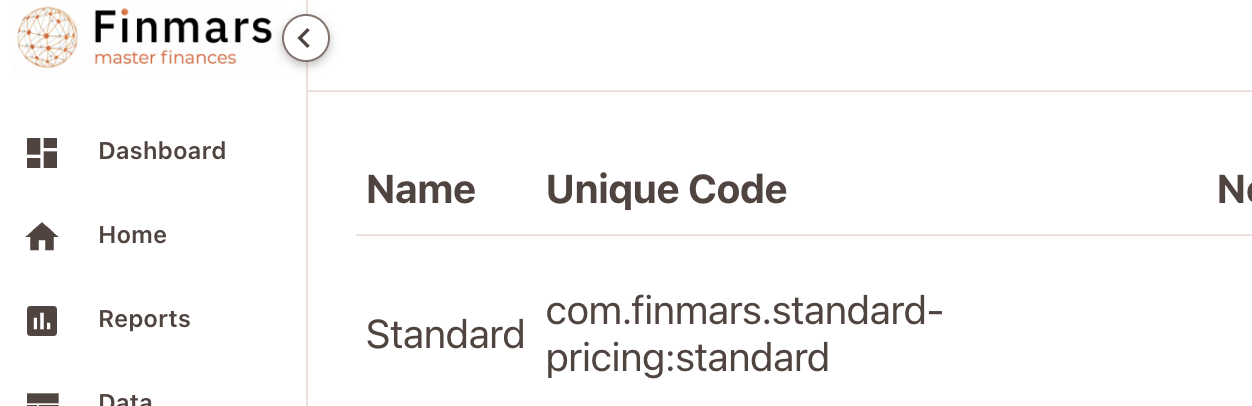
Before we start Import we should create a Pricing Policy, for now we can use Standard Pricing Policy
com.finmars.standard-pricing:standard
[](https://docs.finmars.com/uploads/images/gallery/2024-09/screenshot-2024-09-25-at-18-44-58.png)
You can have more then 1 pricing policy. For that we will have other Guide
# Create Provisional Account
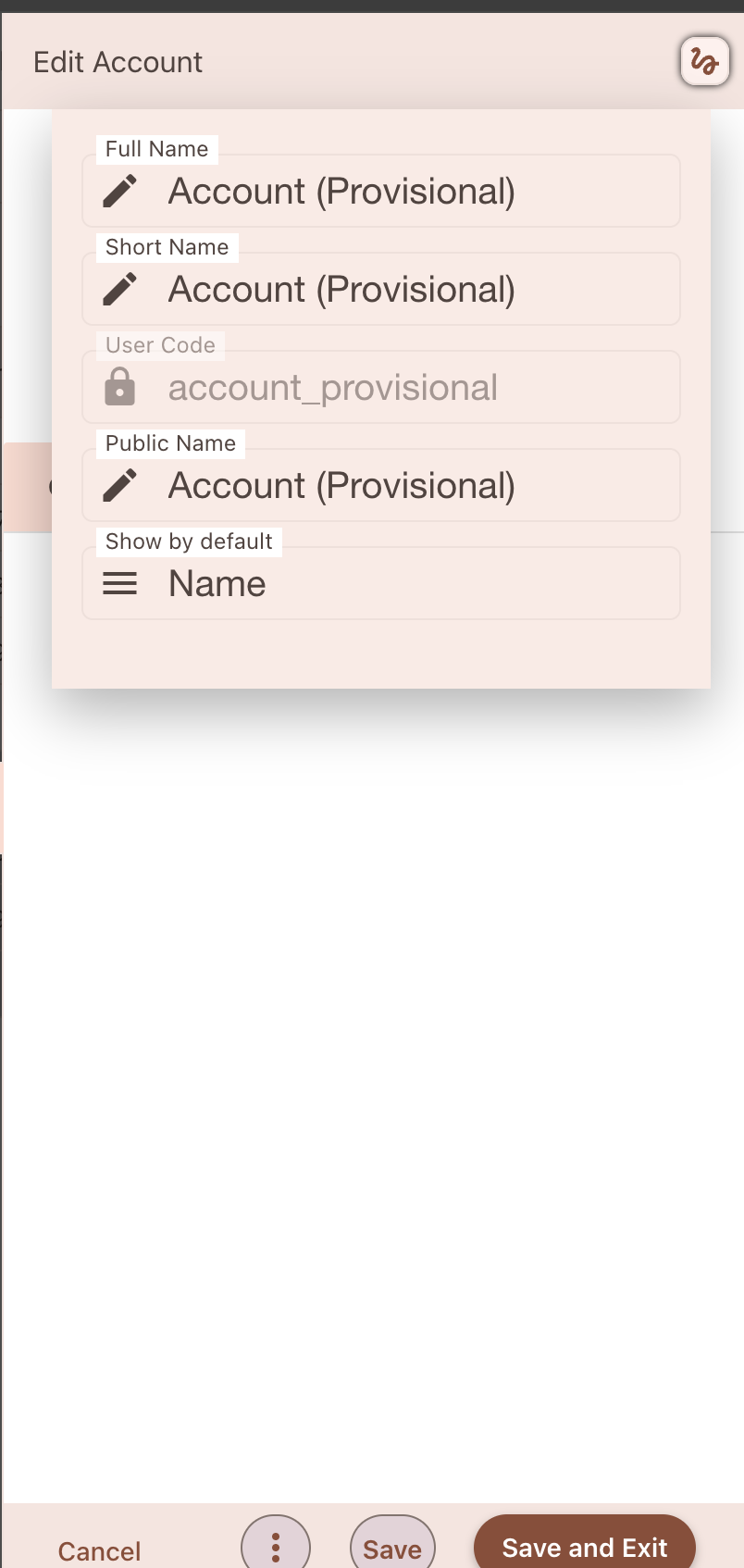
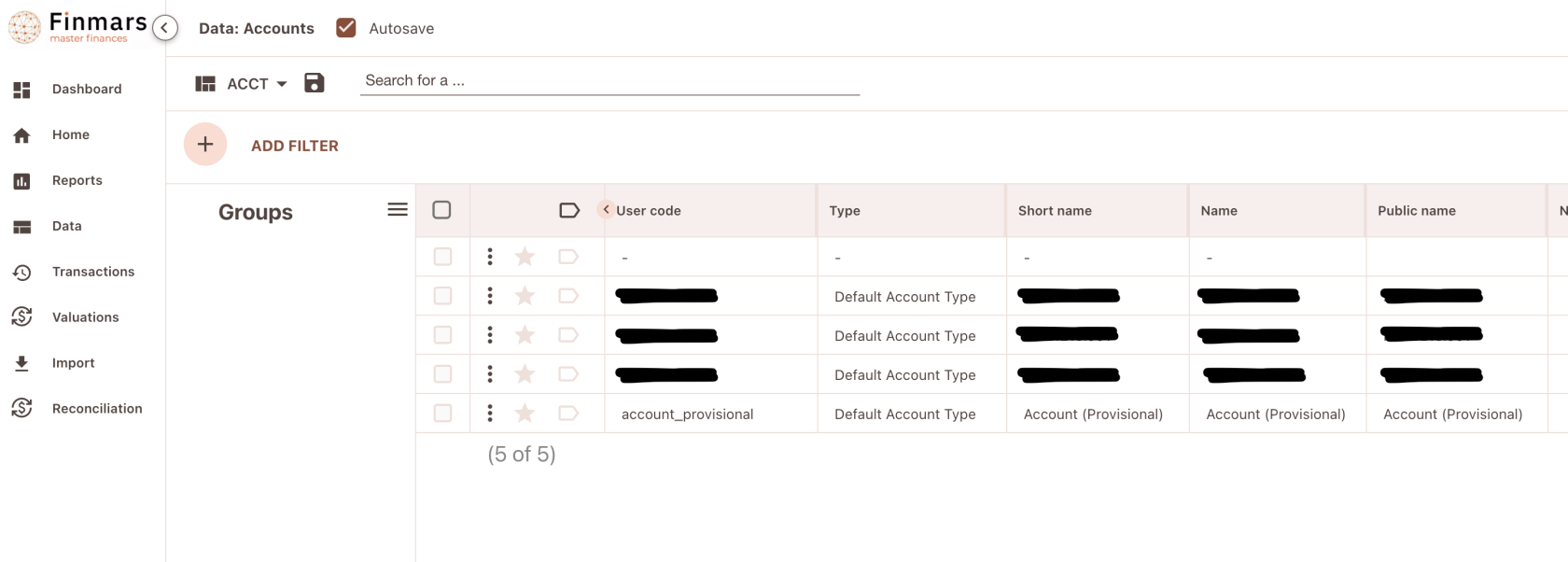
In your empty Space add a Provisional account (it will be used later)
Use Default Account Type from Standard Configuration
[](https://docs.finmars.com/uploads/images/gallery/2024-09/screenshot-2024-09-25-at-18-52-57.png)
# Setting up Space Defaults
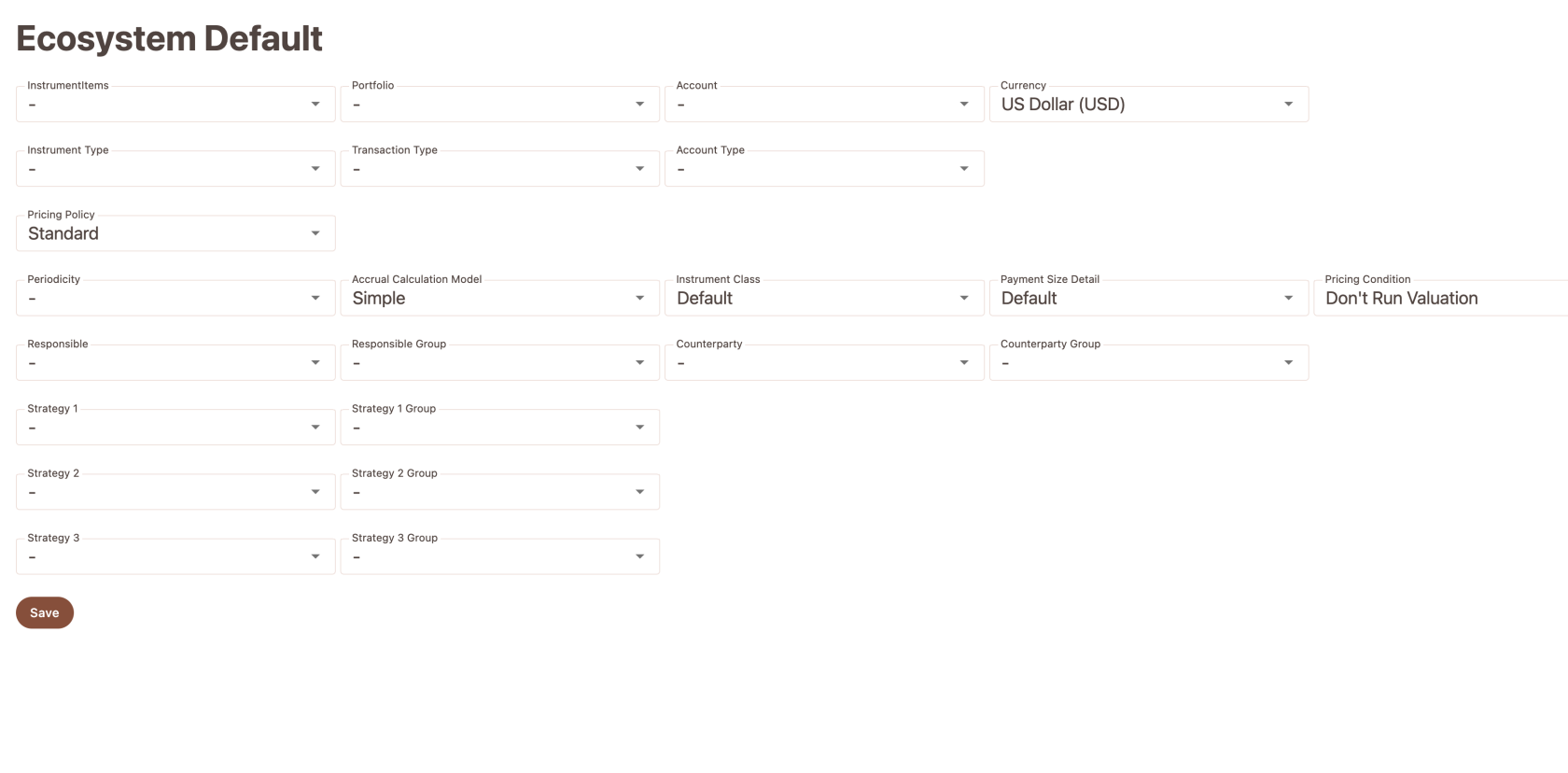
Do not forget to set:
Currency to **US Dollar**
Pricing Policy to **Standard**
[](https://docs.finmars.com/uploads/images/gallery/2024-09/screenshot-2024-09-29-at-19-09-27.png)
It will affect creation of Portfolio Registers and Portfolio Register Records
# Exante Broker Setup
# Install Exante Broker
Go to Marketplace Again, lets install Exante Module
[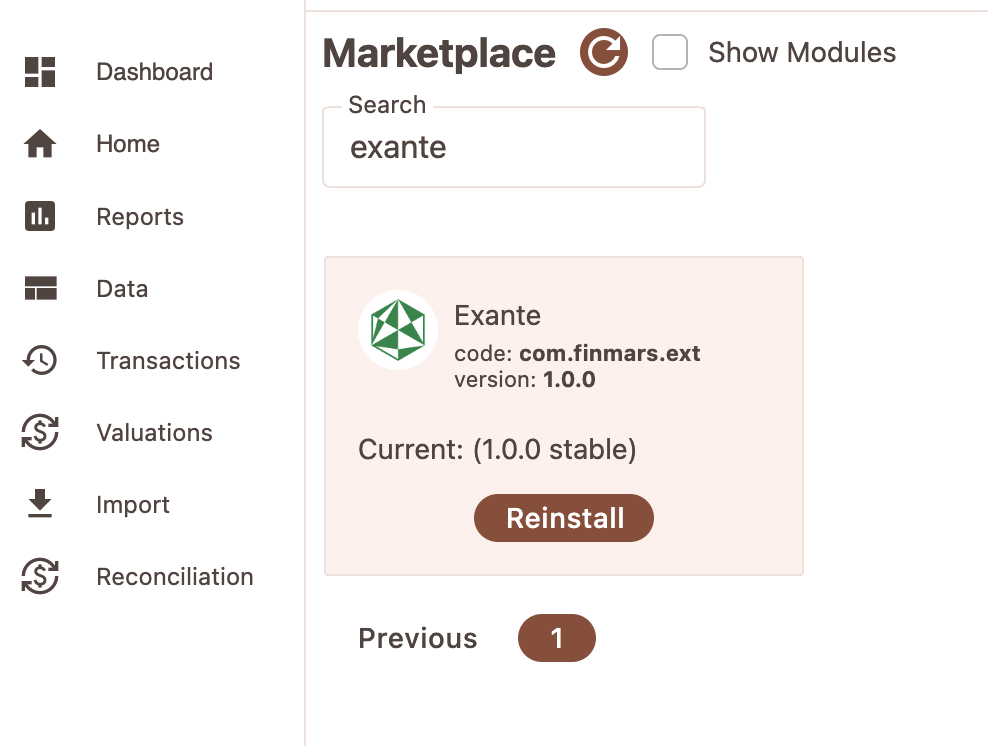](https://docs.finmars.com/uploads/images/gallery/2024-09/screenshot-2024-09-25-at-21-32-11.png)
Check if all Workflows are installed
[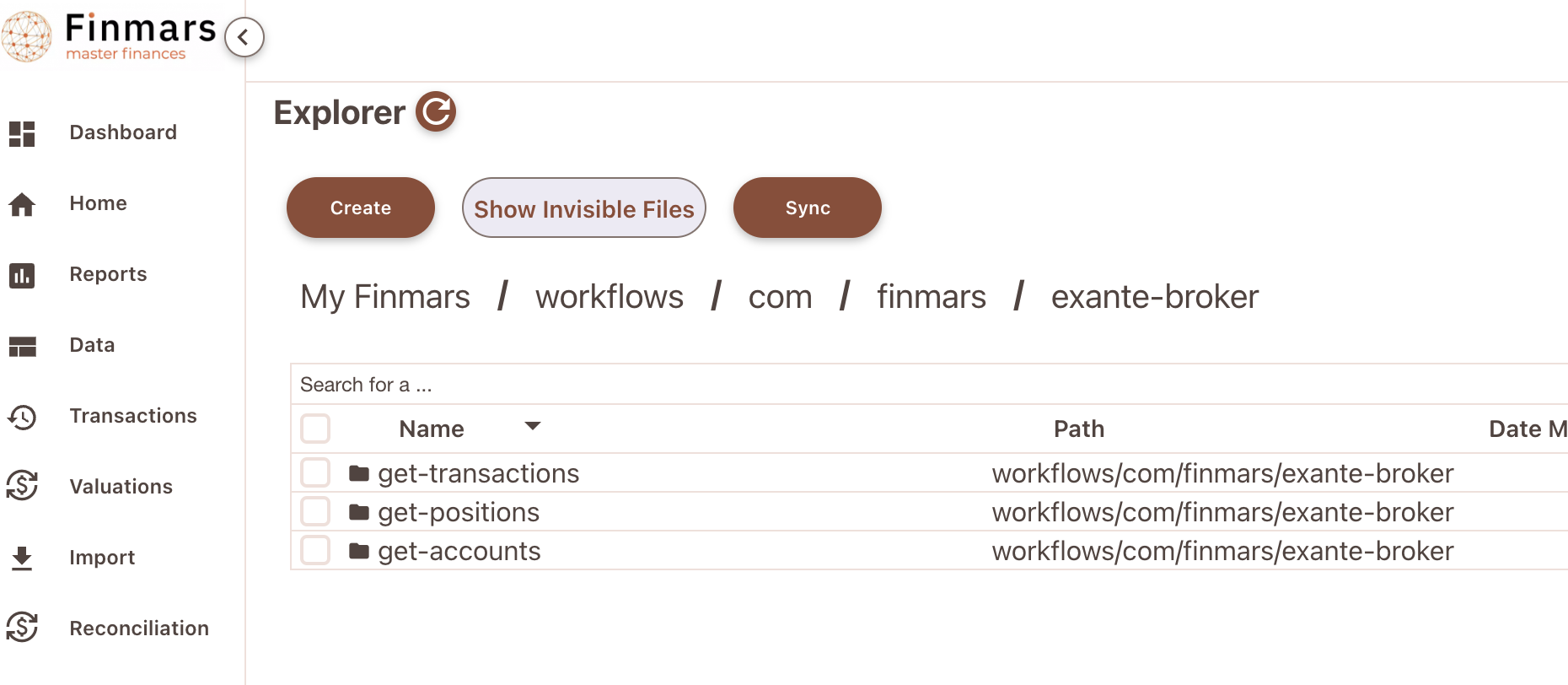](https://docs.finmars.com/uploads/images/gallery/2024-09/screenshot-2024-09-25-at-21-32-56.png)
# Setup Portfolios & Accounts
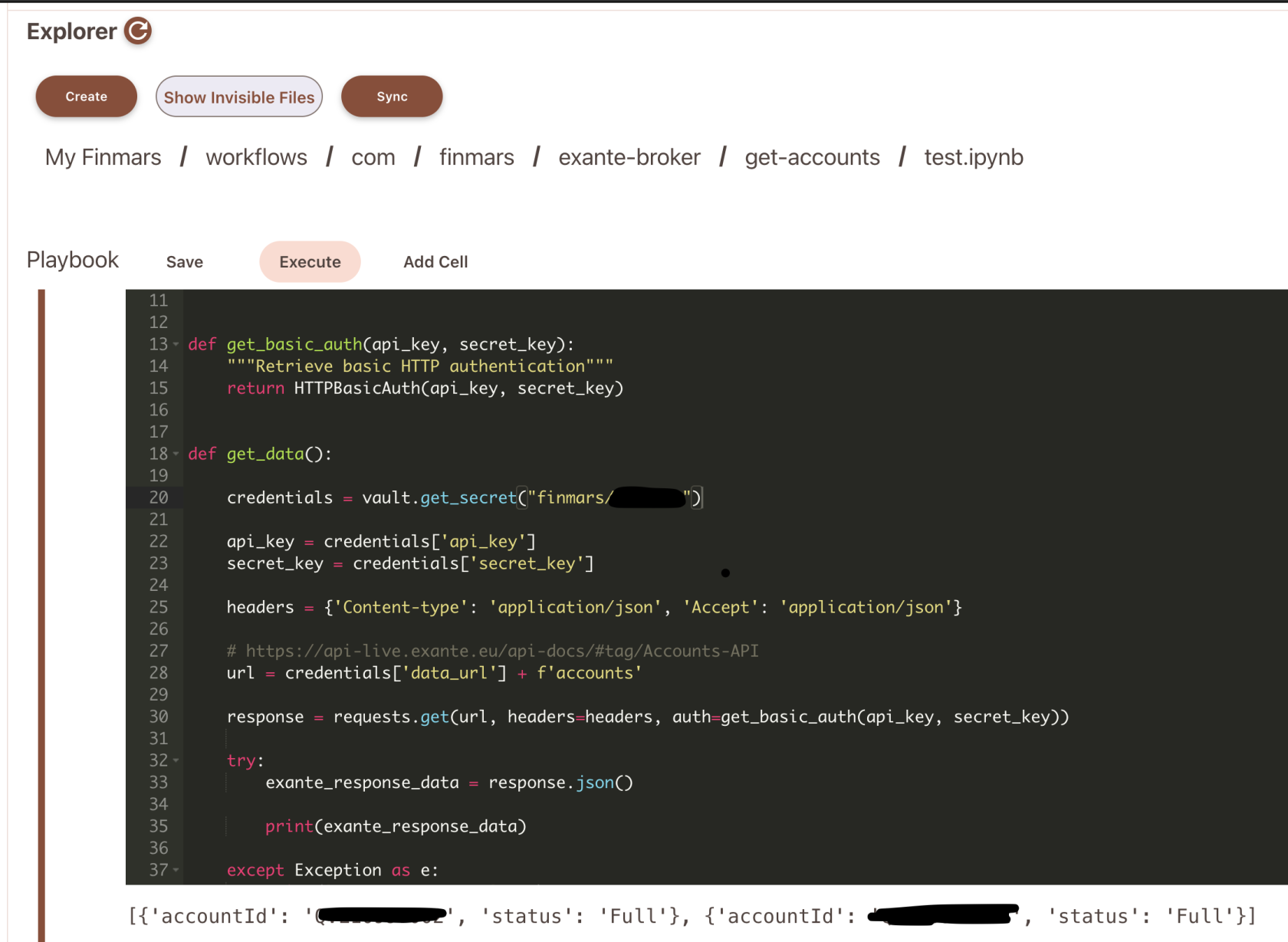
Go to `explorer/workflows/com/finmars/exante-broker/get-accounts/test.ipynb?auth`
Its small script that allows us to see Accounts from Exante API
[](https://docs.finmars.com/uploads/images/gallery/2024-09/screenshot-2024-09-25-at-21-42-30.png)
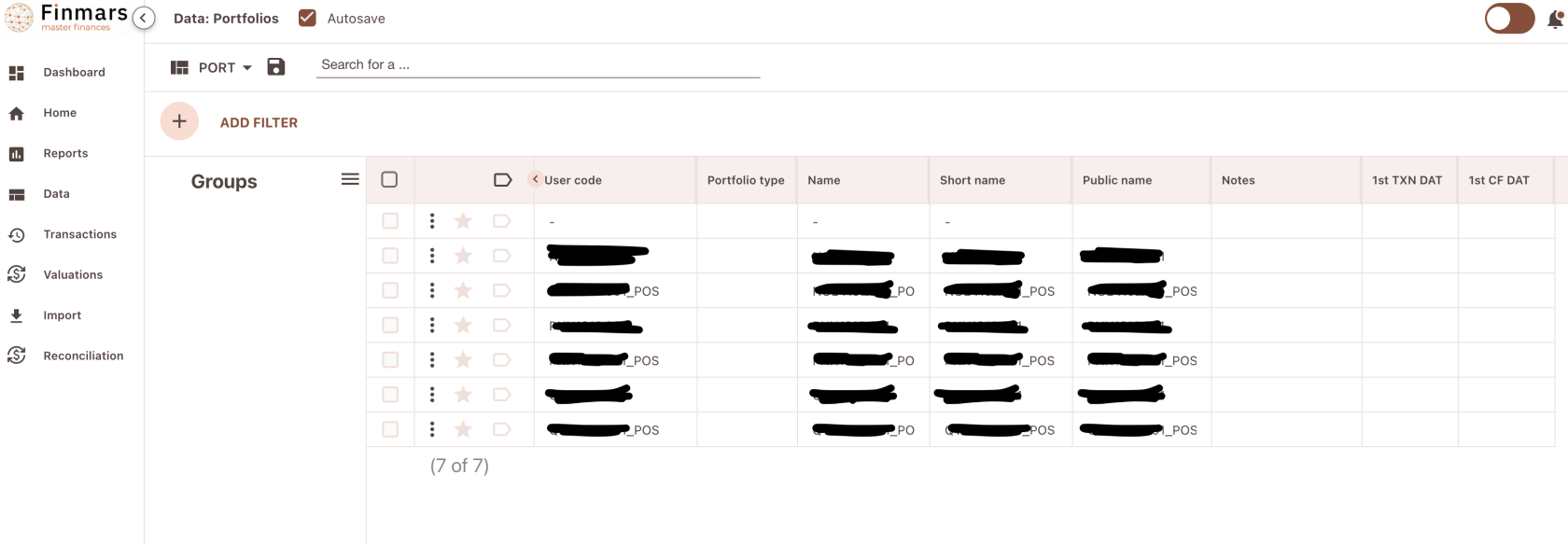
For now you can see your AccountIds, you could add them into Account and Portfolio Entities in Finmars
You will see something like this
[](https://docs.finmars.com/uploads/images/gallery/2024-09/screenshot-2024-09-25-at-21-48-51.png)
Do not forget to add also portfolios with \_POS suffix, these portfolios hold data about position statements for each day
Do not forget also to add Accounts (No need for POS)
[](https://docs.finmars.com/uploads/images/gallery/2024-09/screenshot-2024-09-25-at-21-52-07.png)
# Install Exante Data Transformer
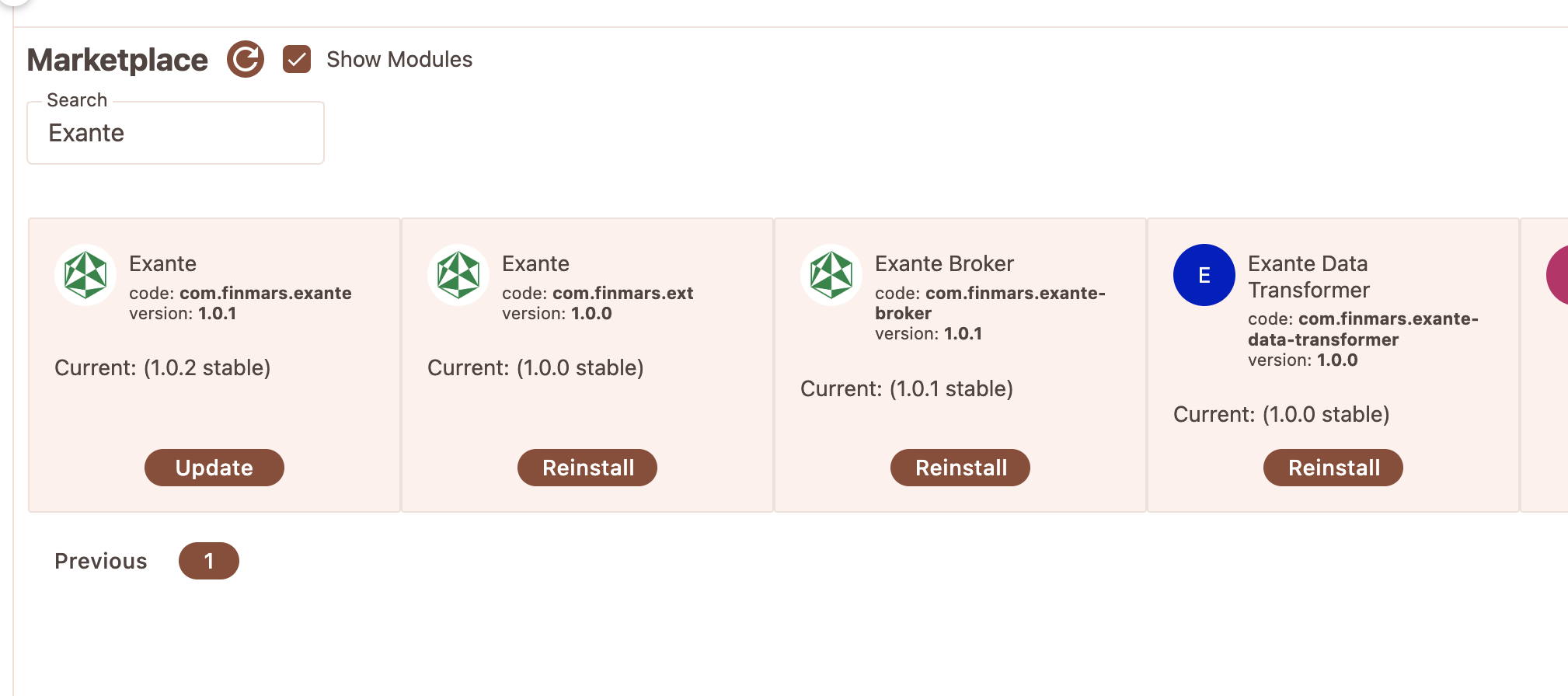
Go to Marketplace and look for **Exante Data Transformer**
Install this module
[](https://docs.finmars.com/uploads/images/gallery/2024-09/screenshot-2024-09-26-at-00-55-45.png)
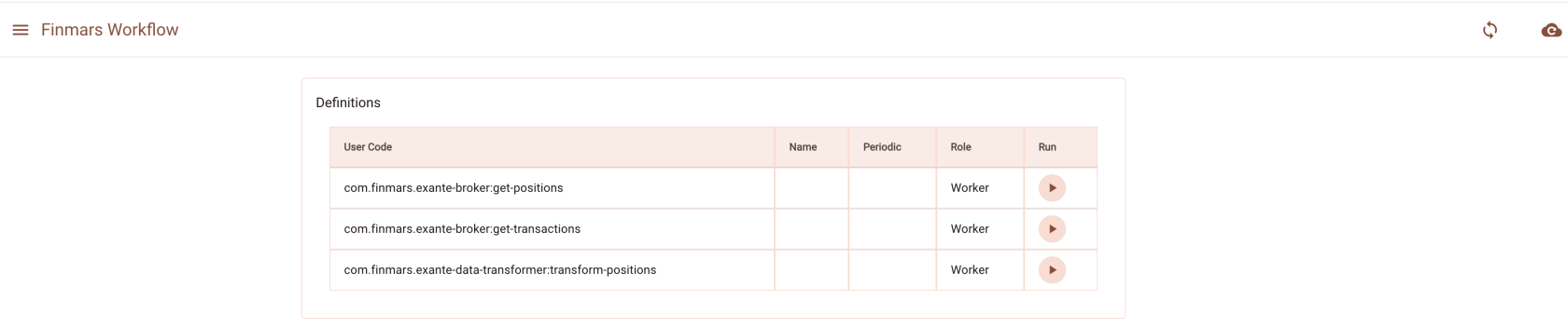
So after you install it you need to refresh your storage (Click on top right button to Refresh Storage)
[](https://docs.finmars.com/uploads/images/gallery/2024-09/screenshot-2024-09-26-at-00-56-30.png)
So after your Storage is refreshed you will see `com.finmars.exante-broker:get-positions`
It means you installed Exante Data Transformer Successfully
# Importing Positions Data
# Try get Positions on a Date
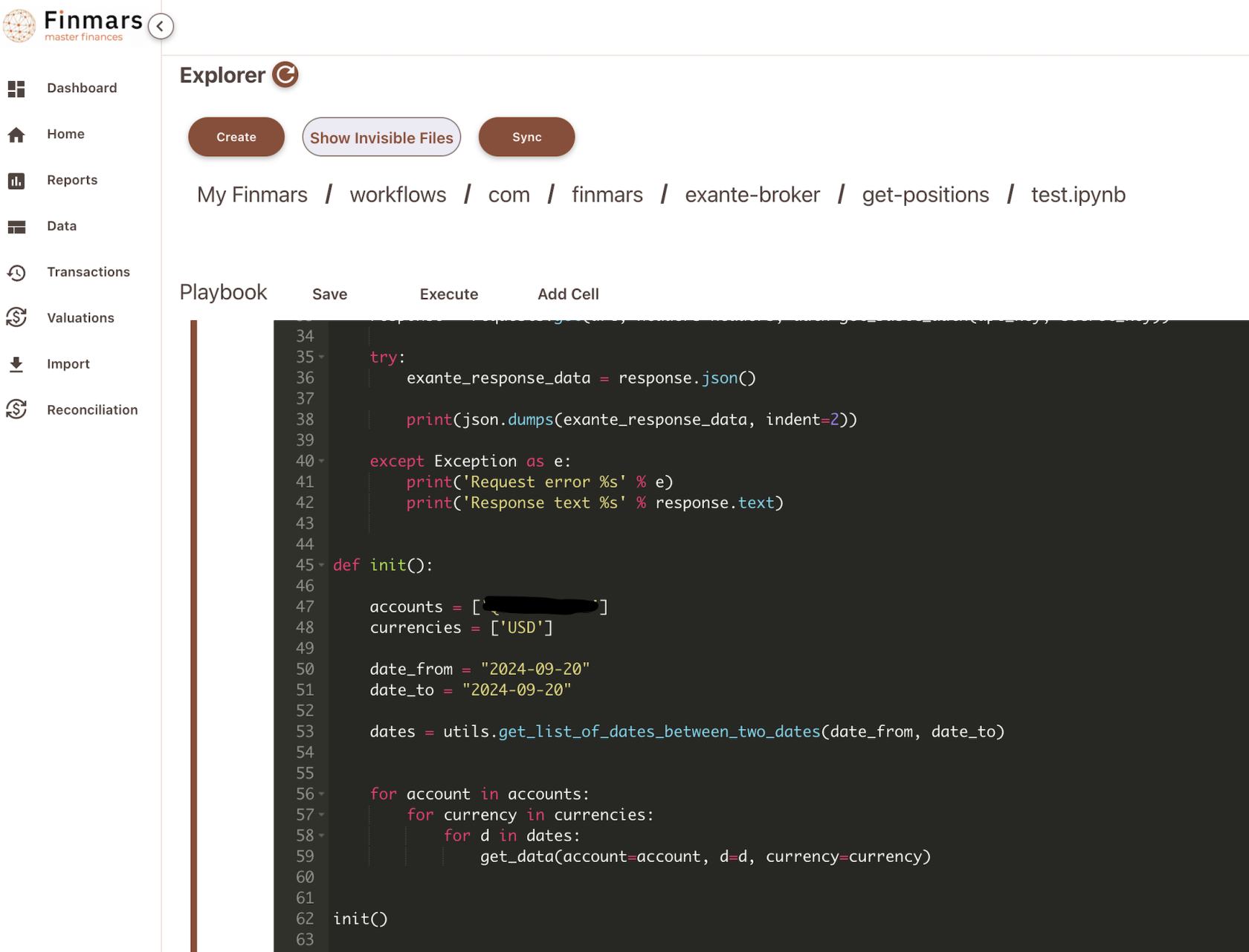
Go to `/explorer/workflows/com/finmars/exante-broker/get-positions/test.ipynb`
Its a test Jupyter python script that allows you to check if you able to fetch Positions
[](https://docs.finmars.com/uploads/images/gallery/2024-09/screenshot-2024-09-25-at-22-22-52.png)
So you need to change your `accounts` variable on line 47, add your accountId e.g. **ABC1234.001** it will call API endpoint of [https://api-live.exante.eu/api-docs/#tag/Account-summary-API/operation/getAccountSummaryWithoutDate](https://api-live.exante.eu/api-docs/#tag/Account-summary-API/operation/getAccountSummaryWithoutDate)
So your output will be something like
```
{
"currencies": [
{
"code": "USD",
"convertedValue": "55175.23",
"value": "55175.23"
}
],
"timestamp": 1727295675000,
"freeMoney": "55175.22",
"netAssetValue": "970467.92",
"marginUtilization": "0.7443",
"positions": [
{
"convertedPnl": "-54410.19",
"symbolId": "CIFR.NASDAQ",
"convertedValue": "778292.7",
"price": "2.925",
"accruedInterest": null,
"symbolType": "STOCK",
"value": "778292.7",
"quantity": "91724.0",
"pnl": "-34410.19",
"currency": "USD",
"averagePrice": "4.5182"
}
],
"sessionDate": "2024-09-20",
"currency": "USD",
"accountId": "ABC1234.001",
"moneyUsedForMargin": "568292.7"
}
```
Finmars will store this outputs in Explorer, so after it will be processed by Exante Transformer, to make it compatible with Finmars Standard Configuration
# Download Positions to Finmars
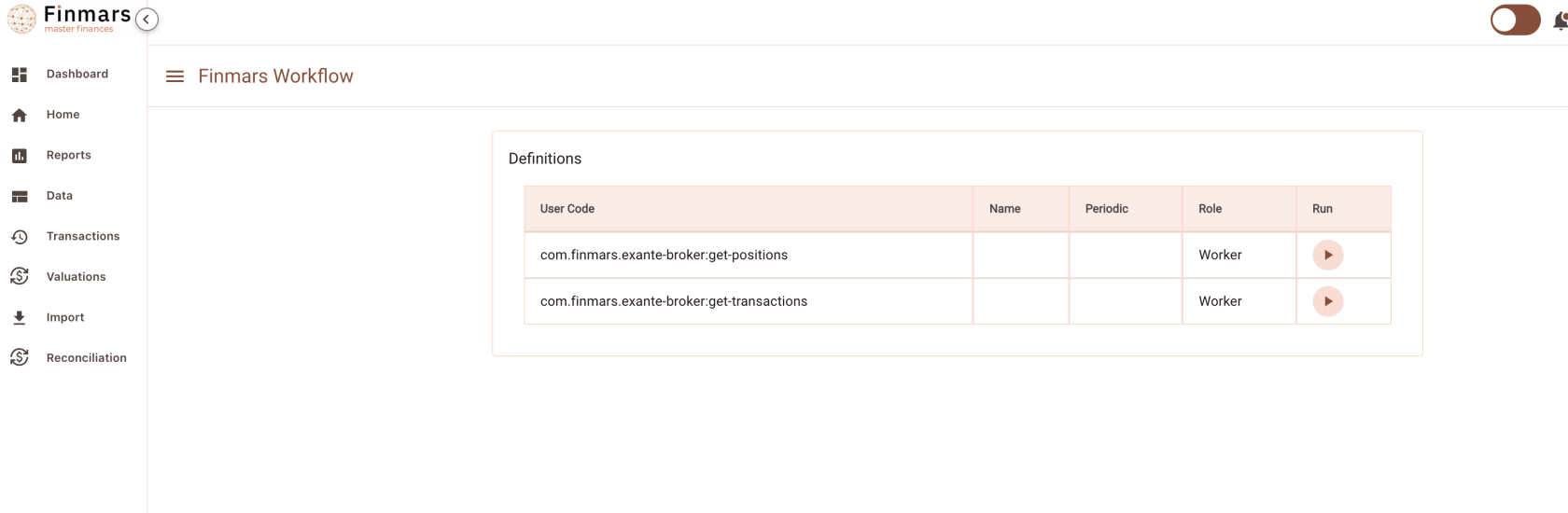
Go to Workflow Page
[](https://docs.finmars.com/uploads/images/gallery/2024-09/screenshot-2024-09-25-at-23-33-43.png)
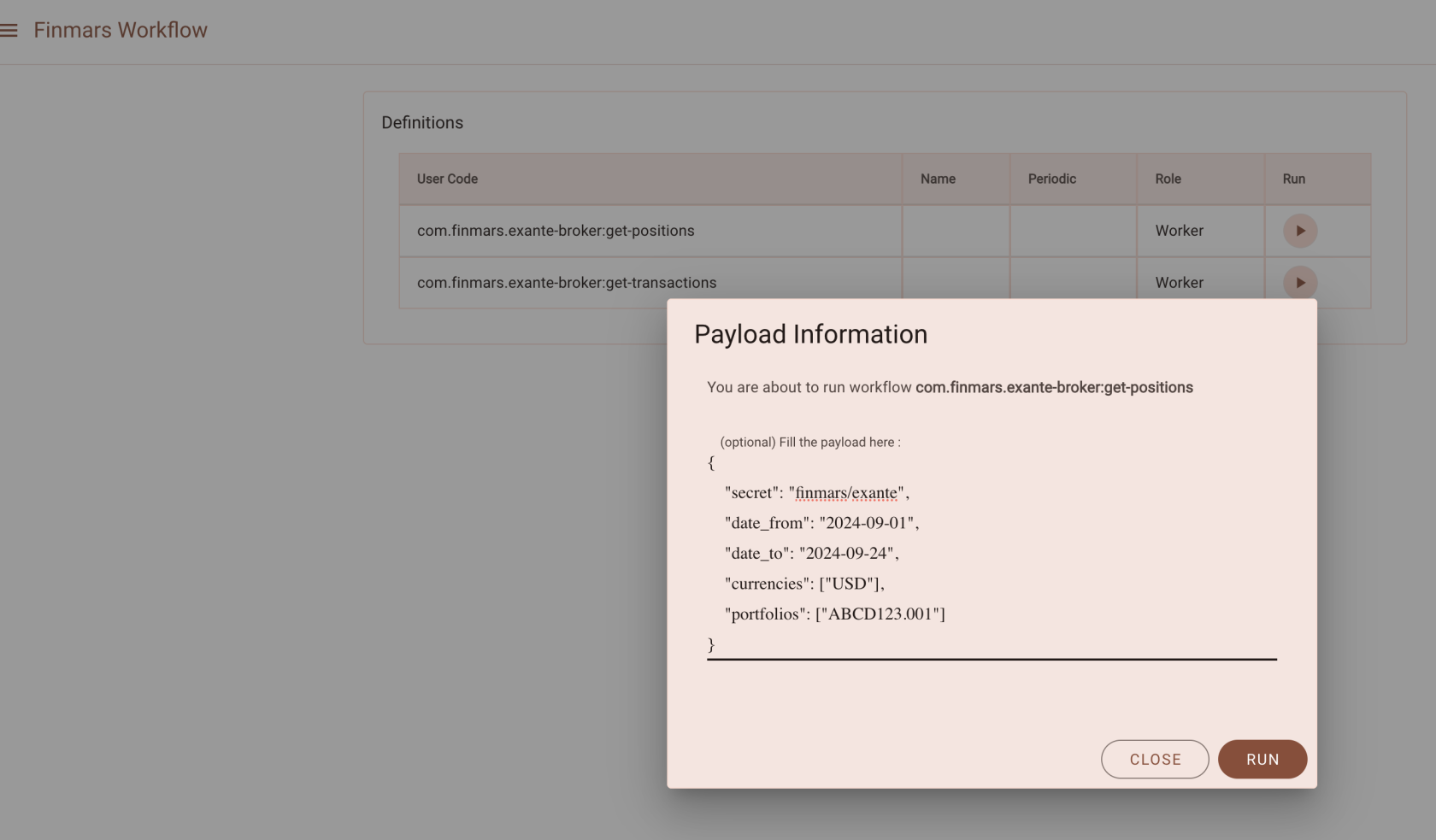
Run following workflow: `com.finmars.exante-broker:get-positions`
Pass payload like:
```json
{
"secret": "finmars/exante",
"date_from": "2024-09-01",
"date_to": "2024-09-24",
"currencies": ["USD"],
"portfolios": ["ABCD123.001"]
}
```
[](https://docs.finmars.com/uploads/images/gallery/2024-09/screenshot-2024-09-25-at-23-35-27.png)
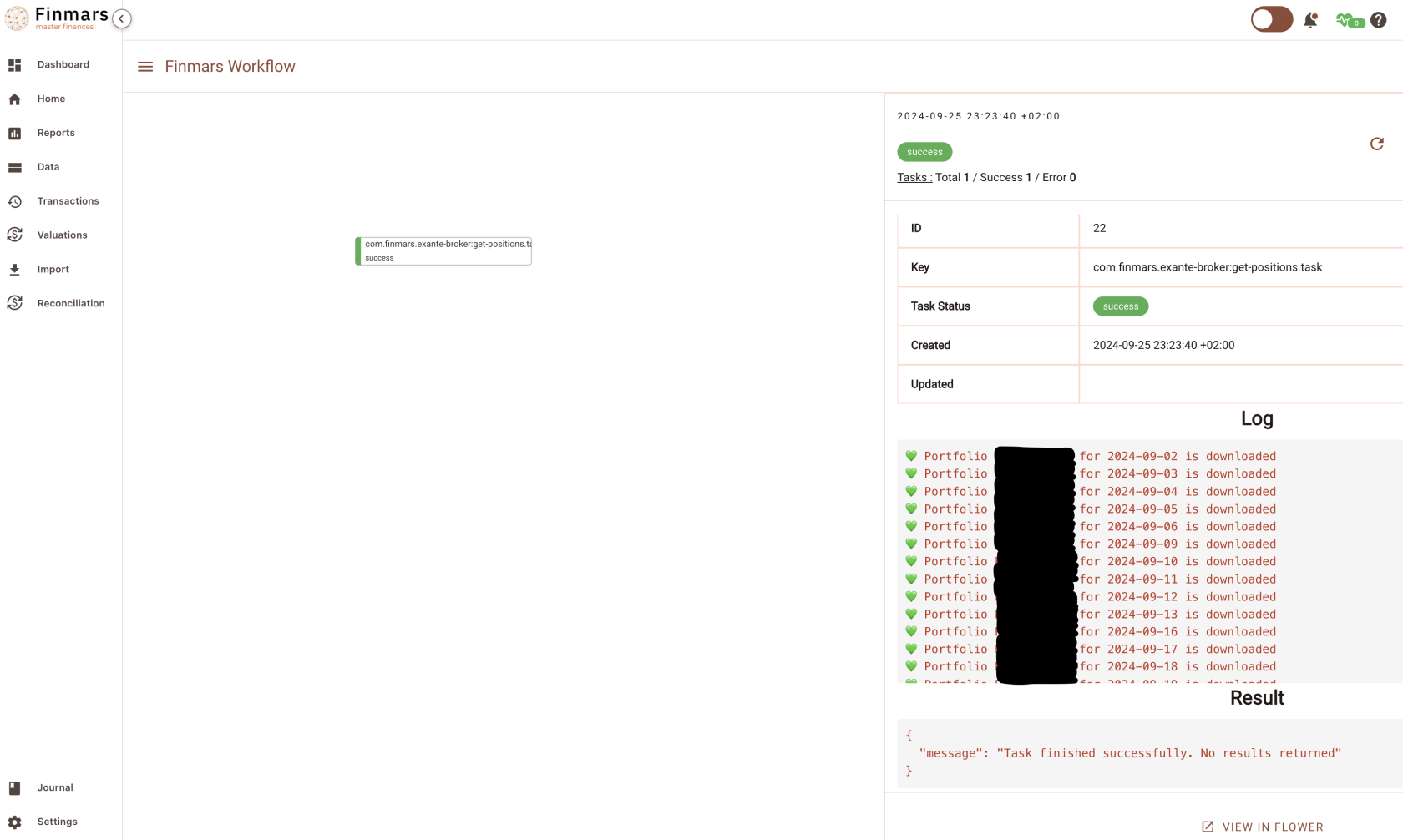
Go to see status of your workflow
[](https://docs.finmars.com/uploads/images/gallery/2024-09/screenshot-2024-09-25-at-23-36-14.png)
Seems all the requests are done!
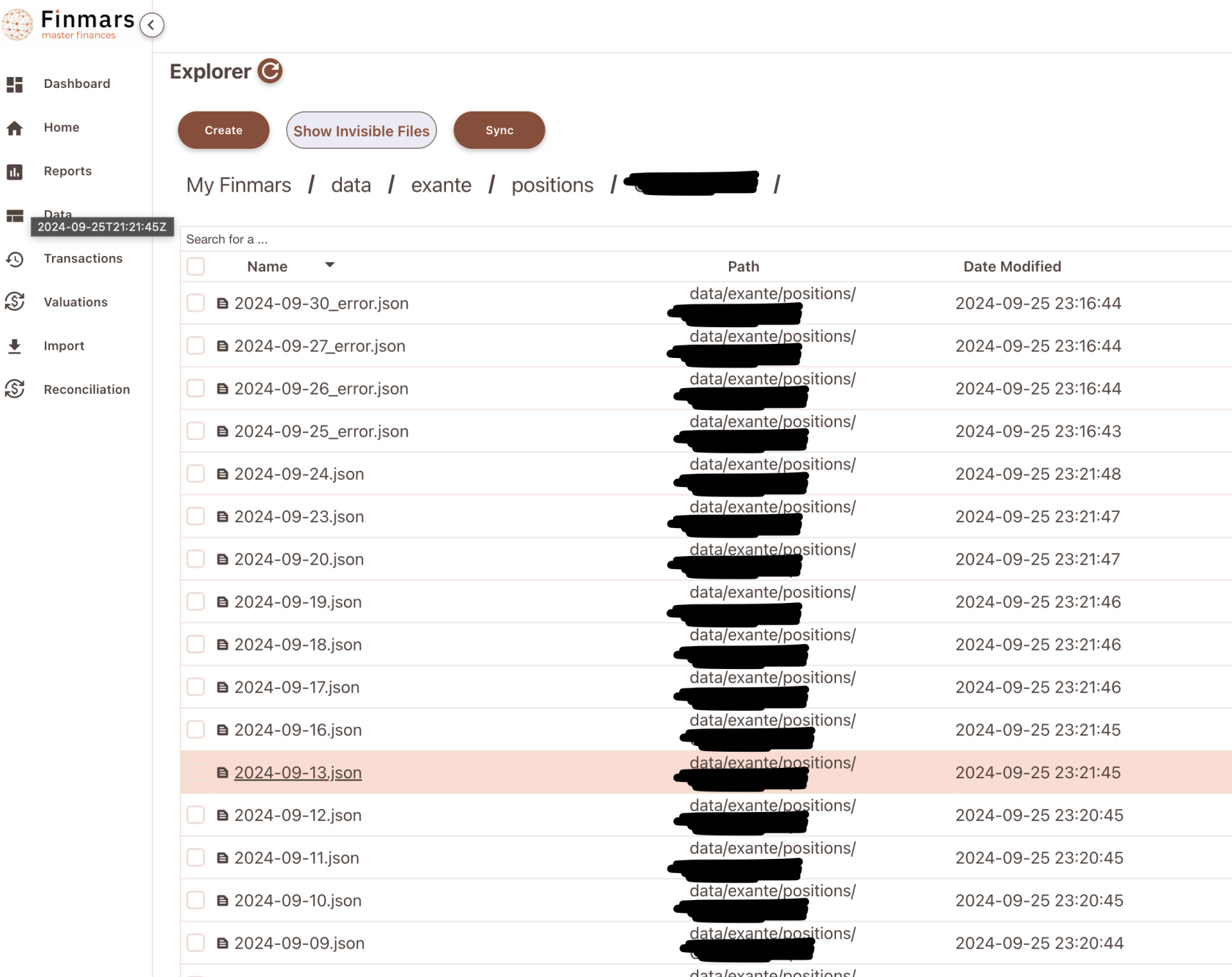
Go to `explorer/data/exante/positions/ABCD123.001/` and you shall able to see downloaded files as .json
[](https://docs.finmars.com/uploads/images/gallery/2024-09/screenshot-2024-09-25-at-23-38-47.png)
That data can be later passed to Exante Data Transformer, to make it compatible with Finmars Standard Configuration
# Transform Positions to Standard Configuration
Precondition: You downloaded some Positions from Exante (Check your `/explorer/data/exante/positions` folder)
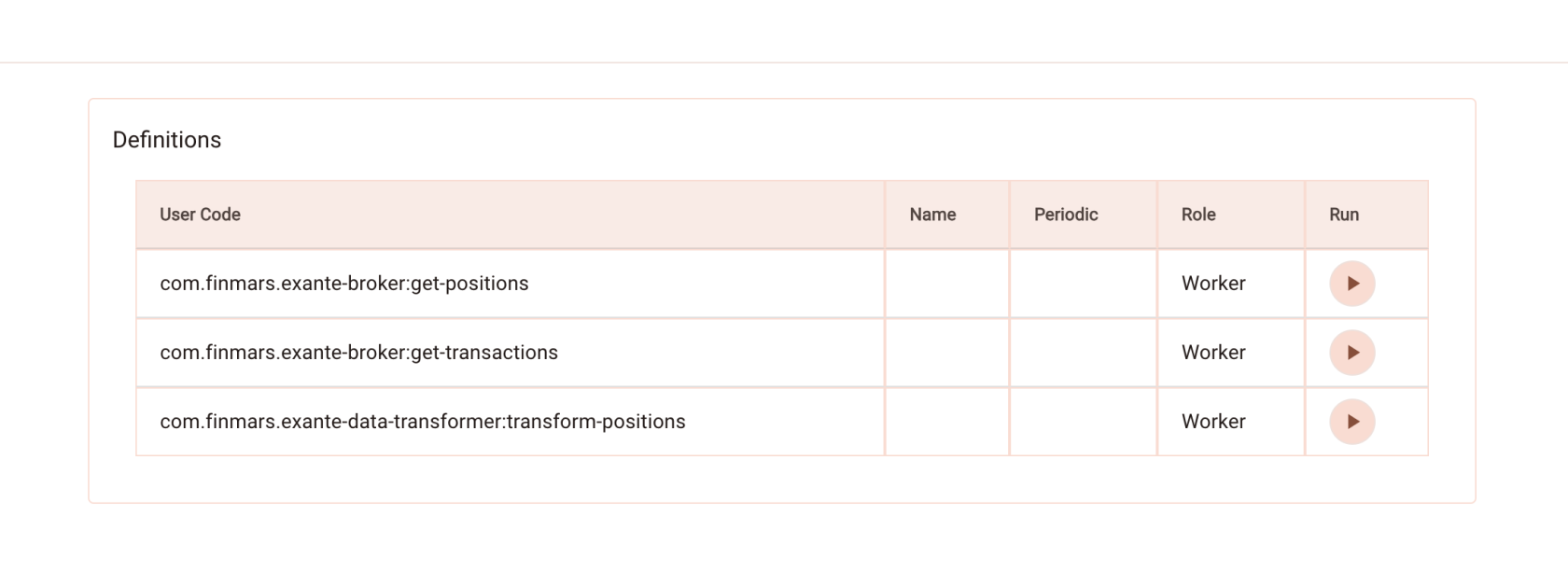
Go to Worfklow Page
[](https://docs.finmars.com/uploads/images/gallery/2024-09/screenshot-2024-09-26-at-00-58-55.png)
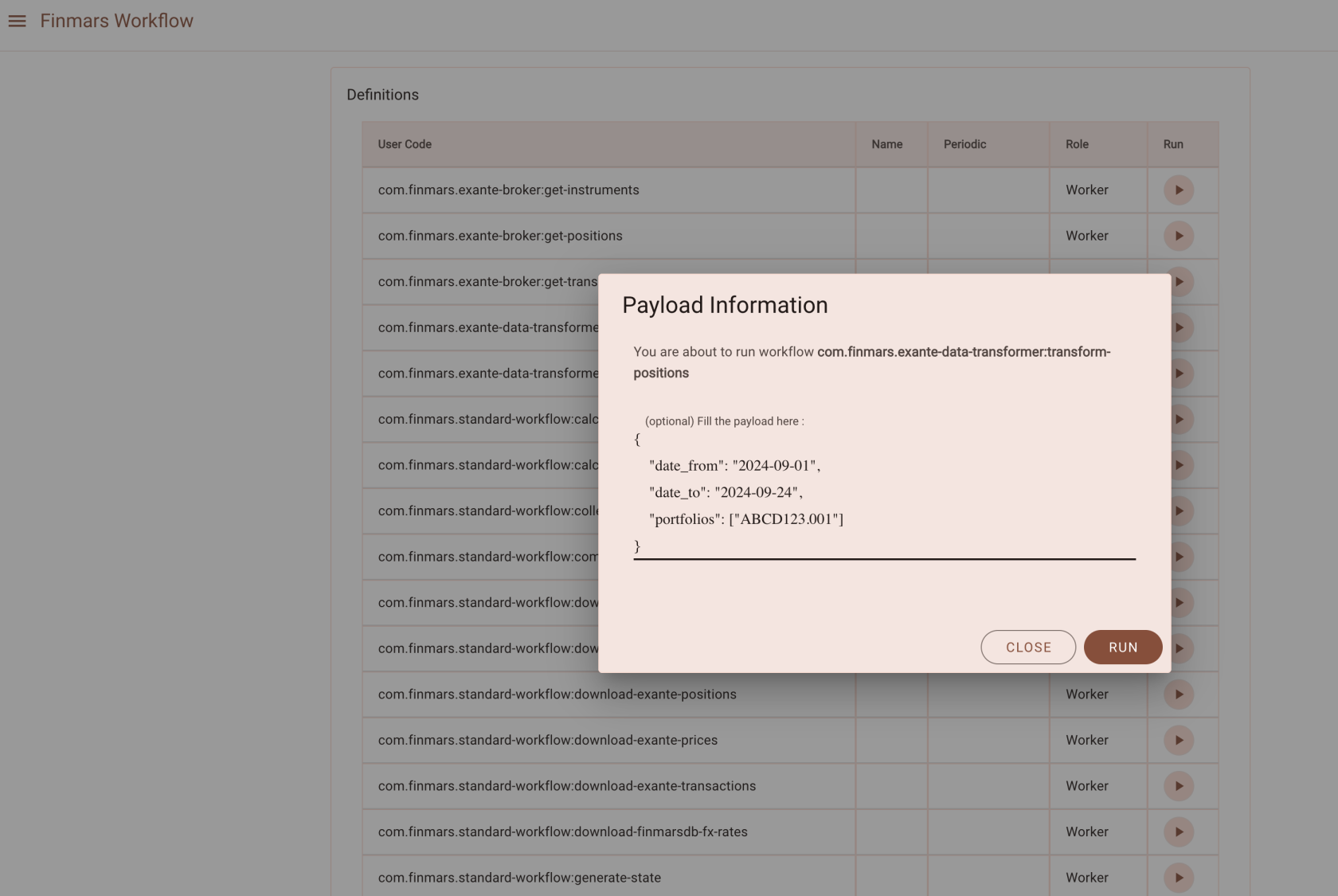
Run Task `com.finmars.exante-data-transformer:transform-positions`
```json
{
"date_from": "2024-09-01",
"date_to": "2024-09-27",
"portfolios": ["ABCD123.001"]
}
```
[](https://docs.finmars.com/uploads/images/gallery/2024-09/screenshot-2024-09-27-at-10-32-01.png)
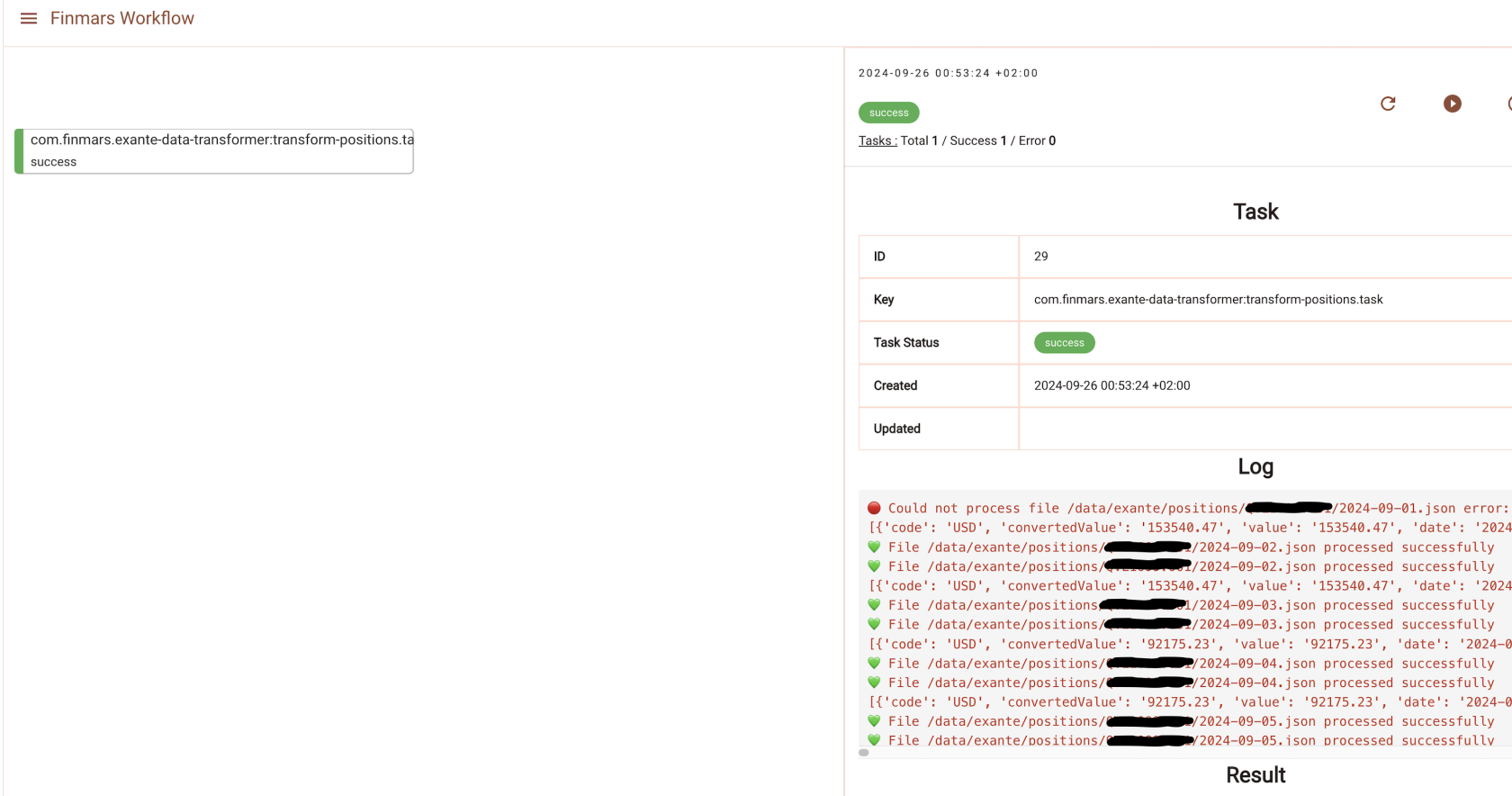
Go to see you Task Status
[](https://docs.finmars.com/uploads/images/gallery/2024-09/screenshot-2024-09-26-at-01-00-59.png)
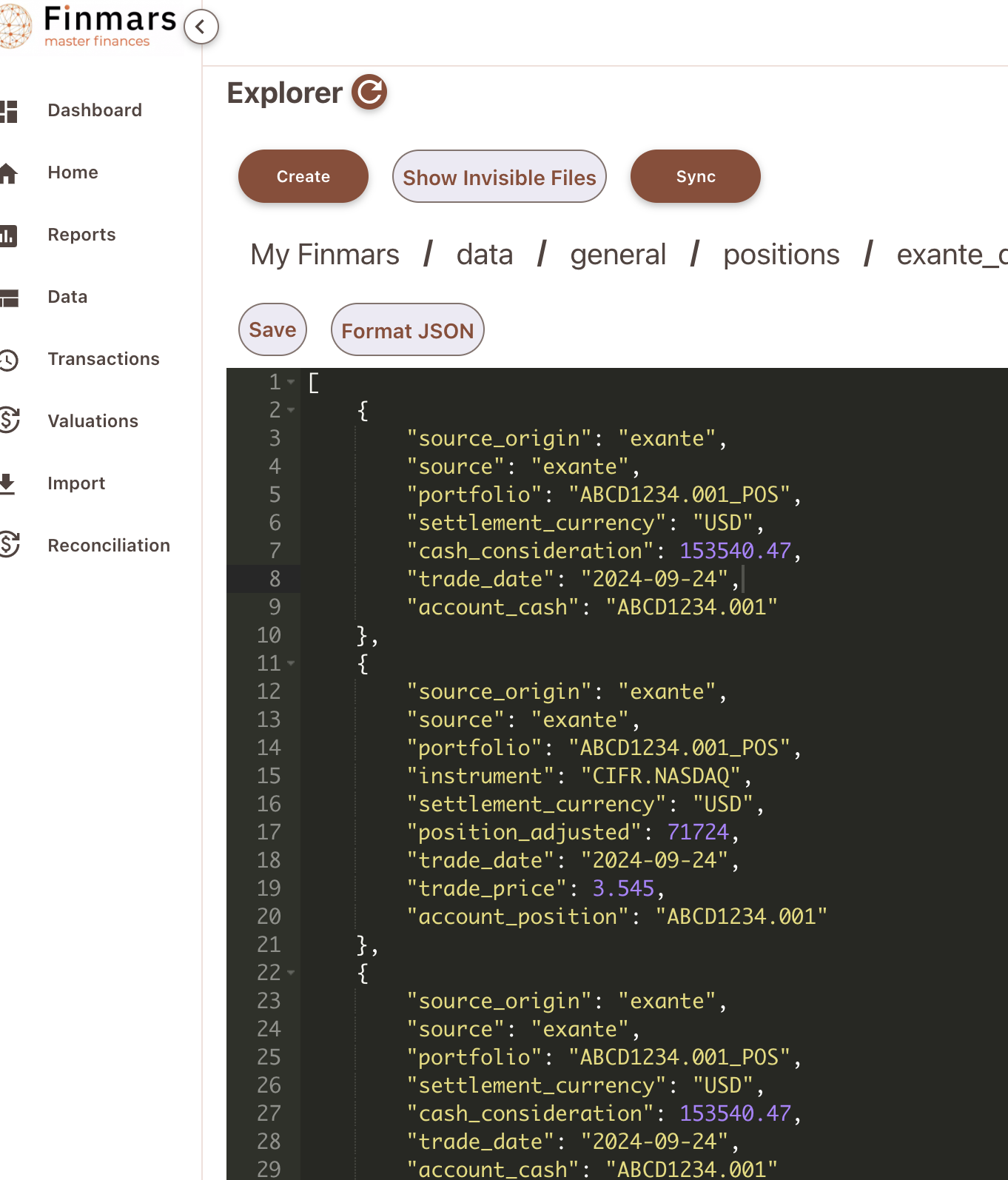
So all your download Position files from Exante should be packed into one .json file that converted to Standard Configuration
You shall able to see it in
`/explorer/data/general/positions`
data/general - is a folder where data accumulates from all the sources, we keep transformed data there
[](https://docs.finmars.com/uploads/images/gallery/2024-09/screenshot-2024-09-26-at-01-02-52.png)
Great, so this file will be dispatched to Standard Import (see schema com.finmars.standard-import-from-file:pos\_daily) STD - POS DAILY
P.S. Before we able to import Positions, we must ensure that all Instruments/Currencies already present in Space. So after it, you free to import file either manually or via Standard AutoImport Schedule
# Import Daily Positions to Finmars
Preconditions: You parsed instruments from positions file and Imported **Instruments** to Finmars
Warning: Without Instruments/Currencies this step will lead to error
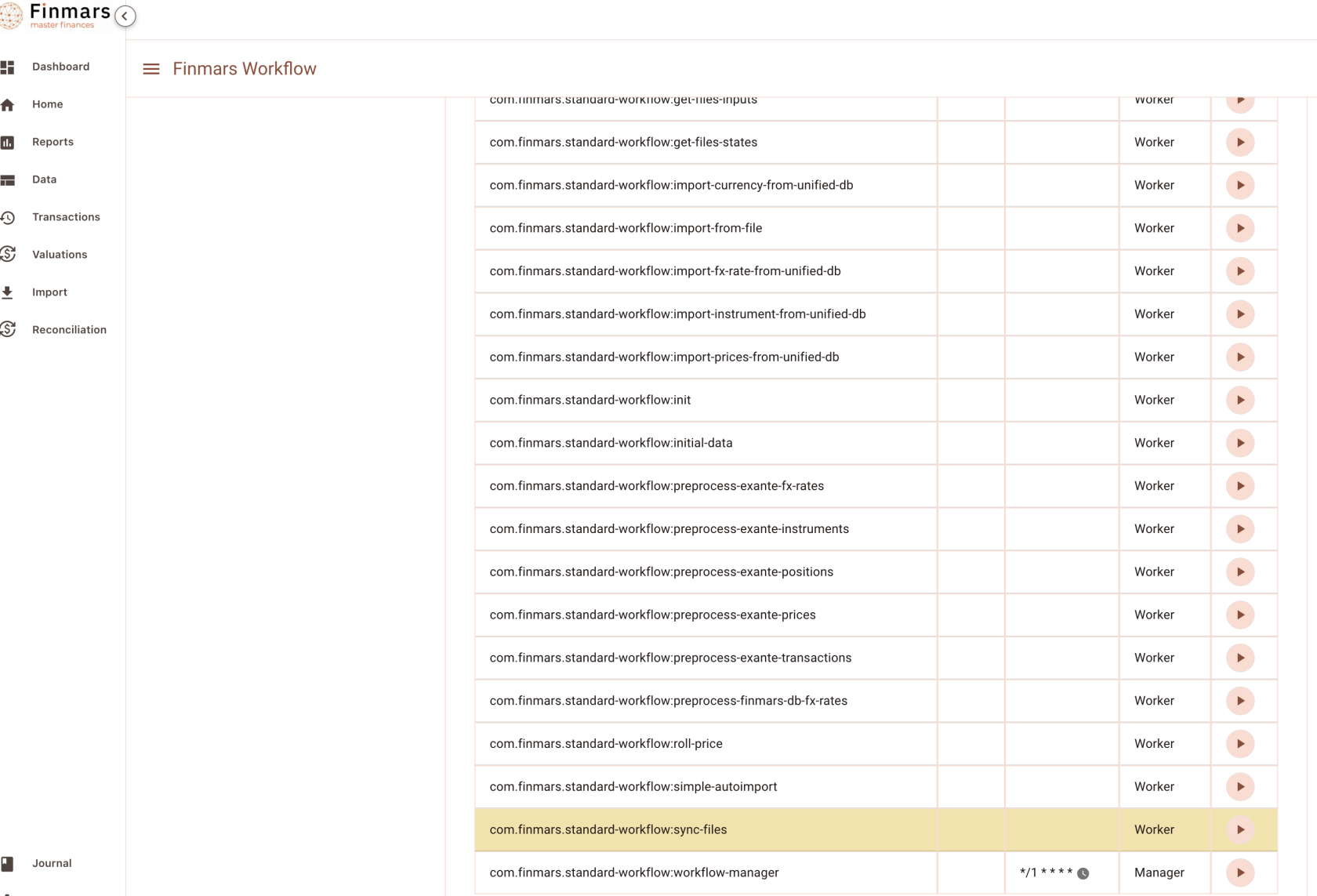
Go to Workflow Page
[](https://docs.finmars.com/uploads/images/gallery/2024-09/screenshot-2024-09-27-at-10-10-42.png)
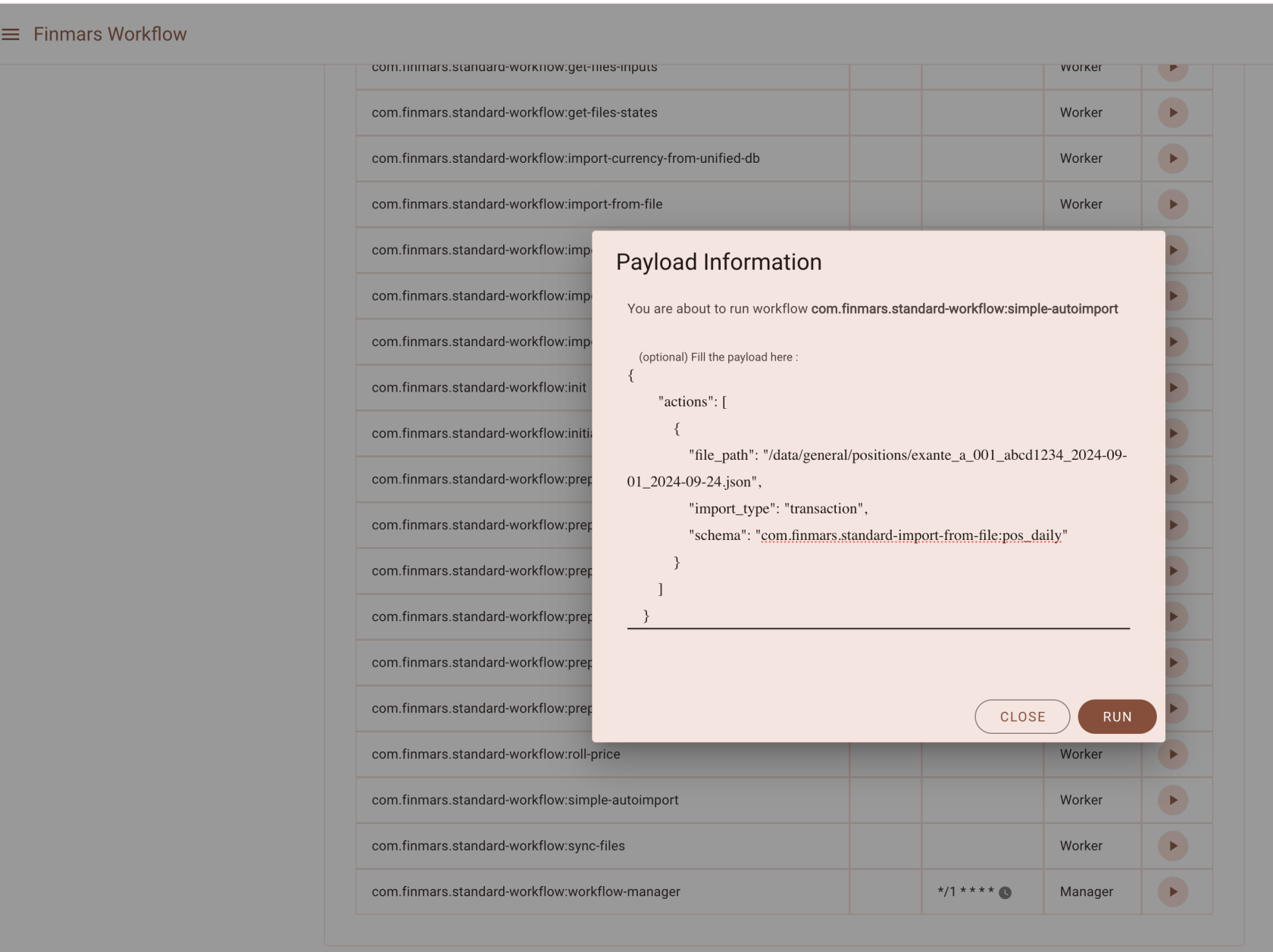
Look for `com.finmars.standard-workflow:simple-autoimport`
Lets execute it (You can find files to import in `/explorer/data/general/positions`)
[](https://docs.finmars.com/uploads/images/gallery/2024-09/screenshot-2024-09-27-at-10-18-51.png)
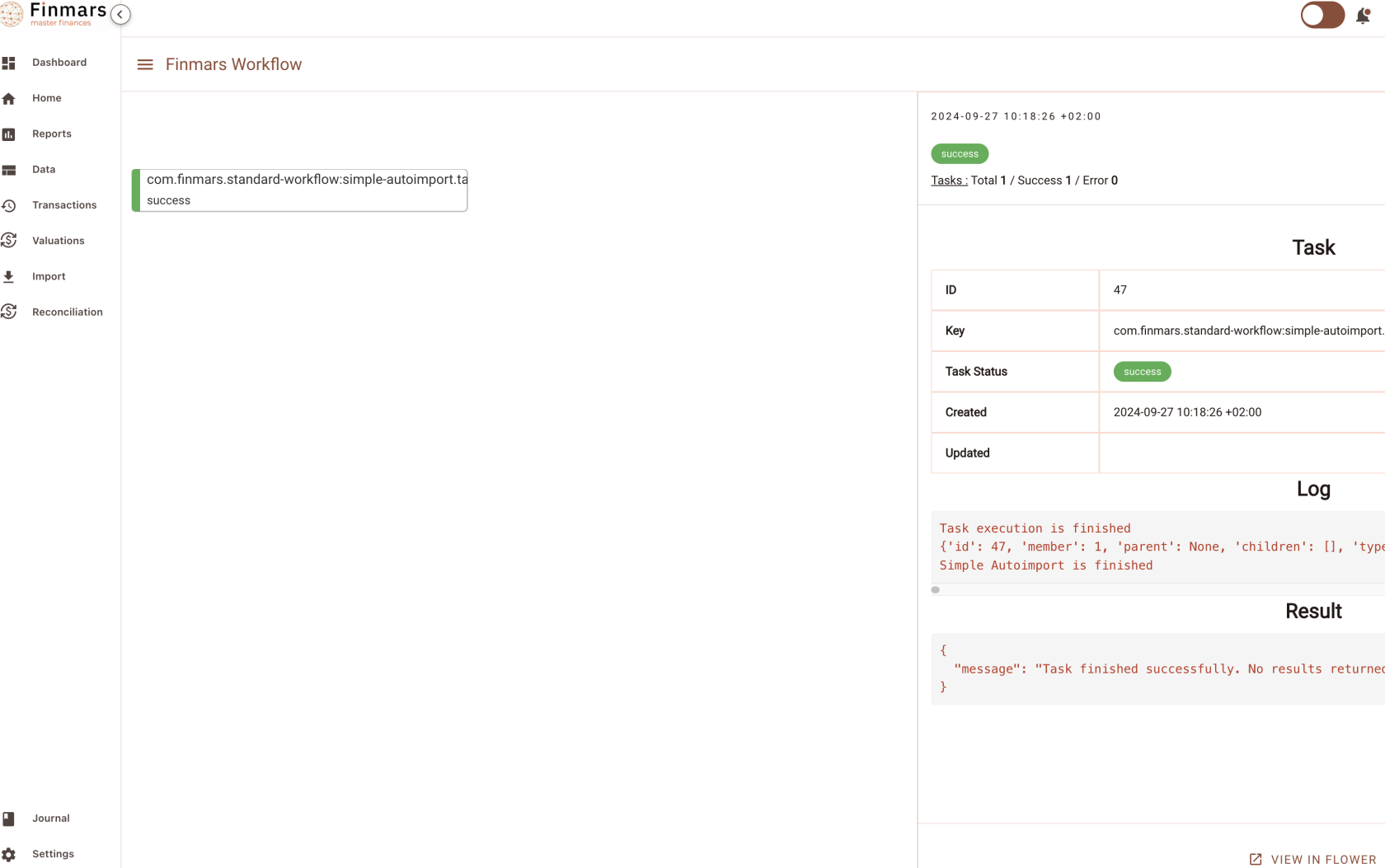
Go to see Task Status
[](https://docs.finmars.com/uploads/images/gallery/2024-09/screenshot-2024-09-27-at-10-19-19.png)
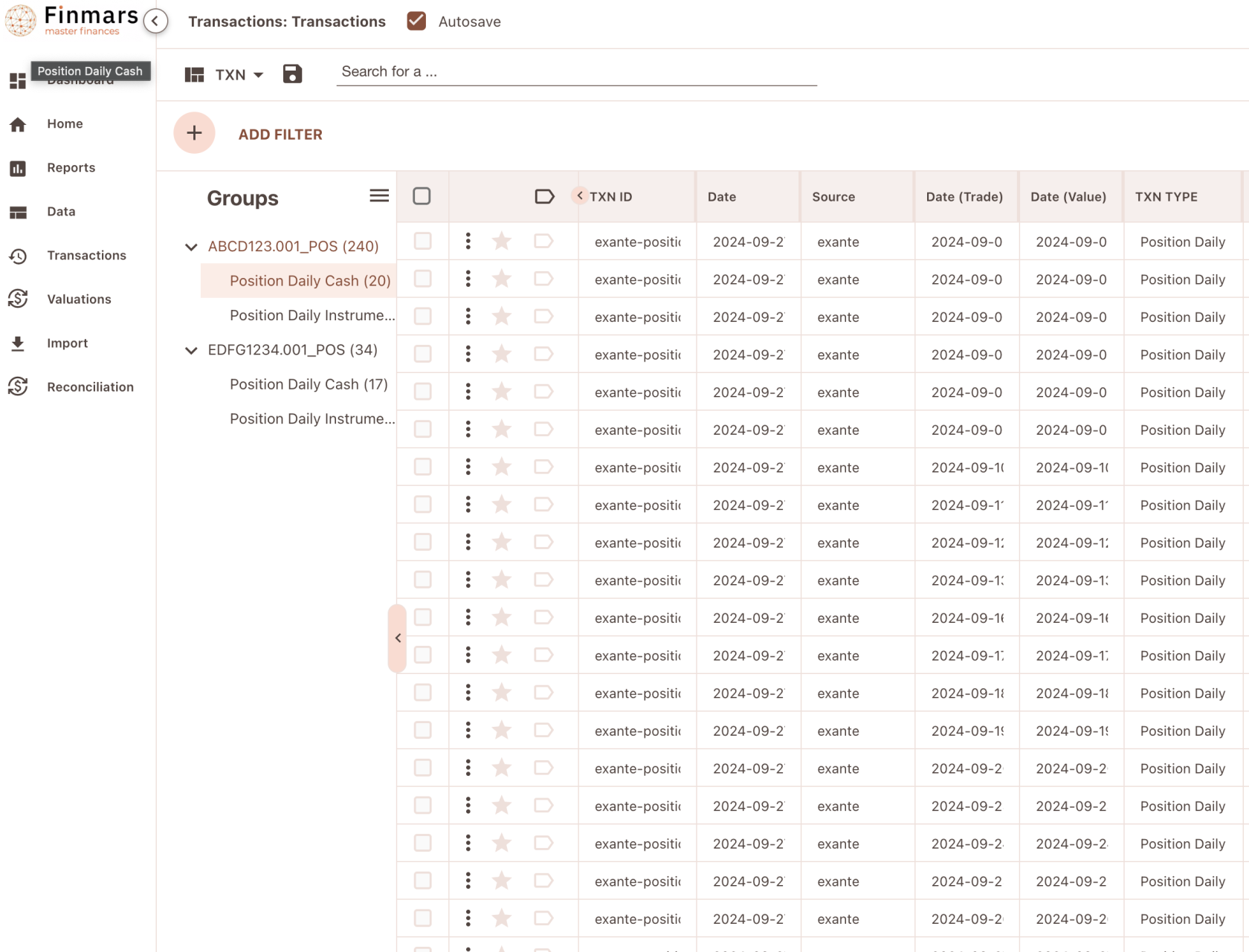
Great success! Lets check our transactions
[](https://docs.finmars.com/uploads/images/gallery/2024-09/screenshot-2024-09-27-at-21-17-08.png)
Your Daily Positions successfully imported into Finmars
P.S. Some issues with Standard Import Schema Daily Positions, please provide feedback
# Importing Instruments
# Try to get Instruments from Exante
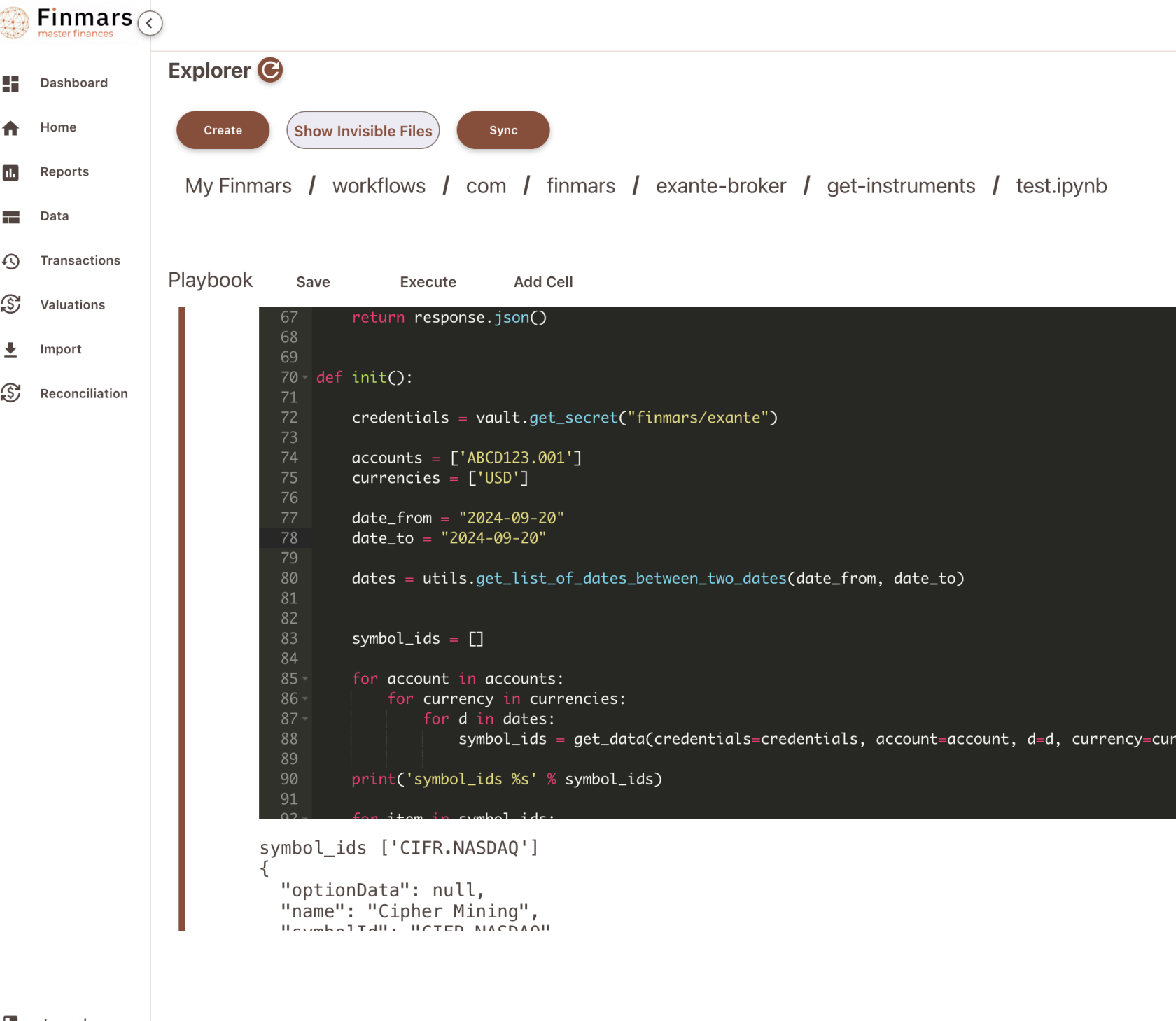
Go to `/explorer/workflows/com/finmars/exante-broker/get-instruments/test.ipynb`
And configure your script
[](https://docs.finmars.com/uploads/images/gallery/2024-09/screenshot-2024-09-27-at-00-47-17.png)
Modify path to your credentials (Line 72) and modify ids of your accounts. Optionally you can change dates
Press Execute
[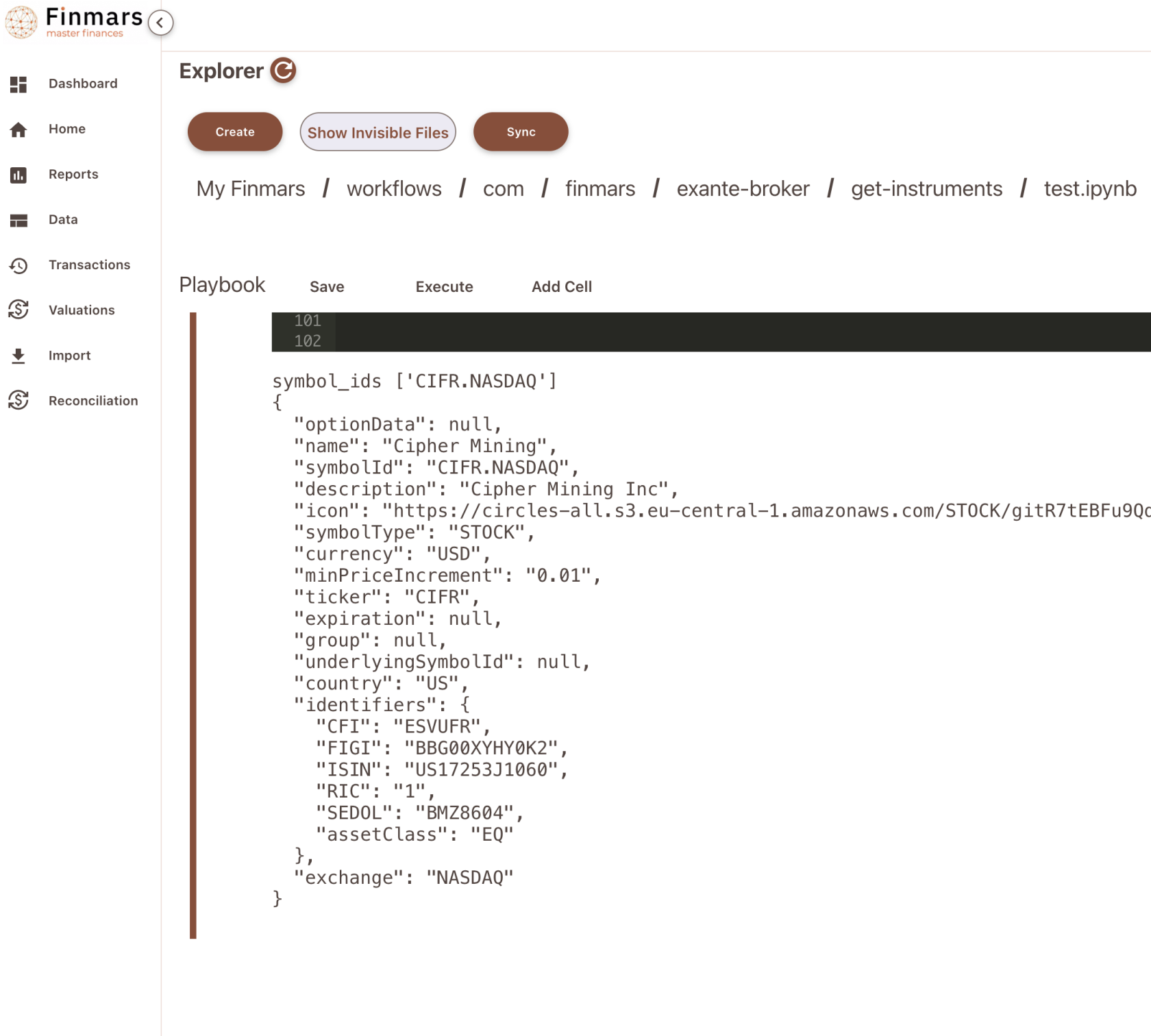](https://docs.finmars.com/uploads/images/gallery/2024-09/screenshot-2024-09-27-at-00-48-18.png)
Great, now you see output of Exante Provider for Instrument
# Download Instruments to Finmars
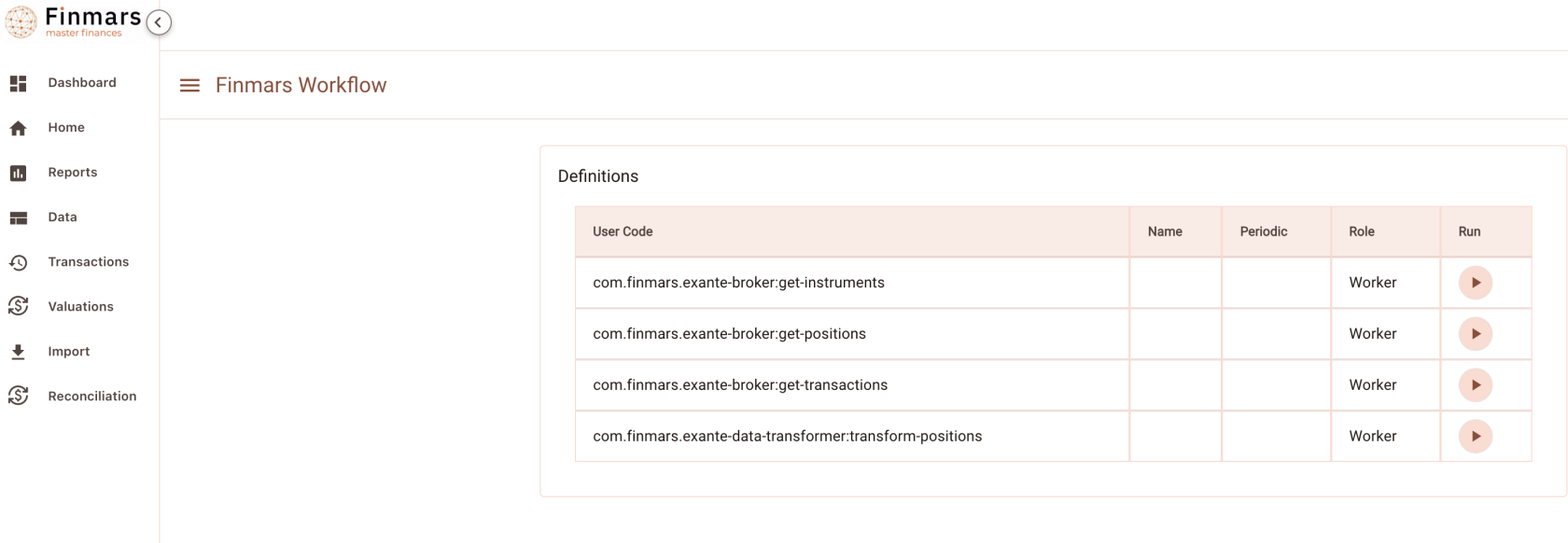
Go to Workflow Page
[](https://docs.finmars.com/uploads/images/gallery/2024-09/screenshot-2024-09-27-at-01-05-07.png)
Execute workflow `com.finmars.exante-broker:get-instruments`
```json
{
"secret": "finmars/exante",
"date_from": "2024-09-01",
"date_to": "2024-09-27",
"currencies": ["USD"],
"portfolios": ["ABCD1234.001"]
}
```
[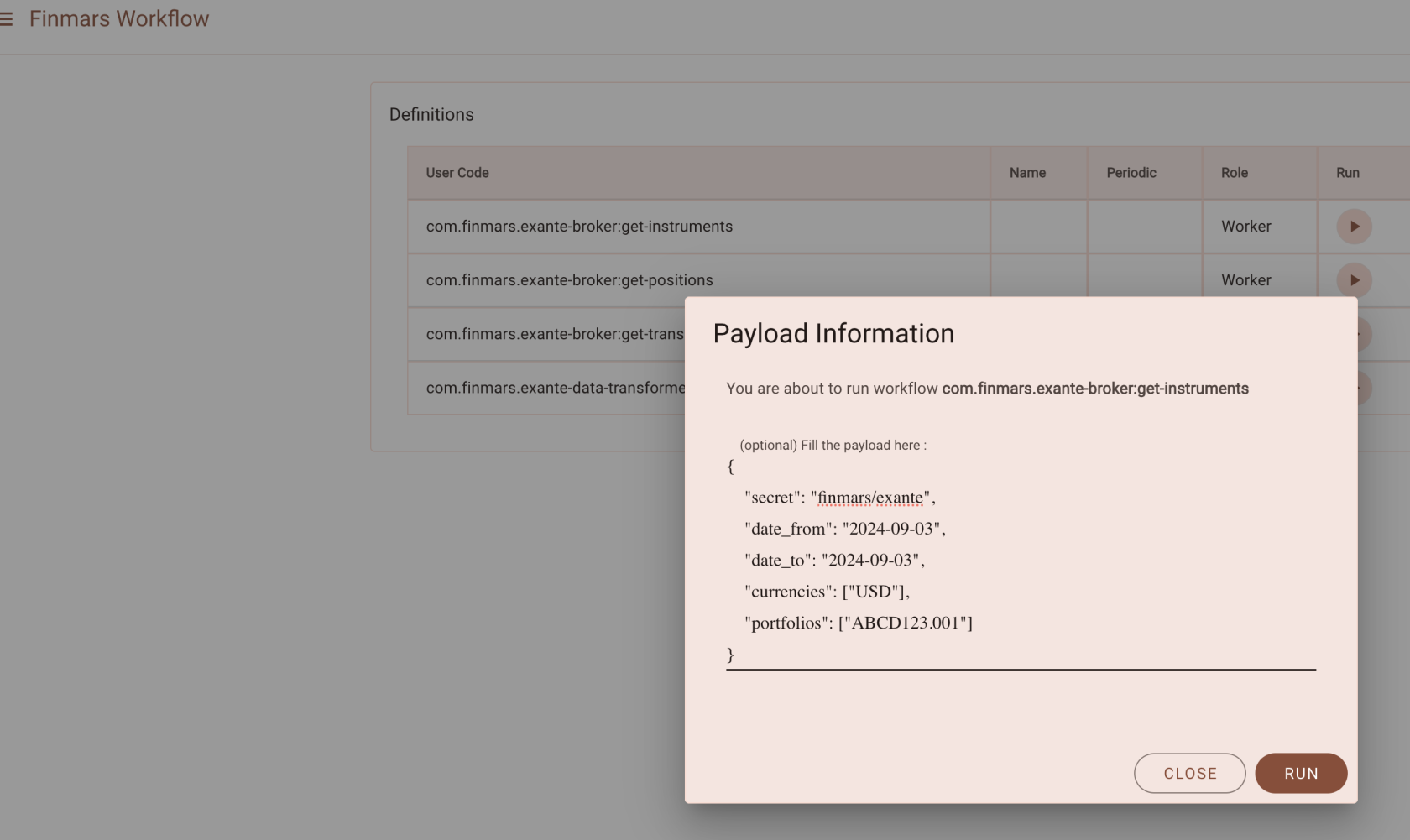](https://docs.finmars.com/uploads/images/gallery/2024-09/screenshot-2024-09-27-at-01-06-13.png)
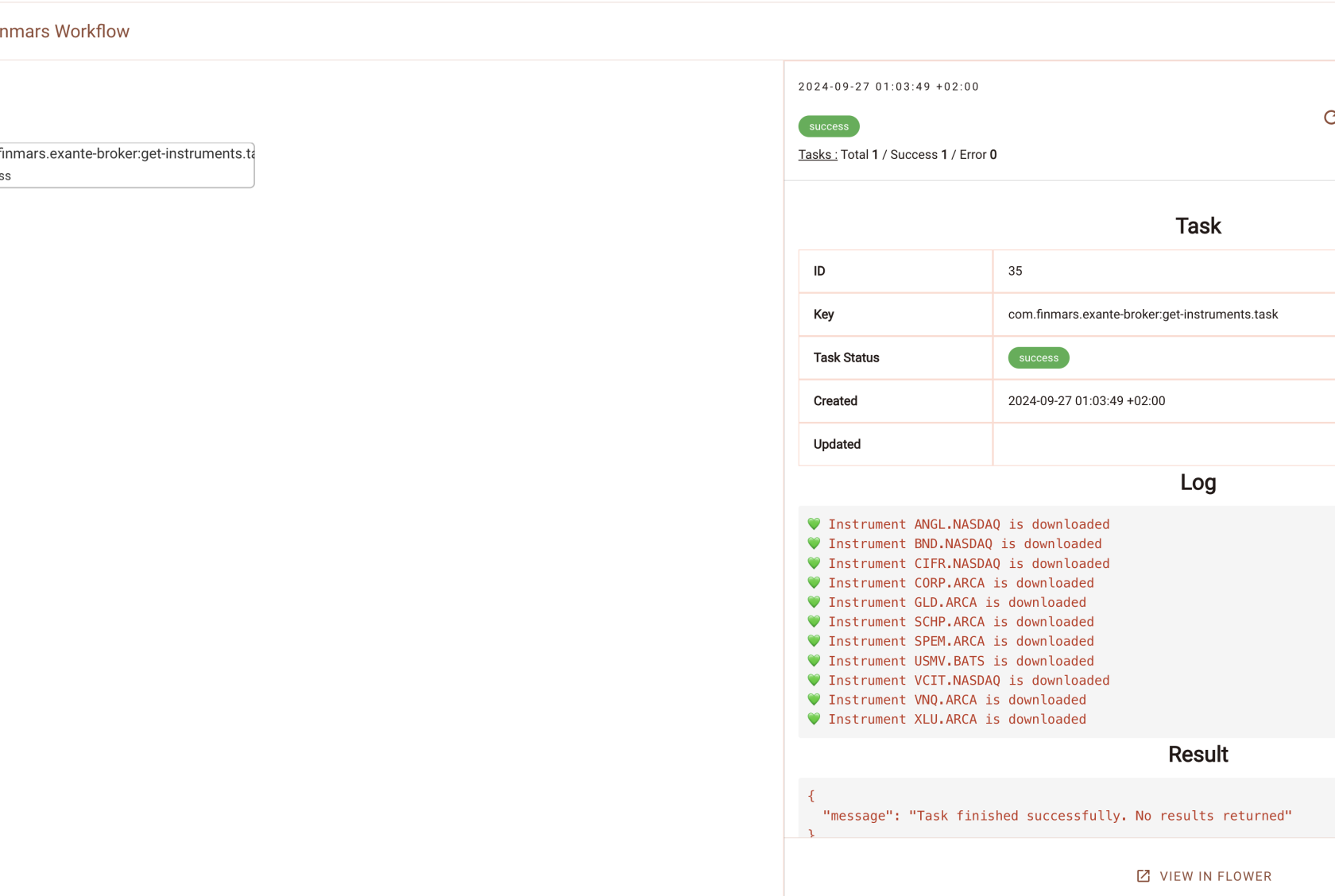
Go to see status of your workflow
[](https://docs.finmars.com/uploads/images/gallery/2024-09/screenshot-2024-09-27-at-01-06-47.png)
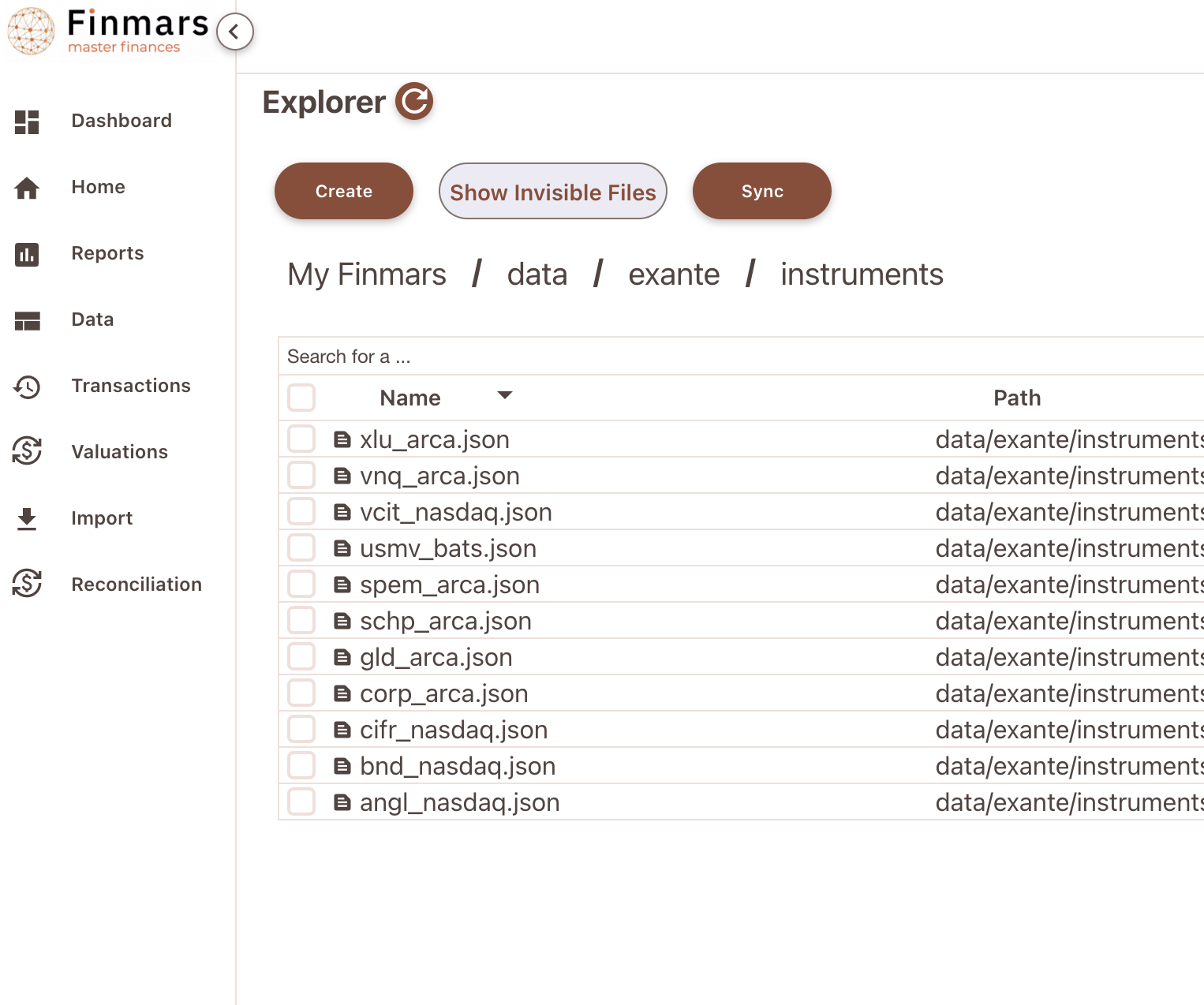
Great success! You can find your downloaded instrument in `/explorer/data/exante/instruments`
[](https://docs.finmars.com/uploads/images/gallery/2024-09/screenshot-2024-09-27-at-01-07-28.png)
Example of content:
```json
{
"optionData": null,
"name": "Utilities Select Sector SPDR Fund",
"symbolId": "XLU.ARCA",
"description": "Utilities Select Sector SPDR Fund",
"icon": "https://circles-all.s3.eu-central-1.amazonaws.com/STOCK/z0pQgH2BLJJBB08lr52o4n6OFTe98UlaK.svg",
"symbolType": "STOCK",
"currency": "USD",
"minPriceIncrement": "0.01",
"ticker": "XLU",
"expiration": null,
"group": null,
"underlyingSymbolId": null,
"country": "US",
"identifiers": {
"CFI": "CEOJLS",
"FIGI": "BBG000BJ7G75",
"ISIN": "US81369Y8865",
"RIC": "1",
"SEDOL": "2371812",
"assetClass": "EQ"
},
"exchange": "ARCA"
}
```
Now see `com.finmars.exante-data-transformer`, it should have Instrument transformer to Finmars Standard Configuration
# Transform Instruments to Standard Configuration
Precondition: You downloaded some Positions from Exante (Check your `/explorer/data/exante/instruments` folder)
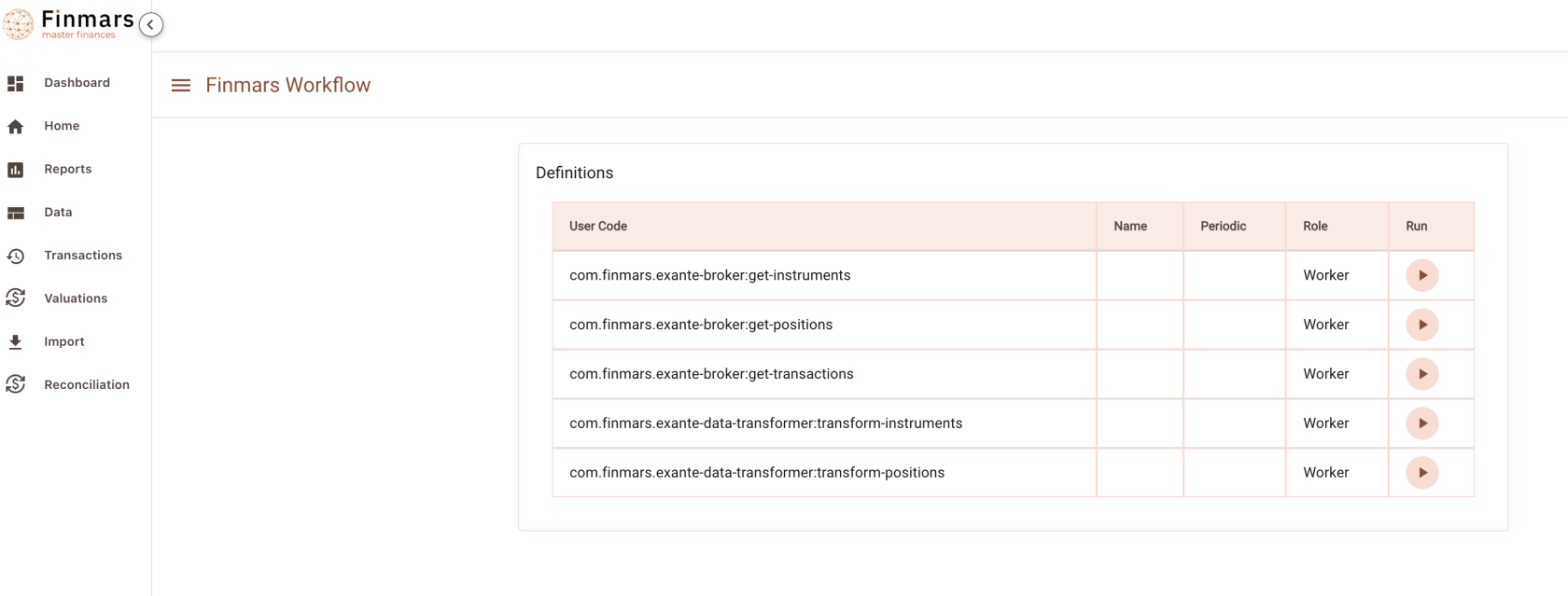
Go to Worfklow Page
[](https://docs.finmars.com/uploads/images/gallery/2024-09/screenshot-2024-09-27-at-01-40-31.png)
Execute `com.finmars.exante-data-transformer:transform-instruments` No Payload needed
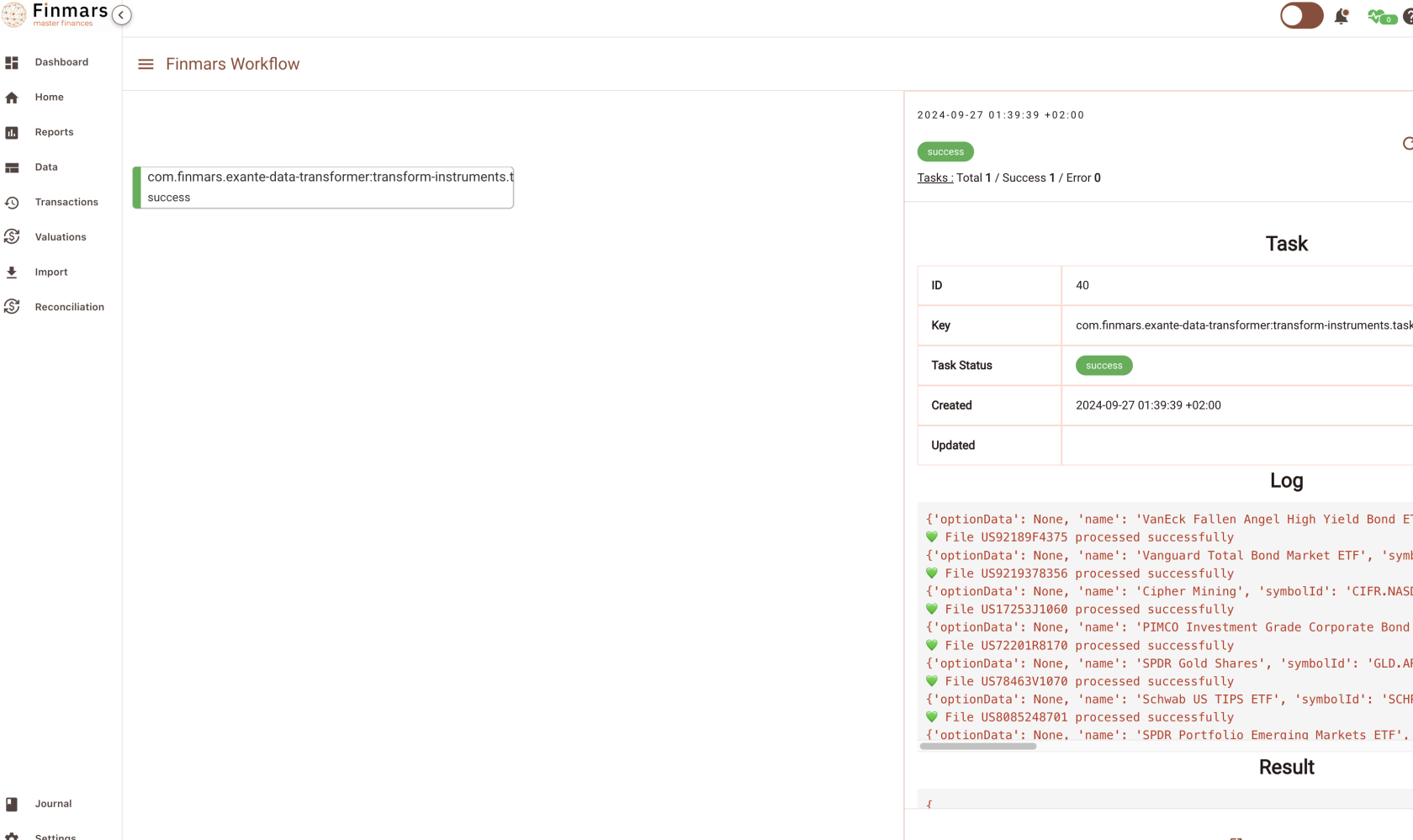
Check you Task status
[](https://docs.finmars.com/uploads/images/gallery/2024-09/screenshot-2024-09-27-at-01-41-20.png)
Great work! Now you can see your converted instruments in `/explorer/data/general/instruments`
[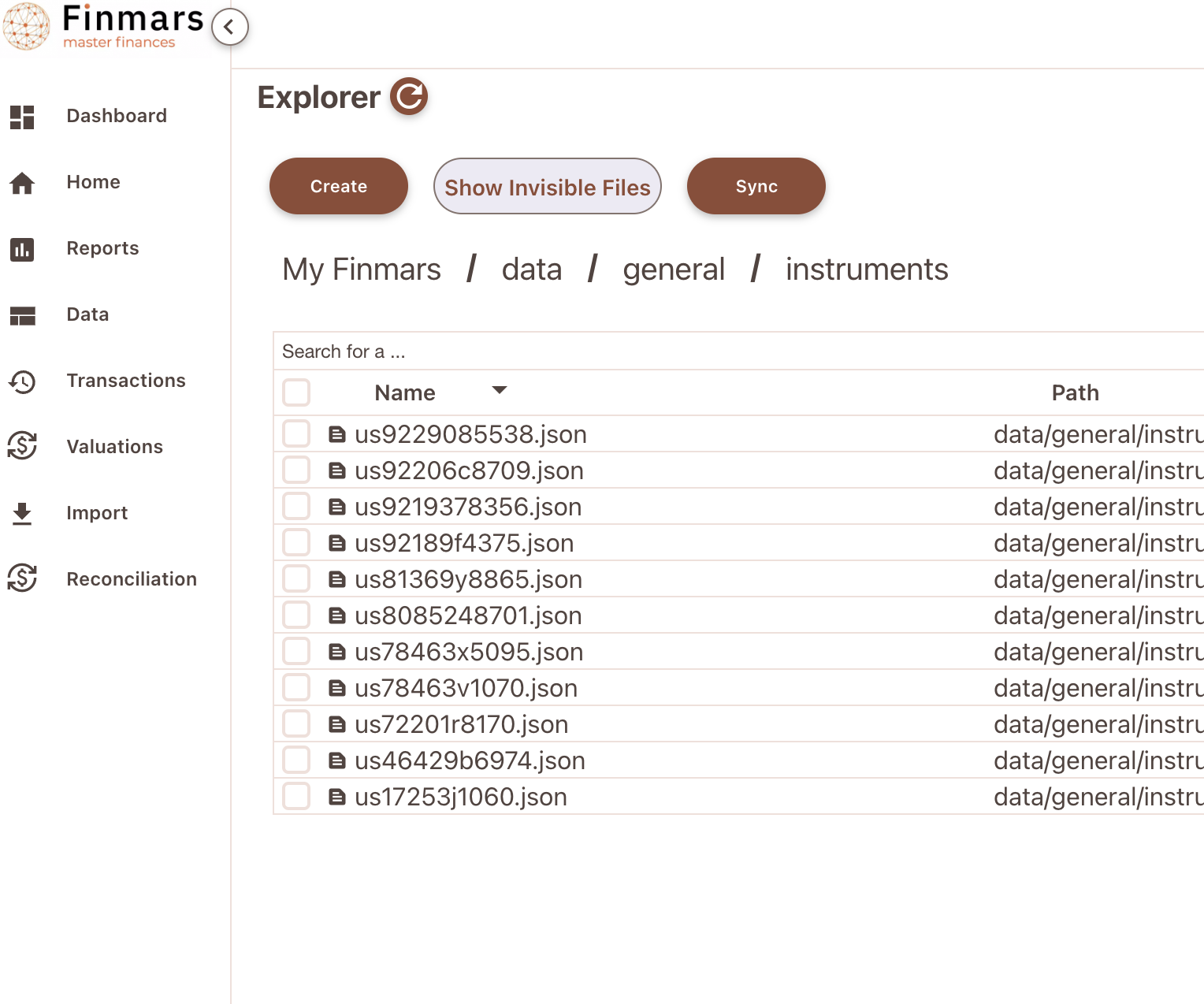](https://docs.finmars.com/uploads/images/gallery/2024-09/screenshot-2024-09-27-at-01-42-10.png)
Content Example:
```json
{
"instrument": "US9229085538",
"instrument_name": "Vanguard Real Estate ETF",
"short_name": "VNQ.ARCA",
"public_name": "Vanguard Real Estate ETF",
"instrument_description": "Vanguard Real Estate ETF",
"instrument_type": "com.finmars.initial-instrument-type:stock",
"pricing_currency": "USD",
"accrued_currency": "USD",
"country": "US",
"id_isin": "US9229085538",
"id_figi": "BBG000Q89PB6",
"id_sedol": "B031NY4"
}
```
Well done! This file will go to STD - Instruments (com.finmars.standard-import-from-file:instruments.instrument:instruments)
You can try manually import that data in Finmars (do not forget wrap Dictionary into List - Square Brackets \[\] )
[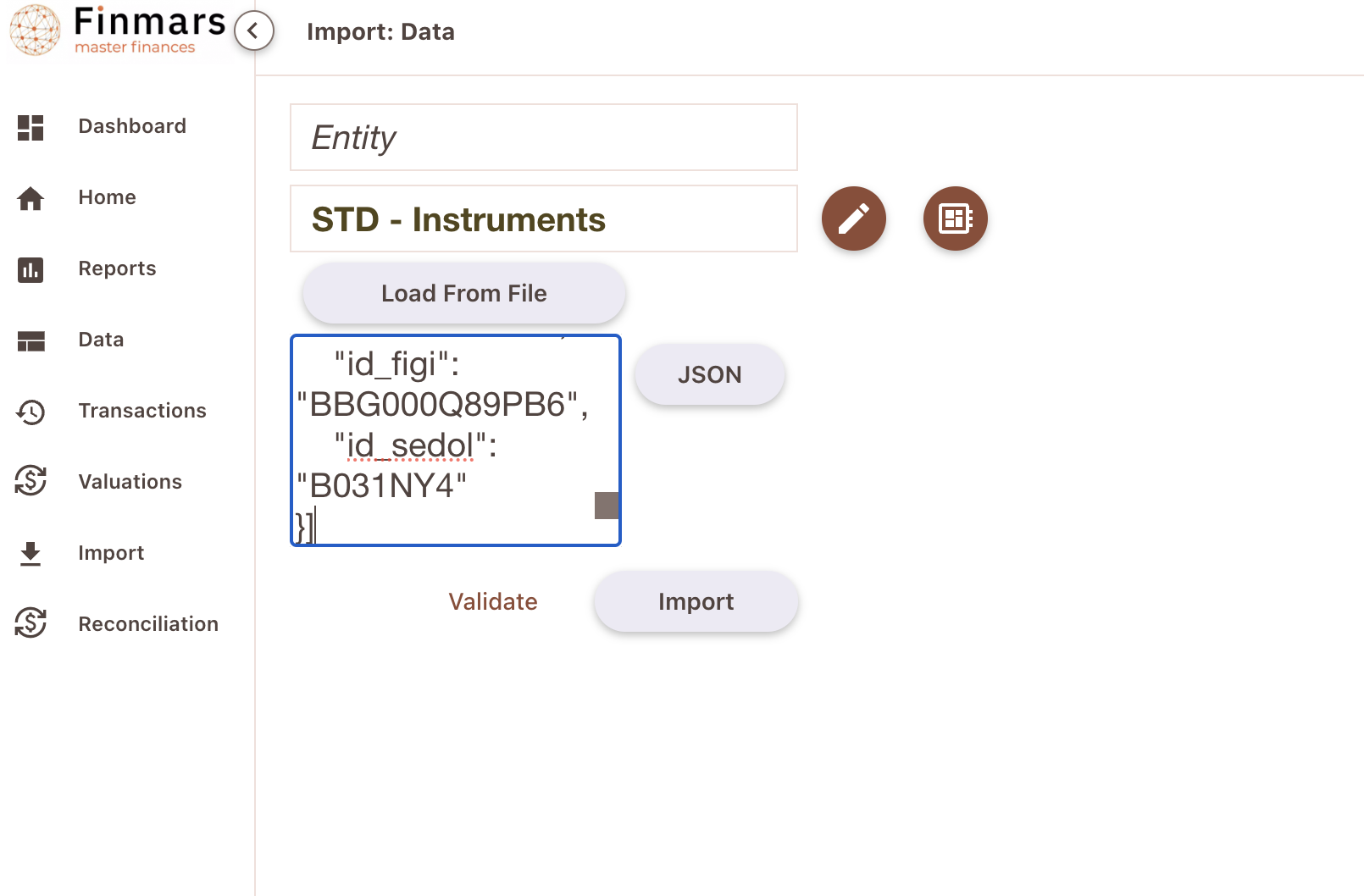](https://docs.finmars.com/uploads/images/gallery/2024-09/screenshot-2024-09-27-at-01-56-51.png)
Well done!
[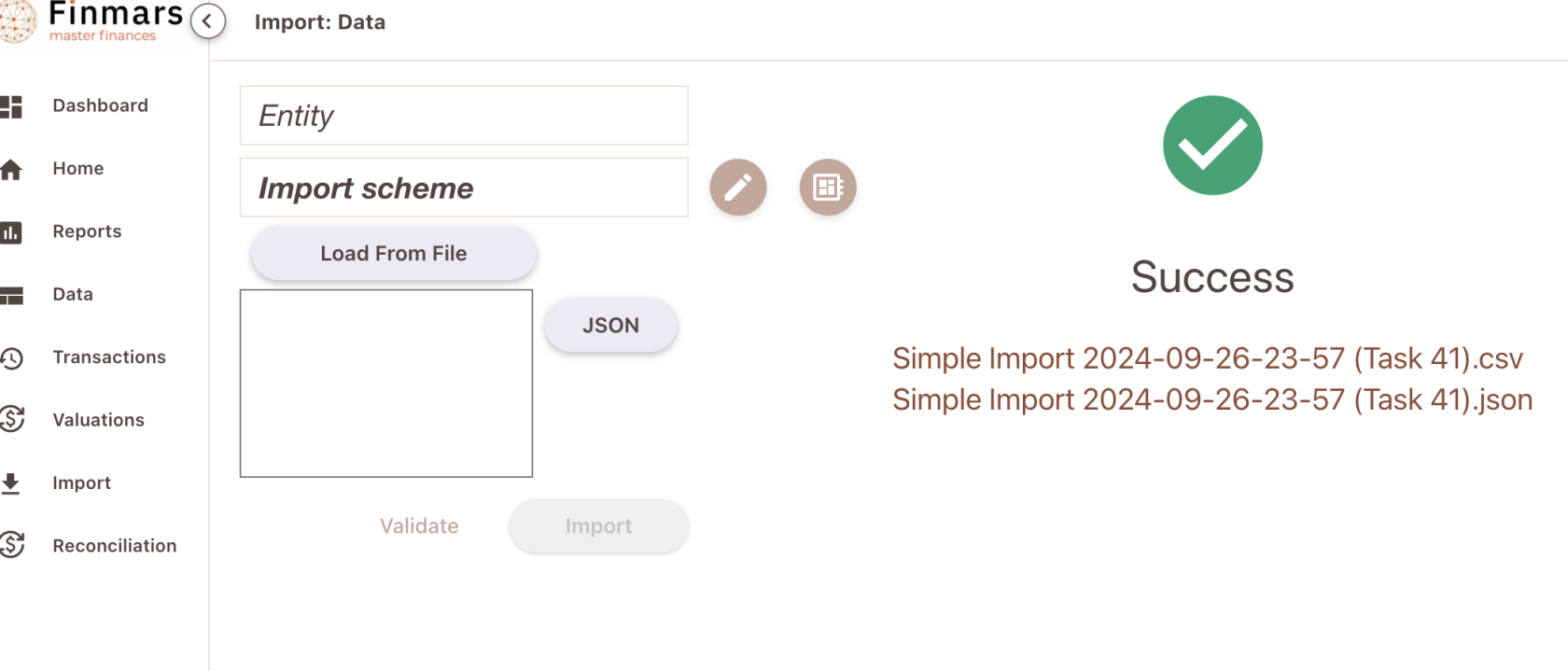](https://docs.finmars.com/uploads/images/gallery/2024-09/screenshot-2024-09-27-at-01-57-41.png)
Now go to /data/instrument page (Entity Viewer)
[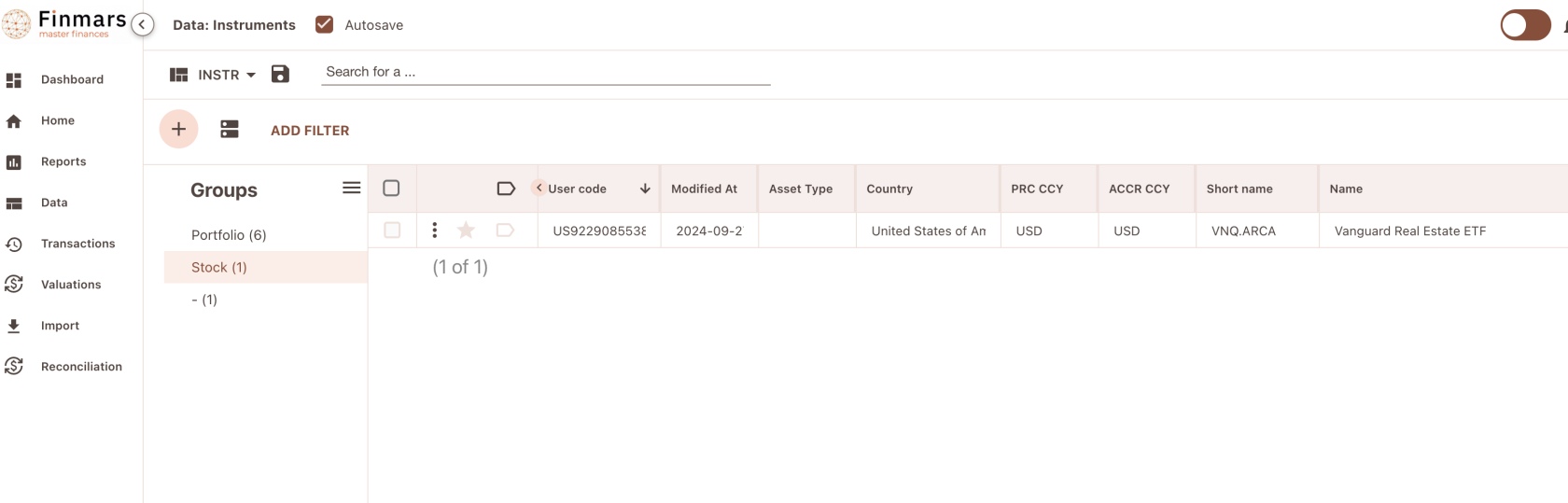](https://docs.finmars.com/uploads/images/gallery/2024-09/screenshot-2024-09-27-at-01-58-33.png)
Instrument is successfully imported into Finmars!
# Standard Workflow Simple Autoimport
So far we have:
Exante Instruments
Exante Positions
We assume that there is no exotic currencies (then you need Exante Currencies)
All these data converted to Standard Configuration. So we should be able to Import them!
Before creating an automation, lets try to do it manually
So, for that we will use `/explorer/workflows/com/finmars/standard-workflow/simple-autoimport/tasks.py`
its a relatively simple workflow that could import either data or transactions. Its payload structure is:
So you add any number of steps (Depends of your situation). Order is matter! Here for example we import Instruments and then only Positions
`directory` - optional: path to directory in explorer with files to import, trailing slash is important (/ on end)
`file_path` - optional: path to some file in explorer with data to import
`import_type` - required:"data" for Simple Import, "transaction" for Transaction Import
`schema` - required: user\_code of schema to execute
Nota bene: Both `directory` and `file_path` are optional, but one must be present
If you pass `directory` it will tries to join all files in that directory into one file (List of Dictionaries)
So, lets try it out!
Go to Workflows Page and lets find `com.finmars.standard-workflow:simple-autoimport`
```json
{
"actions": [
{
"directory": "/data/general/instruments/",
"import_type": "data",
"schema": "com.finmars.standard-import-from-file:instruments.instrument:instruments"
},
{
"file": "/data/general/positions/exante_abcd123_001_2024-09-01_2024-09-24.json",
"import_type": "transaction",
"schema": "com.finmars.standard-import-from-file:pos_daily"
}
]
}
```
[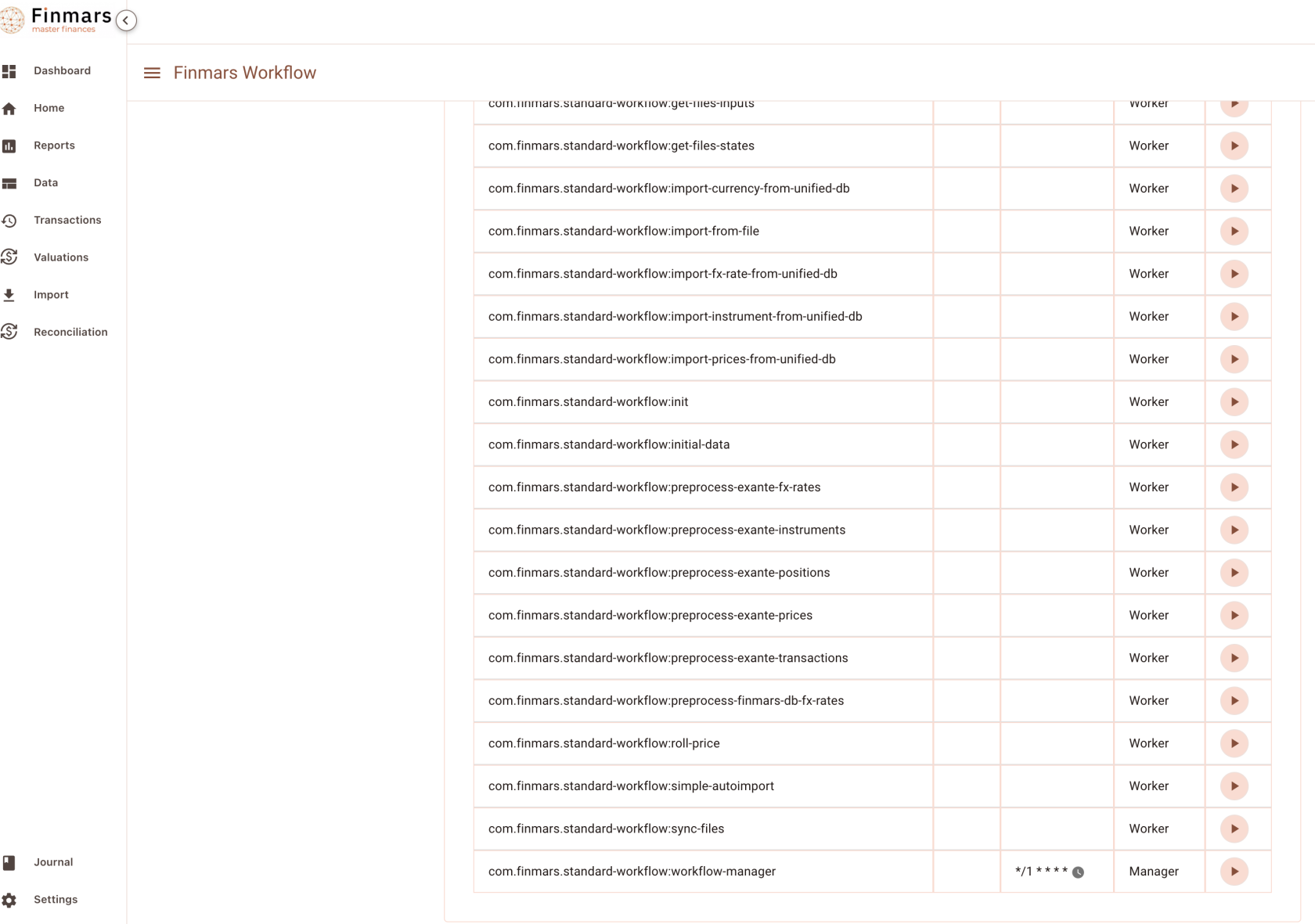](https://docs.finmars.com/uploads/images/gallery/2024-09/screenshot-2024-09-27-at-09-26-04.png)
Lets execute it!
[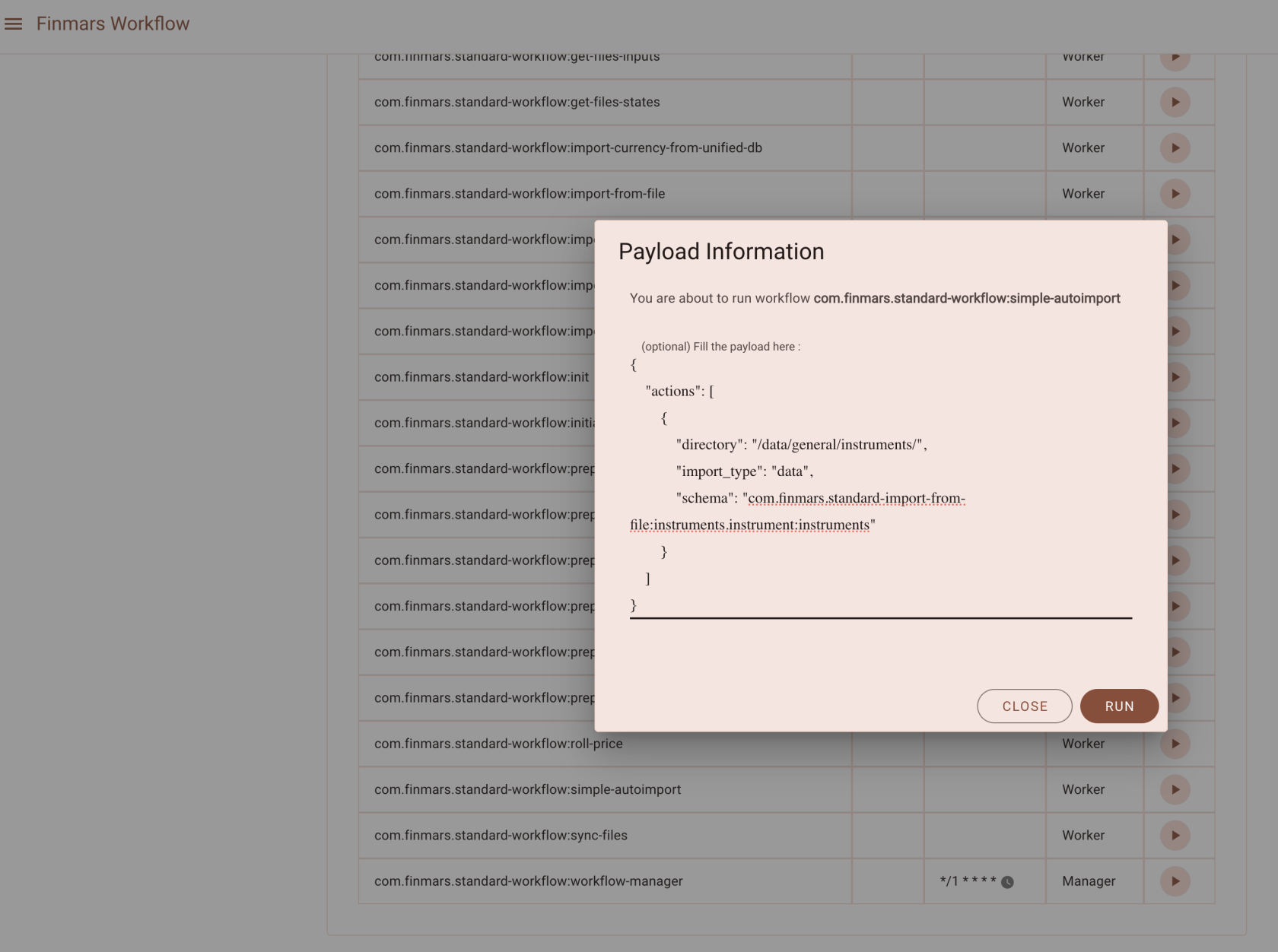](https://docs.finmars.com/uploads/images/gallery/2024-09/screenshot-2024-09-27-at-09-28-06.png)
Go to see your Task Status
[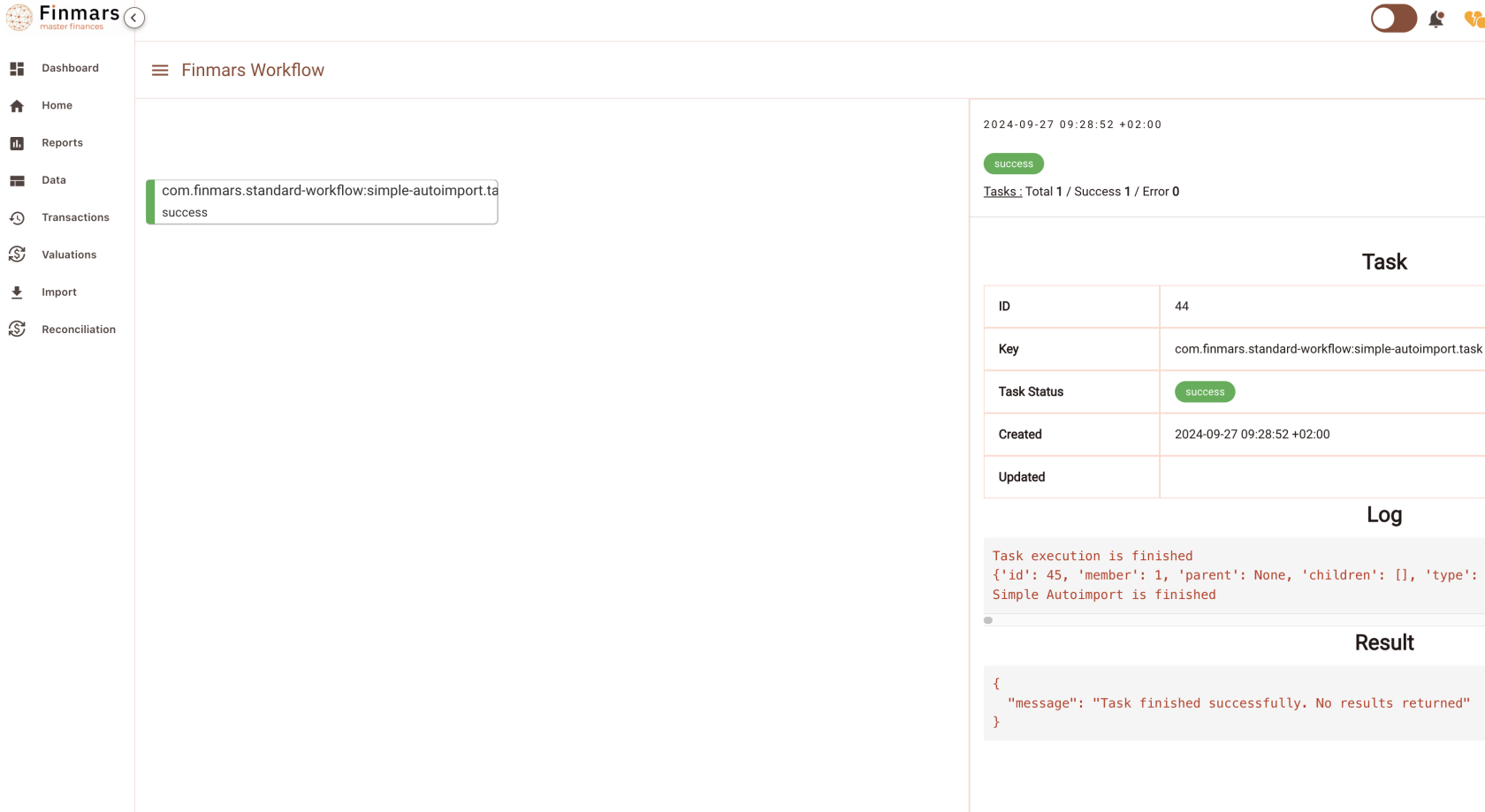](https://docs.finmars.com/uploads/images/gallery/2024-09/screenshot-2024-09-27-at-09-29-47.png)
Okay, so far we Imported only Instruments, let see (Go to Data / Instruments)
[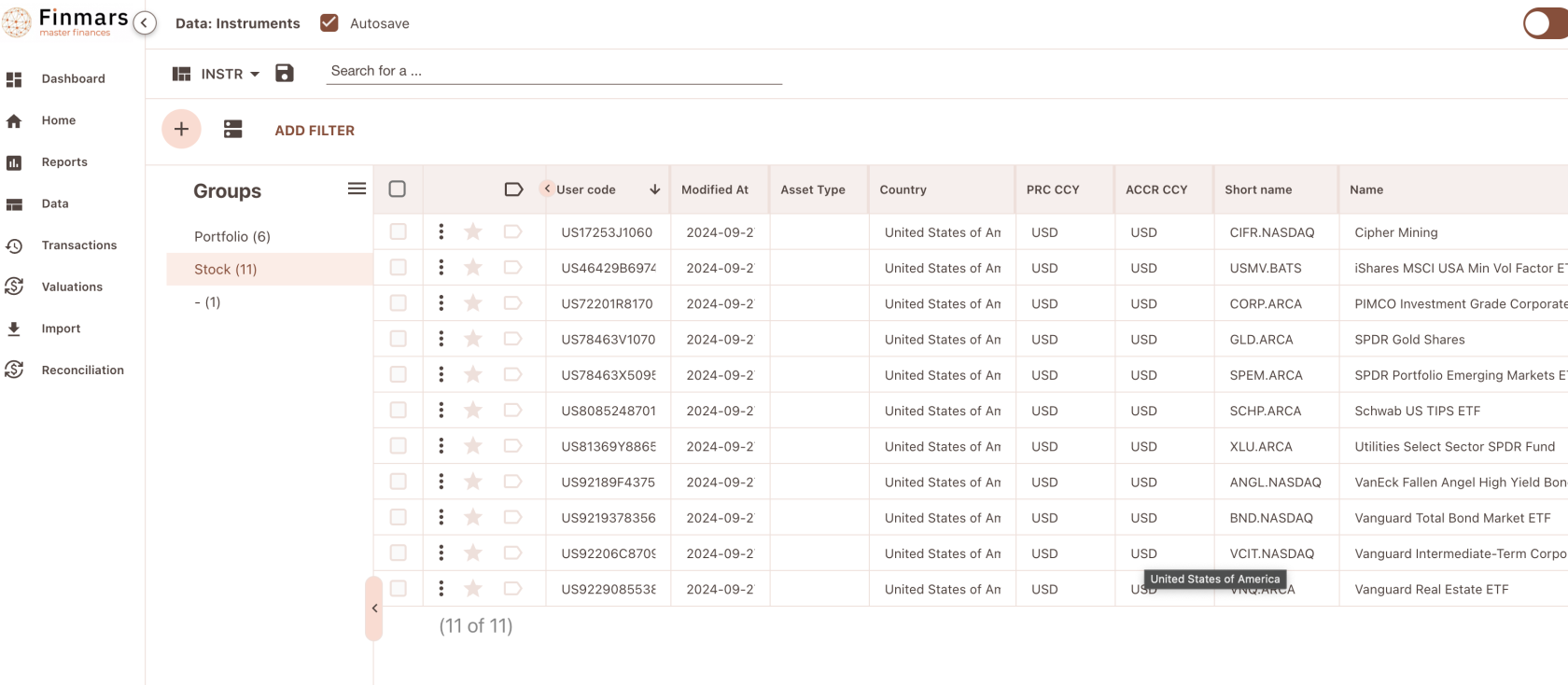](https://docs.finmars.com/uploads/images/gallery/2024-09/screenshot-2024-09-27-at-09-30-26.png)
Great success! We imported all the instruments from files that we previously downloaded from Exante
# Importing Prices & FX Rates
# Try to get Prices from Exante
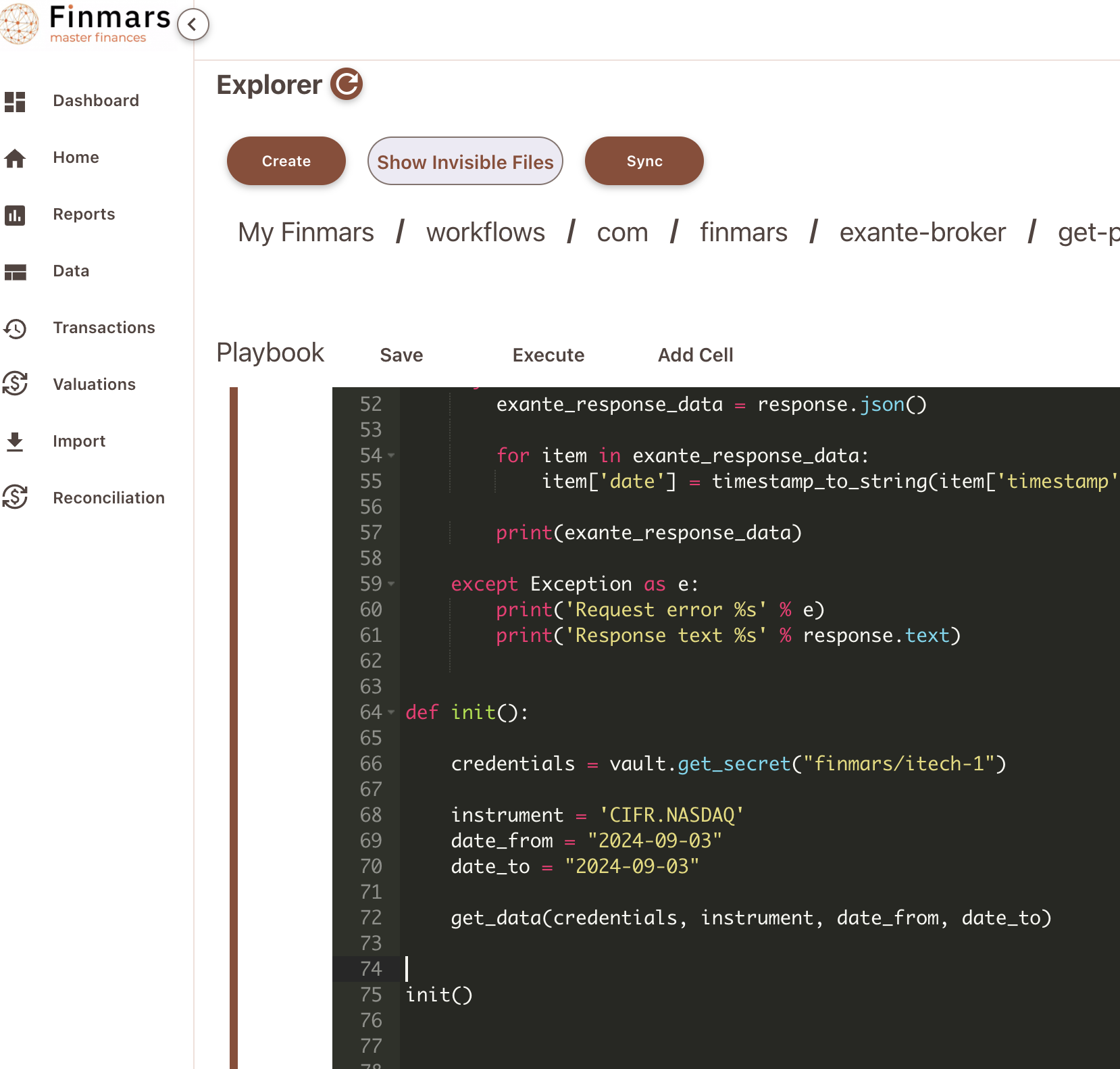
Go to `/explorer/workflows/com/finmars/exante-broker/get-prices/test.ipynb`
Configure your Test Script
[](https://docs.finmars.com/uploads/images/gallery/2024-09/screenshot-2024-09-25-at-23-59-52.png)
So you need to have Instrument Reference and date period (date\_from and date\_to)
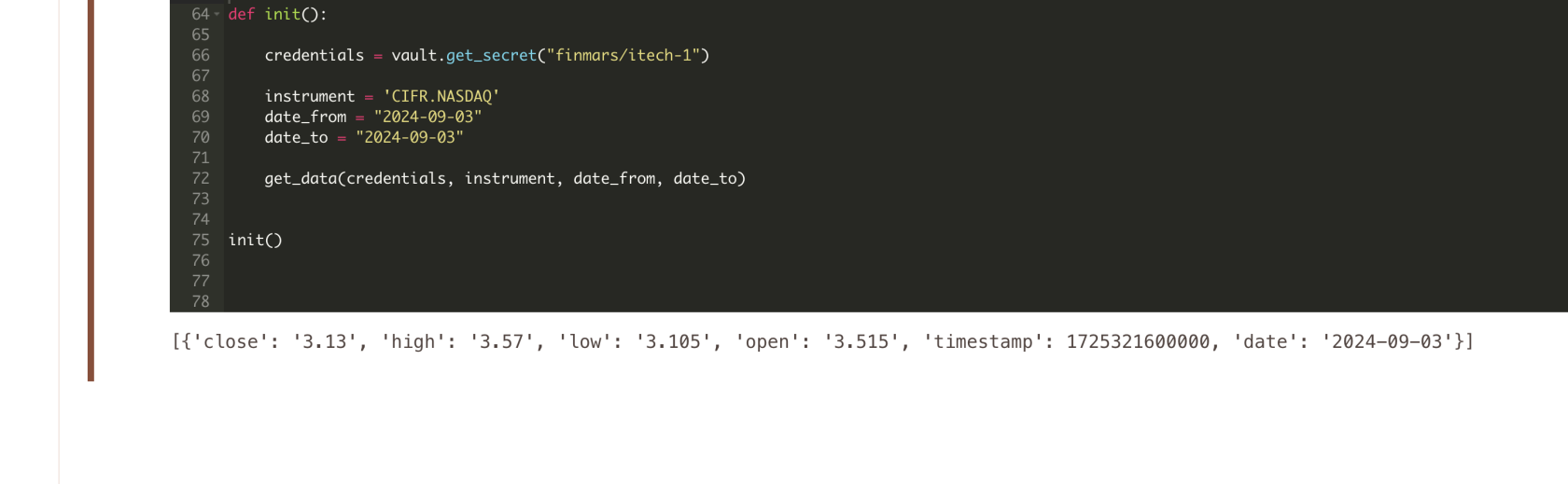
Try to execute it!
[](https://docs.finmars.com/uploads/images/gallery/2024-09/screenshot-2024-09-26-at-00-00-58.png)
This is how you could get prices from Exante, probably you will need `close` price
# FX Rate Situation from Exante
Currently there is no way to get Historical End Of Day FX Rates from Exante
You could refer to [https://api-live.exante.eu/api-docs/#tag/Crossrates-API](https://api-live.exante.eu/api-docs/#tag/Crossrates-API)
But Its some rate during the day of the request
# Download Prices to Finmars
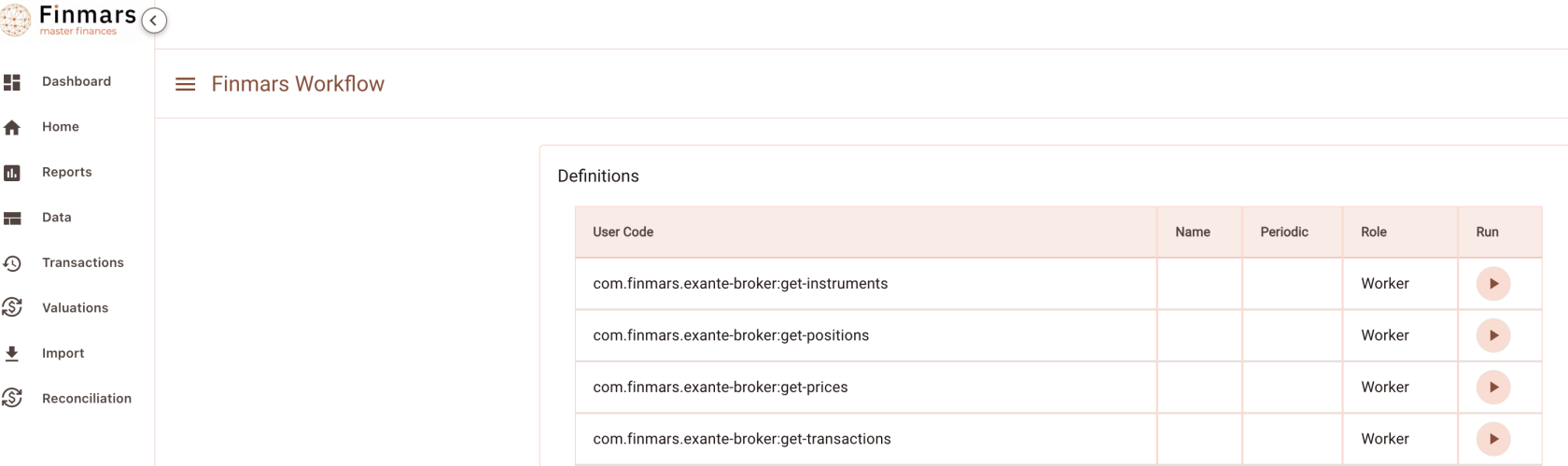
Go to Workflow Page
[](https://docs.finmars.com/uploads/images/gallery/2024-09/screenshot-2024-09-28-at-21-51-01.png)
Execute workflow `com.finmars.exante-broker:get-prices`
[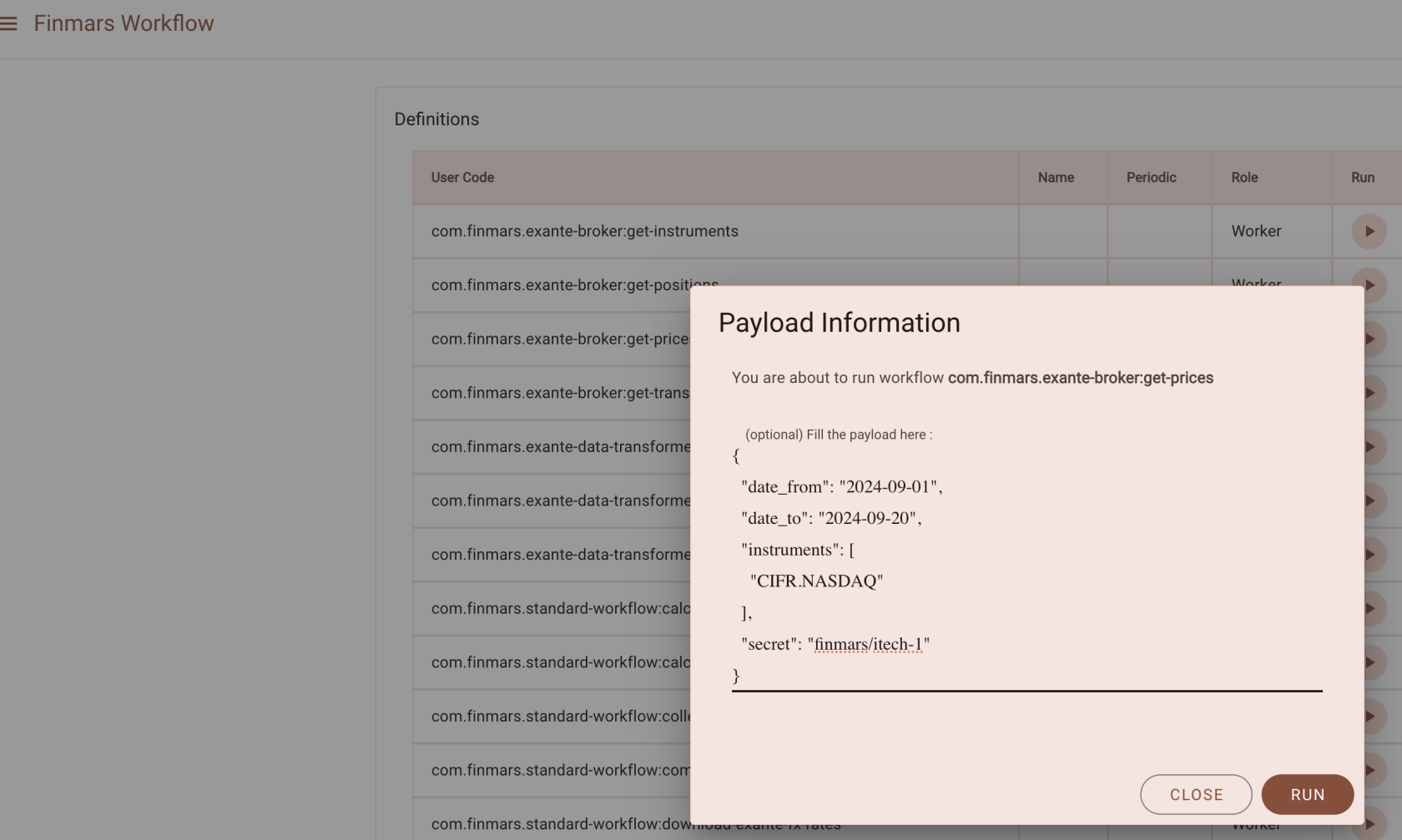](https://docs.finmars.com/uploads/images/gallery/2024-09/screenshot-2024-09-28-at-21-54-54.png)
Go to see status of your workflow
[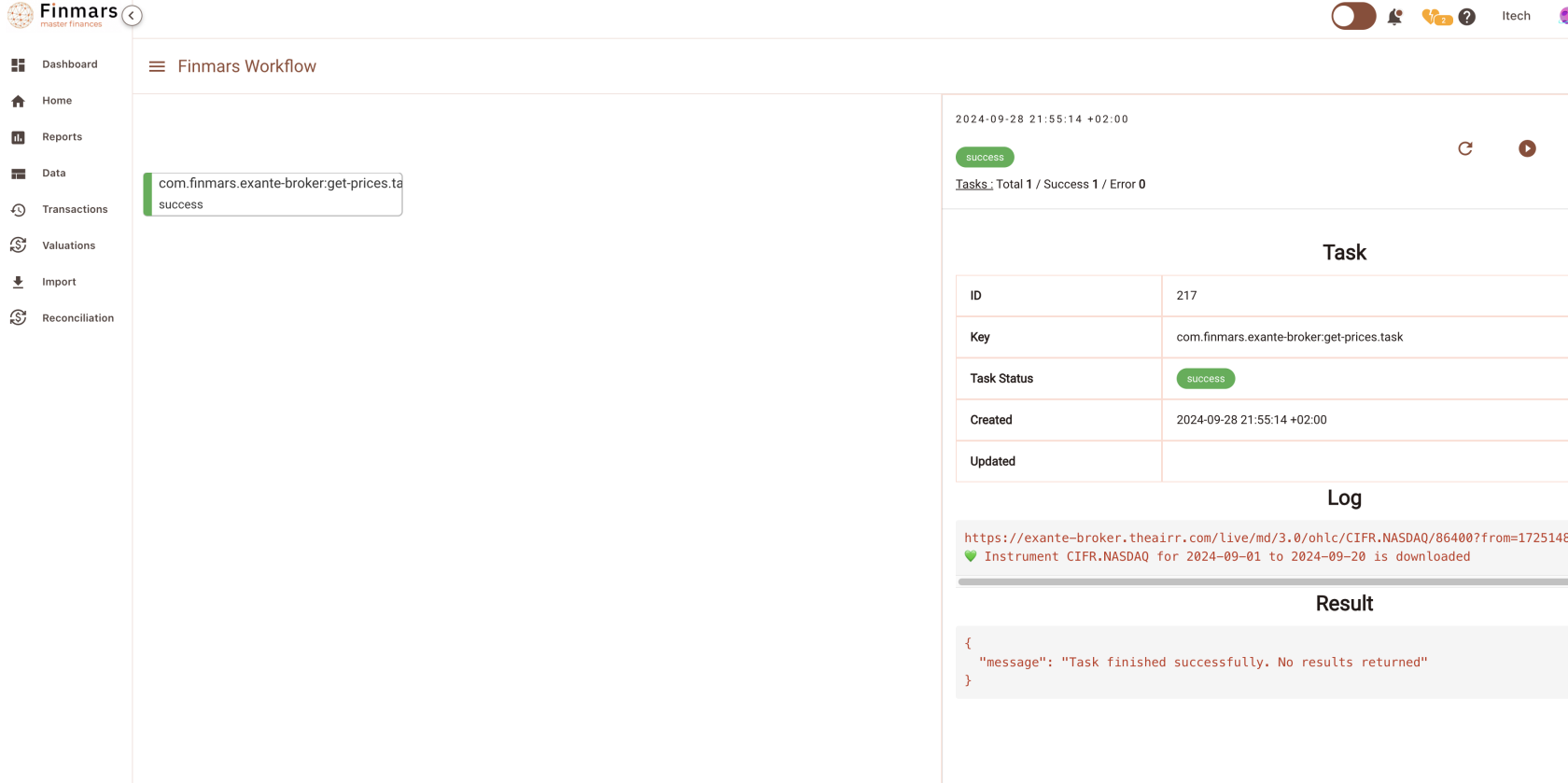](https://docs.finmars.com/uploads/images/gallery/2024-09/screenshot-2024-09-28-at-21-55-24.png)
Great success! You can find your downloaded instrument in `/explorer/data/exante/prices`
[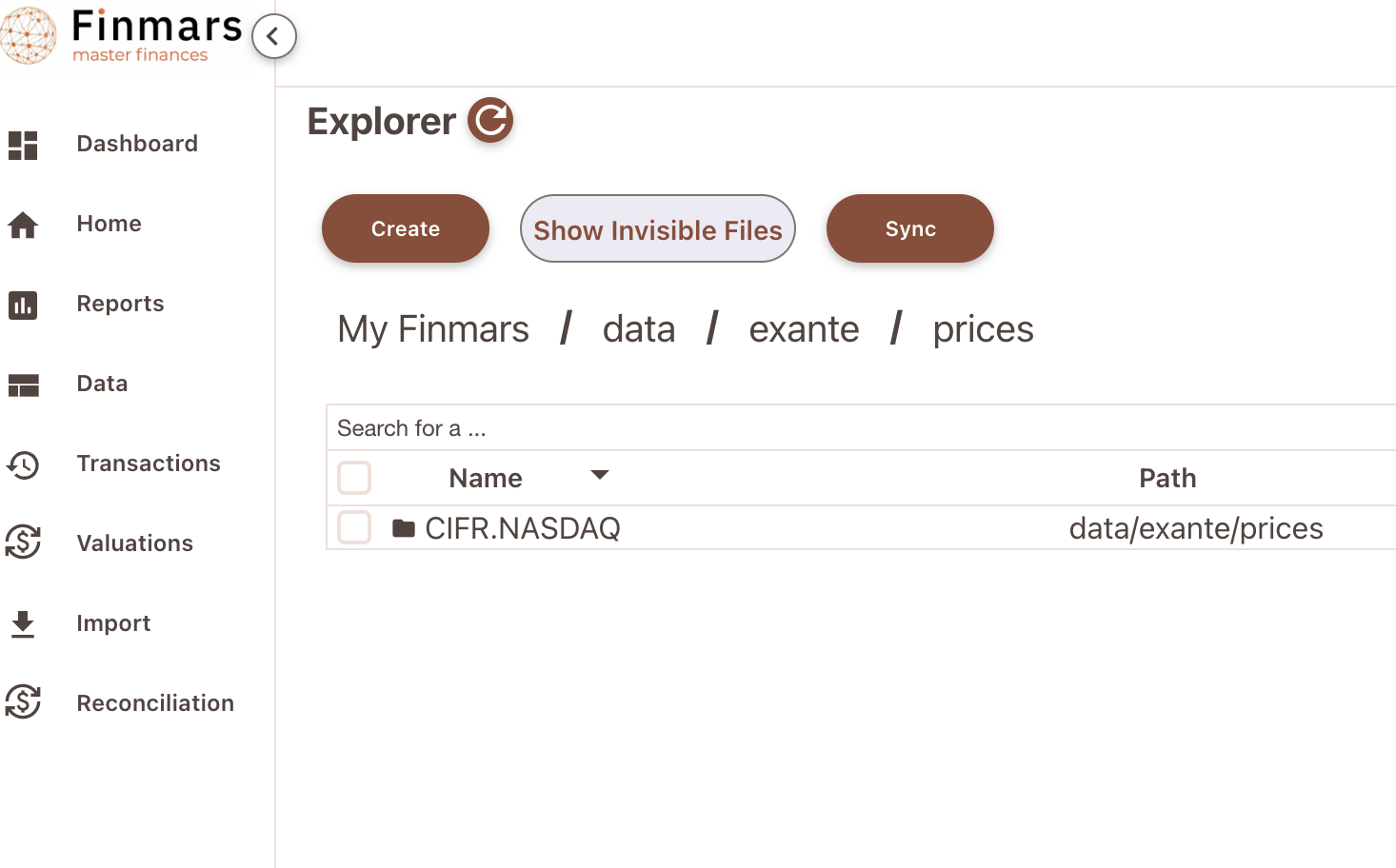](https://docs.finmars.com/uploads/images/gallery/2024-09/screenshot-2024-09-28-at-21-55-51.png)
See content of month folder, it should has list of .json files with actual prices from Exante
[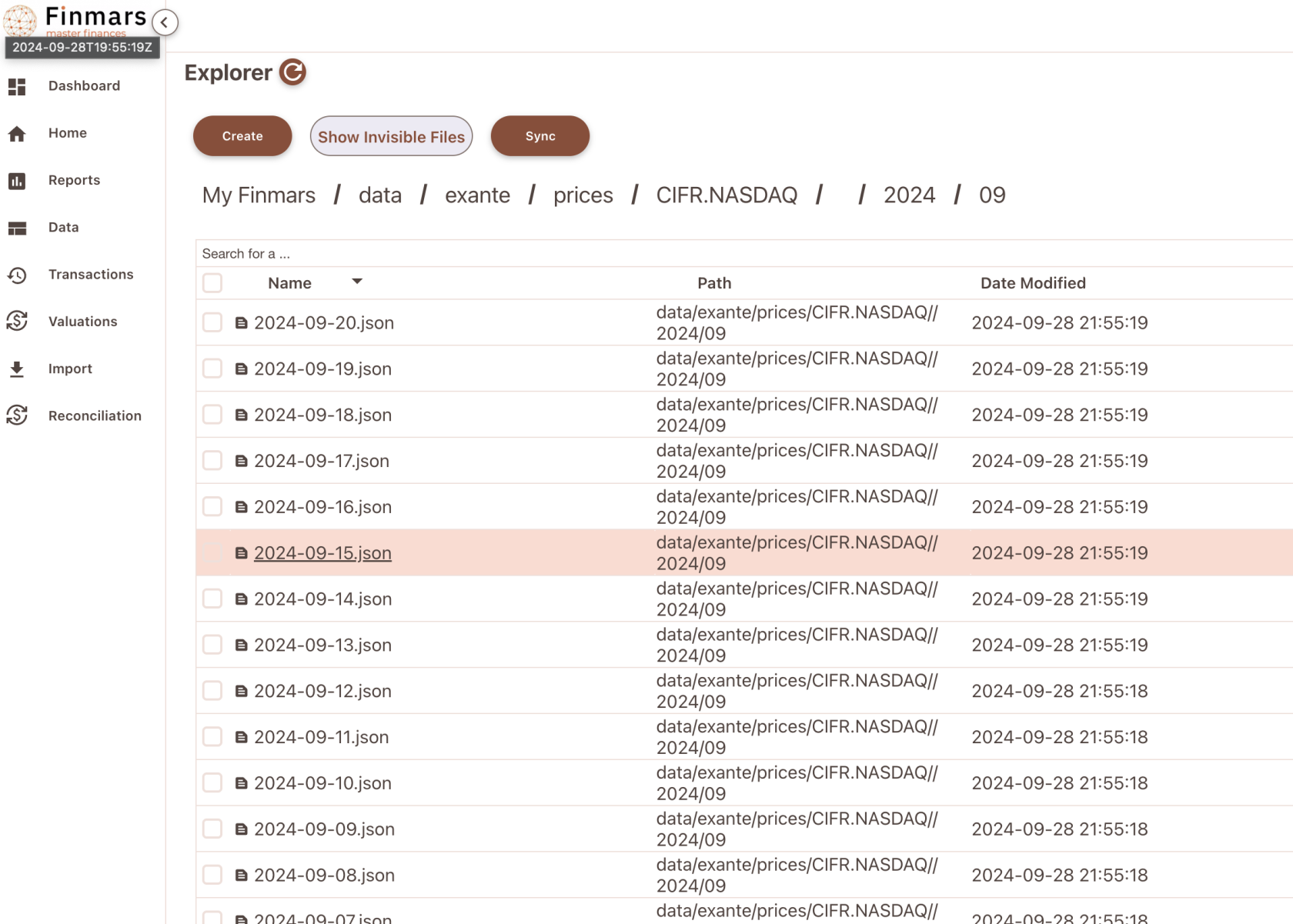](https://docs.finmars.com/uploads/images/gallery/2024-09/screenshot-2024-09-28-at-21-56-22.png)
Example of content:
```json
[
{
"close": "2.925",
"high": "2.985",
"low": "2.865",
"open": "2.94",
"timestamp": 1726790400000,
"date": "2024-09-20",
"instrument": "CIFR.NASDAQ"
}
]
```
Now see `com.finmars.exante-data-transformer`, it should have Price transformer to Finmars Standard Configuration
# Transform Prices to Standard Configuration
Precondition: You downloaded some Positions from Exante (Check your `/explorer/data/exante/prices` folder)
Go to Worfklow Page
[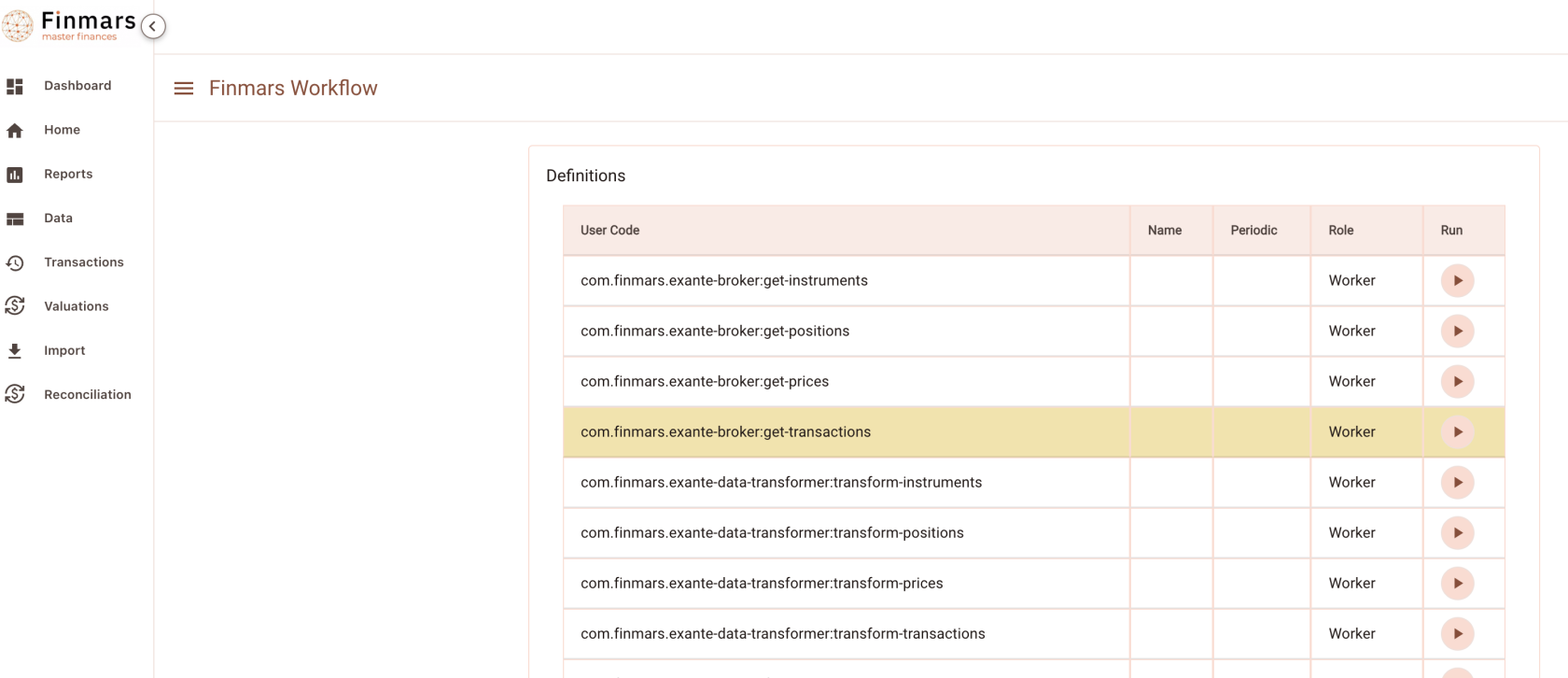](https://docs.finmars.com/uploads/images/gallery/2024-09/screenshot-2024-09-28-at-22-14-30.png)
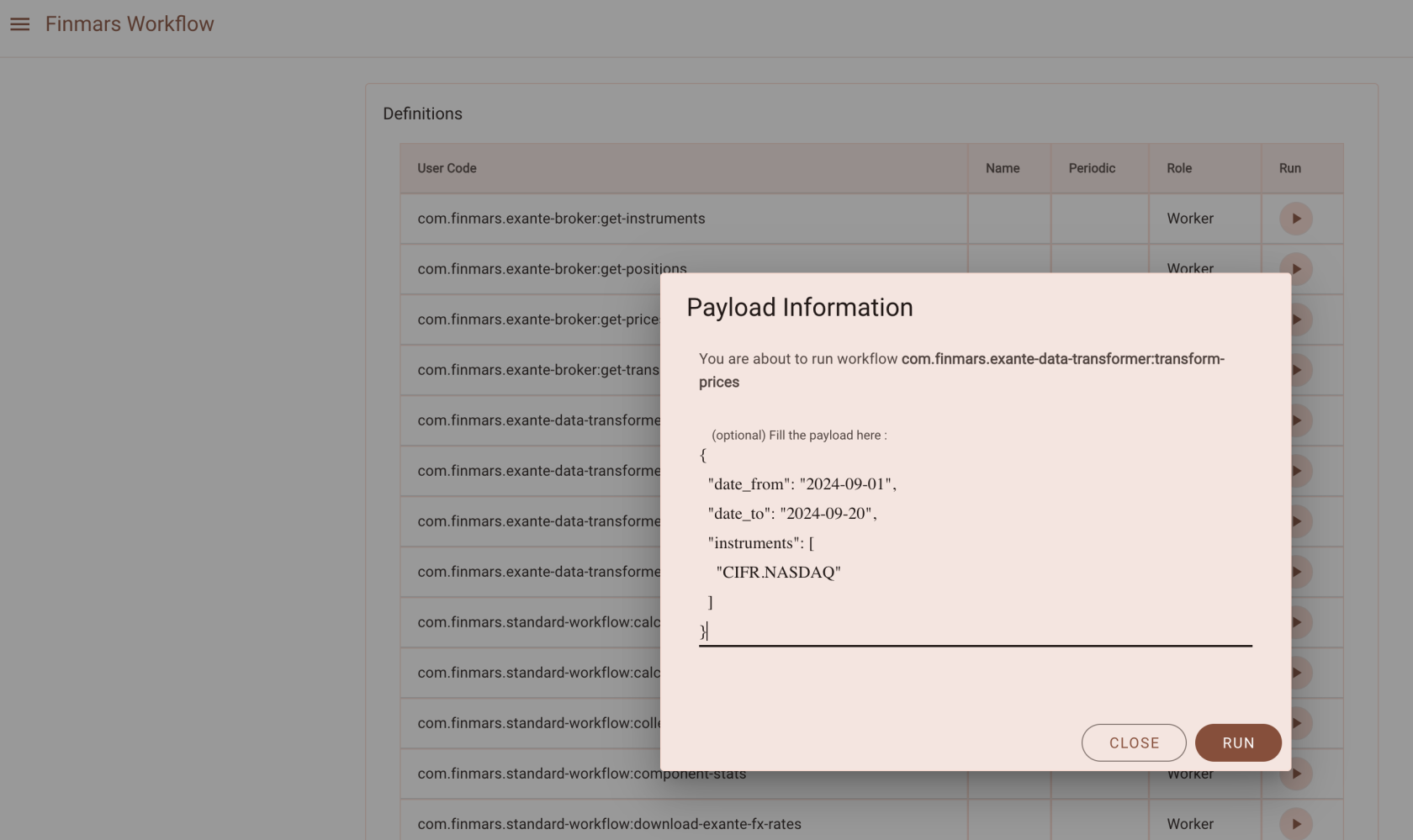
Execute `com.finmars.exante-data-transformer:transform-prices`
Example Payload
```
{
"date_from": "2024-09-01",
"date_to": "2024-09-20",
"instruments": [
"CIFR.NASDAQ"
]
}
```
[](https://docs.finmars.com/uploads/images/gallery/2024-09/screenshot-2024-09-28-at-22-15-26.png)
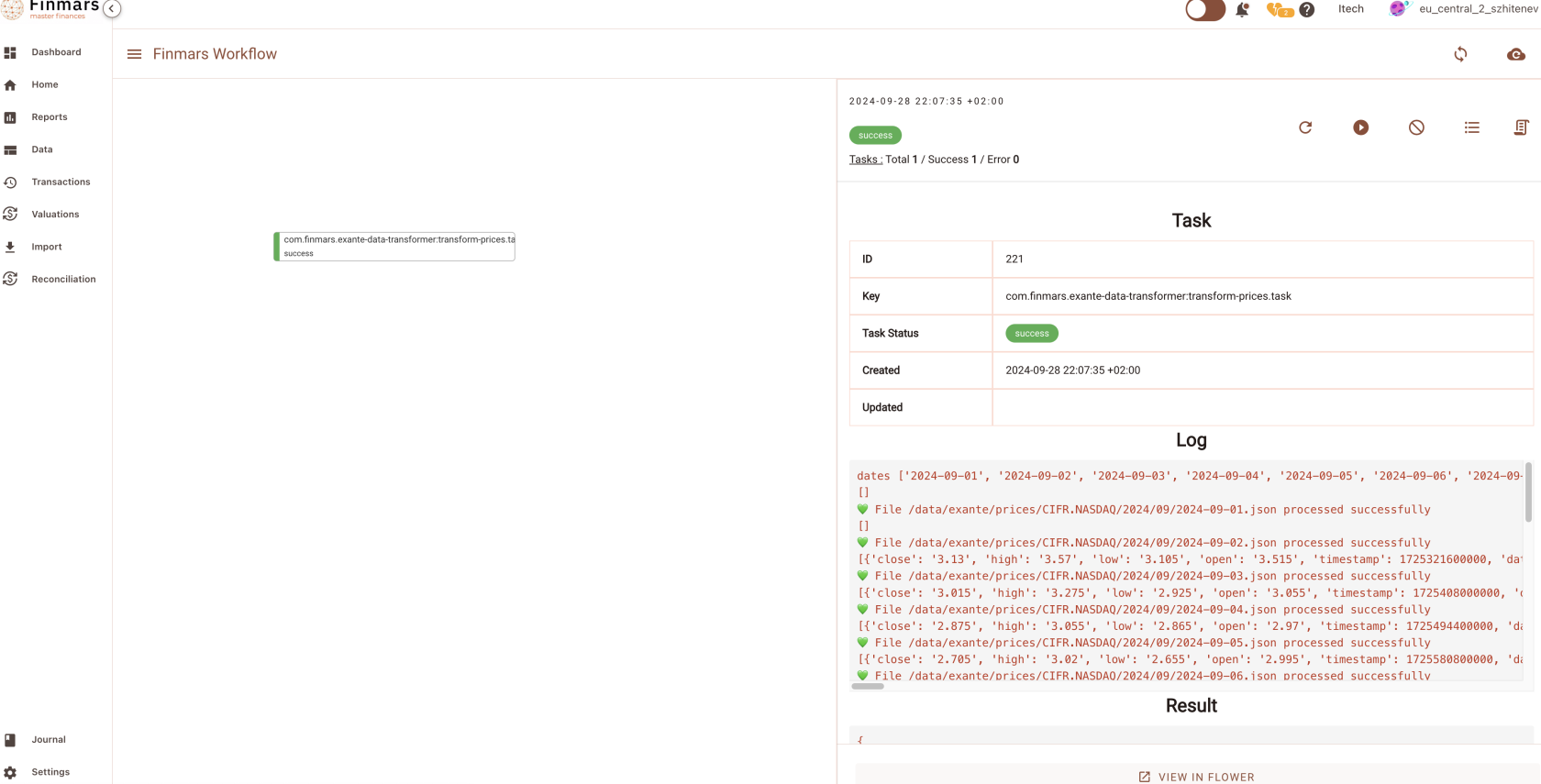
Check you Task status
[](https://docs.finmars.com/uploads/images/gallery/2024-09/screenshot-2024-09-28-at-22-16-01.png)
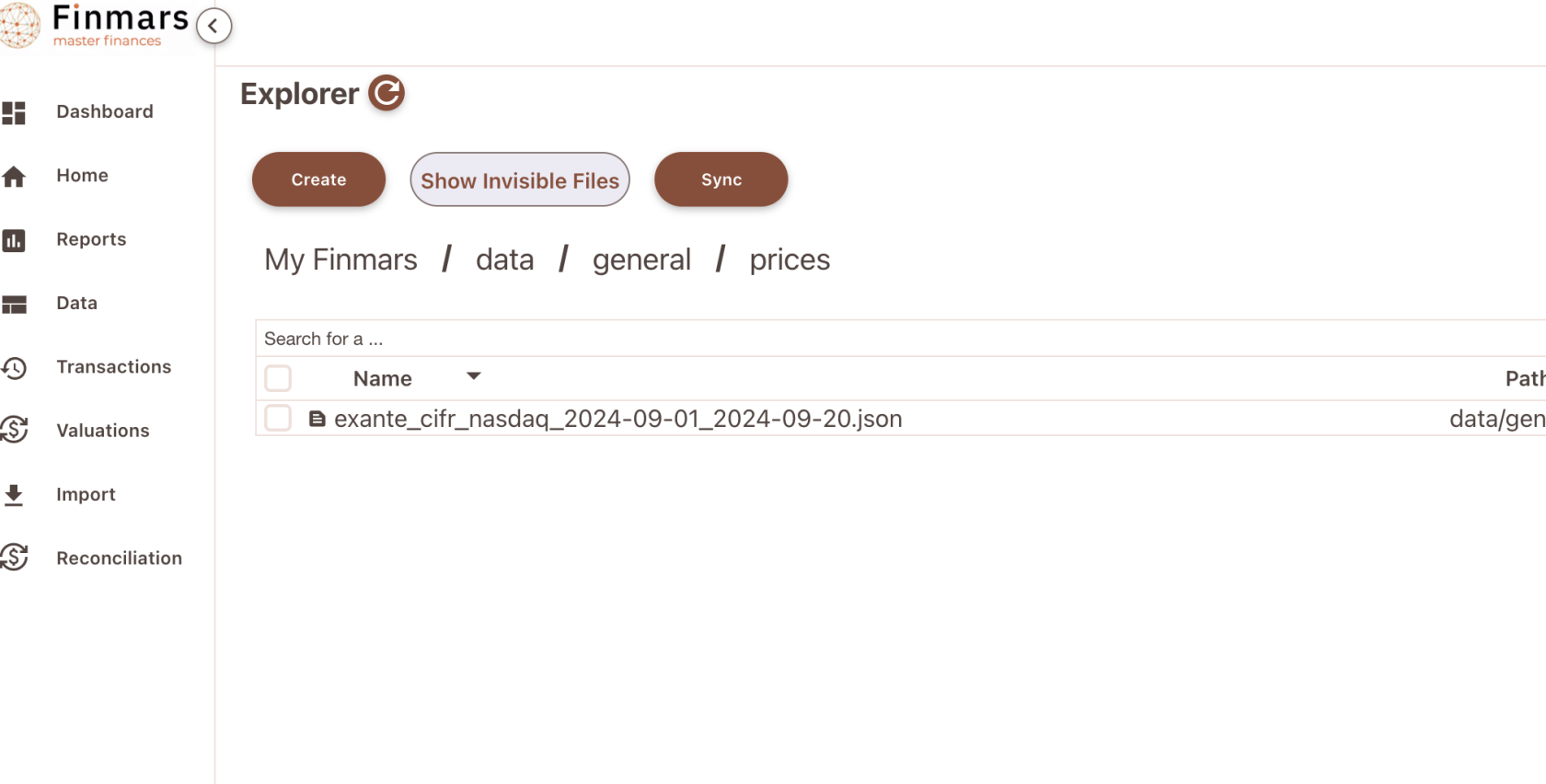
Great work! Now you can see your converted prices in `/explorer/data/general/prices`
[](https://docs.finmars.com/uploads/images/gallery/2024-09/screenshot-2024-09-28-at-22-16-40.png)
Content Example:
```json
[
{
"date": "2024-09-03",
"instrument": "US17253J1060",
"principal_price": 3.13,
"factor": 1,
"accured_price": 0,
"prc_pol": null
},
{
"date": "2024-09-04",
"instrument": "US17253J1060",
"principal_price": 3.015,
"factor": 1,
"accured_price": 0,
"prc_pol": null
}
]
```
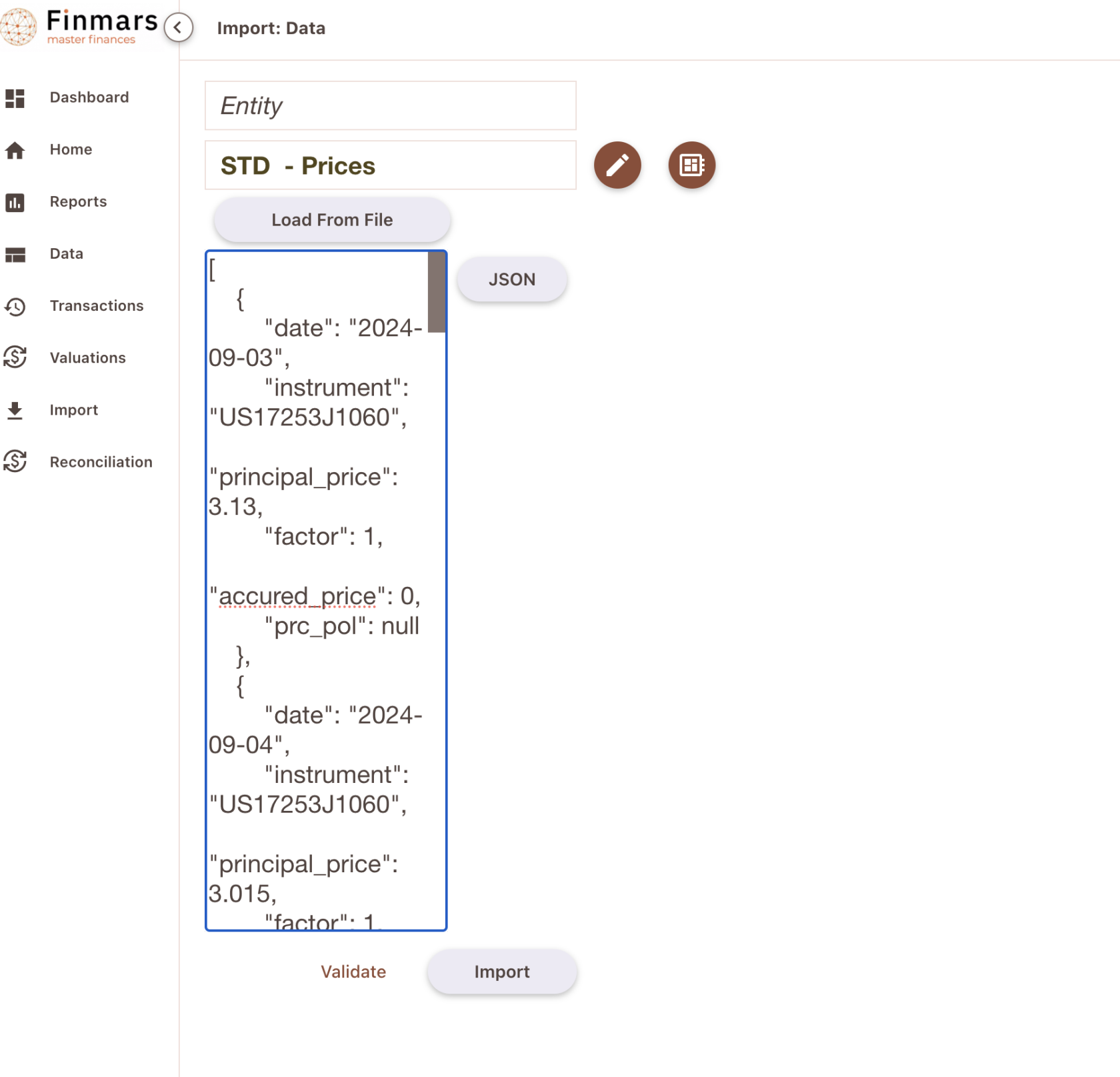
Well done! This file will go to STD - Prices (com.finmars.standard-import-from-file:instruments.pricehistory:price)
You can try manually import that data in Finmars (do not forget wrap Dictionary into List - Square Brackets \[\] )
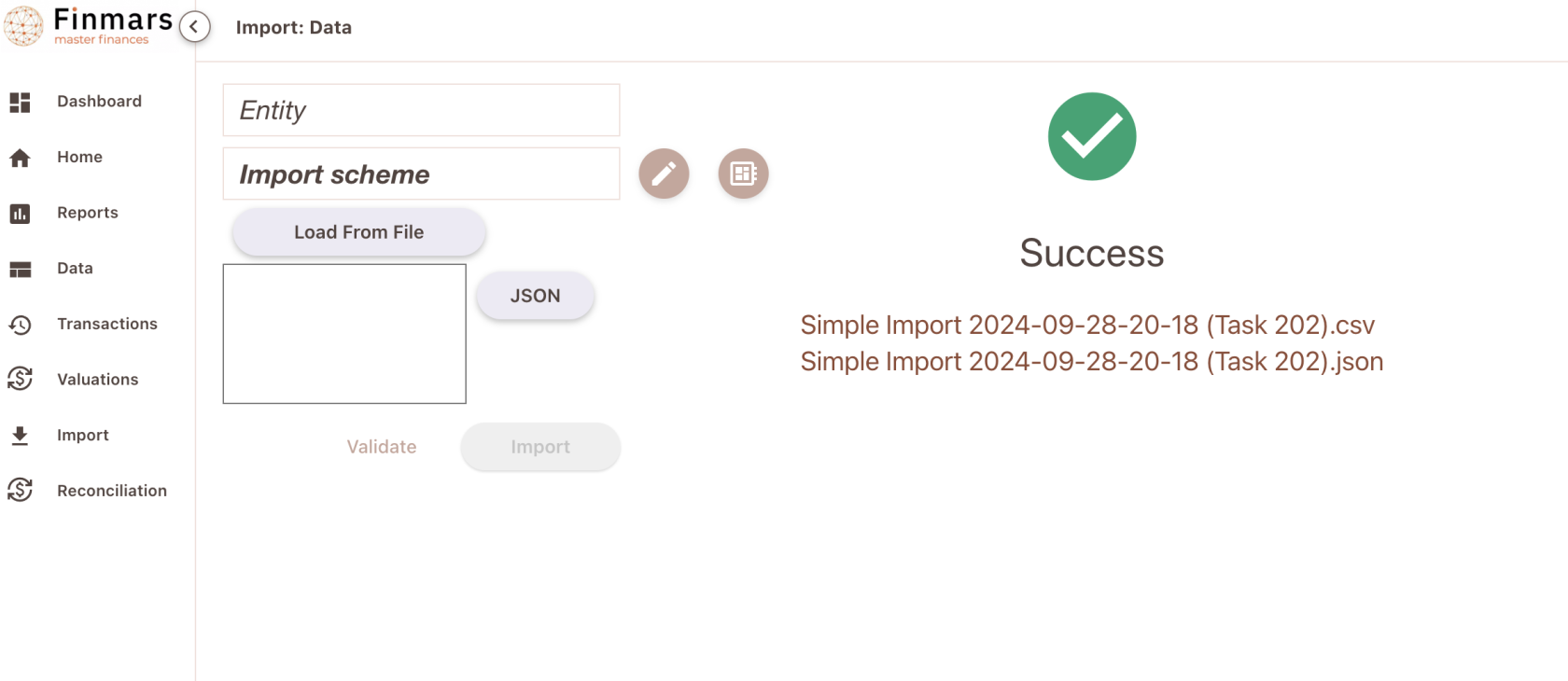
[](https://docs.finmars.com/uploads/images/gallery/2024-09/screenshot-2024-09-28-at-22-18-00.png)
Well done!
[](https://docs.finmars.com/uploads/images/gallery/2024-09/screenshot-2024-09-28-at-22-18-26.png)
Now go to Valuation - Prices (Entity Viewer)
[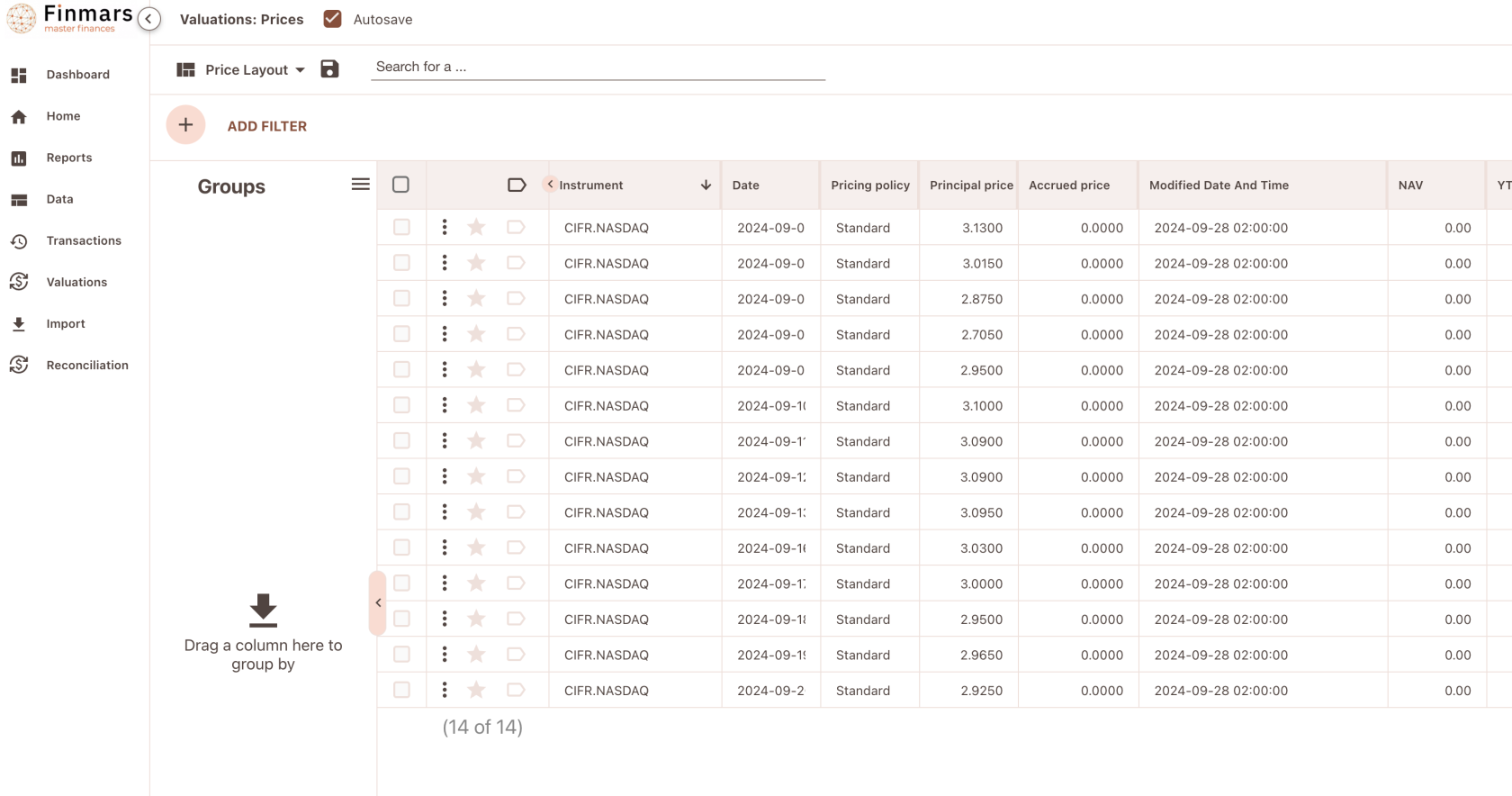](https://docs.finmars.com/uploads/images/gallery/2024-09/screenshot-2024-09-28-at-22-18-58.png)
Prices is successfully imported into Finmars!
After that you should able to see valuation
[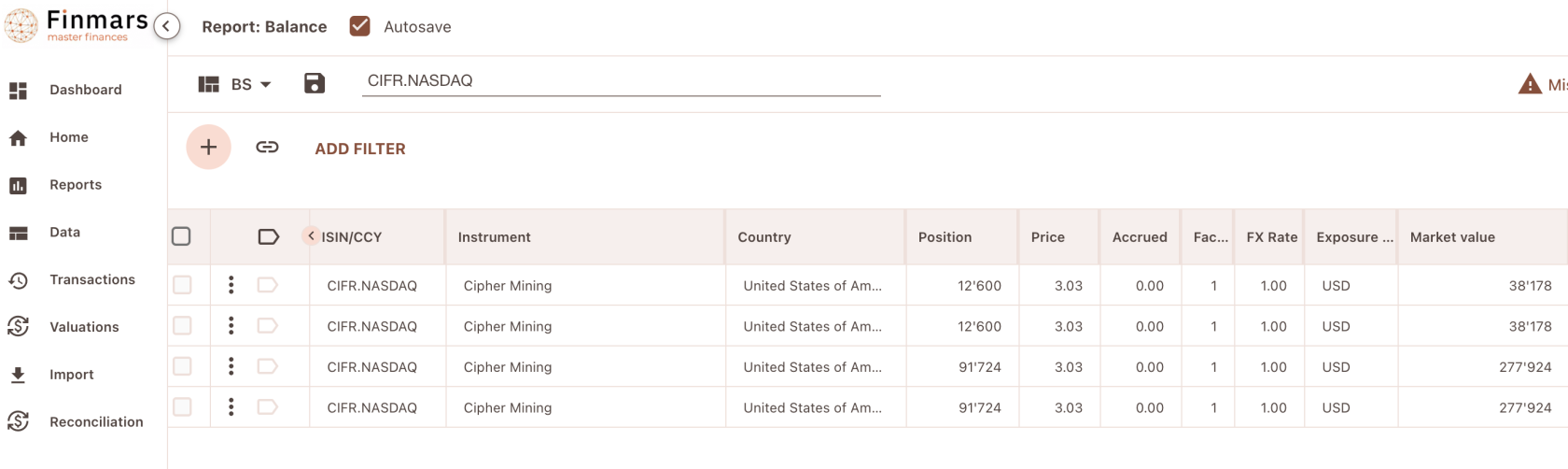](https://docs.finmars.com/uploads/images/gallery/2024-09/screenshot-2024-09-28-at-22-20-04.png)
Great success! Well done!
# Importing Transactions
# Try to get Transactions from Exante
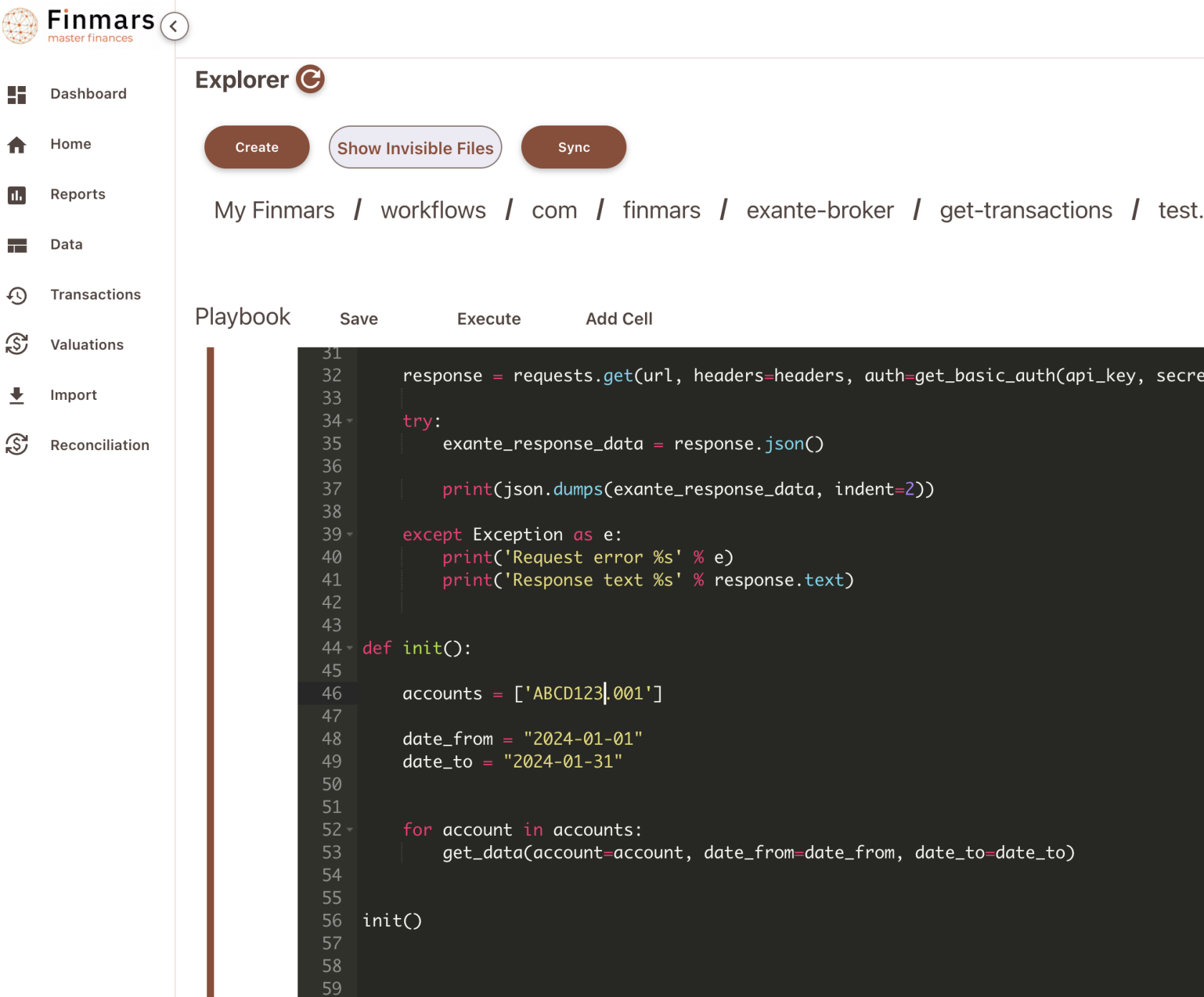
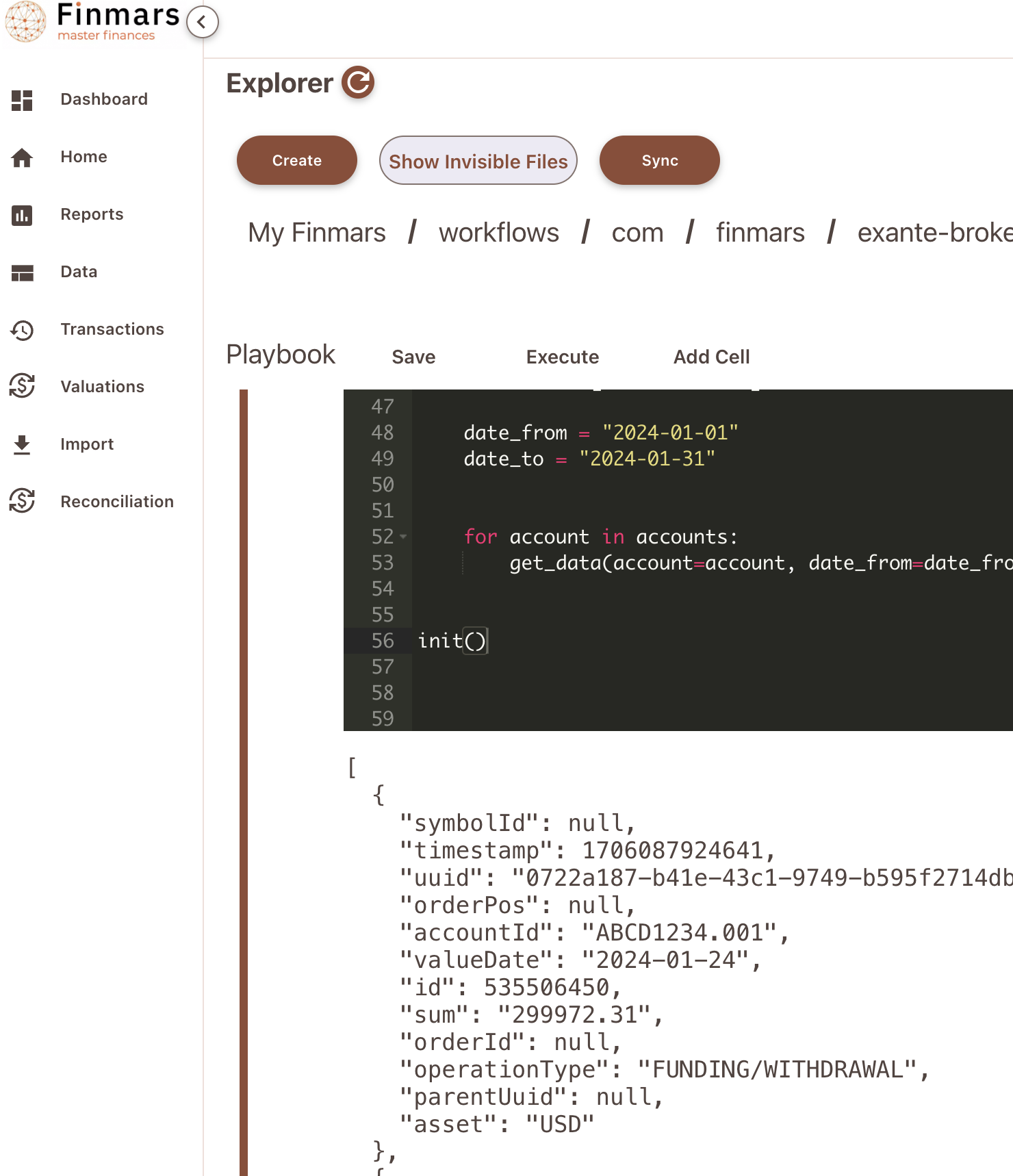
Go to `/explorer/workflows/com/finmars/exante-broker/get-transactions/test.ipynb`
And configure your script
[](https://docs.finmars.com/uploads/images/gallery/2024-09/screenshot-2024-09-27-at-21-32-09.png)
Set accounts (line 46) and date\_from (line 48) and date\_to (line 49)
Then try to execute it!
[](https://docs.finmars.com/uploads/images/gallery/2024-09/screenshot-2024-09-27-at-21-33-11.png)
Great success! Now you could inspect responses from Exante Broker
# Download Transactions to Finmars
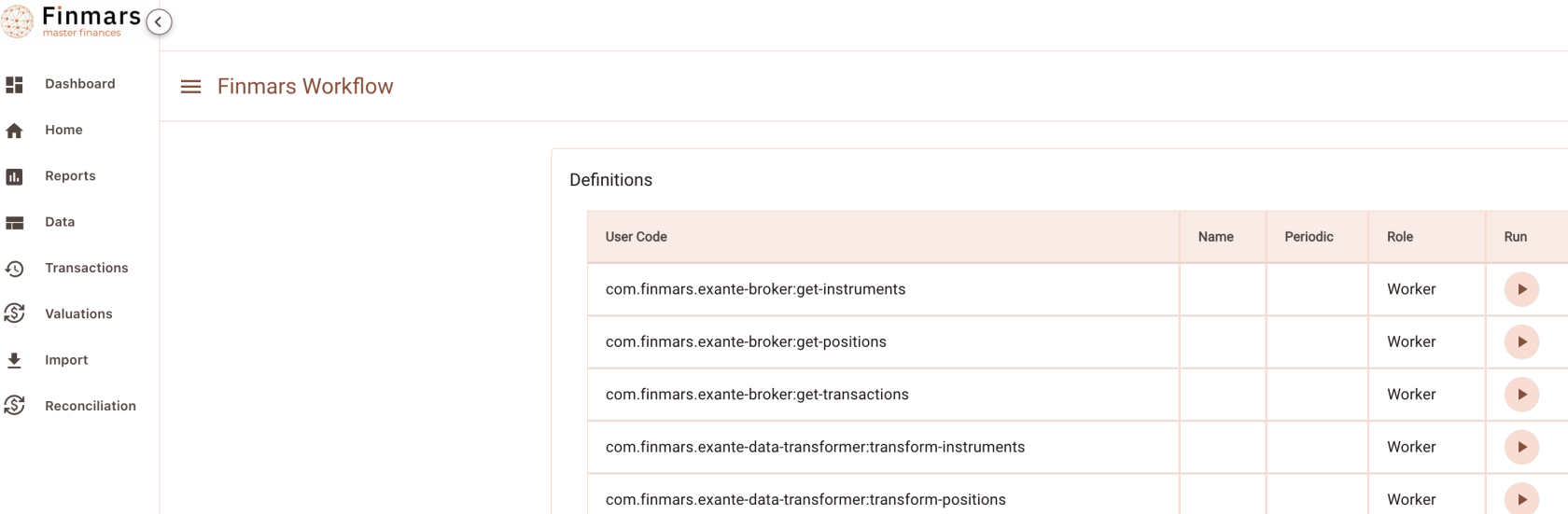
Go to Workflow Page
[](https://docs.finmars.com/uploads/images/gallery/2024-09/screenshot-2024-09-27-at-21-51-04.png)
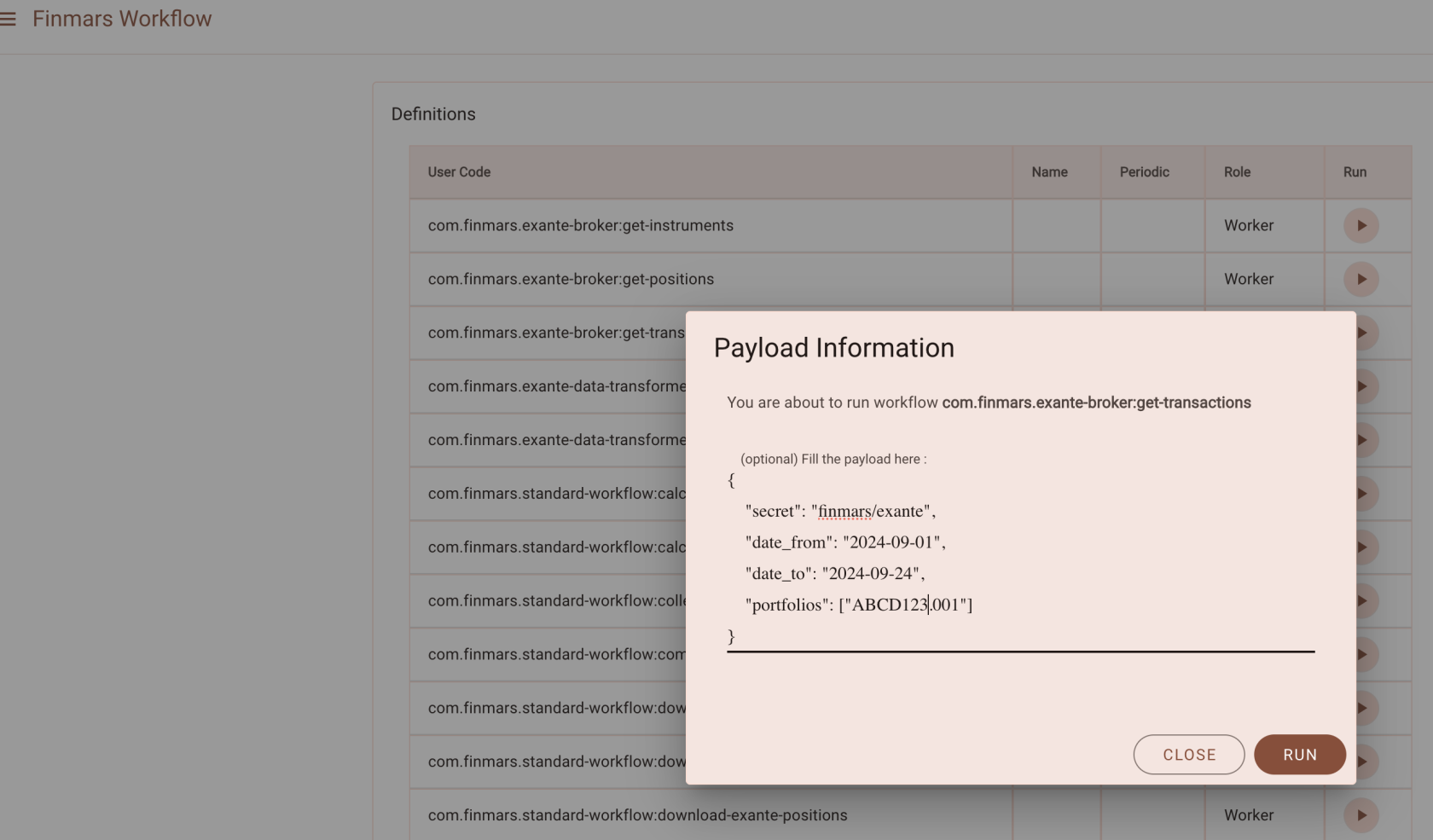
Execute workflow `com.finmars.exante-broker:get-transactions`
```
{
"secret": "finmars/exante",
"date_from": "2024-01-01",
"date_to": "2024-09-27",
"currencies": ["USD"],
"portfolios": ["ABCD1234.001"]
}
```
[](https://docs.finmars.com/uploads/images/gallery/2024-09/screenshot-2024-09-27-at-21-51-55.png)
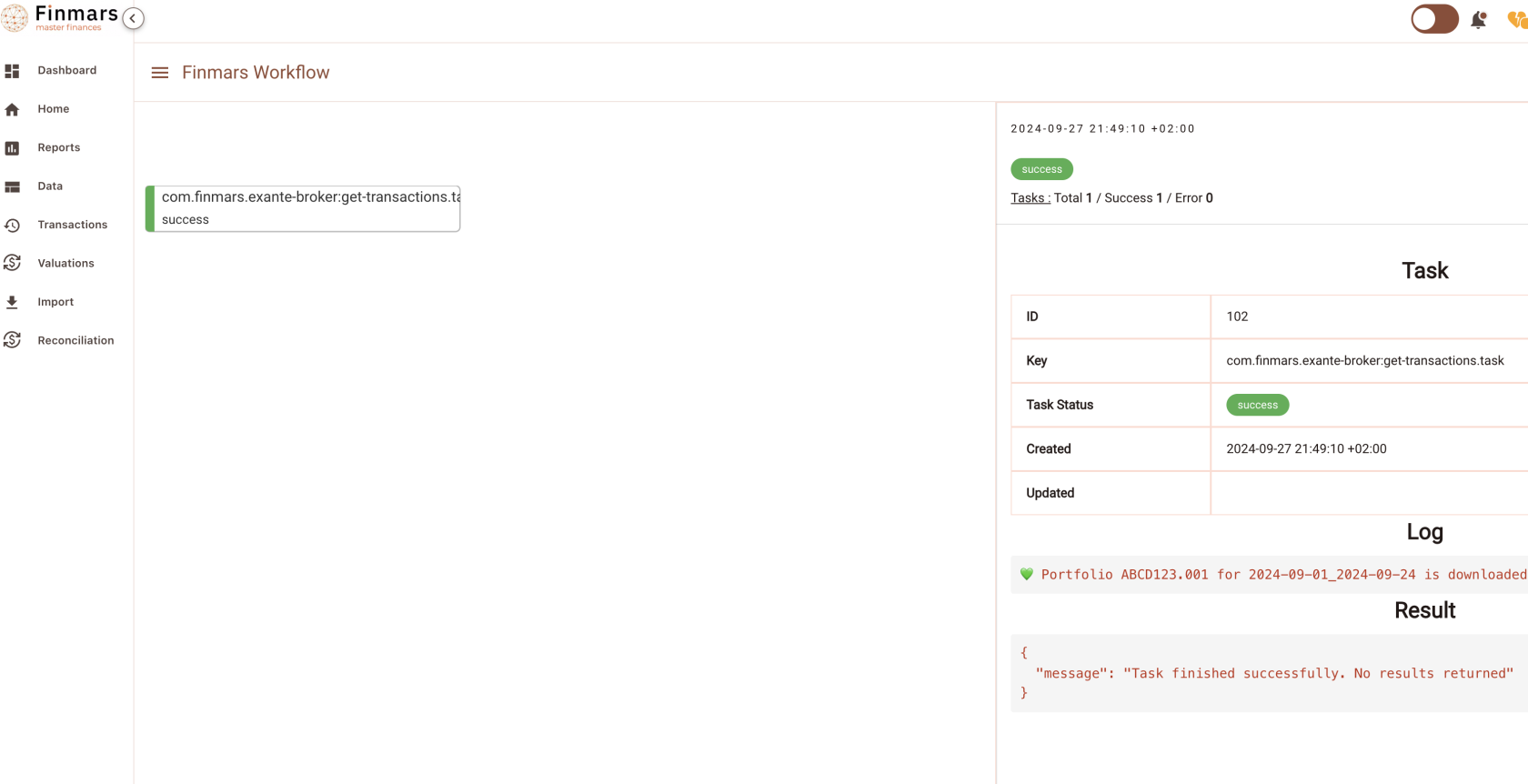
Go to see status of your workflow
[](https://docs.finmars.com/uploads/images/gallery/2024-09/screenshot-2024-09-27-at-21-52-38.png)
Great success! You can find your downloaded instrument in `/explorer/data/exante/transactions`
[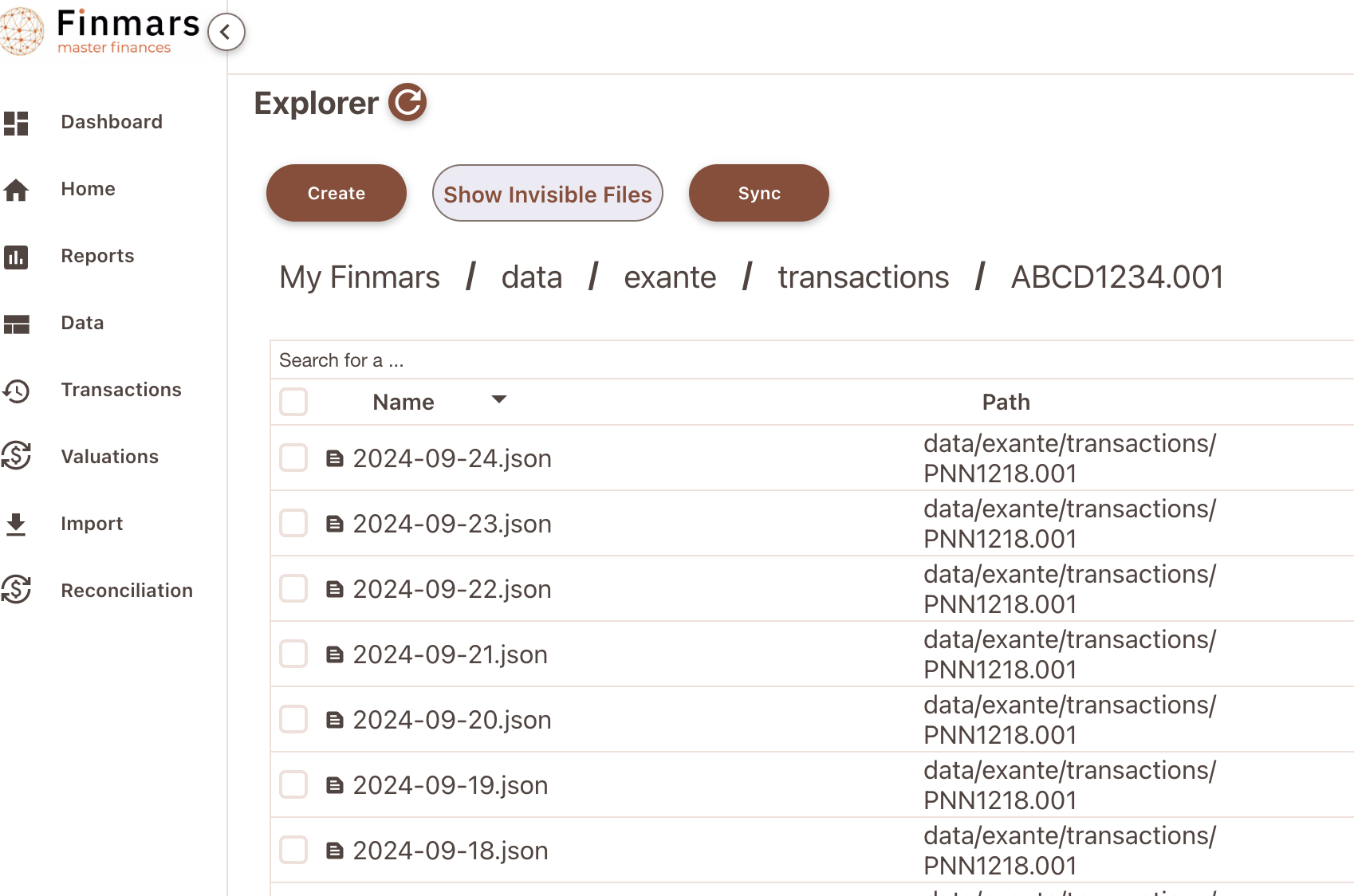](https://docs.finmars.com/uploads/images/gallery/2024-09/screenshot-2024-09-27-at-22-10-36.png)
Example of content:
```json
[
{
"symbolId": "VCIT.NASDAQ",
"timestamp": 1725510299999,
"uuid": "000000000-4bf9-4766-8ac2-12ff79ded491",
"orderPos": null,
"accountId": "ABCD123.001",
"valueDate": "2024-09-05",
"id": 000000000,
"sum": "166.46",
"orderId": null,
"operationType": "DIVIDEND",
"parentUuid": null,
"asset": "USD"
},
{
"symbolId": "VCIT.NASDAQ",
"timestamp": 1725510299999,
"uuid": "000000000-118b-4182-be13-a2e94d0772e9",
"orderPos": null,
"accountId": "ABCD123.001",
"valueDate": "2024-09-05",
"id": 000000000,
"sum": "-49.94",
"orderId": null,
"operationType": "US TAX",
"parentUuid": null,
"asset": "USD"
}
]
```
Now see `com.finmars.exante-data-transformer`, it should have Transaction transformer to Finmars Standard Configuration
# Transform Transactions to Standard Configuration
Precondition: You downloaded some Transactions from Exante (Check your `/explorer/data/exante/transactions` folder)
Go to Worfklow Page
[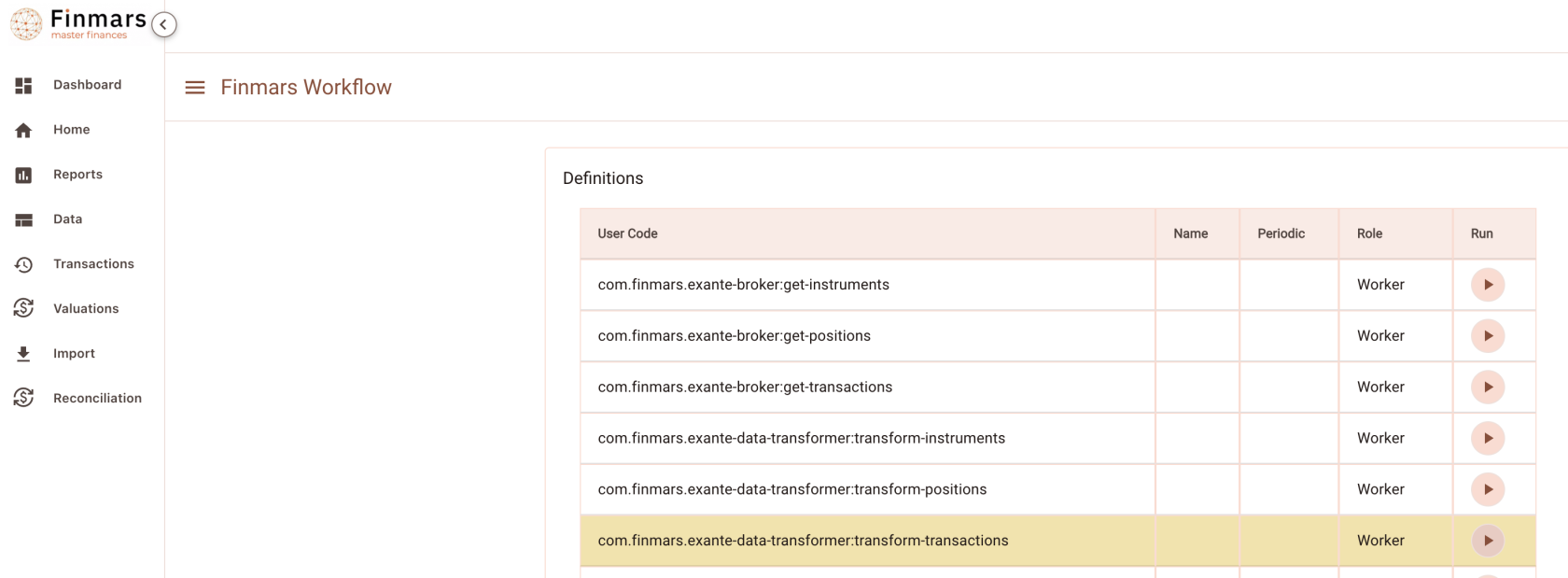](https://docs.finmars.com/uploads/images/gallery/2024-09/screenshot-2024-09-28-at-00-42-51.png)
Run Task `com.finmars.exante-data-transformer:transform-transactions`
[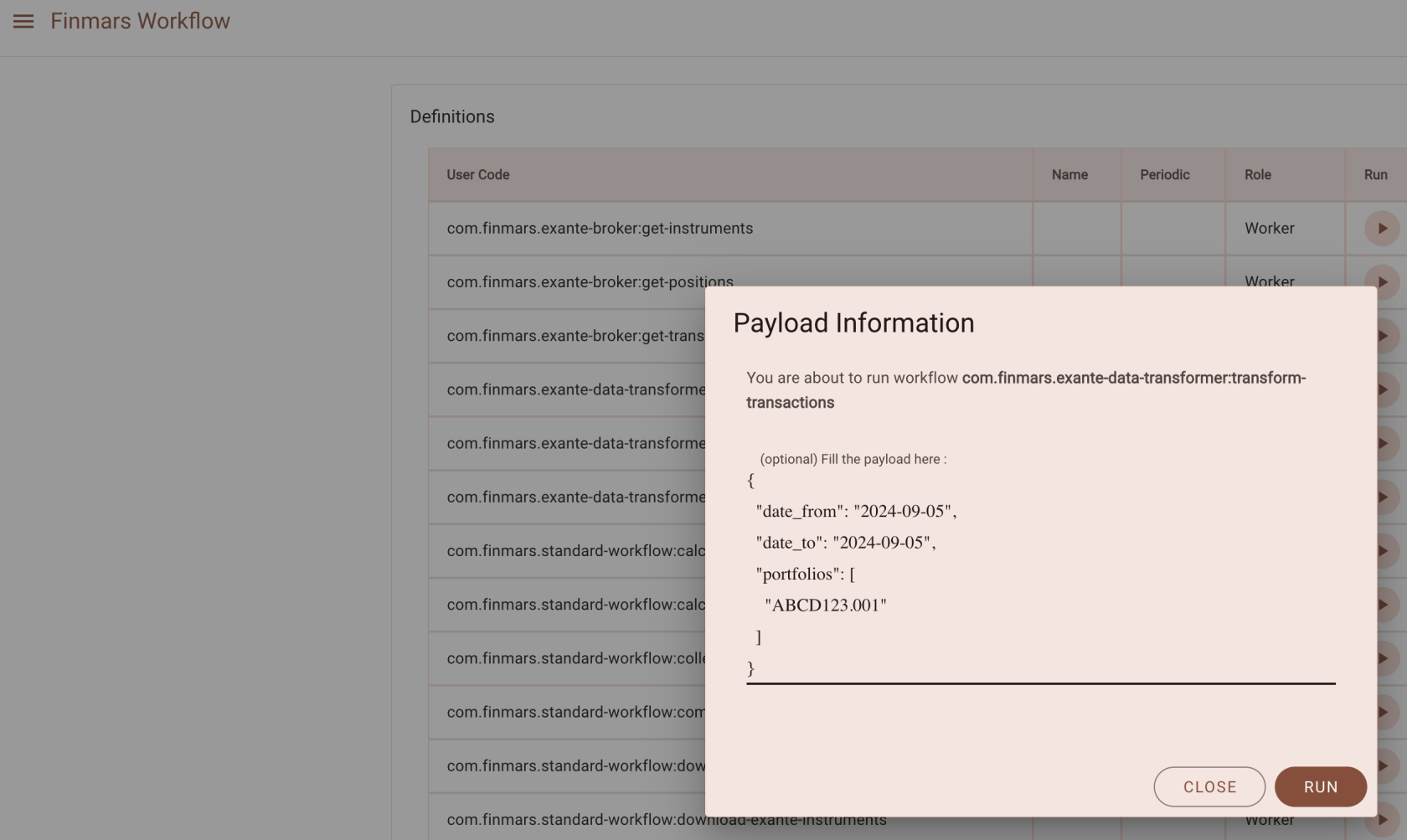](https://docs.finmars.com/uploads/images/gallery/2024-09/screenshot-2024-09-28-at-00-43-55.png)
Go to see you Task Status
[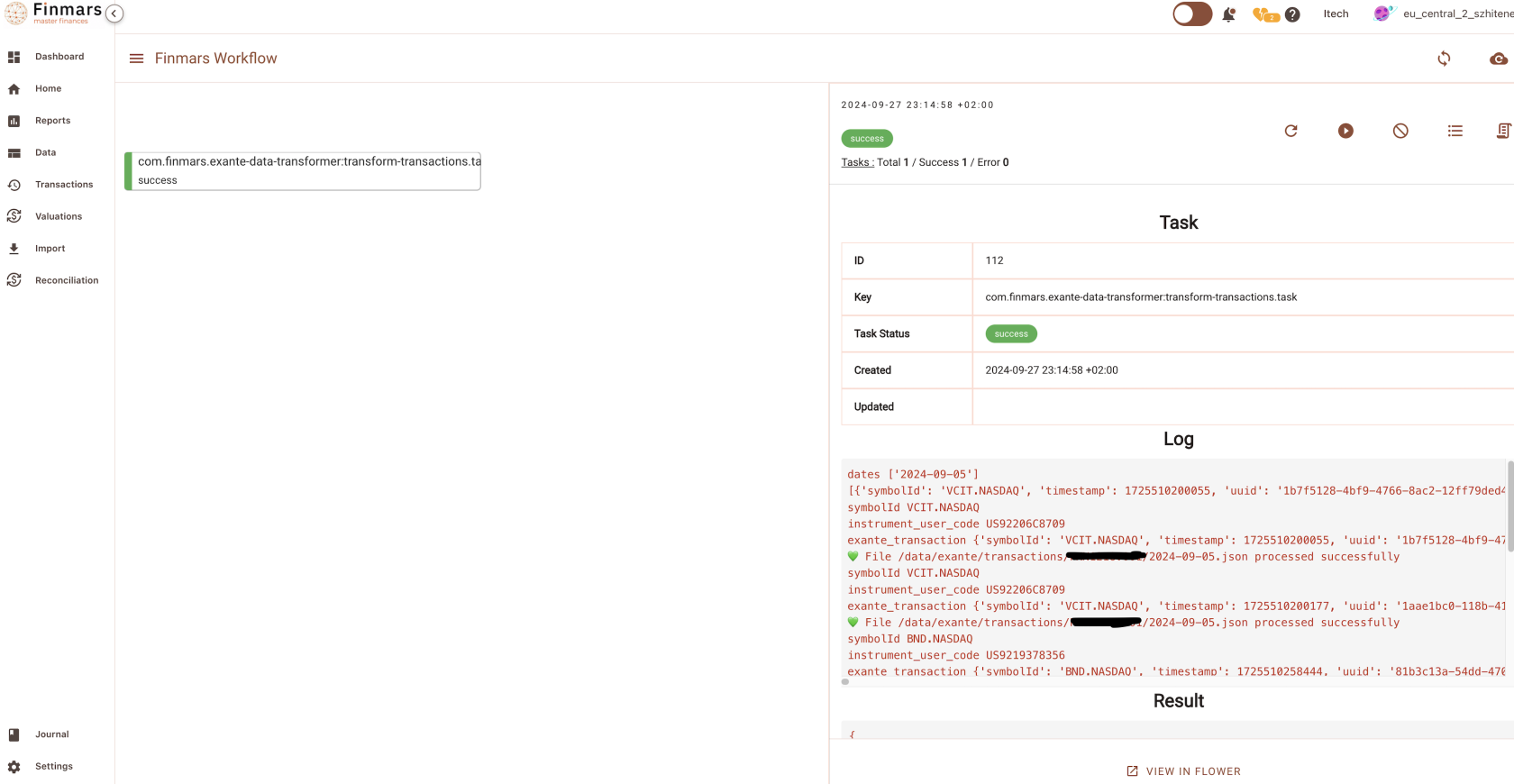](https://docs.finmars.com/uploads/images/gallery/2024-09/screenshot-2024-09-28-at-00-45-19.png)
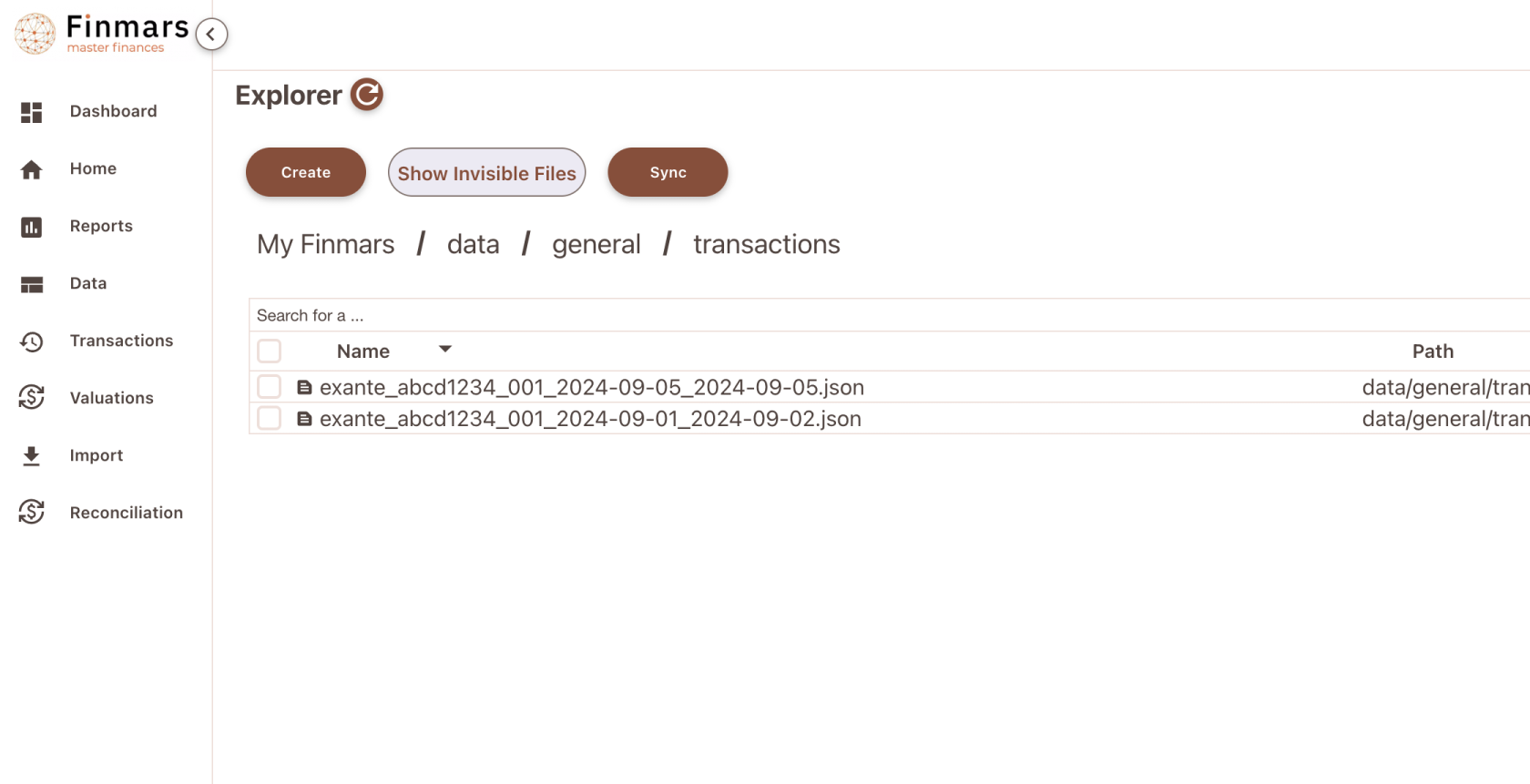
So all your downloaded Transactions files from Exante should be packed into one .json file that converted to Standard Configuration
You shall able to see it in
`/explorer/data/general/transactions`
data/general - is a folder where data accumulates from all the sources, we keep transformed data there
[](https://docs.finmars.com/uploads/images/gallery/2024-09/screenshot-2024-09-28-at-00-46-46.png)
Example Content
```json
[
{
"source_origin": "exante",
"source": "Exante",
"account_cash": "ABCD1234.001",
"account_cash_to": "-",
"account_interim": "-",
"account_position": "ABCD1234.001",
"account_position_to": "-",
"accrued_price": "-",
"accrued_price_multiplier": 1,
"allocation_pl": "-",
"broker_fee_with_sign": 0,
"carry_with_sign": 166.46,
"cash_consideration_with_sign": 166.46,
"cash_movement_fx_adjusted": 0,
"charges_with_sign": 0,
"commission_with_sign": 0,
"counterparty": "-",
"date_accounting": "2024-09-05",
"date_change": "2024-09-05",
"factor": 1,
"fees_with_sign": 0,
"forward_buy_leg": "-",
"forward_sell_leg": "-",
"fx_account_buy": "-",
"fx_account_sell": "-",
"fx_amount_buy": "-",
"fx_amount_sell": "-",
"fx_currency_buy": "-",
"fx_currency_sell": "-",
"fx_rate": 1,
"fx_rate_reverse": 1,
"if_reverse": "-",
"instrument": "US92206C8709",
"is_canceled": false,
"isin_code": "-",
"linked_instrument": "-",
"notes": "DIVIDEND",
"notes_front_office": "-",
"notes_middle_office": "-",
"other_charges_with_sign": 0,
"portfolio": "ABCD1234.001",
"portfolio_to": "-",
"position_adjusted_with_sign": 0,
"position_nominal_with_sign": 0,
"pricing_currency": "USD",
"principal_price": 0,
"principal_price_multiplier": 1,
"principal_with_sign": 0,
"ref_tr_code": "-",
"responsible": "-",
"selector": "Dividend",
"settlement_currency": "USD",
"stamp_duty_with_sign": 0,
"strategy1": "-",
"sub_type": "-",
"tax_with_sign": 0,
"tax_withholding_with_sign": 0,
"trade_date": "2024-09-05",
"trade_price": 0,
"transaction_code": "1b7f5128-4bf9-4766-8ac2-12ff79ded491",
"value_date": "2024-09-05",
"vat_with_sign": 0
}
]
```
Great, so this file will be dispatched to Standard Import (see schema com.finmars.standard-import-from-file:txn) STD - TXN
P.S. Before we able to import Transactions, we must ensure that all Instruments/Currencies already present in Space. So after it, you free to import file either manually or via Standard AutoImport Schedule
# Standard Workflow Transaction Autoimport
So far we have:
Exante Instruments
Exante Positions
Exante Transactions
We assume that there is no exotic currencies (then you need Exante Currencies)
All these data converted to Standard Configuration. So we should be able to Import them!
Before creating an automation, lets try to do it manually
So, for that we will use `/explorer/workflows/com/finmars/standard-workflow/simple-autoimport/tasks.py`
its a relatively simple workflow that could import either data or transactions. Its payload structure is:
So you add any number of steps (Depends of your situation). Order is matter! Here for example we import Instruments and then only Positions
`directory` - optional: path to directory in explorer with files to import, trailing slash is important (/ on end)
`file_path` - optional: path to some file in explorer with data to import
`import_type` - required:"data" for Simple Import, "transaction" for Transaction Import
`schema` - required: user\_code of schema to execute
Nota bene: Both `directory` and `file_path` are optional, but one must be present
If you pass `directory` it will tries to join all files in that directory into one file (List of Dictionaries)
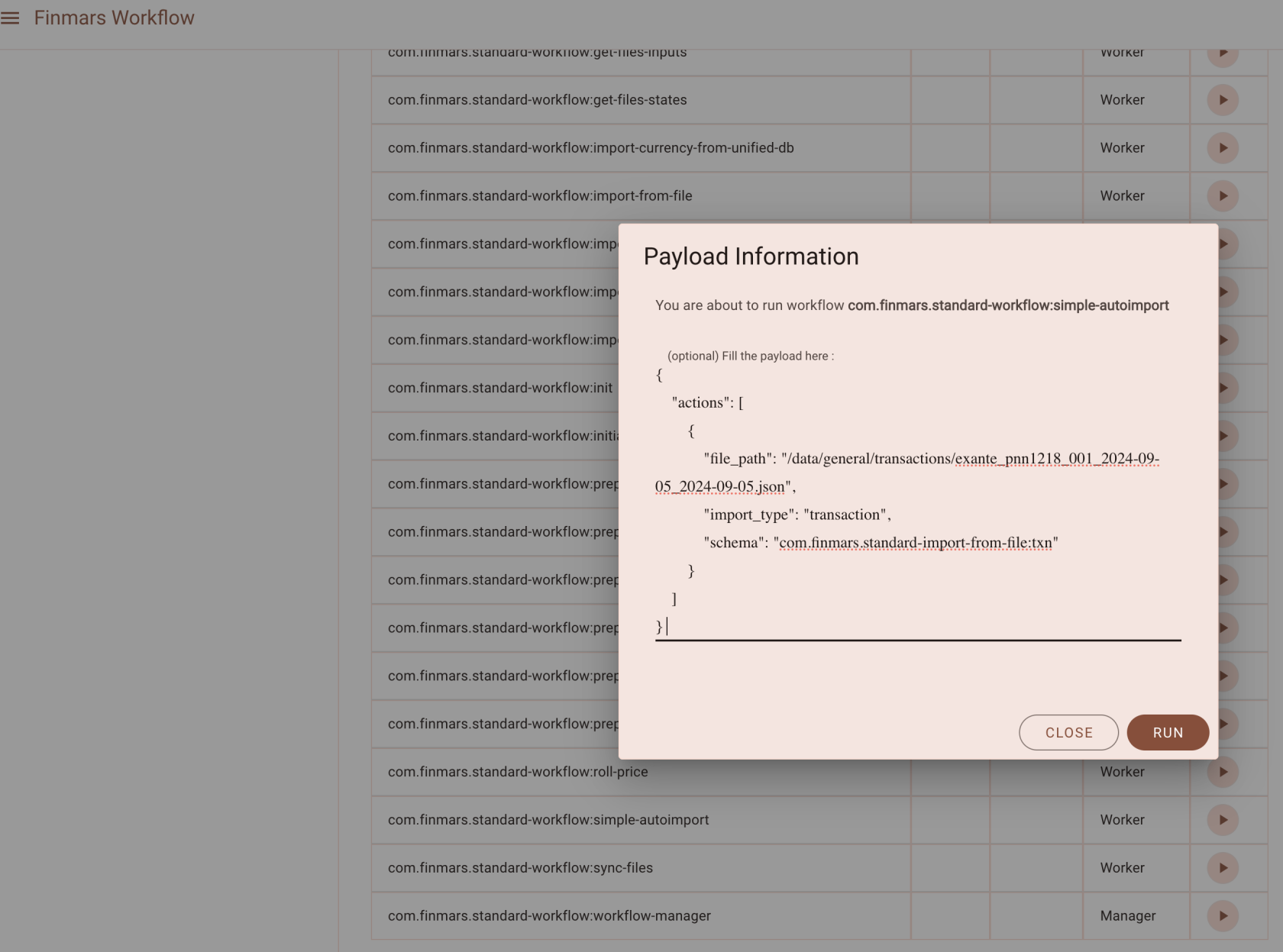
So, lets try it out!
Go to Workflows Page and lets find `com.finmars.standard-workflow:simple-autoimport`
```json
{
"actions": [
{
"directory": "/data/general/instruments/",
"import_type": "data",
"schema": "com.finmars.standard-import-from-file:instruments.instrument:instruments"
},
{
"file": "/data/general/transactions/exante_abcd1234_001_2024-09-05_2024-09-05.json",
"import_type": "transaction",
"schema": "com.finmars.standard-import-from-file:txn"
}
]
}
```
[](https://docs.finmars.com/uploads/images/gallery/2024-09/screenshot-2024-09-27-at-09-26-04.png)
Lets execute it!
[](https://docs.finmars.com/uploads/images/gallery/2024-09/screenshot-2024-09-28-at-01-06-35.png)
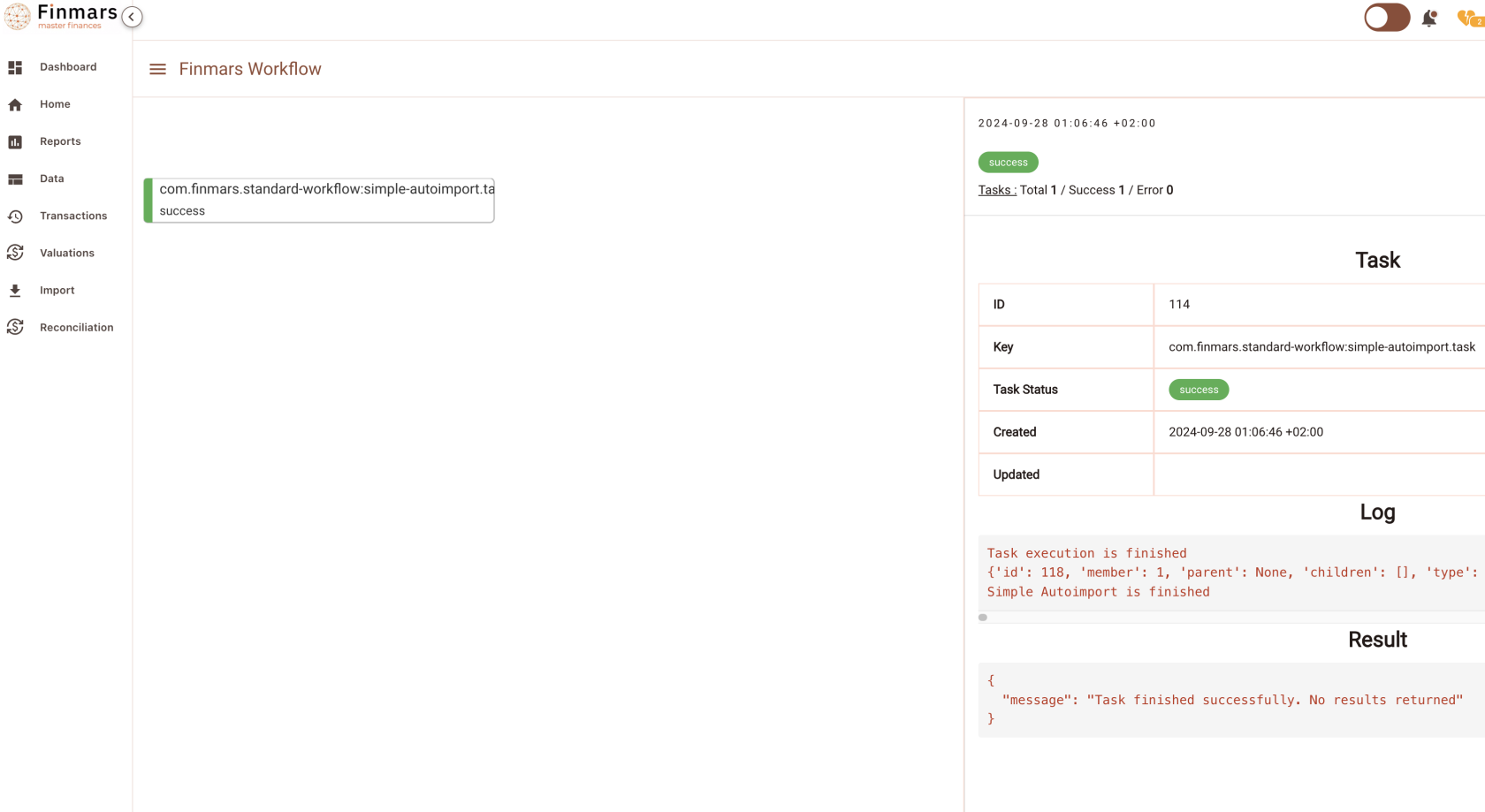
Go to see your Task Status
[](https://docs.finmars.com/uploads/images/gallery/2024-09/screenshot-2024-09-28-at-01-07-34.png)
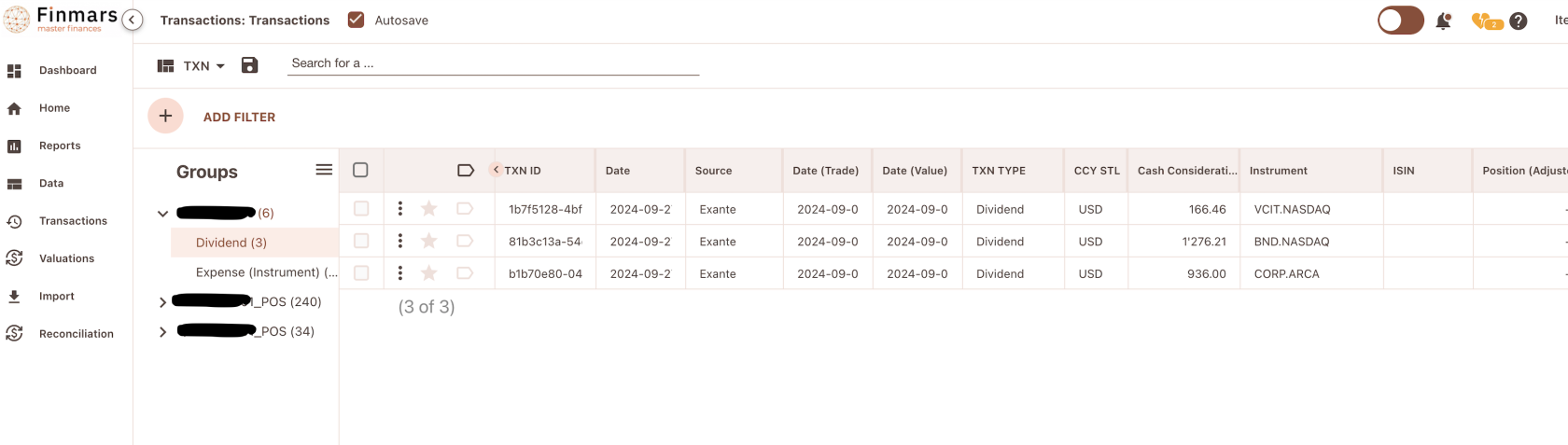
Okay, so far we Imported only Instruments, let see (Go to Transactions / Transactions)
[](https://docs.finmars.com/uploads/images/gallery/2024-09/screenshot-2024-09-28-at-01-08-49.png)
Great success! We imported all the Transactions from files that we previously downloaded from Exante
# Daily Import
# Daily Import Introduction
What is Daily Import?
Its a pipeline that covers all workflows and schedules that runs in background to import all the data into your Space in Finmars
Daily Import could be different from client to client, from provider to provider, but as core concept it should have these essential steps:
- Daily Positions Import
- Download Positions
- Transform Postions to Standard Format
- Parse Positions to find new Instruments/Currencies
- Import new Instruments/Currencies
- Import Positions
- Daily Transactions Import
- Download Transactions
- Transform Transactions to Standard Format
- Import Transactions
- Valuations Import
- Download Prices
- Transform Prices to Standard Format
- Import Prices
- Download FX Rates
- Transform FX Rates to Standard Format
- Import FX Rates
Thats a Basic ETL flow that should be applied on Daily Basis
# Import Positions
Example of how automate daily import for Client Portfolios
`com/finmars/client-daily-schedule/import-positions/workflow.json`
```json
{
"workflow":
{
"user_code":"com.finmars.client-daily-schedule:import-positions",
"is_manager": true,
"tasks": ["com.finmars.client-daily-schedule:import-positions.task"],
"periodic": {
"crontab": "0 1 * * *"
}
}
}
```
`com/finmars/client-daily-schedule/import-positions/tasks.py`
This simple code basically does
\- get positions
\- transform positions
\- import positions
```python
import jwt
import copy
import json
import requests
from datetime import datetime, timezone, timedelta
from requests.auth import HTTPBasicAuth
import traceback
import time
from workflow.api import task
from workflow.finmars import storage, utils, vault, request_api, create_logger
workflow_user_code="com.finmars.client-daily-schedule:import-positions"
@task(name="%s.task" %workflow_user_code, bind=True)
def main(self, *args, **kwargs):
# Expected payload
# payload = {
# "date": "2024-09-23"
# }
# TODO we need connection between Portfolio and Client and Vault Keypath, right now hardcoded
# portfolios = get_portfolios()
# Get today's date
today = datetime.now()
# Calculate yesterday's date
yesterday = today - timedelta(days=1)
payload = kwargs.get("payload", {})
target_date = payload.get('date', str(yesterday.date()))
portfolios = [
{
"secret": "finmars/exante",
"user_code": "ABCD123.001"
},
]
self.log(f"Target Date {target_date}")
for item in portfolios:
workflow_get_positions = self.workflow.run_new_workflow(
"com.finmars.exante-broker:get-positions",
payload={
"secret": item['secret'],
"date_from": target_date,
"date_to": target_date,
"currencies": ["USD"],
"portfolios": [item['user_code']]
}
)
poll_workflow_status(workflow_get_positions['id'])
self.log(f"Position Received from Exante for {item['user_code']}")
workflow_get_positions = self.workflow.run_new_workflow(
"com.finmars.exante-broker:get-instruments",
payload={
"secret": item['secret'],
"date_from": target_date,
"date_to": target_date,
"currencies": ["USD"],
"portfolios": [item['user_code']]
}
)
poll_workflow_status(workflow_get_positions['id'])
self.log(f"Instruments Received from Exante for {item['user_code']}")
workflow_get_positions = self.workflow.run_new_workflow(
"com.finmars.exante-data-transformer:transform-instruments",
payload={}
)
poll_workflow_status(workflow_get_positions['id'])
self.log(f"Instruments Transformed to Standard Configuration for {item['user_code']}")
directories, files = storage.listdir('/data/general/instruments/')
if len(files):
for file in files:
workflow_get_positions = self.workflow.run_new_workflow(
"com.finmars.standard-workflow:simple-autoimport",
payload={
"actions": [
{
"file_path": f"/data/general/instruments/{file}",
"import_type": "data",
"schema": "com.finmars.standard-import-from-file:instruments.instrument:instruments"
}
]
}
)
poll_workflow_status(workflow_get_positions['id'])
self.log(f"Instruments Imported to Finmars for {item['user_code']}")
workflow_transform_positions = self.workflow.run_new_workflow(
"com.finmars.exante-data-transformer:transform-positions",
payload={
"date_from": target_date,
"date_to": target_date,
"portfolios": [item['user_code']]
}
)
poll_workflow_status(workflow_transform_positions['id'])
self.log(f"Position Transformed to Standard Configuration for {item['user_code']}")
workflow_import_positions = self.workflow.run_new_workflow(
"com.finmars.standard-workflow:simple-autoimport",
payload={
"actions": [
{
"file_path": f"/data/general/positions/exante_{convert_to_ascii(item['user_code'])}_{target_date}_{target_date}.json",
"import_type": "transaction",
"schema": "com.finmars.standard-import-from-file:pos_daily"
}
]
}
)
poll_workflow_status(workflow_transform_positions['id'])
self.log(f"Position Imported for {item['user_code']}")
# should be moved to Finmars Workflow Library
def poll_workflow_status(workflow_id, max_retries=100, wait_time=5):
url = f'/workflow/api/workflow/{workflow_id}/' # Replace with your actual API endpoint
for attempt in range(max_retries):
data = request_api(url)
if data:
status = data.get('status')
print(f'Attempt {attempt + 1}: Workflow status is {status}')
if status in ['success', 'error']:
return status # Return the status when it's success or error
else:
print(f'Error fetching status: {response.status_code}')
time.sleep(wait_time) # Wait before the next attempt
print('Max retries reached. Workflow status not successful.')
return None # Indicate that the status was not found
def convert_to_ascii(input_string):
input_string = input_string.lower()
# Convert spaces and dots to underscores
modified_string = input_string.replace(' ', '_').replace('.', '_')
# Convert the string to ASCII, ignoring non-ASCII characters
ascii_string = modified_string.encode('ascii', 'ignore').decode()
return ascii_string
```
In the end you should able to see your workflow scheduled in Finmars Workflow
[](https://docs.finmars.com/uploads/images/gallery/2024-09/screenshot-2024-10-01-at-01-33-01.png)
# Import Transactions
Example of how automate daily import of Transactions for Client Portfolios
`com/finmars/client-daily-schedule/import-transactions/workflow.json`
```json
{
"workflow":
{
"user_code":"com.finmars.client-daily-schedule:import-transactions",
"is_manager": true,
"tasks": ["com.finmars.client-daily-schedule:import-transactions.task"],
"periodic": {
"crontab": "0 2 * * *"
}
}
}
```
`com/finmars/client-daily-schedule/import-transactions/tasks.py`
This simple code basically does
\- get transactions
\- transform transactions
\- import transactions
```python
import jwt
import copy
import json
import requests
from datetime import datetime, timezone, timedelta
from requests.auth import HTTPBasicAuth
import traceback
import time
from workflow.api import task
from workflow.finmars import storage, utils, vault, request_api, create_logger
workflow_user_code="com.finmars.client-daily-schedule:import-transactions"
@task(name="%s.task" %workflow_user_code, bind=True)
def main(self, *args, **kwargs):
# Expected payload
# payload = {
# "date": "2024-09-23"
# }
# TODO we need connection between Portfolio and Client and Vault Keypath, right now hardcoded
# portfolios = get_portfolios()
# Get today's date
today = datetime.now()
# Calculate yesterday's date
yesterday = today - timedelta(days=1)
payload = kwargs.get("payload", {})
target_date = payload.get('date', str(yesterday.date()))
portfolios = [
{
"secret": "finmars/exante",
"user_code": "ABCD123.001"
},
]
self.log(f"Target Date {target_date}")
for item in portfolios:
workflow_get_positions = self.workflow.run_new_workflow(
"com.finmars.exante-broker:get-transactions",
payload={
"secret": item['secret'],
"date_from": target_date,
"date_to": target_date,
"portfolios": [item['user_code']]
}
)
poll_workflow_status(workflow_get_positions['id'])
self.log(f"Transactions Received from Exante for {item['user_code']}")
workflow_transform_positions = self.workflow.run_new_workflow(
"com.finmars.exante-data-transformer:transform-transactions",
payload={
"date_from": target_date,
"date_to": target_date,
"portfolios": [item['user_code']]
}
)
poll_workflow_status(workflow_transform_positions['id'])
self.log(f"Transactions Transformed to Standard Configuration for {item['user_code']}")
workflow_import_positions = self.workflow.run_new_workflow(
"com.finmars.standard-workflow:simple-autoimport",
payload={
"actions": [
{
"file_path": f"/data/general/transactions/exante_{convert_to_ascii(item['user_code'])}_{target_date}_{target_date}.json",
"import_type": "transaction",
"schema": "com.finmars.standard-import-from-file:txn"
}
]
}
)
poll_workflow_status(workflow_transform_positions['id'])
self.log(f"Transactions Imported for {item['user_code']}")
# should be moved to Finmars Workflow Library
def poll_workflow_status(workflow_id, max_retries=100, wait_time=5):
url = f'/workflow/api/workflow/{workflow_id}/' # Replace with your actual API endpoint
for attempt in range(max_retries):
data = request_api(url)
if data:
status = data.get('status')
print(f'Attempt {attempt + 1}: Workflow status is {status}')
if status in ['success', 'error']:
return status # Return the status when it's success or error
else:
print(f'Error fetching status: {response.status_code}')
time.sleep(wait_time) # Wait before the next attempt
print('Max retries reached. Workflow status not successful.')
return None # Indicate that the status was not found
def convert_to_ascii(input_string):
input_string = input_string.lower()
# Convert spaces and dots to underscores
modified_string = input_string.replace(' ', '_').replace('.', '_')
# Convert the string to ASCII, ignoring non-ASCII characters
ascii_string = modified_string.encode('ascii', 'ignore').decode()
return ascii_string
```
In the end you should able to see your workflow Scheduled in Finmars Workflow
[](https://docs.finmars.com/uploads/images/gallery/2024-09/screenshot-2024-10-01-at-01-32-13.png)
# Import Prices
Example of how automate daily import of Prices for Client Portfolios
`com/finmars/client-daily-schedule/import-prices/workflow.json`
```json
{
"workflow":
{
"user_code":"com.finmars.client-daily-schedule:import-prices",
"is_manager": true,
"tasks": ["com.finmars.client-daily-schedule:import-prices.task"],
"periodic": {
"crontab": "30 2 * * *"
}
}
}
```
`com/finmars/client-daily-schedule/import-prices/tasks.py`
This simple code basically does
\- get prices
\- transform prices
\- import prices
```python
import jwt
import copy
import json
import requests
from datetime import datetime, timezone, timedelta
from requests.auth import HTTPBasicAuth
import traceback
import time
from workflow.api import task
from workflow.finmars import storage, utils, vault, request_api, create_logger
workflow_user_code="com.finmars.client-daily-schedule:import-prices"
@task(name="%s.task" %workflow_user_code, bind=True)
def main(self, *args, **kwargs):
# Expected payload
# payload = {
# "date": "2024-09-23"
# }
# TODO we need connection between Portfolio and Client and Vault Keypath, right now hardcoded
# portfolios = get_portfolios()
# Get today's date
today = datetime.now()
# Calculate yesterday's date
yesterday = today - timedelta(days=1)
payload = kwargs.get("payload", {})
target_date = payload.get('date', str(yesterday.date()))
instruments = get_instruments()
portfolios = [
{
"secret": "finmars/exante",
"user_code": "ABCD123.001"
},
]
self.log(f"Target Date {target_date}")
workflow_get_positions = self.workflow.run_new_workflow(
"com.finmars.exante-broker:get-prices",
payload={
"secret": portfolios[0]['secret'],
"date_from": target_date,
"date_to": target_date,
"instruments": instruments
}
)
poll_workflow_status(workflow_get_positions['id'])
self.log(f"Prices Received from Exante")
workflow_transform_positions = self.workflow.run_new_workflow(
"com.finmars.exante-data-transformer:transform-prices",
payload={
"date_from": target_date,
"date_to": target_date,
"instruments": instruments
}
)
poll_workflow_status(workflow_transform_positions['id'])
self.log(f"Prices Transformed to Standard Configuration")
for instrument in instruments:
workflow_import_positions = self.workflow.run_new_workflow(
"com.finmars.standard-workflow:simple-autoimport",
payload={
"actions": [
{
"file_path": f"/data/general/prices/exante_{convert_to_ascii(instrument)}_{target_date}_{target_date}.json",
"import_type": "data",
"schema": "com.finmars.standard-import-from-file:instruments.pricehistory:price"
}
]
}
)
# poll_workflow_status(workflow_transform_positions['id'])
self.log(f"Prices Imported")
# should be moved to Finmars Workflow Library
def poll_workflow_status(workflow_id, max_retries=100, wait_time=5):
url = f'/workflow/api/workflow/{workflow_id}/' # Replace with your actual API endpoint
for attempt in range(max_retries):
data = request_api(url)
if data:
status = data.get('status')
print(f'Attempt {attempt + 1}: Workflow status is {status}')
if status in ['success', 'error']:
return status # Return the status when it's success or error
else:
print(f'Error fetching status: {response.status_code}')
time.sleep(wait_time) # Wait before the next attempt
print('Max retries reached. Workflow status not successful.')
return None # Indicate that the status was not found
def get_instruments():
data = request_api('/api/v1/instruments/instrument/light/')
instruments = []
for item in data['results']:
if item['short_name'] != '-':
instruments.append(item['short_name'])
return instruments
def convert_to_ascii(input_string):
input_string = input_string.lower()
# Convert spaces and dots to underscores
modified_string = input_string.replace(' ', '_').replace('.', '_')
# Convert the string to ASCII, ignoring non-ASCII characters
ascii_string = modified_string.encode('ascii', 'ignore').decode()
return ascii_string
```
In the end you able to see you workflow Scheduled in Finmars Workflow
[](https://docs.finmars.com/uploads/images/gallery/2024-09/screenshot-2024-10-01-at-01-31-32.png)
# Import FX Rates
Just make sure you have installed `com.finmars.finmars-database-fx-rates` **Finmars Database FX Rates**
You can change Schedule in workflow.json crontab
`com/finmars/finmars-database-fx-rates/import-fx-rates/workflow.json`
```json
{
"workflow":
{
"user_code":"com.finmars.finmars-database-fx-rates:import-fx-rates",
"is_manager": false,
"tasks": ["com.finmars.finmars-database-fx-rates:import-fx-rates.task"],
"periodic": {
"crontab": "0 3 * * *"
}
}
}
```
So in the end you need to see your definition scheduled in Finmars Workflow
[](https://docs.finmars.com/uploads/images/gallery/2024-09/screenshot-2024-10-01-at-01-29-56.png)