# Install guide on local machine

Install Finmars CE on your local machine without domain name

# Install on MacOS

Here is short guide of install Finmars community edition on your Mac.

1. <span style="white-space: pre-wrap;">Make sure you have </span>**git**<span style="white-space: pre-wrap;"> and </span>**make**<span style="white-space: pre-wrap;"> installed. (https://developer.apple.com/documentation/xcode/installing-the-command-line-tools)</span>
2. <span style="white-space: pre-wrap;">Make sure you have </span>**docker desktop**<span style="white-space: pre-wrap;"> installed. (https://docs.docker.com/desktop/setup/install/mac-install/)</span>
3. Make sure you have Python (https://www.python.org/downloads/macos/) and Python package manager PIP (https://pip.pypa.io/en/stable/installation/)
4. <span style="white-space: pre-wrap;">Open </span>**Terminal and** run the commands below
5. <span style="color: rgb(68, 68, 68); background-color: rgb(255, 255, 255);">Clone the Finmars Community Edition repository from Github</span>  
    ```yaml
    git clone https://github.com/finmars-platform/finmars-community-edition.git
    ```
6. <span style="white-space: pre-wrap;">Go to the directory with </span><span style="color: rgb(68, 68, 68); background-color: rgb(255, 255, 255);">Finmars Community Edition</span>  
    ```yaml
    cd finmars-community-edition
    ```
7. <span style="white-space: pre-wrap;">Install </span><span style="color: rgb(68, 68, 68); background-color: rgb(255, 255, 255);">Finmars Community Edition</span><span style="white-space: pre-wrap;"> </span>  
    ```yaml
    make install
    ```
    
      
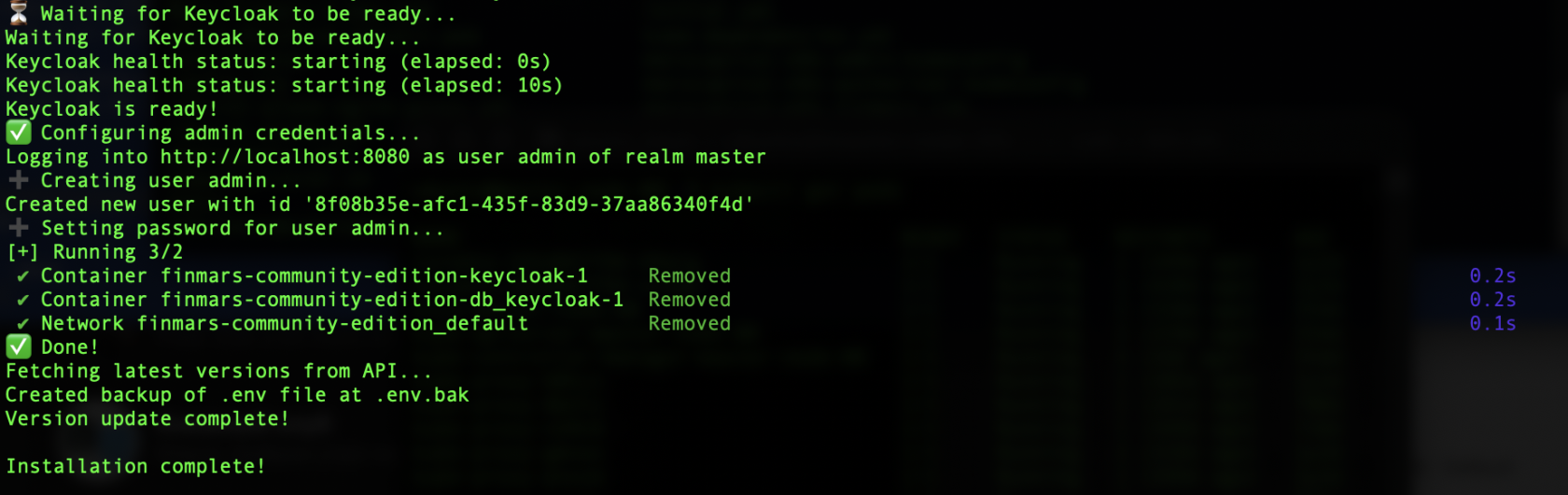
    You will be asked to prompt Admin Username &amp; Admin Password  
    [![Screenshot 2025-11-12 at 10.35.11.png](https://docs.finmars.com/uploads/images/gallery/2025-11/scaled-1680-/screenshot-2025-11-12-at-10-35-11.png)](https://docs.finmars.com/uploads/images/gallery/2025-11/screenshot-2025-11-12-at-10-35-11.png)
8. <span style="white-space: pre-wrap;">Start </span><span style="color: rgb(68, 68, 68); background-color: rgb(255, 255, 255);">Finmars Community Edition</span>  
    ```yaml
    make up
    ```
    
    Wait until all containers are downloaded  
    [![Screenshot 2025-11-12 at 10.38.16.png](https://docs.finmars.com/uploads/images/gallery/2025-11/scaled-1680-/screenshot-2025-11-12-at-10-38-16.png)](https://docs.finmars.com/uploads/images/gallery/2025-11/screenshot-2025-11-12-at-10-38-16.png)

9. <span style="white-space: pre-wrap;">Open web page with </span><span style="color: rgb(68, 68, 68); background-color: rgb(255, 255, 255);">Finmars Community Edition</span><span style="white-space: pre-wrap;"> </span>[https://127.0.0.1](https://127.0.0.1)  
    [![Screenshot 2025-11-12 at 10.38.54.png](https://docs.finmars.com/uploads/images/gallery/2025-11/scaled-1680-/screenshot-2025-11-12-at-10-38-54.png)](https://docs.finmars.com/uploads/images/gallery/2025-11/screenshot-2025-11-12-at-10-38-54.png)
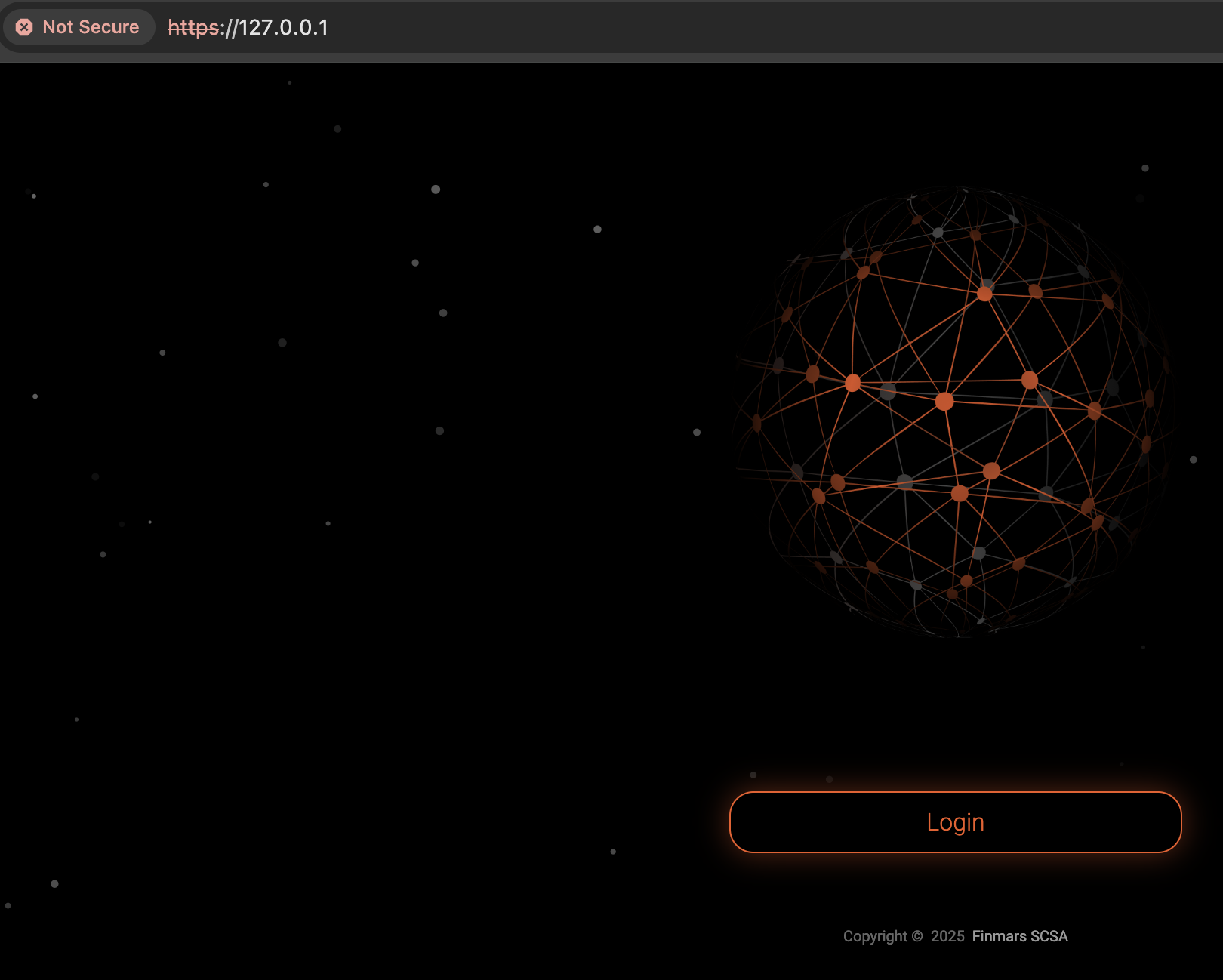
Well done! You can proceed with using Finmars!  
  
Go to next steps!

- <span style="white-space: pre-wrap;">Get to know our </span>[User Quick Start](https://docs.finmars.com/books/user-quick-start)<span style="white-space: pre-wrap;"> guide for next steps</span>

---

If you have some troubles during Installation - reach for any support channel:

- <span style="white-space: pre-wrap;">Create a </span>[Github Issue](https://github.com/finmars-platform/finmars-core/issues/new)
- <span style="white-space: pre-wrap;">Join our </span>[Discord](https://discord.gg/dJFxjwKQet)<span style="white-space: pre-wrap;"> Server</span>
- <span style="white-space: pre-wrap;">Contact us at </span><support@finmars.com>

# Install on Linux

Here is short guide of install Finmars community edition on your Linux.

1. <span style="white-space: pre-wrap;">Make sure you have </span>**git**<span style="white-space: pre-wrap;"> (https://git-scm.com/install/linux)</span>
2. <span style="white-space: pre-wrap;">Make sure you have </span>**make**<span style="white-space: pre-wrap;"> installed. (https://www.gnu.org/software/make/)</span>
3. <span style="white-space: pre-wrap;">Make sure you have </span>**docker**<span style="white-space: pre-wrap;"> installed. (https://docs.docker.com/engine/install/)</span>
4. <span style="white-space: pre-wrap;">Open </span>**Terminal and** run the commands below
5. <span style="color: rgb(68, 68, 68); background-color: rgb(255, 255, 255);">Clone the Finmars Community Edition repository from Github</span>  
    ```yaml
    git clone https://github.com/finmars-platform/finmars-community-edition.git
    ```
6. <span style="white-space: pre-wrap;">Go to the directory with </span><span style="color: rgb(68, 68, 68); background-color: rgb(255, 255, 255);">Finmars Community Edition</span>  
    ```yaml
    cd finmars-community-edition
    ```
7. <span style="white-space: pre-wrap;">Install </span><span style="color: rgb(68, 68, 68); background-color: rgb(255, 255, 255);">Finmars Community Edition</span><span style="white-space: pre-wrap;"> </span>  
    ```yaml
    make install
    ```
    
      
    You will be asked to prompt Admin Username &amp; Admin Password  
    [![Screenshot 2025-11-12 at 10.35.11.png](https://docs.finmars.com/uploads/images/gallery/2025-11/scaled-1680-/screenshot-2025-11-12-at-10-35-11.png)](https://docs.finmars.com/uploads/images/gallery/2025-11/screenshot-2025-11-12-at-10-35-11.png)
8. <span style="white-space: pre-wrap;">Start </span><span style="color: rgb(68, 68, 68); background-color: rgb(255, 255, 255);">Finmars Community Edition</span>  
    ```yaml
    make up
    ```
    
    Wait until all containers are downloaded  
    [![Screenshot 2025-11-12 at 10.38.16.png](https://docs.finmars.com/uploads/images/gallery/2025-11/scaled-1680-/screenshot-2025-11-12-at-10-38-16.png)](https://docs.finmars.com/uploads/images/gallery/2025-11/screenshot-2025-11-12-at-10-38-16.png)

9. <span style="white-space: pre-wrap;">Open web page with </span><span style="color: rgb(68, 68, 68); background-color: rgb(255, 255, 255);">Finmars Community Edition</span><span style="white-space: pre-wrap;"> </span>[https://127.0.0.1](https://127.0.0.1)  
    [![Screenshot 2025-11-12 at 10.38.54.png](https://docs.finmars.com/uploads/images/gallery/2025-11/scaled-1680-/screenshot-2025-11-12-at-10-38-54.png)](https://docs.finmars.com/uploads/images/gallery/2025-11/screenshot-2025-11-12-at-10-38-54.png)

Well done! You can proceed with using Finmars!  
  
Go to next steps!

- <span style="white-space: pre-wrap;">Get to know our </span>[User Quick Start](https://docs.finmars.com/books/user-quick-start)<span style="white-space: pre-wrap;"> guide for next steps</span>

---

If you have some troubles during Installation - reach for any support channel:

- <span style="white-space: pre-wrap;">Create a </span>[Github Issue](https://github.com/finmars-platform/finmars-core/issues/new)
- <span style="white-space: pre-wrap;">Join our </span>[Discord](https://discord.gg/dJFxjwKQet)<span style="white-space: pre-wrap;"> Server</span>
- <span style="white-space: pre-wrap;">Contact us at </span><support@finmars.com>

# Install on Windows

Here is short guide of install Finmars community edition on your Windows.

1. Install WSL on your PC (https://learn.microsoft.com/en-us/windows/wsl/install)
2. <span style="white-space: pre-wrap;">Make sure you have </span>**docker desktop**<span style="white-space: pre-wrap;"> installed. (https://docs.docker.com/desktop/setup/install/windows-install/)</span>
3. <span style="white-space: pre-wrap;">Open WLS </span>**and** run the commands below
4. <span style="white-space: pre-wrap;">Install </span>**git**<span style="white-space: pre-wrap;"> and </span>**make**  
    ```yaml
    sudo apt update
    sudo apt install git make
    ```
5. <span style="color: rgb(68, 68, 68); background-color: rgb(255, 255, 255);">Clone the Finmars Community Edition repository from Github</span>  
    ```yaml
    git clone https://github.com/finmars-platform/finmars-community-edition.git
    ```
6. <span style="white-space: pre-wrap;">Go to the directory with </span><span style="color: rgb(68, 68, 68); background-color: rgb(255, 255, 255);">Finmars Community Edition</span>  
    ```yaml
    cd finmars-community-edition
    ```
7. <span style="white-space: pre-wrap;">Install </span><span style="color: rgb(68, 68, 68); background-color: rgb(255, 255, 255);">Finmars Community Edition</span><span style="white-space: pre-wrap;"> </span>  
    ```yaml
    make install
    ```
    
      
    You will be asked to prompt Admin Username &amp; Admin Password
8. <span style="white-space: pre-wrap;">Start </span><span style="color: rgb(68, 68, 68); background-color: rgb(255, 255, 255);">Finmars Community Edition</span>  
    ```yaml
    make up
    ```
    
    Wait until all containers are downloaded  
    [![Screenshot 2025-11-12 at 10.38.16.png](https://docs.finmars.com/uploads/images/gallery/2025-11/scaled-1680-/screenshot-2025-11-12-at-10-38-16.png)](https://docs.finmars.com/uploads/images/gallery/2025-11/screenshot-2025-11-12-at-10-38-16.png)

9. <span style="white-space: pre-wrap;">Open web page with </span><span style="color: rgb(68, 68, 68); background-color: rgb(255, 255, 255);">Finmars Community Edition</span><span style="white-space: pre-wrap;"> </span>[https://127.0.0.1](https://127.0.0.1)  
    [![Screenshot 2025-11-12 at 10.38.54.png](https://docs.finmars.com/uploads/images/gallery/2025-11/scaled-1680-/screenshot-2025-11-12-at-10-38-54.png)](https://docs.finmars.com/uploads/images/gallery/2025-11/screenshot-2025-11-12-at-10-38-54.png)

Well done! You can proceed with using Finmars!  
  
Go to next steps!

- <span style="white-space: pre-wrap;">Get to know our </span>[User Quick Start](https://docs.finmars.com/books/user-quick-start)<span style="white-space: pre-wrap;"> guide for next steps</span>

---

If you have some troubles during Installation - reach for any support channel:

- <span style="white-space: pre-wrap;">Create a </span>[Github Issue](https://github.com/finmars-platform/finmars-core/issues/new)
- <span style="white-space: pre-wrap;">Join our </span>[Discord](https://discord.gg/dJFxjwKQet)<span style="white-space: pre-wrap;"> Server</span>
- <span style="white-space: pre-wrap;">Contact us at </span><support@finmars.com>