Graphql
How to use Graphql In Finmars and query examples
- Getting Started
- Access to Graphql from Browser Playground
- Access to Graphql from code
- Get Accounts in Graphql
- Get Portfolios in Graphql
- Get Portfolio History in Graphql
- Get Currencies in Graphql
- Get FX Rates in Graphql
- Get Instruments in Graphql
- Get Prices in Graphql
- Get Transactions in Graphql
- Get Balance Report In Graphql
- Get Profit & Loss (PNL) Report in Graphql
- Get Performance Report in Graphql
- Get Transaction Report in Graphql
- Get Price History Check
Getting Started
What is GraphQL
GraphQL is an API query language.
It lets the client ask exactly for the data it needs.
No more. No less.
Main ideas:
- One endpoint.
- Client chooses fields.
- Strong types.
- Clear schema.
GraphQL replaces many REST endpoints with one structured API.
What We Use in Finmars
In Finmars, GraphQL is built with:
- Django
- Strawberry GraphQL https://github.com/strawberry-graphql/strawberry
Strawberry is a Python GraphQL library.
It works well with Django models.
It uses Python type hints to define the schema.
Key points:
- Schema is written in Python.
- Types are strict.
- Queries are validated before execution.
- Errors are clear.
Access to Graphql from Browser Playground
Open the GraphQL playground in your browser:
https://<your-finmars-domain>/:realm_code:/space_code:/graphql/E.g. https://eu-central.finmars.com/realm0v4ry/space063sw/graphql/ (Link is not lead to anything, just an example)
You will see:
- Query editor
- Schema explorer
- Result panel
You must be authenticated.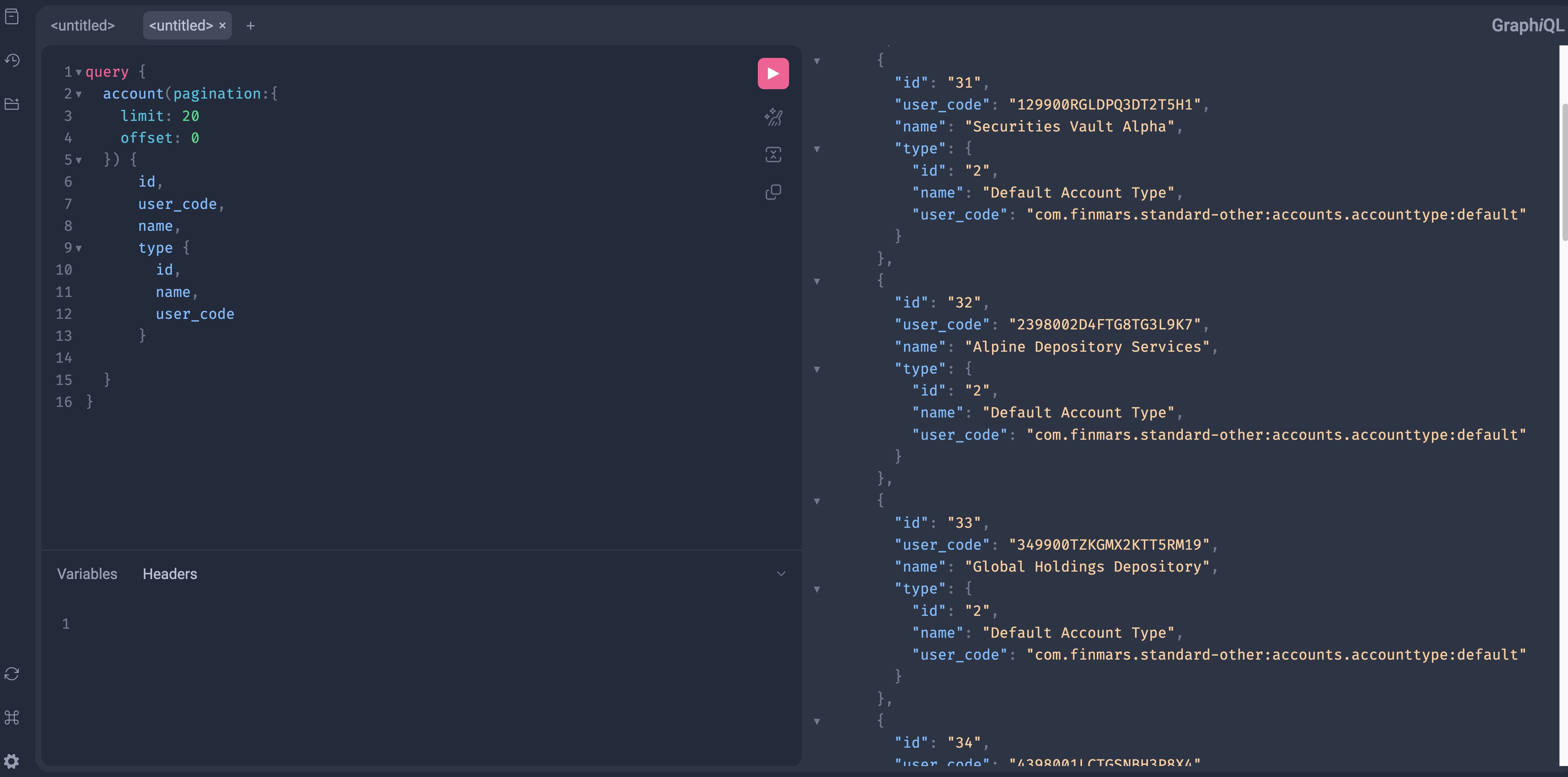
You can access Documentation
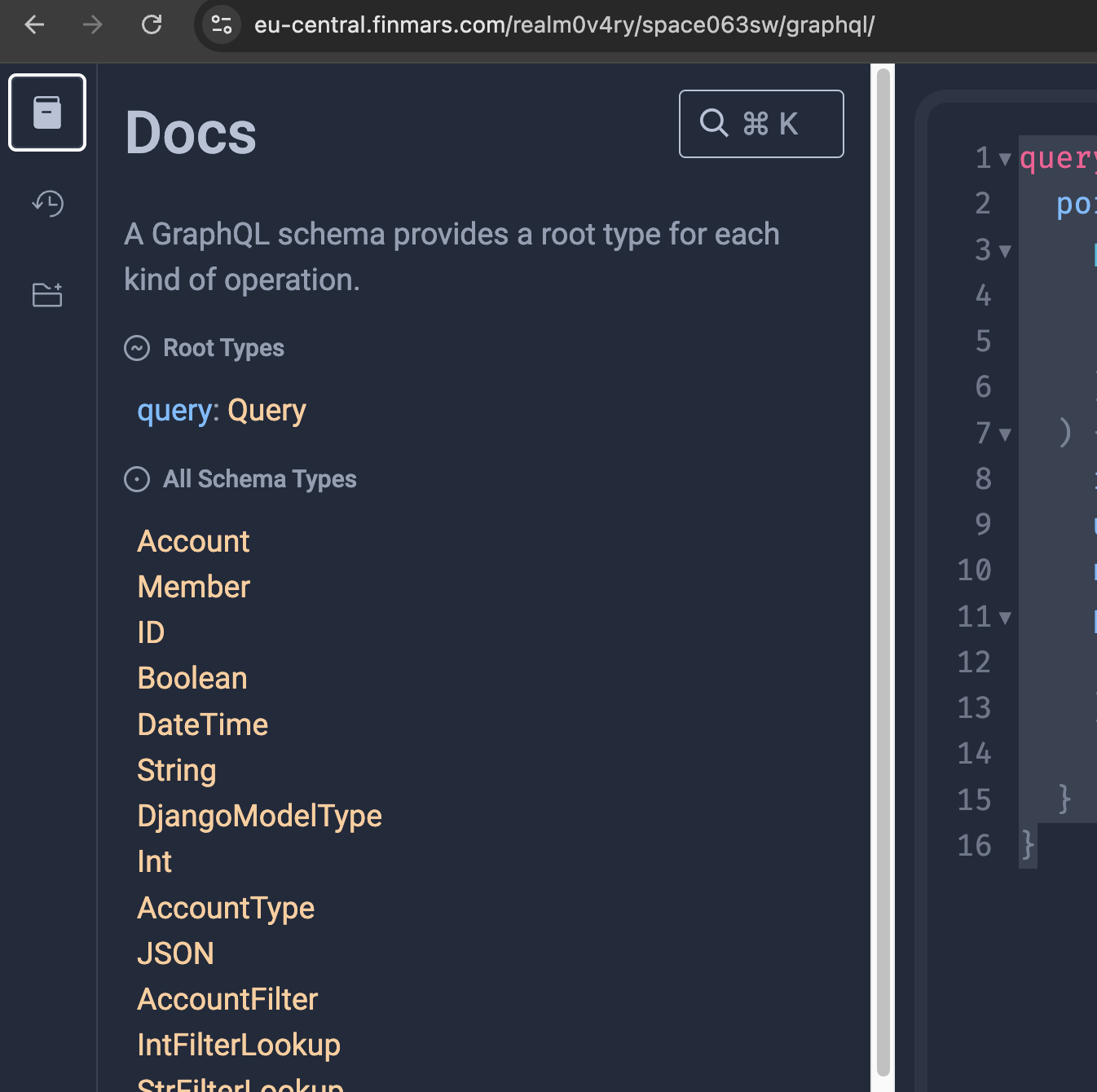
Now you can navigate on Schema
To see what operation you could call, click on "Query"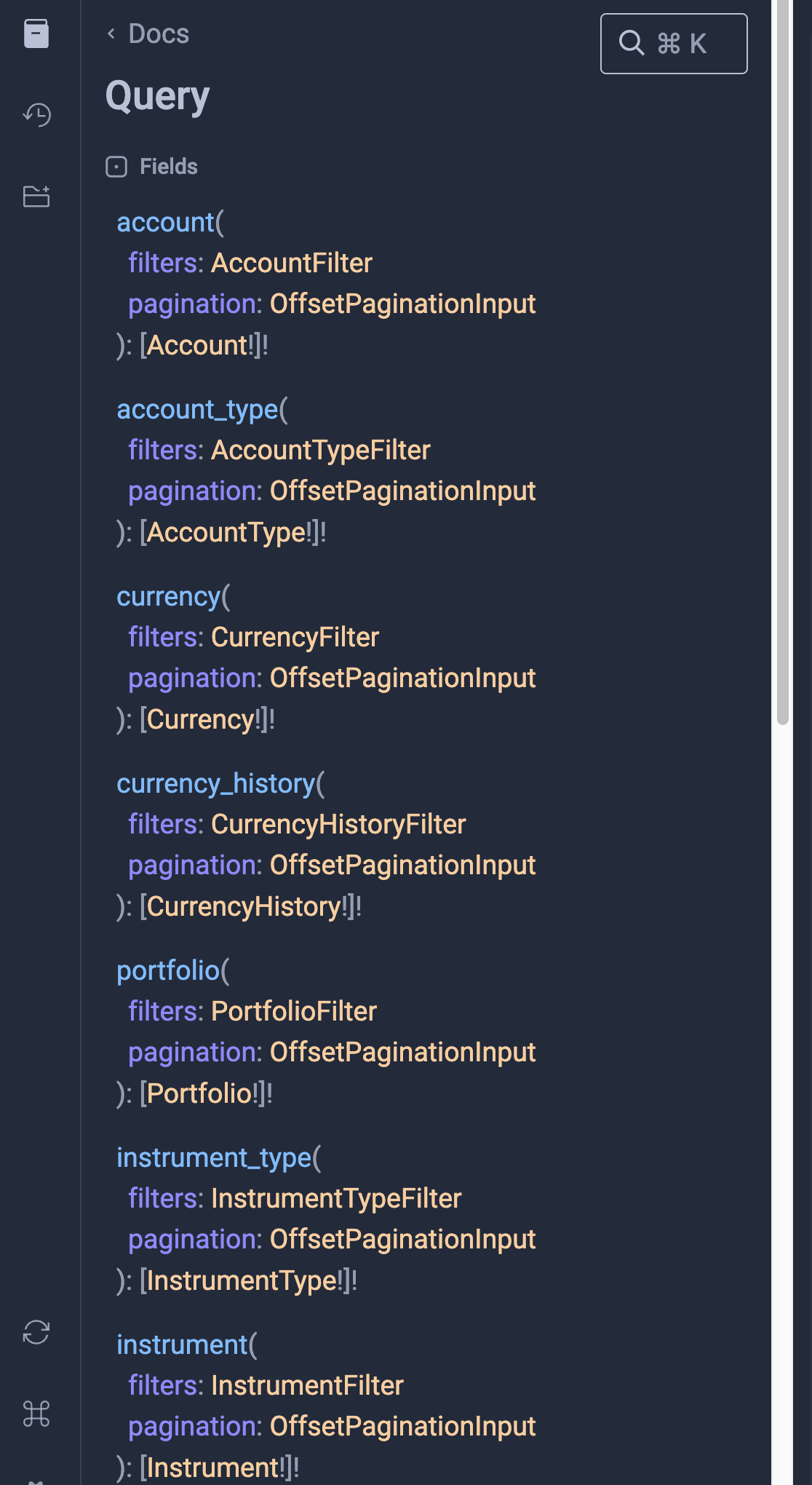
Here is the list of supported operations.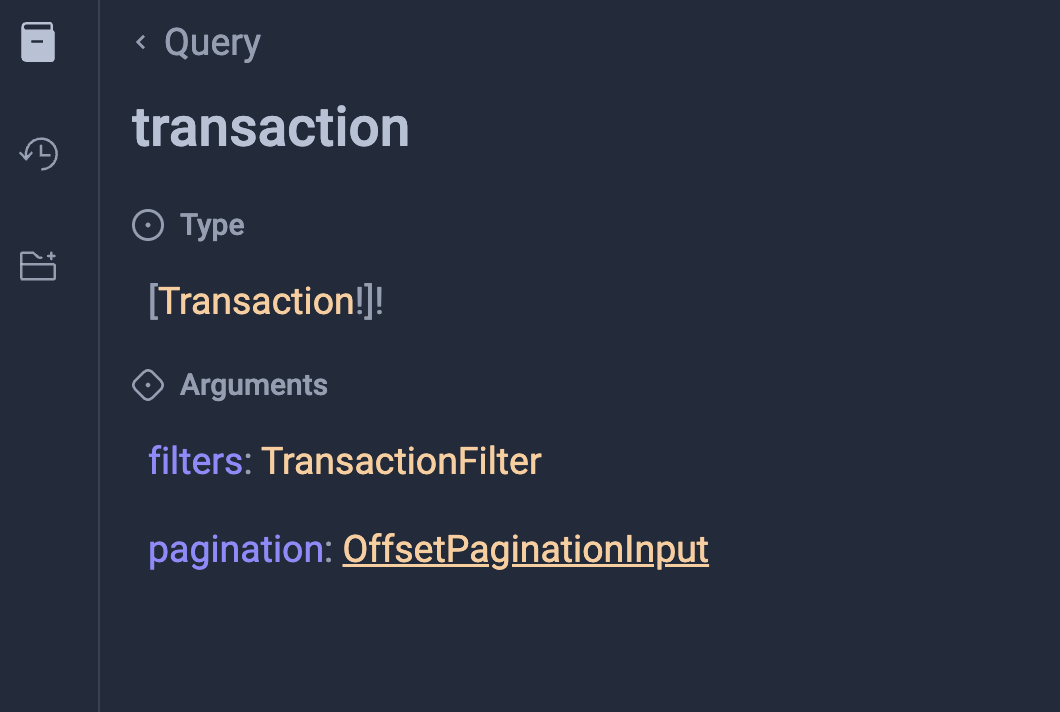
So, here you can see "Type" it will show to you all available Fields to work with in your Query
Also you can see "Filters" and "Pagination". These sections will show you how to configure your Query to work with data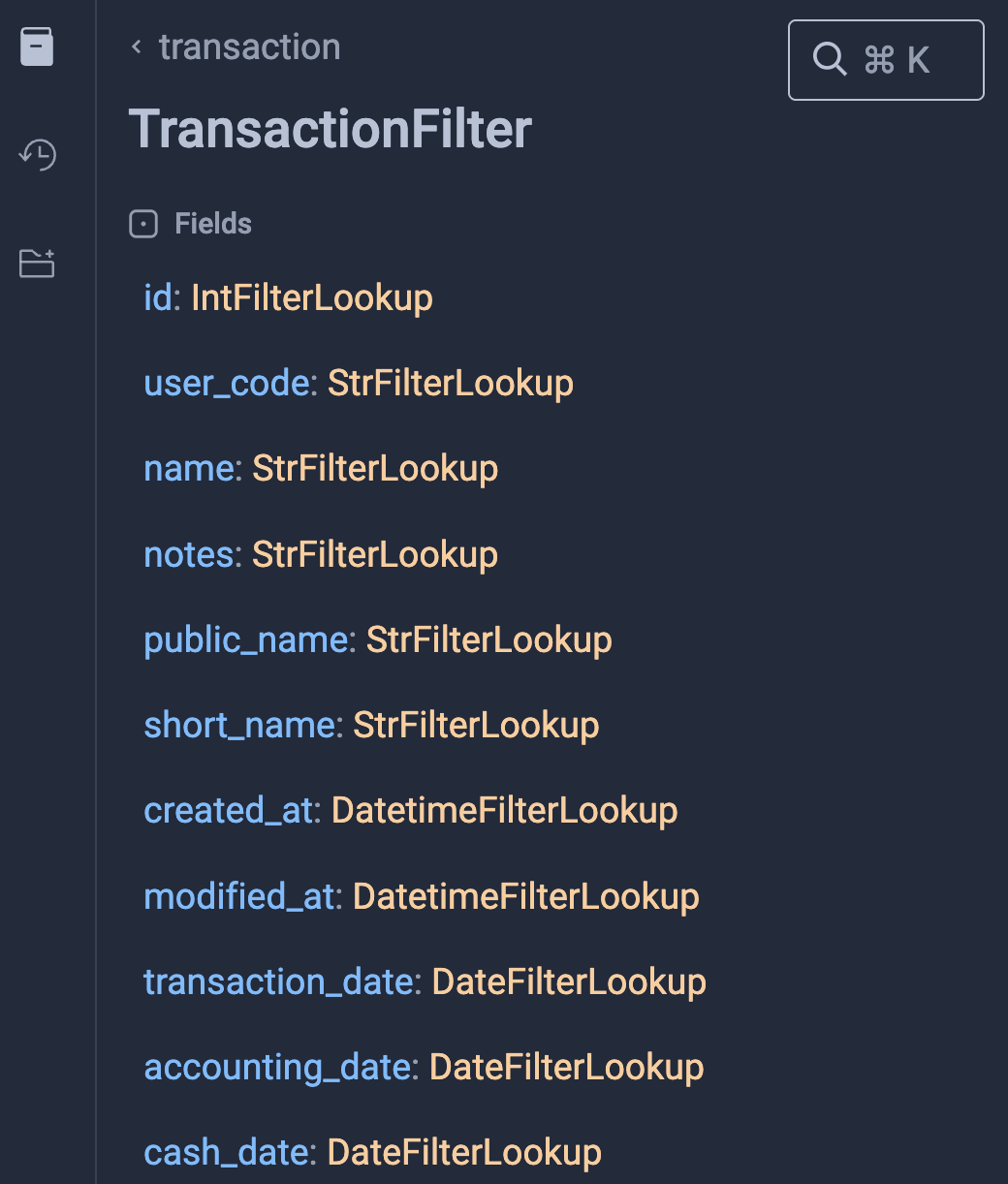
For example you could see that there is String filters and Data Filters. Other Relations fields also could be filters
Access to Graphql from code
GraphQL Endpoint
Finmars exposes GraphQL via a single endpoint.
:realm_code:/:space_code:/graphql/This endpoint supports:
- Queries
- Mutations
- Schema introspection
How to Access the Endpoint
Authentication
GraphQL uses the same authentication as the REST API.
Usually:
- Keycloak Auth Token (web)
- Authorization header (JWT tokens) You can get Token here: https://docs.finmars.com/books/api-access-key/page/generate-and-use-access-token
"DEFAULT_AUTHENTICATION_CLASSES": (
   "poms.common.authentication.JWTAuthentication",
   "poms.common.authentication.KeycloakAuthentication",
),
If you are not authenticated:
- Requests will fail
- Data will not be returned
From Code
Send a POST request to /graphql/.
import requests

url = "https://finmars.example.com/:realm_code:/:space_code:/graphql/"

headers = {
    "Authorization": "Bearer JWT_TOKEN",
    "Content-Type": "application/json"
}

query = """
query {
  account(pagination: {
    limit: 20
    offset: 0
  }) {
    id
    user_code
    name
    type {
      id
      name
      user_code
    }
  }
}
"""

payload = {
    "query": query
}

response = requests.post(url, json=payload, headers=headers)

if response.status_code == 200:
    print(response.json())
else:
    print(response.status_code, response.text)
And Response
{
  "data": {
    "account": [
      {
        "id": "11",
        "user_code": "129900RGLDPQ3DT2T5H1",
        "name": "Securities Vault Alpha",
        "type": {
          "id": "2",
          "name": "Default Account Type",
          "user_code": "com.finmars.standard-other:accounts.accounttype:default"
        }
      },
      {
        "id": "12",
        "user_code": "2398002D4FTG8TG3L9K7",
        "name": "Alpine Depository Services",
        "type": {
          "id": "2",
          "name": "Default Account Type",
          "user_code": "com.finmars.standard-other:accounts.accounttype:default"
        }
      }
    ]
  }
}
Well done!
Get Accounts in Graphql
This query returns a list of accounts with basic fields and account type.
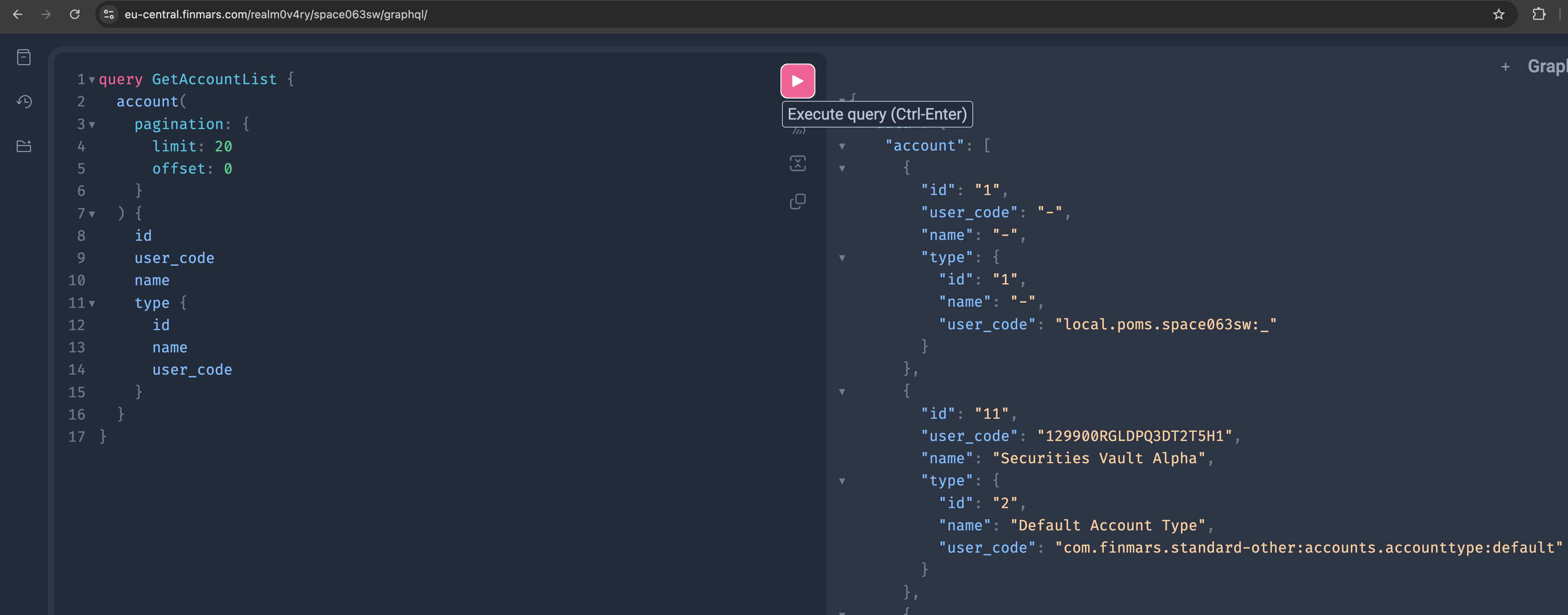
GraphQL Query
query GetAccountList {
  account(
    pagination: {
      limit: 20
      offset: 0
    }
  ) {
    id
    user_code
    name
    type {
      id
      name
      user_code
    }
  }
}
Python Example
import requests

url = "https://<domain_name>/<realm_code>/<space_code>/graphql/"

headers = {
    "Authorization": "Bearer <access_token>",
    "Content-Type": "application/json"
}

payload = {
    "query": """
    query GetAccountList {
      account(
        pagination: {
          limit: 20
          offset: 0
        }
      ) {
        id
        user_code
        name
        type {
          id
          name
          user_code
        }
      }
    }
    """
}

response = requests.post(url, json=payload, headers=headers)
print(response.json())
What This Query Does
- Fetches a paginated list of accounts
- Returns only required fields
- Includes related account type
- Uses a single API call
Notes
- Change
limitandoffsetfor paging - Add or remove fields as needed
- Query name helps with debugging and logs
Get Portfolios in Graphql
This query returns a list of portfolios with basic fields.
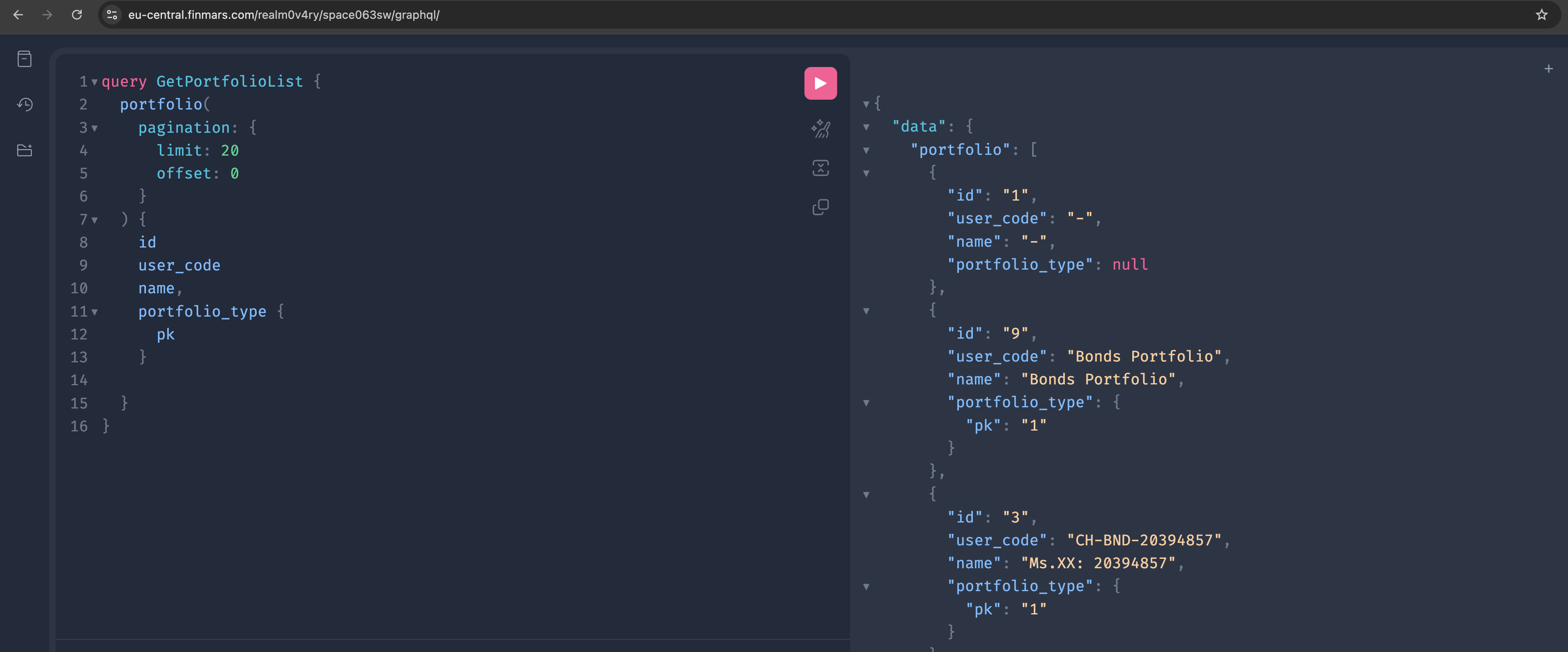
GraphQL Query
query GetPortfolioList {
  portfolio(
    pagination: {
      limit: 20
      offset: 0
    }
  ) {
    id
    user_code
    name,
    portfolio_type {
      pk
    }

  }
}
Python Example
import requests

url = "https://<domain_name>/<realm_code>/<space_code>/graphql/"

headers = {
    "Authorization": "Bearer <access_token>",
    "Content-Type": "application/json"
}

payload = {
    "query": """
    query GetPortfolioList {
      portfolio(
        pagination: {
          limit: 20
          offset: 0
        }
      ) {
        id
        user_code
        name
        portfolio_type {
          pk
        }
      }
    }
    """
}

response = requests.post(url, json=payload, headers=headers)
print(response.json())
What This Query Does
- Fetches a paginated list of portfolios
- Returns core portfolio fields
- Includes portfolio currency
- Uses one GraphQL request
Get Portfolio History in Graphql
This query returns historical NAV values for portfolios.
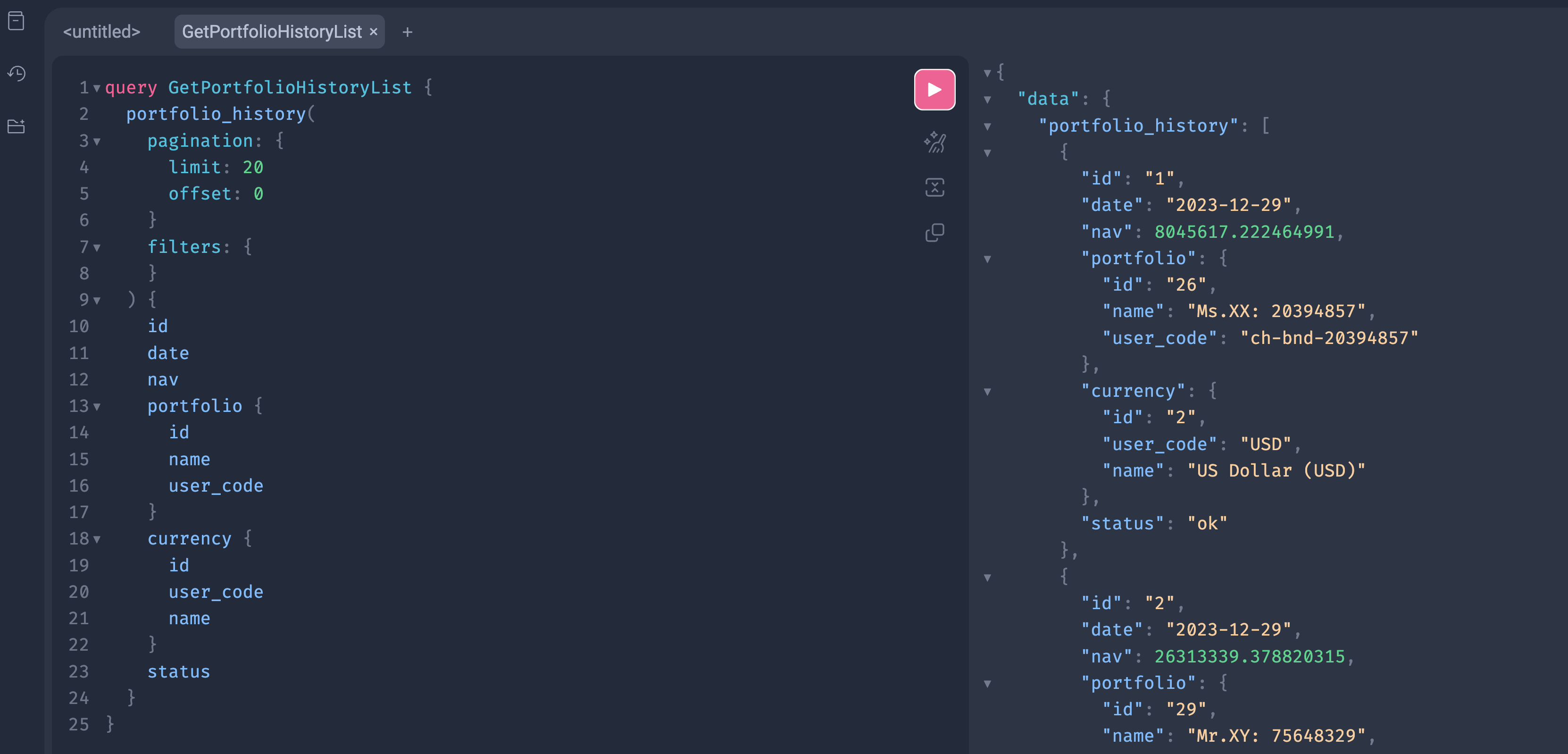
GraphQL Query
query GetPortfolioHistoryList {
  portfolio_history(
    pagination: {
      limit: 20
      offset: 0
    }
    filters: {
    }
  ) {
    id
    date
    nav
    portfolio {
      id
      name
      user_code
    }
    currency {
      id
      user_code
      name
    }
    status
  }
}
Python Example
import requests

url = "https://<domain_name>/<realm_code>/<space_code>/graphql/"

headers = {
    "Authorization": "Bearer <access_token>",
    "Content-Type": "application/json"
}

payload = {
    "query": """
    query GetPortfolioHistoryList {
      portfolio_history(
        pagination: {
          limit: 20
          offset: 0
        }
        filters: {
        }
      ) {
        id
        date
        nav
        portfolio {
          id
          name
          user_code
        }
        currency {
          id
          user_code
          name
        }
        status
      }
    }
    """
}

response = requests.post(url, json=payload, headers=headers)
print(response.json())
Notes
- Empty
filtersblock is valid - Add filters to limit results
Example filter:
portfolio: {
  user_code: { exact: "Commodity Portfolio" }
}- Pagination is required
- Dates use ISO format
statusshows calculation state
Get Currencies in Graphql
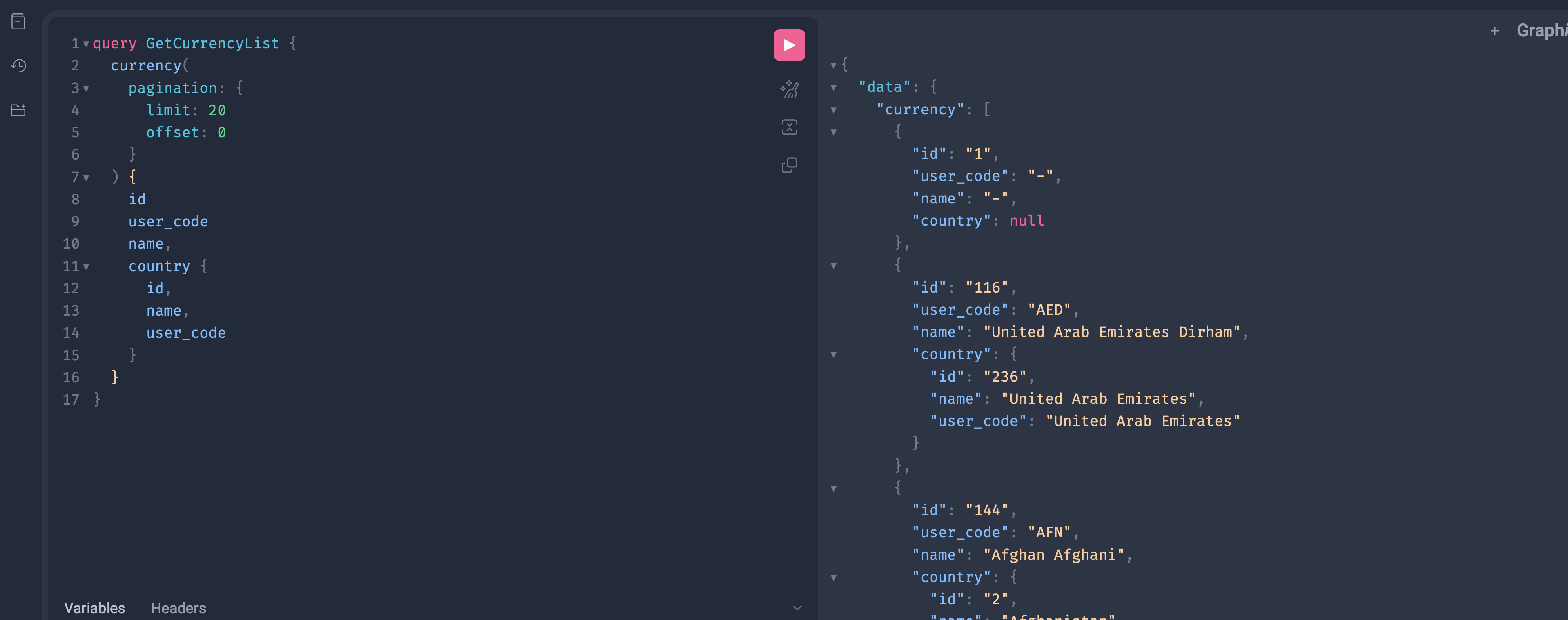
This query returns a list of currencies.
GraphQL Query
query GetCurrencyList {
  currency(
    pagination: {
      limit: 20
      offset: 0
    }
  ) {
    id
    user_code
    name,
    country {
      id,
      name,
      user_code
    }
  }
}
Python Example
import requests

url = "https://<domain_name>/<realm_code>/<space_code>/graphql/"

headers = {
    "Authorization": "Bearer <access_token>",
    "Content-Type": "application/json"
}

payload = {
    "query": """
    query GetCurrencyList {
      currency(
        pagination: {
          limit: 20
          offset: 0
        }
      ) {
        id
        user_code
        name
        country {
          id,
          name,
          user_code
        }
      }
    }
    """
}

response = requests.post(url, json=payload, headers=headers)
print(response.json())
What This Query Does
- Fetches a paginated list of currencies
- Returns standard currency fields
- One request, no extra endpoints
Get FX Rates in Graphql
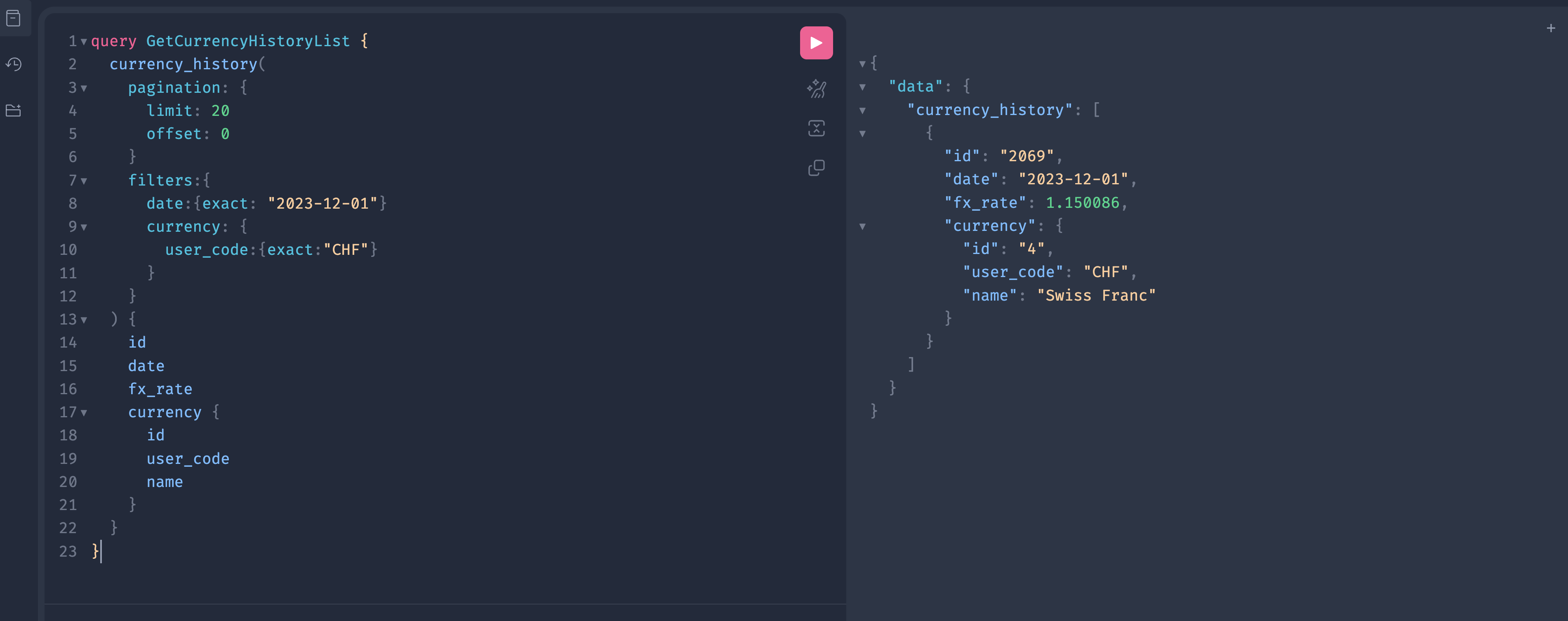
This query returns currency rates for a specific date and specific currency.
GraphQL Query
query GetCurrencyHistoryList {
  currency_history(
    pagination: {
      limit: 20
      offset: 0
    }
    filters: {
      date: {
        exact: "2023-12-01"
      }
      pricing_policy: {
        user_code:{
          exact: "com.finmars.standard-pricing:standard"
        }
      }
      currency: {
        user_code: {
          exact: "CHF"
        }
      }
    }
  ) {
    id
    date
    fx_rate
    currency {
      id
      user_code
      name
    }
  }
}
Python Example
import requests

url = "https://<domain_name>/<realm_code>/<space_code>/graphql/"

headers = {
    "Authorization": "Bearer <access_token>",
    "Content-Type": "application/json"
}

payload = {
    "query": """
    query GetCurrencyHistoryList {
      currency_history(
        pagination: {
          limit: 20
          offset: 0
        }
        filters: {
          date: {
            exact: "2023-12-01"
          }
          pricing_policy: {
            user_code:{
              exact: "com.finmars.standard-pricing:standard"
            }
          }
          currency: {
            user_code: {
              exact: "CHF"
            }
          }
        }
      ) {
        id
        date
        fx_rate
        currency {
          id
          user_code
          name
        }
      }
    }
    """
}

response = requests.post(url, json=payload, headers=headers)
print(response.json())
Filter Highlights
Exact Match
date: {
  exact: "2023-12-01"
}- Matches one exact value
- Type must match schema
- Dates are strings in ISO format
Nested Filters
currency: {
  user_code: {
    exact: "CHF"
  }
}Common Filter Types
Typical filters you may see:
exactincontainsgte,lteisnull
Available filters depend on the field type.
Important Notes
- Filters are optional
- Multiple filters are combined with AND
- Wrong field names cause schema errors
- Always check the schema panel
This pattern applies to all list queries in Finmars GraphQL.
Get Instruments in Graphql
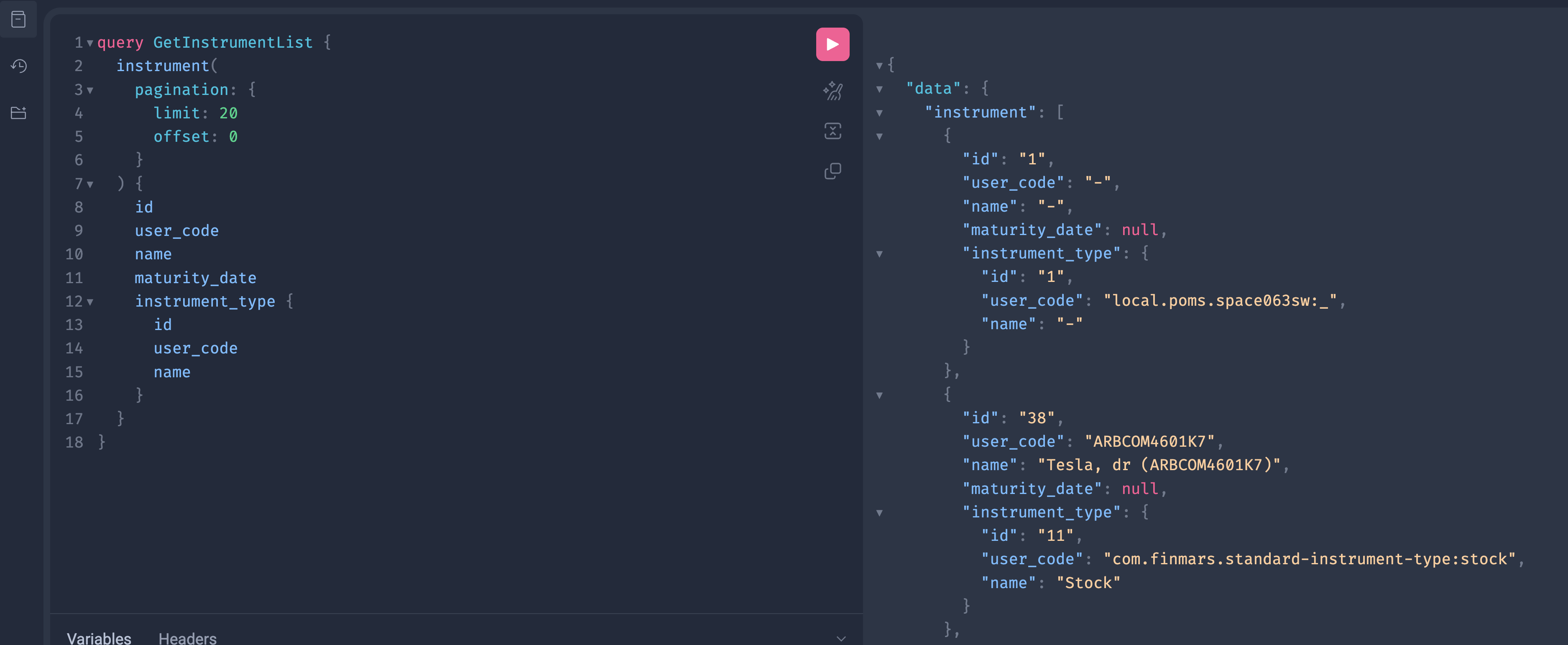
This query returns a list of instruments with basic fields and instrument type.
GraphQL Query
query GetInstrumentList {
  instrument(
    pagination: {
      limit: 20
      offset: 0
    }
  ) {
    id
    user_code
    name
    maturity_date
    instrument_type {
      id
      user_code
      name
    }
  }
}
Python Example
import requests

url = "https://<domain_name>/<realm_code>/<space_code>/graphql/"

headers = {
    "Authorization": "Bearer <access_token>",
    "Content-Type": "application/json"
}

payload = {
    "query": """
    query GetInstrumentList {
      instrument(
        pagination: {
          limit: 20
          offset: 0
        }
      ) {
        id
        user_code
        name
        maturity_date
        instrument_type {
          id
          user_code
          name
        }
      }
    }
    """
}

response = requests.post(url, json=payload, headers=headers)
print(response.json())
Notes
- Field names must match the schema (
maturity_date,instrument_type, etc.) - Add filters the same way as in
currency_historywhen needed (Previous documentation page)
Get Prices in Graphql
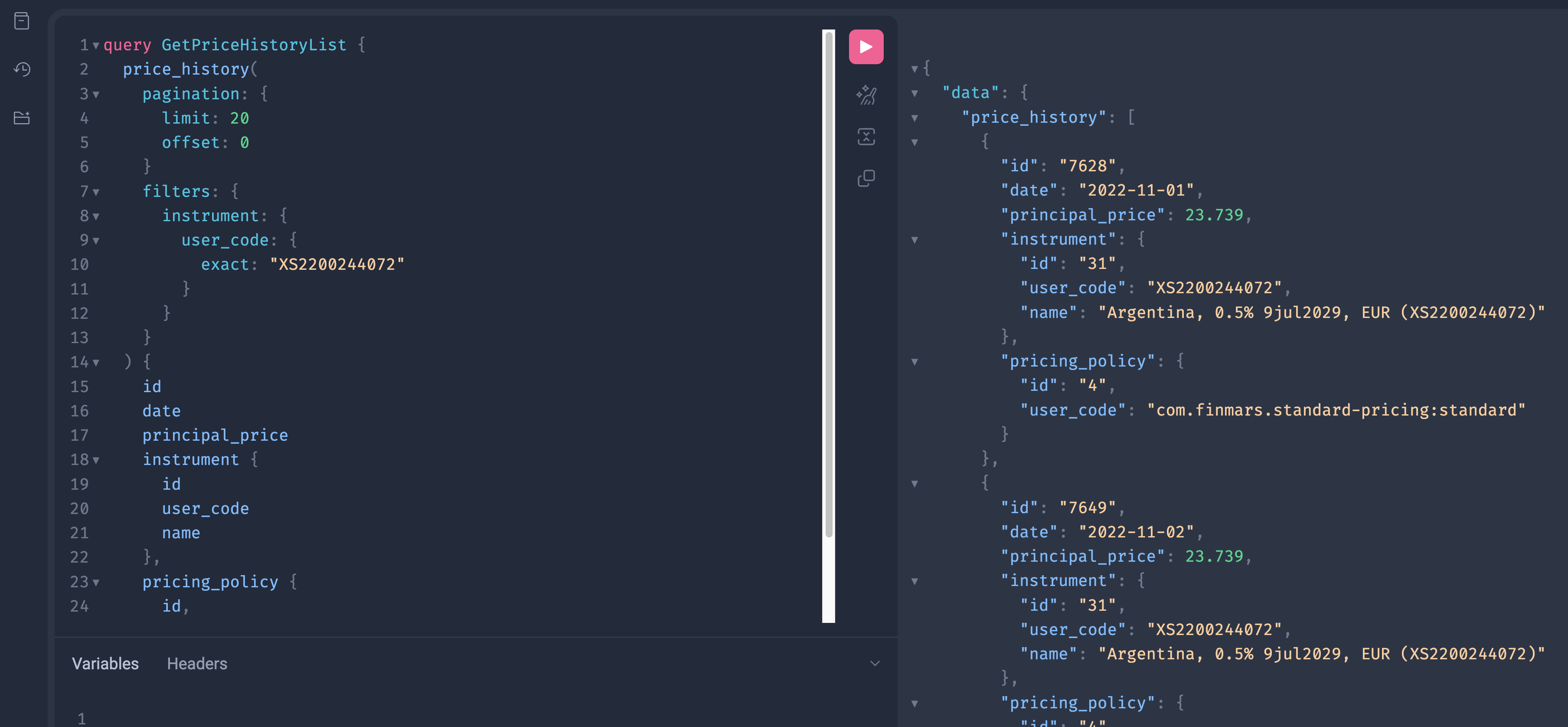
This query returns price history rows for one instrument (by user_code).
GraphQL Query
query GetPriceHistoryList {
  price_history(
    pagination: {
      limit: 20
      offset: 0
    }
    filters: {
      instrument: {
        user_code: {
          exact: "XS2200244072"
        }
      }
      pricing_policy: {
        user_code:{
          exact: "com.finmars.standard-pricing:standard"
        }
      }
    }
  ) {
    id
    date
    principal_price
    instrument {
      id
      user_code
      name
    }
    pricing_policy {
      id
      user_code
    }
  }
}
Filter Highlights
Filter by Related Object Field
filters: {
  instrument: {
    user_code: { exact: "XS2200244072" }
  }
}instrumentis a related object.- You can filter it by its fields.
exactmeans strict match.
Why Use user_code
- Stable identifier for business use.
- No need to know internal
id.
Notes
- Add a date filter if you want one day only:
date: { exact: "2023-12-01" }- Pagination stays the same for list queries.
Get Transactions in Graphql
This query returns transactions for one portfolio and an accounting date range.
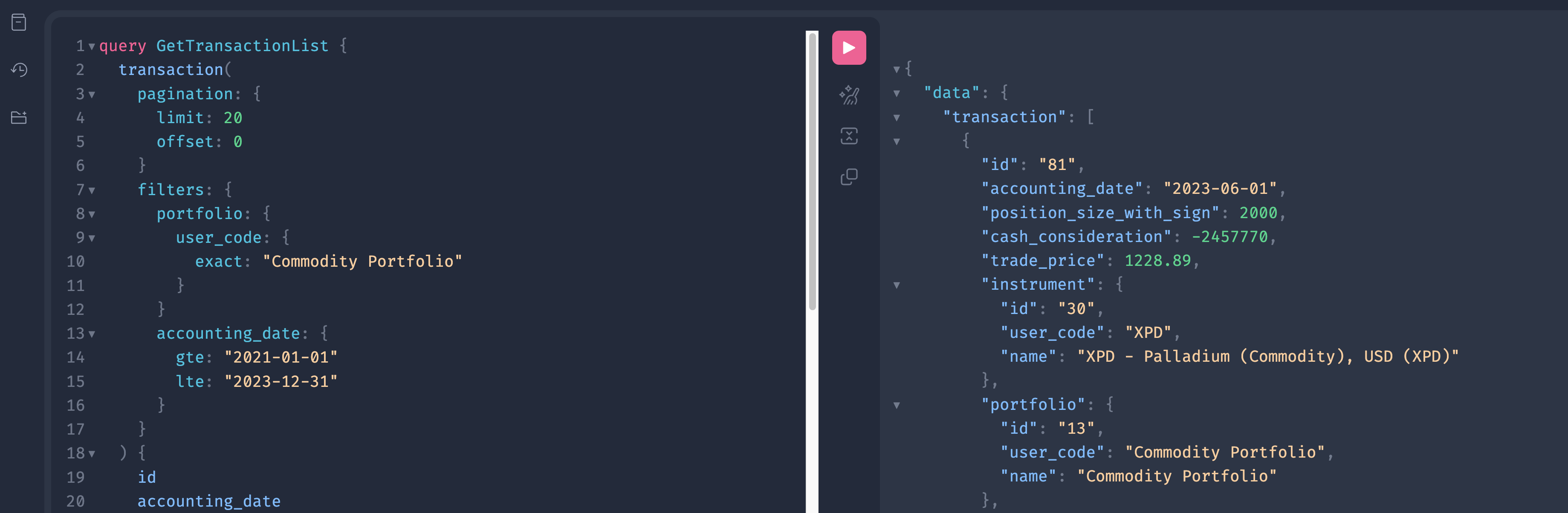
GraphQL Query
query GetTransactionList {
  transaction(
    pagination: {
      limit: 20
      offset: 0
    }
    filters: {
      portfolio: {
        user_code: {
          exact: "Commodity Portfolio"
        }
      }
      accounting_date: {
        gte: "2021-01-01"
        lte: "2023-12-31"
      }
    }
  ) {
    id
    accounting_date
    position_size_with_sign
    cash_consideration
    trade_price
    instrument {
      id
      user_code
      name
    }
    portfolio {
      id
      user_code
      name
    }
    account_cash {
      id
      user_code
      name
    }
    account_position {
      id
      user_code
      name
    }
    transaction_class {
      id
      user_code
      name
    }
  }
}
Filter Highlights
Filter by Portfolio (nested filter)
portfolio: {
  user_code: { exact: "Commodity Portfolio" }
}portfoliois a related object.- You filter it by its field
user_code. exactmeans strict match.
Filter by Date Range
accounting_date: {
  gte: "2021-01-01"
  lte: "2023-12-31"
}gte= start date (inclusive)lte= end date (inclusive)- Use ISO format:
YYYY-MM-DD
How filters work together
All filters in one filters block are combined with AND.
So this query means:
- portfolio user_code is exactly
"Commodity Portfolio"
AND - accounting_date is between
2021-01-01and2023-12-31
Get Balance Report In Graphql
This query returns a balance report for selected portfolios on a given date.
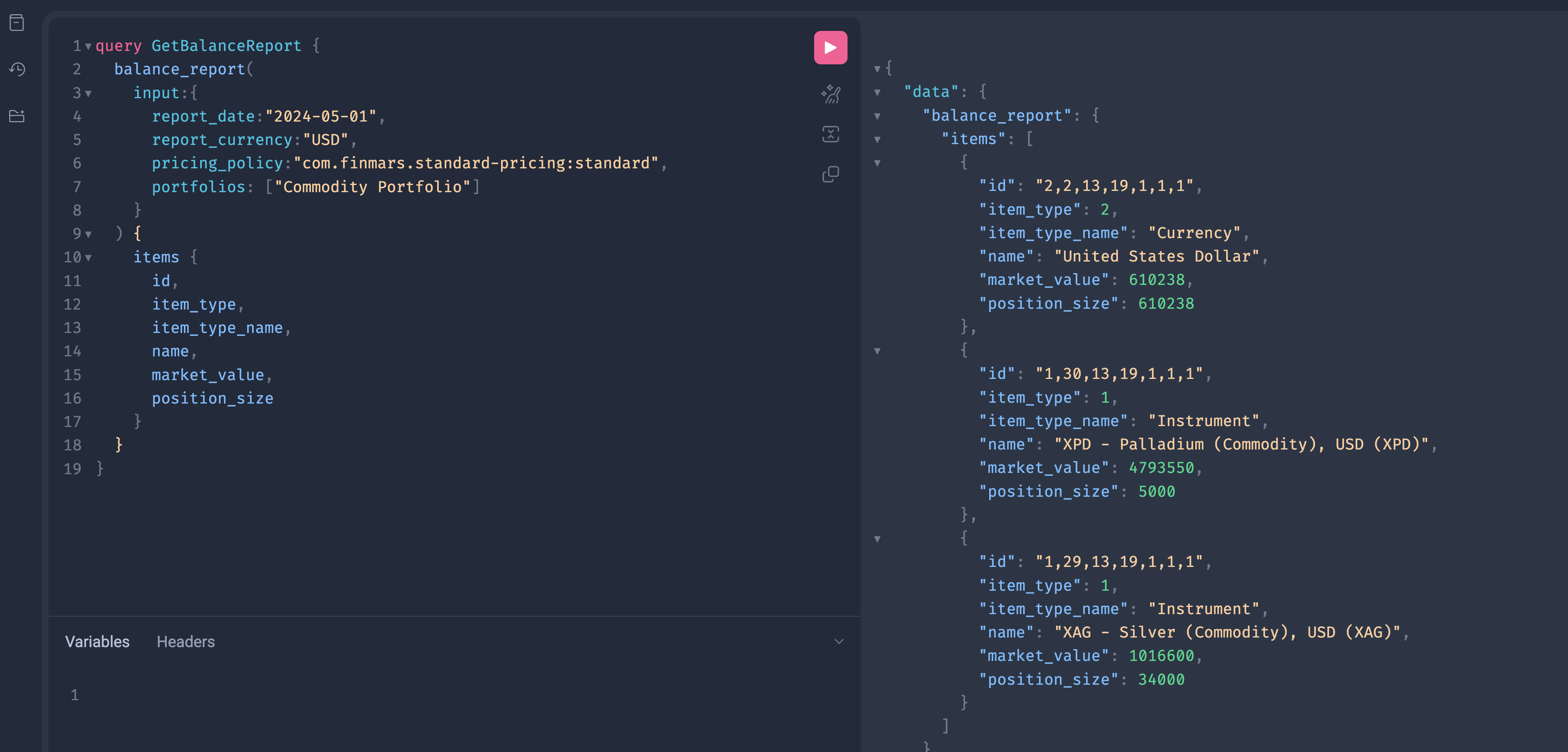
GraphQL Query
query GetBalanceReport {
  balance_report(
    input: {
      report_date: "2024-05-01"
      report_currency: "USD"
      pricing_policy: "com.finmars.standard-pricing:standard"
      portfolios: ["Commodity Portfolio"]
    }
  ) {
    items {
      id
      item_type
      item_type_name
      name
      market_value
      position_size
    }
  }
}
Input Highlights
Report Date
report_date: "2024-05-01"- Snapshot date
- ISO date format
- Required field
Report Currency
report_currency: "USD"- Output currency
- Must exist in the system
Pricing Policy
pricing_policy: "com.finmars.standard-pricing:standard"- Defines valuation rules
- Uses pricing engine configuration
- Required for valuation
Portfolios
portfolios: ["Commodity Portfolio"]- List of portfolio user codes
- Supports multiple portfolios
Python Code
import requests

url = "https://<domain_name>/<realm_code>/<space_code>/graphql/"

headers = {
    "Authorization": "Bearer <access_token>",
    "Content-Type": "application/json"
}

payload = {
    "query": """
    query GetBalanceReport {
      balance_report(
        input: {
          report_date: "2024-05-01"
          report_currency: "USD"
          pricing_policy: "com.finmars.standard-pricing:standard"
          portfolios: ["Commodity Portfolio"]
        }
      ) {
        items {
          id
          item_type
          item_type_name
          name
          market_value
          position_size
        }
      }
    }
    """
}

response = requests.post(url, json=payload, headers=headers)
print(response.json())
Notes
- This is not a list query.
- No pagination.
- Uses
inputinstead offilters. - Report queries execute calculations.
Get Profit & Loss (PNL) Report in Graphql
This query returns a pnl report for selected portfolios on a given date.
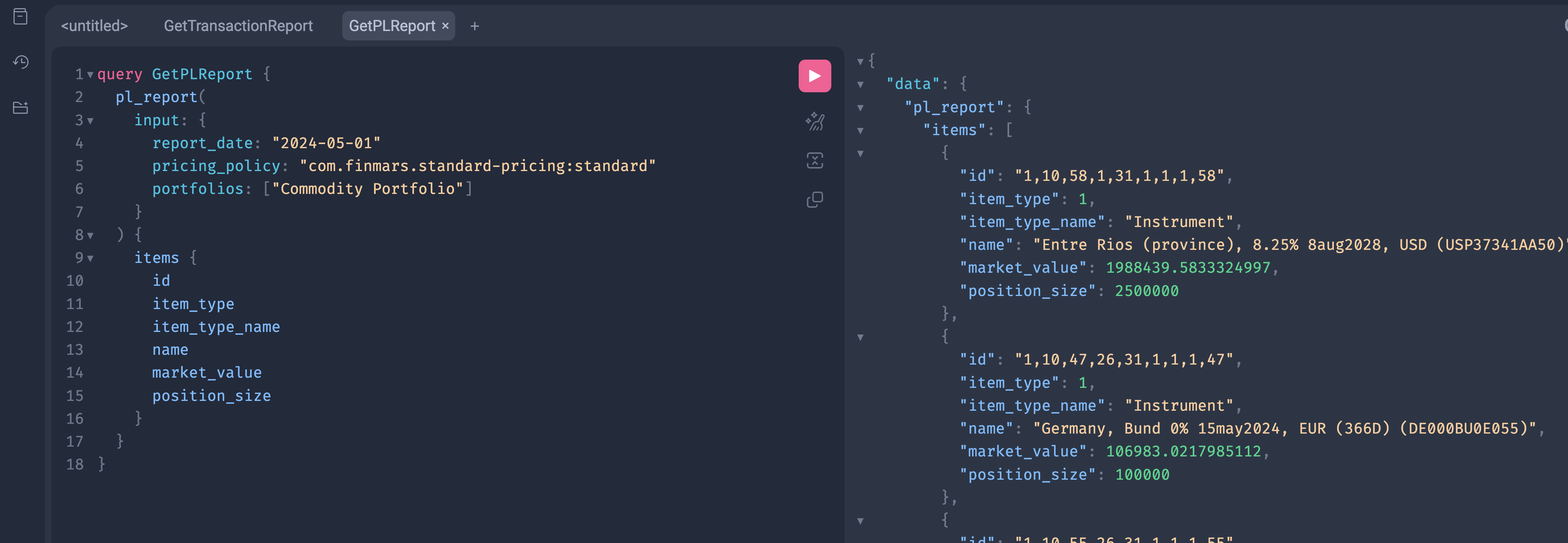
GraphQL Query
query GetPLReport {
  pl_report(
    input: {
      report_date: "2024-05-01"
      pricing_policy: "com.finmars.standard-pricing:standard"
      portfolios: ["Commodity Portfolio"]
    }
  ) {
    items {
      id
      item_type
      item_type_name
      name
      market_value
      position_size
    }
  }
}
Input Highlights
Report Date
report_date: "2024-05-01"- Snapshot date
- ISO date format
- Required field
PL First Date
pl_first_date: "2024-01-01"- Snapshot date
- ISO date format
- Required field
- Basically its a "date from"
Report Currency
report_currency: "USD"- Output currency
- Must exist in the system
Pricing Policy
pricing_policy: "com.finmars.standard-pricing:standard"- Defines valuation rules
- Uses pricing engine configuration
- Required for valuation
Portfolios
portfolios: ["Commodity Portfolio"]- List of portfolio user codes
- Supports multiple portfolios
Python Code
import requests

url = "https://<domain_name>/<realm_code>/<space_code>/graphql/"

headers = {
    "Authorization": "Bearer <access_token>",
    "Content-Type": "application/json"
}

payload = {
    "query": """
query GetPLReport {
  pl_report(
    input: {
      report_date: "2024-05-01"
      pricing_policy: "com.finmars.standard-pricing:standard"
      portfolios: ["Commodity Portfolio"]
    }
  ) {
    items {
      id
      item_type
      item_type_name
      name
      market_value
      position_size
    }
  }
}
    """
}

response = requests.post(url, json=payload, headers=headers)
print(response.json())
Notes
- This is not a list query.
- No pagination.
- Uses
inputinstead offilters. - Report queries execute calculations.
Get Performance Report in Graphql
This query returns performance metrics for one or more portfolio registers.
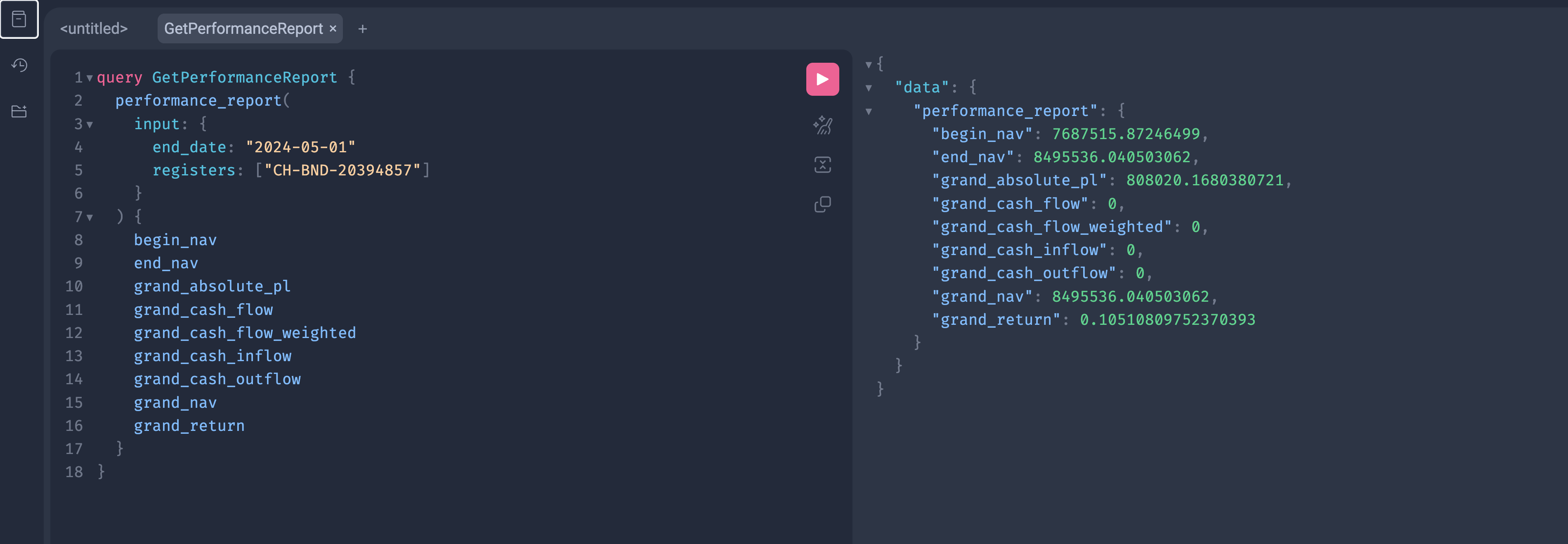
GraphQL Query
query GetPerformanceReport {
  performance_report(
    input: {
      end_date: "2024-05-01"
      registers: ["CH-BND-20394857"]
    }
  ) {
    begin_nav
    end_nav
    grand_absolute_pl
    grand_cash_flow
    grand_cash_flow_weighted
    grand_cash_inflow
    grand_cash_outflow
    grand_nav
    grand_return
  }
}
Input Fields
end_date
end_date: "2024-05-01"- Report end date
- Required field
- ISO date format
registers
registers: ["CH-BND-20394857"]- List of portfolio register user codes
- At least one register is required
- Supports multiple registers
Output Fields
NAV Values
Cash Flow Metrics
grand_cash_flowgrand_cash_flow_weightedgrand_cash_inflowgrand_cash_outflow
Performance Metrics
grand_absolute_pl— absolute profit or lossgrand_return— total return
Python Code
import requests

url = "https://<domain_name>/<realm_code>/<space_code>/graphql/"

headers = {
    "Authorization": "Bearer <access_token>",
    "Content-Type": "application/json"
}

payload = {
    "query": """
    query GetPerformanceReport {
      performance_report(
        input: {
          end_date: "2024-05-01"
          registers: ["CH-BND-20394857"]
        }
      ) {
        begin_nav
        end_nav
        grand_absolute_pl
        grand_cash_flow
        grand_cash_flow_weighted
        grand_cash_inflow
        grand_cash_outflow
        grand_nav
        grand_return
      }
    }
    """
}

response = requests.post(url, json=payload, headers=headers)
print(response.json())
Notes
- This is a calculated report
- No pagination
- Uses
input, notfilters - Default calculation method is applied if not provided
- Execution time depends on data volume
Get Transaction Report in Graphql
This query returns calculated transaction report rows for a given date range.
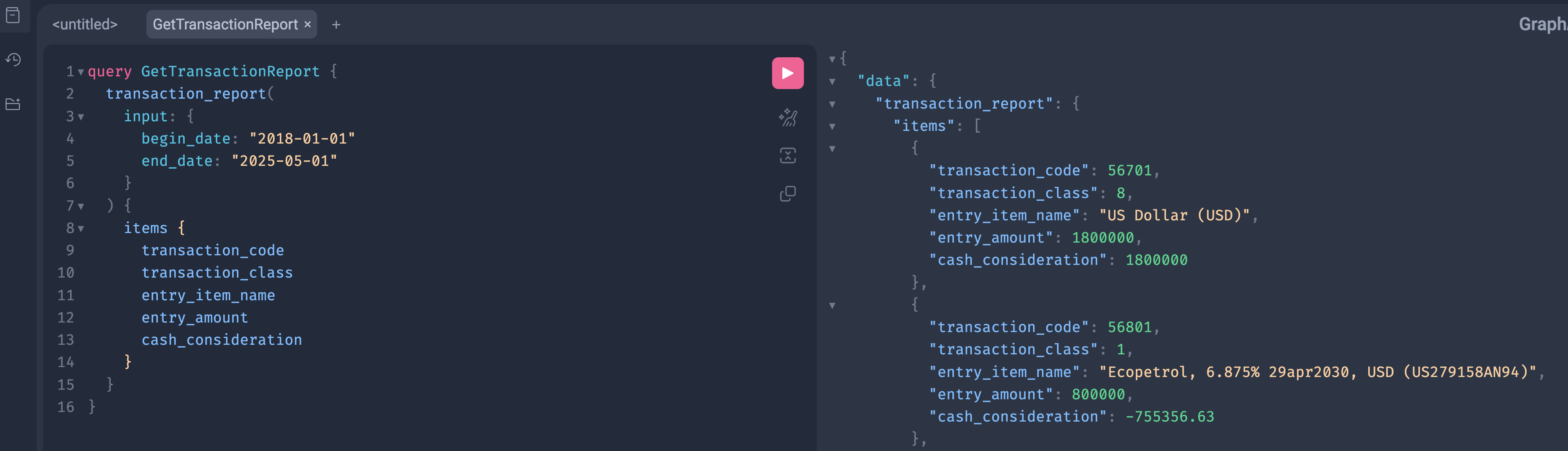
GraphQL Query
query GetTransactionReport {
  transaction_report(
    input: {
      begin_date: "2018-01-01"
      end_date: "2025-05-01"
    }
  ) {
    items {
      transaction_code
      transaction_class
      entry_item_name
      entry_amount
      cash_consideration
    }
  }
}
Input Fields
begin_date
begin_date: "2018-01-01"- Report start date
- Optional in some setups
- ISO format
end_date
end_date: "2025-05-01"- Report end date
- Required
- ISO format
Output Fields
Each item represents one report row.
transaction_code— internal transaction identifiertransaction_class— transaction typeentry_item_name— report entry nameentry_amount— calculated amountcash_consideration— cash movement value
Only requested fields are returned.
Python Example
import requests

url = "https://<domain_name>/<realm_code>/<space_code>/graphql/"

headers = {
    "Authorization": "Bearer <access_token>",
    "Content-Type": "application/json"
}

payload = {
    "query": """
    query GetTransactionReport {
      transaction_report(
        input: {
          begin_date: "2018-01-01"
          end_date: "2025-05-01"
        }
      ) {
        items {
          transaction_code
          transaction_class
          entry_item_name
          entry_amount
          cash_consideration
        }
      }
    }
    """
}

response = requests.post(url, json=payload, headers=headers)
print(response.json())
Notes
- This is a report query, not a list endpoint
- No pagination
- Uses
input, notfilters - Execution time depends on date range
- Add more fields to
itemsif needed
Get Price History Check
This query returns a price history check report on a given date.
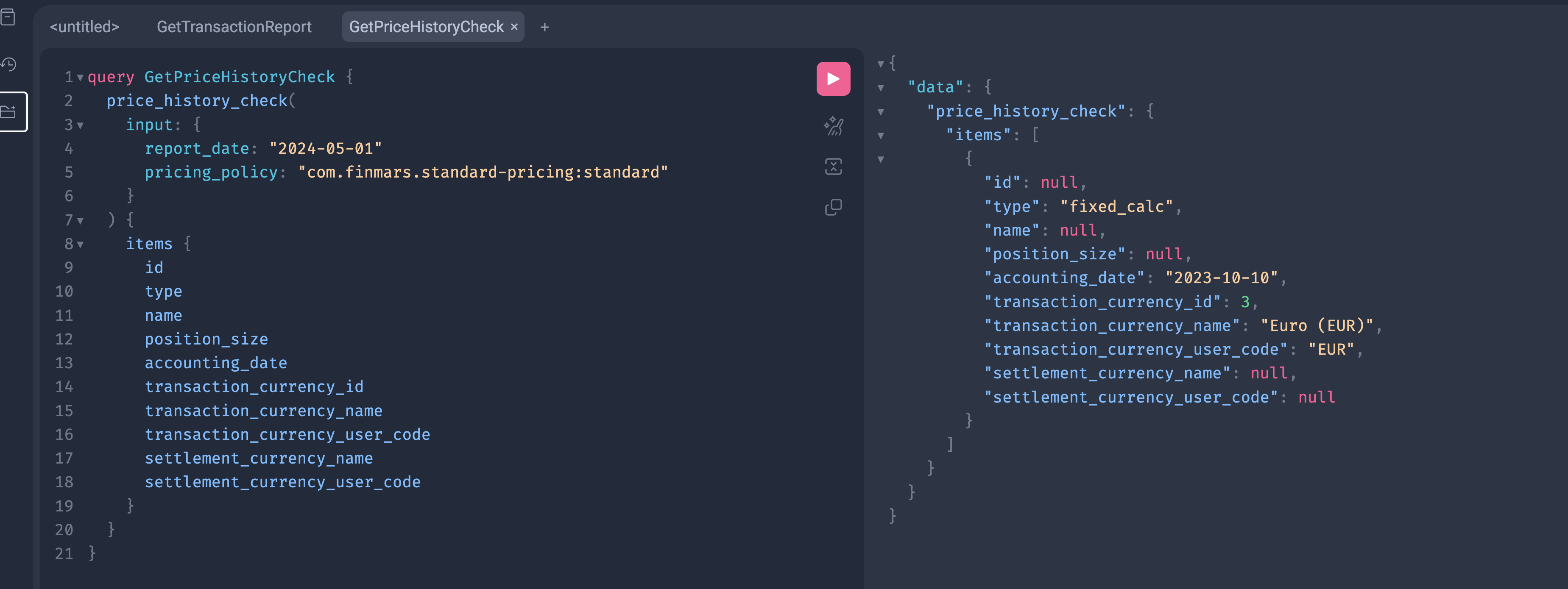
GraphQL Query
query GetPriceHistoryCheck {
  price_history_check(
    input: {
      report_date: "2024-05-01"
      pricing_policy: "com.finmars.standard-pricing:standard"
    }
  ) {
    items {
      id
			type
      name
      position_size
      accounting_date
      transaction_currency_id
      transaction_currency_name
      transaction_currency_user_code
      settlement_currency_name
      settlement_currency_user_code
    }
  }
}
Input Highlights
Report Date
report_date: "2024-05-01"- Snapshot date
- ISO date format
- Required field
PL First Date
pl_first_date: "2024-01-01"- Snapshot date
- ISO date format
- Required field
- Basically its a "date from"
Report Currency
report_currency: "USD"- Output currency
- Must exist in the system
Pricing Policy
pricing_policy: "com.finmars.standard-pricing:standard"- Defines valuation rules
- Uses pricing engine configuration
- Required for valuation
Portfolios
portfolios: ["Commodity Portfolio"]- List of portfolio user codes
- Supports multiple portfolios
Python Code
import requests

url = "https://<domain_name>/<realm_code>/<space_code>/graphql/"

headers = {
    "Authorization": "Bearer <access_token>",
    "Content-Type": "application/json"
}

payload = {
    "query": """
query GetPriceHistoryCheck {
  price_history_check(
    input: {
      report_date: "2024-05-01"
      pricing_policy: "com.finmars.standard-pricing:standard"
    }
  ) {
    items {
      id
			type
      name
      position_size
      accounting_date
      transaction_currency_id
      transaction_currency_name
      transaction_currency_user_code
      settlement_currency_name
      settlement_currency_user_code
    }
  }
}
    """
}

response = requests.post(url, json=payload, headers=headers)
print(response.json())
Notes
- This is not a list query.
- No pagination.
- Uses
inputinstead offilters. - Report queries execute calculations.