# How to Create a Price Entity
## Prerequisites
We assume you have all prerequisites you may need, including:
1. If needed: the VPN is configured to access the Finmars resources
2. If needed: access to the Virtual Machine to work with the sensitive information
3. Must have: registered in Finmars in the needed region environment (self-registered or registered by Finmars)
4. Must have: having permissions set to allow continue with the Action in the Guide
## Creation of Price Entity
1. Open the ****“Valuation”**** section in the left-hand side menu. Select the ****“Price”**** entity from the list under ****Valuation****.
[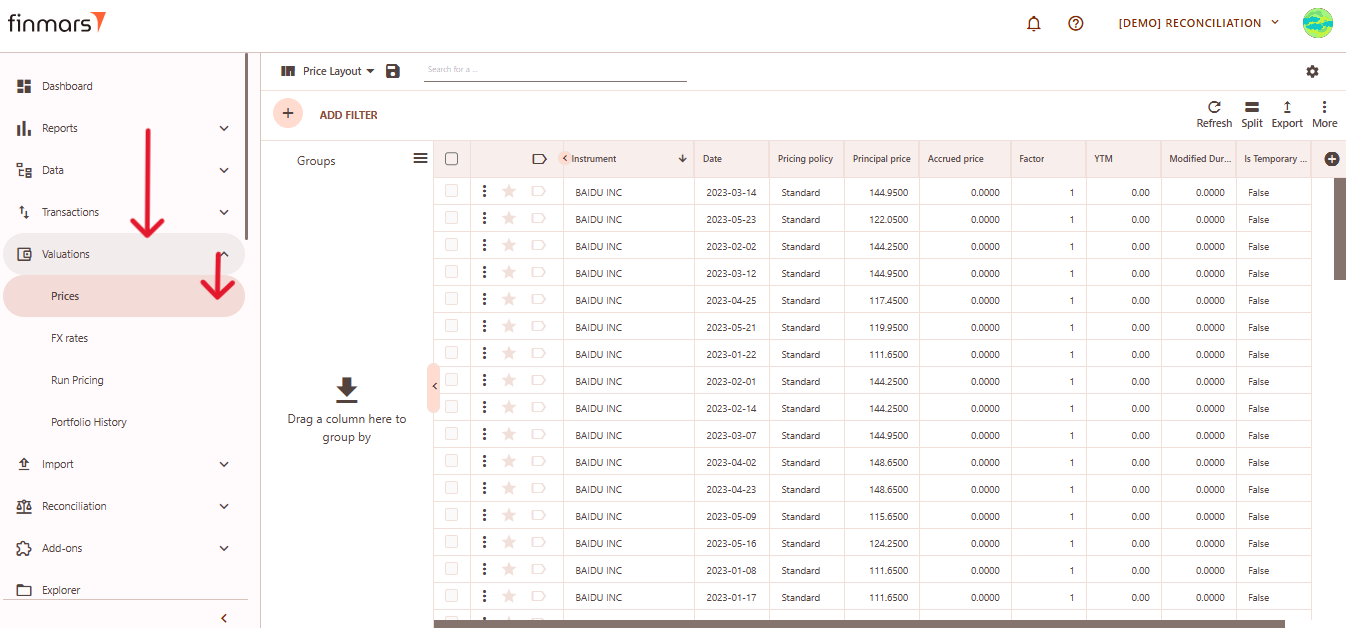](https://docs.finmars.com/uploads/images/gallery/2025-05/scaled-1680-/snimok-ekrana-2025-05-08-045350.png)
2. ****Click the “+ Add” button**** located in the top-left corner of the portfolio list view.
[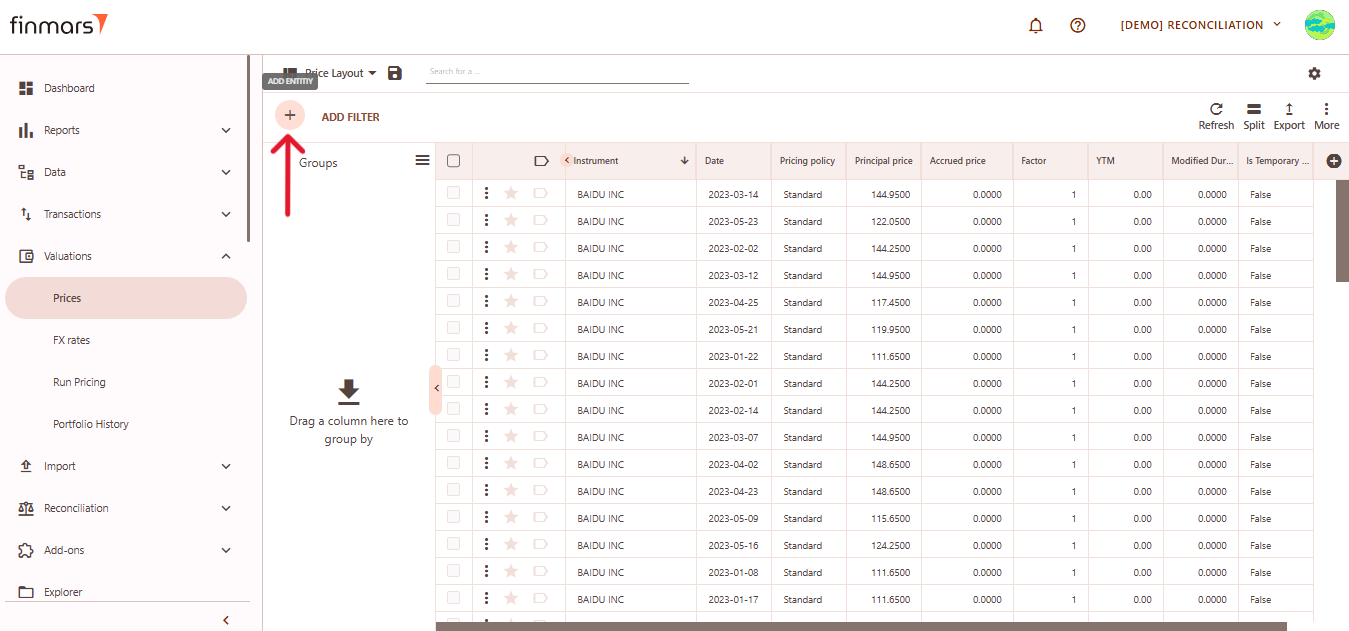](https://docs.finmars.com/uploads/images/gallery/2025-05/scaled-1680-/snimok-ekrana-2025-05-08-045357.png)
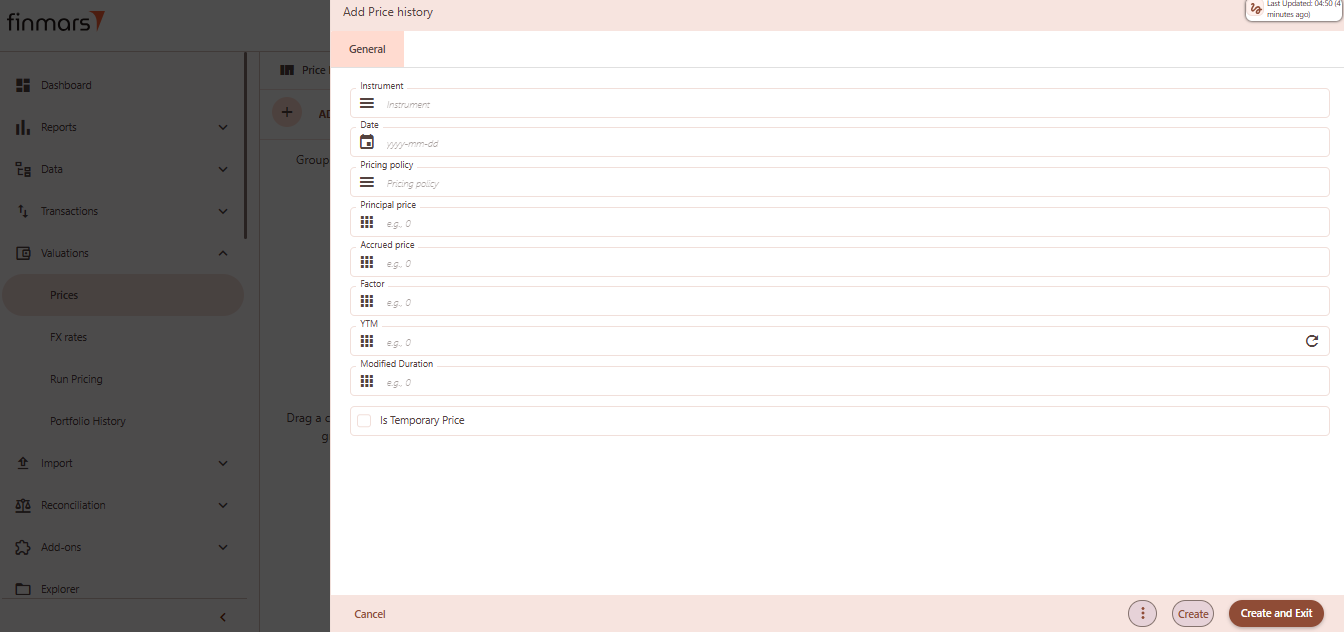
3. This action opens the ****Add Price history** form.
[](https://docs.finmars.com/uploads/images/gallery/2025-05/scaled-1680-/snimok-ekrana-2025-05-08-045414.png)
4. ****Fill out the following fields as needed:****
1. ****Instrument**** – select the full name or unique identifier of the instrument (required).
2. ****Date**** – the date when the price is recorded, in `yyyy-mm-dd` format (required).
3. ****Pricing Policy**** – select the pricing policy used for valuation.
4. ****Principal Price**** – main market price of the instrument (e.g., 100).
5. ****Accrued Price**** – the accrued interest or price component (e.g., 0).
6. ****Factor**** – scaling factor for partial repayments or amortization (e.g., 1 or 0.95).
7. ****YTM**** – yield to maturity as a percentage (e.g., 4.5).
8. ****Modified Duration**** – interest rate sensitivity measure (e.g., 2.3).
9. ****Is Temporary Price**** – optional checkbox; leave empty or check to mark the price as temporary.
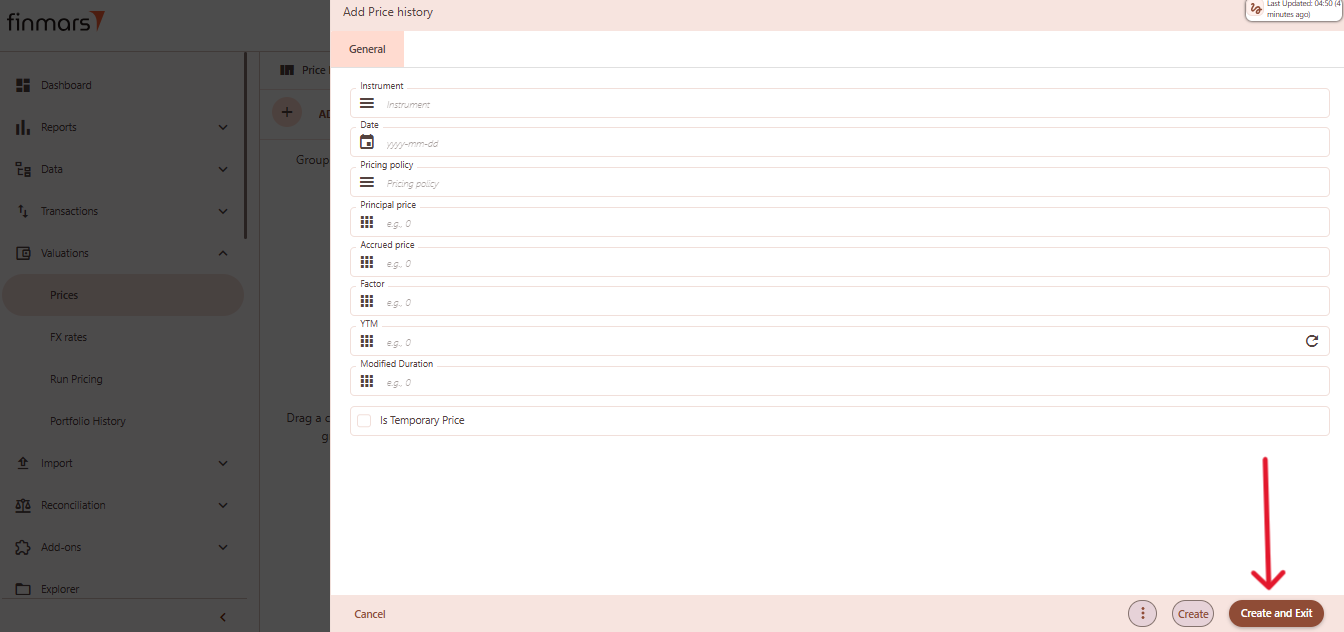
5. Click ****“Create and Exit”**** to save the portfolio and return to the list view. Alternatively, use ****“Create”**** to save and continue editing.
[](https://docs.finmars.com/uploads/images/gallery/2025-05/scaled-1680-/copy4.png)